소개
This manual provides essential information for the proper installation, operation, and maintenance of your Uniden BT-905 BBTY0663001 rechargeable cordless phone battery. Please read these instructions carefully to ensure optimal performance and longevity of your battery.
제품 끝view
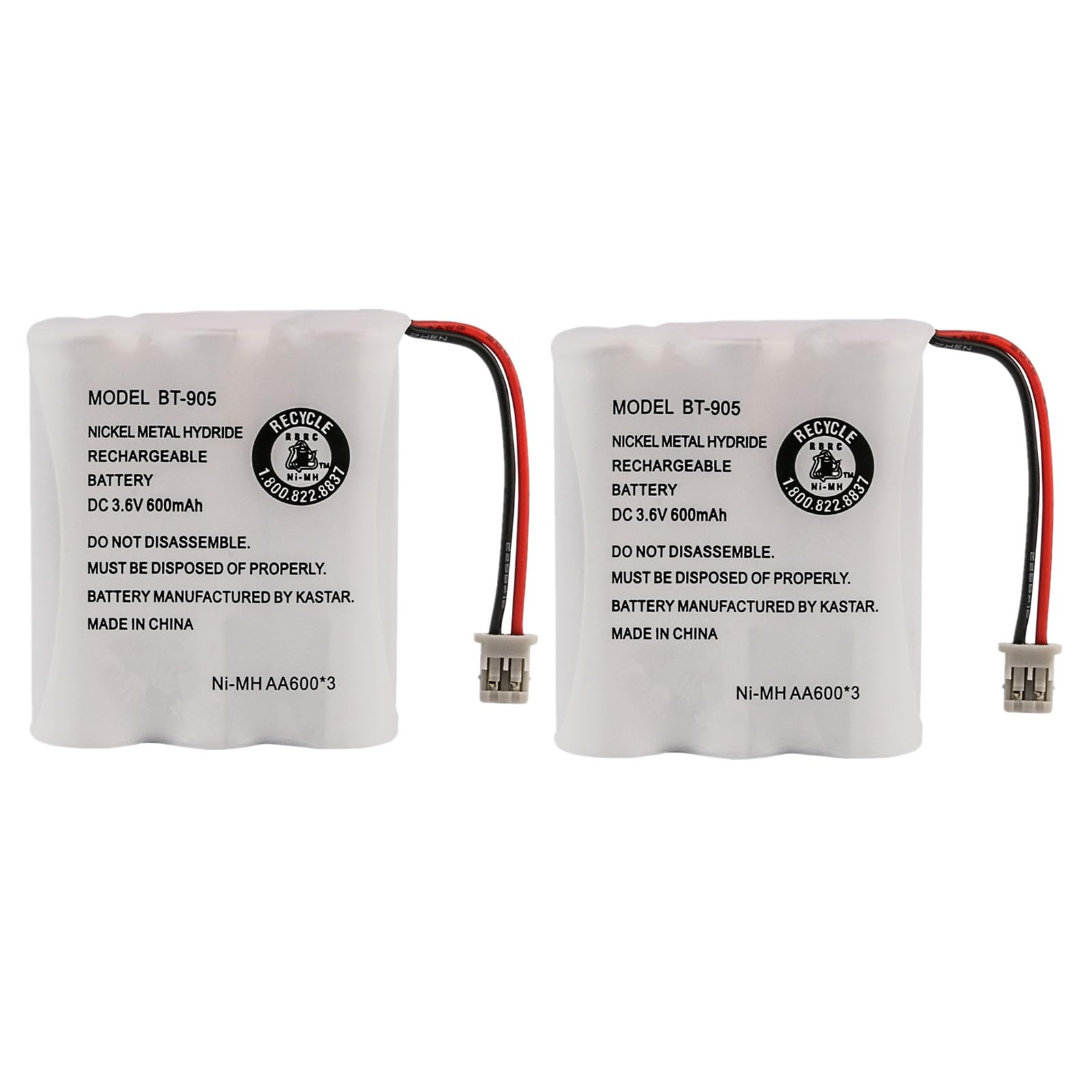
The Uniden BT-905 BBTY0663001 is a genuine replacement battery designed for various Uniden cordless telephone models. It is a Nickel-Metal Hydride (NiMH) battery, known for its reliability in cordless phone applications.
주요 사양:
- 권tage: 3.6V
- 용량: 600mAh
- 구성: 니켈 수소
Compatible Replacement Battery Models:
- BT-1006
- BT800
- GE-TL26154
- CPB-400B
Compatible Uniden Cordless Telephone Models:
This battery is compatible with a wide range of Uniden cordless phones across 900MHz, 2.4GHz, and 5.8GHz frequencies. A partial list includes:
- 900MHz Models: DXI386-2, DXI986-2, EHD1200, EXA2950, EXA2955, EXA3955, EXAI2980, EXAI2980i, EXAI378, EXAI378i, EXAI398, EXAI398i, EXAI7980, EXAI918, EXAI978, EXAI985HS, EXI376, EXI960, EXI976, EXI2926, EXI2960, EXI3965, EXI7926, EXI7960, EXI8965, EXI8966, EXL8900, EXLI8962, EXP2800, EXP2905, EXP6900, EXP7900, EWCI936, EXP7901, EXS2080, EZI996
- 2.4GHz Models: DXAI3288-2, DXAI4288-2, DXAI4588-2, DXAI7288-2, DXI3286-2, DXI4286-2, DXI4560-2, DXI4561-2, DXI7286-2, EXA3245, EXAI2248, EXAI3248, EXAI3248i, EXAI4248, EXAI4248i, EXAI4580, EXI2246, EXI3226, EXI3246, EXI4246, EXP2240, EXP2243, EXP3240, EXP3241, EXP4240, EXP4241, EXI4560, EXI4561, TRU3466
- 5.8GHz Models: CEZAI998, CXAI5198, CXAI5698, DXAI5188-2, DXAI5588-2, DXAI5588-3, DXAI5588-4, DXAI5688-2, DXAI5688-3, DXAI5688-4, DXAI8580-2, DXAI8580-3, DXI5186-2, DXI5586-2, DXI5586-3, DXI5586-3T, DXI5586-3TA, DXI5686-2, DXI5686-3, DXI8560-2, DXI8560-3, EXAI5180, EXAI5580, EXAI5680, EXI8560, EXAI8580, EXI5160, EXI5560, EXI5660
설치
Follow these steps to correctly install the new battery in your cordless phone handset:
- 배터리함을 찾습니다: Turn your cordless phone handset over. The battery compartment is typically located on the back, secured by a cover.
- 배터리 커버를 제거하세요: Slide or unclip the battery compartment cover. You may need a small screwdriver for some models.
- 오래된 배터리 분리: Carefully disconnect the old battery pack from the phone's connector. Note the orientation of the connector.
- 새 배터리를 삽입하세요: Connect the new Uniden BT-905 battery pack to the phone's connector, ensuring it is oriented correctly. Do not force the connection.
- 배터리 위치: Place the new battery pack into the compartment. Ensure the wires are not pinched. Note: In some cases, you may need to slightly adjust or trim the battery pack's wrapper where the wires exit to allow the battery cover to close properly. This ensures the wires are not obstructing the cover.
- 배터리 커버 교체: 배터리함 덮개를 단단히 다시 부착합니다.

Initial Charging and Operation
After installing the new battery, it is crucial to perform an initial charge cycle.
- Place Handset on Charger: Place the handset with the new battery into its charging cradle. Ensure the charging indicator on the handset or base station illuminates.
- 초기 청구 : Allow the battery to charge continuously for at least 12-15 hours before its first use, even if the phone indicates a full charge sooner. This conditions the battery for optimal performance.
- 정상 작동: After the initial charge, the phone is ready for normal use. For best battery life, return the handset to the charger when not in use.
유지 보수 및 관리
Proper care can extend the life of your NiMH battery:
- 일반 충전: Always return the handset to the charging cradle when not in use. NiMH batteries do not suffer from a 'memory effect' as severely as NiCd batteries, but consistent charging is beneficial.
- 심부방전을 피하세요: While occasional full discharge and recharge cycles can be beneficial for NiMH batteries, frequently allowing the battery to completely drain can shorten its lifespan.
- 온도: Store and operate the battery at room temperature. Extreme heat or cold can degrade battery performance and life.
- 연락처 청소: Periodically clean the charging contacts on both the handset and the charging cradle with a dry cloth to ensure a good connection.
문제 해결
배터리 관련 문제가 발생하는 경우 다음 사항을 고려해 보세요.
- 배터리가 충전되지 않음:
- 핸드셋이 충전 거치대에 올바르게 놓여 있는지 확인하세요.
- Verify the charging cradle is properly connected to power.
- Clean the charging contacts on both the handset and cradle.
- Confirm the battery is correctly installed and connected inside the handset.
- Short Talk Time/Poor Battery Life:
- Ensure the initial 12-15 hour charge cycle was completed.
- The battery may require several charge/discharge cycles to reach full capacity.
- If the battery is old, its capacity may have naturally degraded over time, requiring replacement.
- 전화가 켜지지 않음:
- 배터리가 제대로 연결되고 충전되었는지 확인하세요.
- Verify the phone's power adapter is working.
- If the issue persists, the phone itself may have a fault.
명세서
| 특징 | 세부 사항 |
|---|---|
| 모델 번호 | BT-905 / BBTY0663001 |
| 배터리 유형 | 니켈 수소화물(NiMH) |
| 권tage | 3.6V |
| 용량 | 600mAh |
| 제품 치수 | 3.6 x 2.1 x 1.7 인치 |
| 품목 무게 | 1.6 온스 |
| 제조업체 | JustGreatDealz (for this specific listing) |
| 상표 | 유니덴 |
안전 정보
다음 안전 예방 조치를 준수하십시오.
- 배터리를 분해하거나, 찌그러뜨리거나, 구멍을 내거나, 단락시키지 마십시오.
- 배터리를 고온이나 불에 노출시키지 마십시오.
- 배터리를 어린이의 손이 닿지 않는 곳에 보관하세요.
- 사용한 배터리는 해당 지역 규정에 따라 폐기하십시오. 일반 쓰레기와 함께 버리지 마십시오.
- Use only with compatible Uniden cordless telephone models as specified.
보증 및 지원
For warranty information and customer support regarding your Uniden BT-905 BBTY0663001 battery, please refer to the documentation provided with your purchase or contact the seller directly. You may also visit the official Uniden Store 일반적인 제품 정보는 다음과 같습니다.


