1. 제품 오버view
The Laserliner DistanceMaster Compact is a precise laser distance meter designed for accurate length, area, and volume measurements. It features a color display and a robust, ergonomically designed rubber casing, making it suitable for various environments, including construction sites and indoor applications.
주요 특징:
- Precise point-accurate laser measurement for accurate length determination.
- Area and volume functions for calculating room sizes and material quantities.
- Measured value memory for up to 10 entries.
- Measuring accuracy of ±3 mm up to 25 meters.
- Internal measuring range from 0.1 meters to 25 meters.
- Two selectable reference points for measurement: front and rear.
- Min/Max function for determining diagonals, vertical, and horizontal distances.
- Illuminated three-line color LCD display for clear readability.
- Robust, ergonomically designed rubber casing with IP54 protection against dust and splashing water.
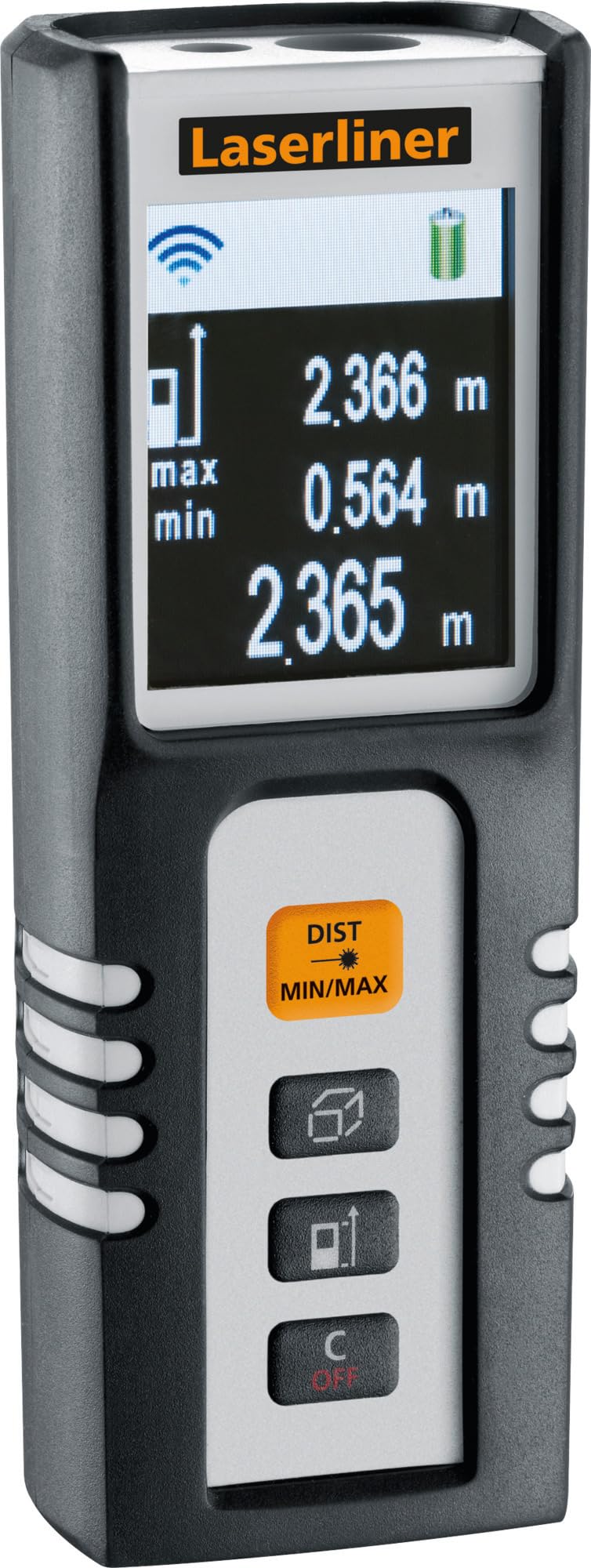
Image 1.1: The Laserliner DistanceMaster Compact laser rangefinder with its protective carrying case. The device features a clear digital display showing measurement readings and battery status.
2. 설정
2.1 배터리 설치
The DistanceMaster Compact requires two AAA batteries for operation. These are typically included with the device.
- 장치 뒷면에서 배터리 덮개를 찾으세요.
- 덮개를 밀거나 풀어서 수납 공간을 엽니다.
- AAA 배터리 2개를 넣고, 배터리 칸 내부에 표시된 대로 올바른 극성(+/-)을 맞춰 넣습니다.
- 배터리 덮개를 단단히 닫으세요.
2.2 전원 켜기/끄기
장치의 전원을 켜려면 거리 버튼을 누릅니다. 전원을 끄려면 버튼을 길게 누릅니다. 오프/오프 단추.
3. 사용 설명서
3.1 기본 거리 측정
For a single distance measurement:
- 레이저 빔을 표적 표면에 향하게 합니다.
- 를 누르세요 거리 버튼을 한 번 누르세요. 측정된 거리가 디스플레이에 나타납니다.
3.2 면적 및 부피 측정
The device can calculate area and volume automatically after taking the necessary measurements.
- 로 버튼을 누르십시오. square/cube icon to select area or volume mode.
- Follow the on-screen prompts to measure the required dimensions (length, width, height).
- 계산된 면적이나 부피가 표시됩니다.

Image 3.1: The laser rangefinder being used to measure dimensions for calculating the area of a wall, illustrating its practical application for material estimation.
3.3 최소/최대 추적
The Min/Max function allows for continuous measurement, displaying the minimum and maximum distances recorded during a sweep. This is useful for finding diagonals or precise horizontal/vertical distances.
- 를 누르고 계세요 DIST MIN/MAX 단추.
- Sweep the device across the desired area. The display will continuously update with the minimum and maximum measured values.
- 누르다 DIST MIN/MAX again to stop tracking.

이미지 3.2: 자세한 view of the control panel, highlighting the 'DIST MIN/MAX' button used for continuous measurement and tracking.
3.4 기준점 선택
The measurement reference point can be switched between the front and rear of the device. This is important for accurate measurements depending on where the device is placed.
- 로 버튼을 누르십시오. 화살표 아이콘 to toggle between front and rear reference points. The active reference point will be indicated on the display.
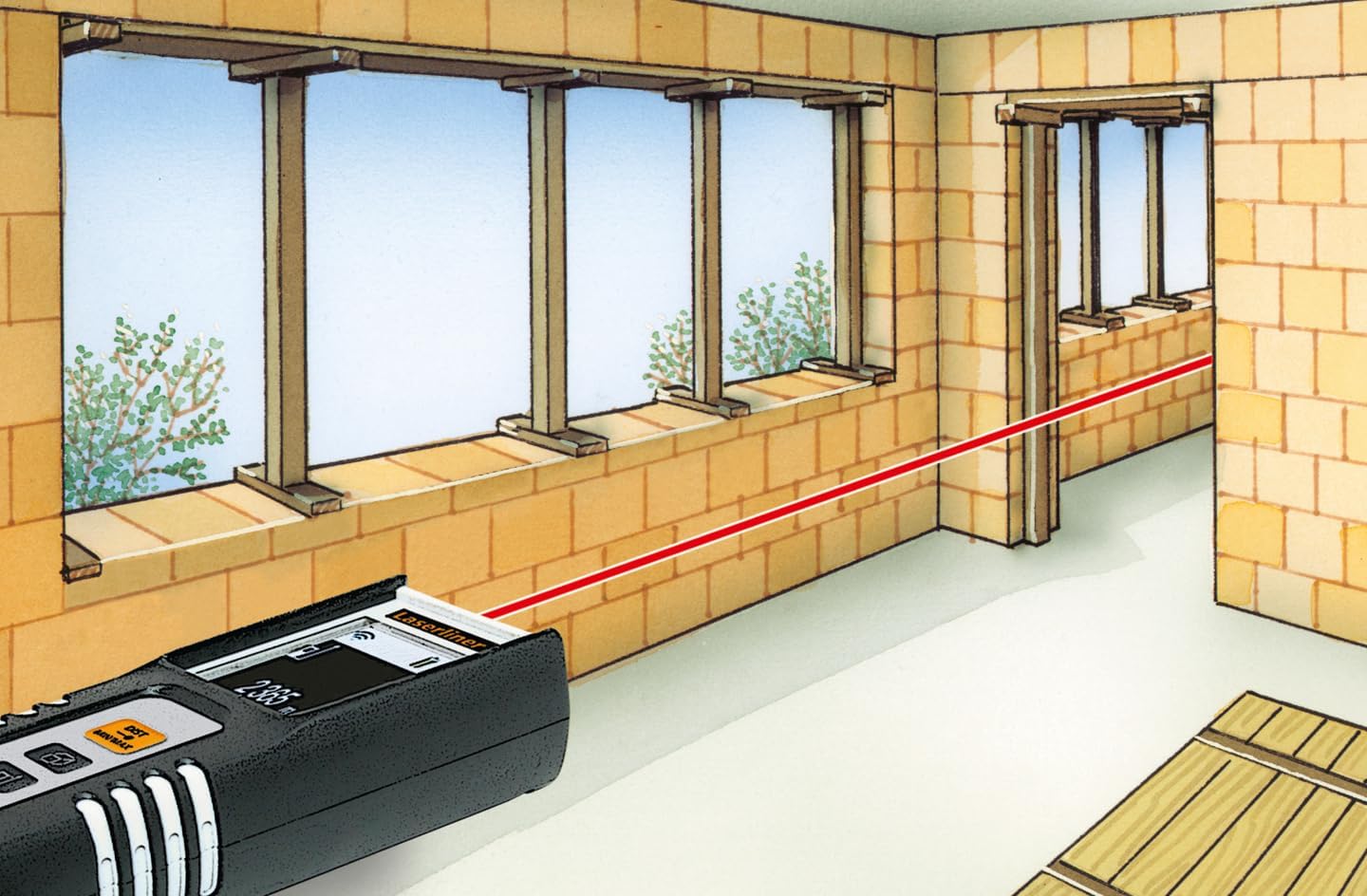
Image 3.3: The laser rangefinder in use, demonstrating a distance measurement across a room, emphasizing the importance of selecting the correct reference point.
3.5 메모리 기능
The device can store up to 10 measured values. To access or clear the memory, refer to the on-screen menu or specific button combinations detailed in the full manual (not provided here).
4. 유지관리
4.1 청소
- 부드러운 천으로 장치를 닦으십시오. damp 천. 연마성 세척제나 용매를 사용하지 마십시오.
- 정확한 측정을 위해 레이저 렌즈를 깨끗하게 유지하고 먼지나 이물질이 없도록 하십시오.
4.2 보관
- 사용하지 않을 때는 기기를 보호 케이스에 보관하세요.
- 장기간 기기를 사용하지 않을 경우 배터리 누출을 방지하기 위해 배터리를 제거하세요.
- 극한의 온도를 피하고 건조한 곳에 보관하십시오.
5. 문제 해결
- 장치가 켜지지 않습니다: Check battery polarity and ensure batteries are not depleted. Replace if necessary.
- 부정확한 측정: Ensure the laser lens is clean. Verify the correct reference point is selected. Avoid measuring through transparent surfaces or highly reflective materials.
- 디스플레이 문제: 디스플레이가 어둡거나 깜빡이면 배터리를 교체하세요.
6. 사양

Image 6.1: The vibrant color LCD display of the DistanceMaster Compact, designed for clear visibility of measurements and functions.
| 특징 | 사양 |
|---|---|
| 모델 번호 | 080.936A |
| 측정 범위 | 0.1m ~ 25m(0.3피트 ~ 82피트) |
| 정확성 | ±3mm |
| 측정 단위 | Meters (m), Feet (ft), Inches (in) |
| 레이저 클래스 | 2 |
| 파장 | 650nm |
| Memory Records | 10 |
| 표시하다 | Illuminated 3-line color LCD |
| 전원 공급 장치 | AAA 알카라인 배터리 2개(포함) |
| 작동 온도 | -10 °C ~ 40 °C (14 °F ~ 104 °F) |
| 보호 등급 | IP54(먼지 및 물 튀김 방지) |
| 재료 | 고무 casing |
| 색상 | 검은색, 흰색 |
| 제품 치수 | 110mm(H) x 43mm(W) x 27mm(D) |
| 제품 무게 | 100그램 |

Image 6.2: The robust design of the laser rangefinder, featuring anti-shock rubber for durability and protection in demanding environments, indicated by the IP54 rating.
7. 보증 및 지원
For warranty information, technical support, or service inquiries regarding your Laserliner DistanceMaster Compact, please refer to the official Laserliner web사이트를 방문하거나 고객 서비스 부서에 문의하세요. 보증 청구를 위해 구매 증빙 자료로 구매 영수증을 보관하세요.
추가 지원이 필요하면 다음을 방문하세요. Laserliner official web대지.


