1. 서론
This manual provides detailed instructions for the setup, operation, and maintenance of your EMOS E0114 Digital Thermometer and Hygrometer. This device accurately measures indoor temperature and humidity, and also functions as a quartz clock with an alarm, snooze feature, and date display. Please read this manual thoroughly before using the product to ensure correct operation and to prevent damage.
2. 안전 정보
- 기기를 극한의 온도, 직사광선, 높은 습도에 두지 마세요.
- 장치를 물이나 기타 액체에 노출시키지 마십시오.
- 기기를 분해하거나 개조하지 마십시오. 보증이 무효화됩니다.
- 사용한 배터리는 현지 규정에 따라 책임감 있게 폐기하십시오.
- 배터리를 어린이의 손이 닿지 않는 곳에 보관하세요.
3. 패키지 내용
포장을 개봉하신 후 내용물을 확인해 주세요.
- EMOS E0114 Digital Thermometer and Hygrometer
- 사용자 설명서
Note: 1 AA Mignon 1.5 V battery is required and not included in the package.

Figure 3.1: EMOS E0114 device in its retail packaging.
4. 제품 오버view
Familiarize yourself with the components of your EMOS E0114 device.
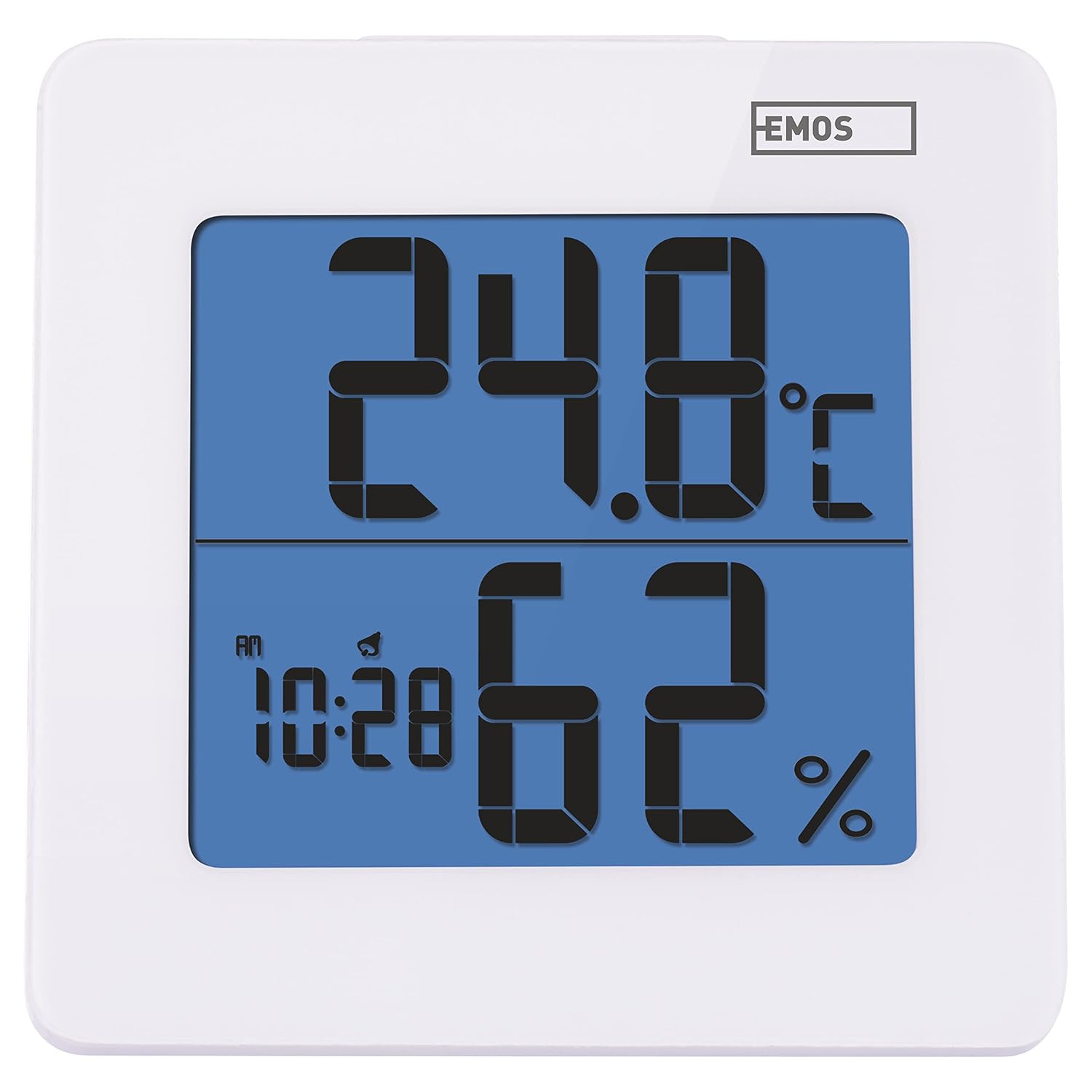
그림 4.1: 전면 view of the EMOS E0114 display, showing temperature, humidity, and time.

그림 4.2: 뒤로 view of the EMOS E0114, highlighting the control buttons and battery compartment.
제어 버튼:
- 오시는 길 : 시간 표시, 알람 설정, 날짜 설정 간에 전환됩니다.
- 쪽으로: Increases values during setting, activates/deactivates alarm.
- MEM : Displays maximum and minimum temperature/humidity records.
- C/F: 섭씨와 화씨 온도 단위를 전환합니다.
- RESET : 장치를 공장 기본값으로 재설정합니다.
- 스누즈/라이트 (상단 바): Activates snooze function during alarm, illuminates the display backlight.
5. 설정
5.1 배터리 설치
- 장치 뒷면에서 배터리 구획을 찾으세요(그림 4.2 참조).
- 배터리 덮개를 엽니다.
- Insert one (1) AA Mignon 1.5 V battery, ensuring correct polarity (+/-).
- 배터리 덮개를 단단히 닫으세요.
5.2 초기 전원 켜기
Upon battery installation, the device will power on automatically and display the current time (default 12:00 AM), temperature, and humidity. The backlight will briefly illuminate.
6. 사용 설명서
6.1 시간 및 날짜 설정
- 일반 시간 표시 모드에서 방법 버튼을 한 번 누르면 시간 설정 모드로 들어갑니다. 시 숫자가 깜빡입니다.
- 사용하세요 UP 버튼을 눌러 시간을 조정합니다.
- 누르다 방법 again to set the minutes. The minute digits will flash. Use the UP 버튼을 눌러 분을 조정합니다.
- 누르다 방법 again to set the year. The year digits will flash. Use the UP 버튼을 눌러 연도를 조정합니다.
- 계속 누르기 방법 to set the month and then the day, adjusting each with the UP 단추.
- 날짜를 설정한 후 누르세요. 방법 설정 모드를 종료하고 일반 시간 표시로 돌아갑니다.
6.2 알람 설정
- 일반 시간 표시 모드에서 방법 button twice to enter alarm setting mode. The alarm time will be displayed, and the hour digits will flash.
- 사용하세요 UP 버튼을 눌러 알람 시간을 조정합니다.
- 누르다 방법 again to set the alarm minutes. The minute digits will flash. Use the UP 알람 시간을 조정하는 버튼입니다.
- 누르다 방법 알람 설정 모드를 종료합니다.
- 알람을 활성화 또는 비활성화하려면 버튼을 누르십시오. UP button once in normal time display mode. An alarm icon will appear on the display when activated.
6.3 Using Snooze and Backlight
- 알람이 울리면 버튼을 누르세요. 스누즈 / 라이트 bar on top of the device to activate the snooze function. The alarm will pause for approximately 5 minutes and then sound again.
- To turn off the alarm completely, press any other button (MODE, UP, MEM, C/F) on the back of the device.
- 를 누르세요 스누즈 / 라이트 bar at any time to briefly illuminate the display backlight for better visibility in low light conditions.
6.4 온도 단위 전환 (°C/°F)
일반 디스플레이 모드에서 C / F button on the back of the device to toggle between Celsius (°C) and Fahrenheit (°F) temperature readings.
6.5 Viewing Maximum and Minimum Records
The device stores the maximum and minimum temperature and humidity values recorded since the last reset or battery change.
- 를 누르세요 멤 버튼을 한 번 누르면 기록된 최고 온도와 습도가 표시됩니다.
- 를 누르세요 멤 버튼을 다시 누르면 기록된 최저 온도와 습도가 표시됩니다.
- 누르다 멤 a third time to return to the current temperature and humidity display.
- To clear the maximum/minimum records, press and hold the 멤 버튼을 약 3초간 눌러주세요. view기록 중.
7. 유지관리
7.1 청소
- 부드럽고 마른 천으로 기기를 닦으십시오.
- Do not use abrasive cleaners, solvents, or chemical agents, as these may damage the display or casing.
7.2 배터리 교체
When the display becomes dim or the device stops functioning, it is time to replace the battery.
- 장치 뒷면의 배터리 덮개를 엽니다.
- 오래된 AA 배터리를 제거하세요.
- Insert a new AA Mignon 1.5 V battery, observing correct polarity.
- 배터리 덮개를 닫습니다.
- You may need to reset the time and date after battery replacement.
8. 문제 해결
| 문제 | 가능한 원인 | 해결책 |
|---|---|---|
| 디스플레이가 없거나 어둡습니다 | 배터리가 부족하거나 방전됨, 배터리가 잘못 설치됨. | Replace the battery with a new AA 1.5V battery. Ensure correct polarity. |
| 시간/날짜가 잘못되었습니다 | 배터리 설치 또는 재설정 후 시간/날짜가 올바르게 설정되지 않았습니다. | Follow instructions in Section 6.1 to set the time and date. |
| Temperature/humidity readings seem inaccurate | Device placed in an unsuitable location (e.g., near heat source, vent, direct sunlight). | Relocate the device to a stable indoor environment away from direct influences. Allow 30 minutes for readings to stabilize. |
| 알람이 울리지 않습니다 | 경보가 작동하지 않습니다. | Ensure the alarm icon is visible on the display (refer to Section 6.2). |
| 장치가 응답하지 않음 | 일시적인 전자적 오류입니다. | 를 누르세요 다시 놓기 button on the back of the device using a thin object (e.g., paperclip). Note: This will clear all settings. |
9. 사양
- 모델: E0114
- 상표: 에모스
- 온도 측정 범위 : 0°C ~ +50°C(32°F ~ 122°F)
- 온도 분해능: 0.1 ° C / 0.1 ° 화씨
- 습도 측정 범위: 20% ~ 90% 상대 습도(RH)
- 습도 해상도 : 상대습도 1%
- 시계: Quartz with 12/24 hour format
- 경보: 네, 스누즈 기능이 있습니다.
- 표시하다: 백라이트 LCD
- 메모리 기능: 최대/최소 온도 및 습도
- 전원 공급 장치: 1 x AA Mignon 1.5 V battery (not included)
- 치수(길이 x 너비 x 높이): 3.7 x 9.3 x 9.3cm(약 1.46 x 3.66 x 3.66인치)
- 화면 크기: 60 x 65 mm (approximately 2.36 x 2.56 inches)
- 무게: 109그램(약 3.84온스)
- 장착 유형: Wall mountable (integrated stand)
- 색상: White (with blue display backlight)

Figure 9.1: Dimensions of the EMOS E0114 device.
10. 보증 및 지원
EMOS products are designed for reliability and performance. For warranty information or technical support, please refer to the warranty card included with your purchase or visit the official EMOS web사이트. 보증 청구를 위해 구매 증빙 자료를 보관해 주세요.


