소개
Thank you for choosing the Hoover DV70 DV11 Handheld Vacuum Cleaner. This manual provides essential information for the safe and efficient operation, maintenance, and troubleshooting of your appliance. Please read it thoroughly before first use and keep it for future reference.
중요 안전 지침
- 청소나 유지관리를 하기 전에는 반드시 전원을 차단하세요.
- 물이나 젖은 물질을 빨아들이는 데 진공청소기를 사용하지 마십시오.
- 인화성 물질이나 가연성 물질, 뜨거운 재, 날카로운 물체를 만지지 마십시오.
- 머리카락, 느슨한 옷, 손가락 및 신체의 모든 부분을 구멍이나 움직이는 부품에서 멀리 두십시오.
- 손상된 코드나 플러그로 진공 청소기를 작동하지 마세요.
- 이 제품은 가정용으로만 사용 가능합니다.
- Ensure the dust container is correctly fitted before use.
제품 끝view
Familiarize yourself with the components of your Hoover DV70 DV11 vacuum cleaner.
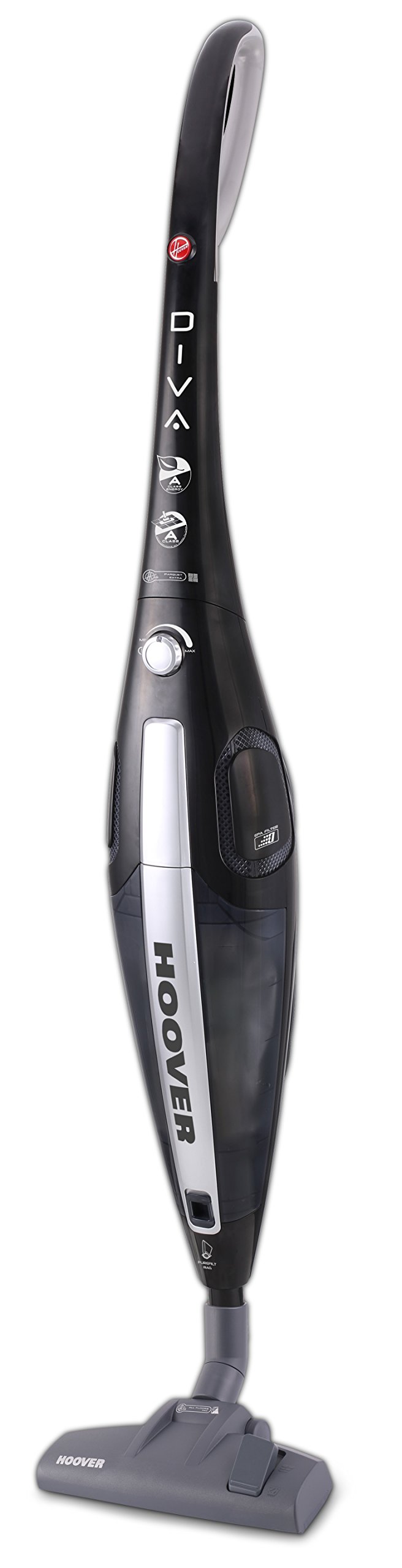
Figure 1: Hoover DV70 DV11 Handheld Vacuum Cleaner. This image shows the full assembly of the vacuum cleaner, highlighting its sleek black and silver design with the handle, main body, and floor nozzle.
- 핸들
- Power Button / Performance Control
- 먼지통 릴리스 버튼
- 먼지통
- 필터 어셈블리
- Floor Nozzle (Switchable)
- Easy Parquet Nozzle (for hard floors)
- 전원 코드
설정 및 조립
진공 청소기를 처음 사용하기 전에 다음 단계에 따라 조립하세요.
- 구성 요소 풀기: Carefully remove all parts from the packaging. Ensure all components listed in the Product Overview 해당 섹션이 있습니다.
- 핸들 부착: 손잡이를 청소기 본체에 딸깍 소리가 나면서 제자리에 단단히 고정될 때까지 삽입하십시오.
- Connect Floor Nozzle: Attach the desired floor nozzle (either the switchable floor nozzle or the Easy Parquet nozzle for hard floors) to the bottom of the main body. Ensure it is firmly connected.
- 전원 연결: 전원 코드를 풀어서 적절한 콘센트에 꽂으세요.
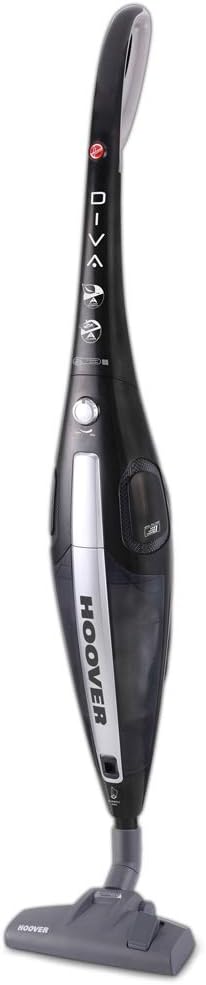
그림 2: 전면 view of the Hoover DV70 DV11. This image provides a clear view of the main body and handle, useful for assembly reference.
작동 지침
- 전원 켜기/끄기: Press the power button located on the main body to turn the vacuum cleaner on. Press it again to turn it off.
- 성과 관리: Your vacuum cleaner features electronic performance control. Adjust the suction power as needed for different surfaces or cleaning tasks using the control on the device.
- 노즐 사용:
- 사용하세요 switchable floor nozzle for general cleaning on various floor types.
- For delicate hard floors, attach the Easy Parquet nozzle to prevent scratches and ensure effective cleaning.
- Dust Container Level: Monitor the dust container level indicator. Empty the container when it reaches the maximum fill line to maintain optimal suction performance.
유지관리 및 청소
정기적인 유지관리는 진공청소기의 수명과 최적의 성능을 보장합니다.
먼지통 비우기
- 전원 분리: Always unplug the vacuum cleaner from the power outlet before emptying.
- 먼지통을 제거하세요: Press the dust container release button and carefully detach the dust container from the main body.
- 빈 내용: Hold the dust container over a waste bin and open the bottom flap to empty the collected dust and debris.
- 다시 첨부: Close the flap and reattach the dust container to the vacuum cleaner, ensuring it clicks securely into place.
필터 청소
It is recommended to clean the filters regularly, especially if you notice a decrease in suction power.
- 액세스 필터: With the dust container removed, locate the filter assembly.
- 필터 제거: Carefully remove the filters. Depending on your model, these may be washable.
- 필터 청소:
- 세척 가능한 필터의 경우: Rinse under cold running water until the water runs clear. Do not use detergents.
- 세척 불가능한 필터의 경우: Tap gently over a bin to remove dust. Do not wash.
- 건조 필터: Allow washable filters to air dry completely for at least 24 hours before reinserting. Do not use a dryer or heat.
- 재조립: Once dry, reinsert the filters into the assembly and reattach the dust container.
문제 해결
진공 청소기에 문제가 발생하면 다음의 일반적인 문제와 해결 방법을 참조하세요.
| 문제 | 가능한 원인 | 해결책 |
|---|---|---|
| 진공청소기가 켜지지 않습니다. | 플러그가 꽂혀 있지 않음; 콘센트에 결함이 있음; 전원 버튼을 누르지 않음. | Check power cord connection; try a different outlet; press power button firmly. |
| 흡입력이 낮습니다. | Dust container full; filters clogged; nozzle blocked. | Empty dust container; clean or replace filters; check nozzle for obstructions. |
| 작동 중 비정상적인 소음이 발생합니다. | Obstruction in the brush roll or hose; motor issue. | Turn off and unplug the vacuum. Inspect brush roll and hose for blockages and remove them. If noise persists, contact customer support. |
명세서
| 특징 | 세부 사항 |
|---|---|
| 상표 | 후버 |
| 모델명 | DF70_DV11011 |
| 모델 번호 | DV70 DV11 |
| 특별 기능 | Dust container level indicator |
| 전원 | 코드식 전기 |
| 품목 무게 | 3.9 킬로그램 |
| 용량 | 1.8리터 |
| 왓tage | 750 와트 |
| 폼 팩터 | 막대 |
| 색상 | 다색 |
| 소음 수준 | 79데시벨 |
| 가지고 다닐 수 있는 | 예 |
| 제어 유형 | 핸드 컨트롤 |
| 연결 기술 | 와이파이 |
| 에너지 효율 등급 | A (from A to G) |
| 연간 에너지 소비량 | 27kWh/년 |
| Carpet Cleaning Class | C (from A to G) |
| Hard Floor Cleaning Class | A (from A to G) |
| Dust Emission Class | B (A에서 G까지) |
보증 및 고객 지원
For warranty information, please refer to the warranty card included with your product or visit the official Hoover website. If you require further assistance, have questions, or need to report a problem not covered in this manual, please contact Hoover customer support.
You can typically find contact details for customer support on the Hoover web사이트 또는 구매 문서에서 확인하세요.


