소개
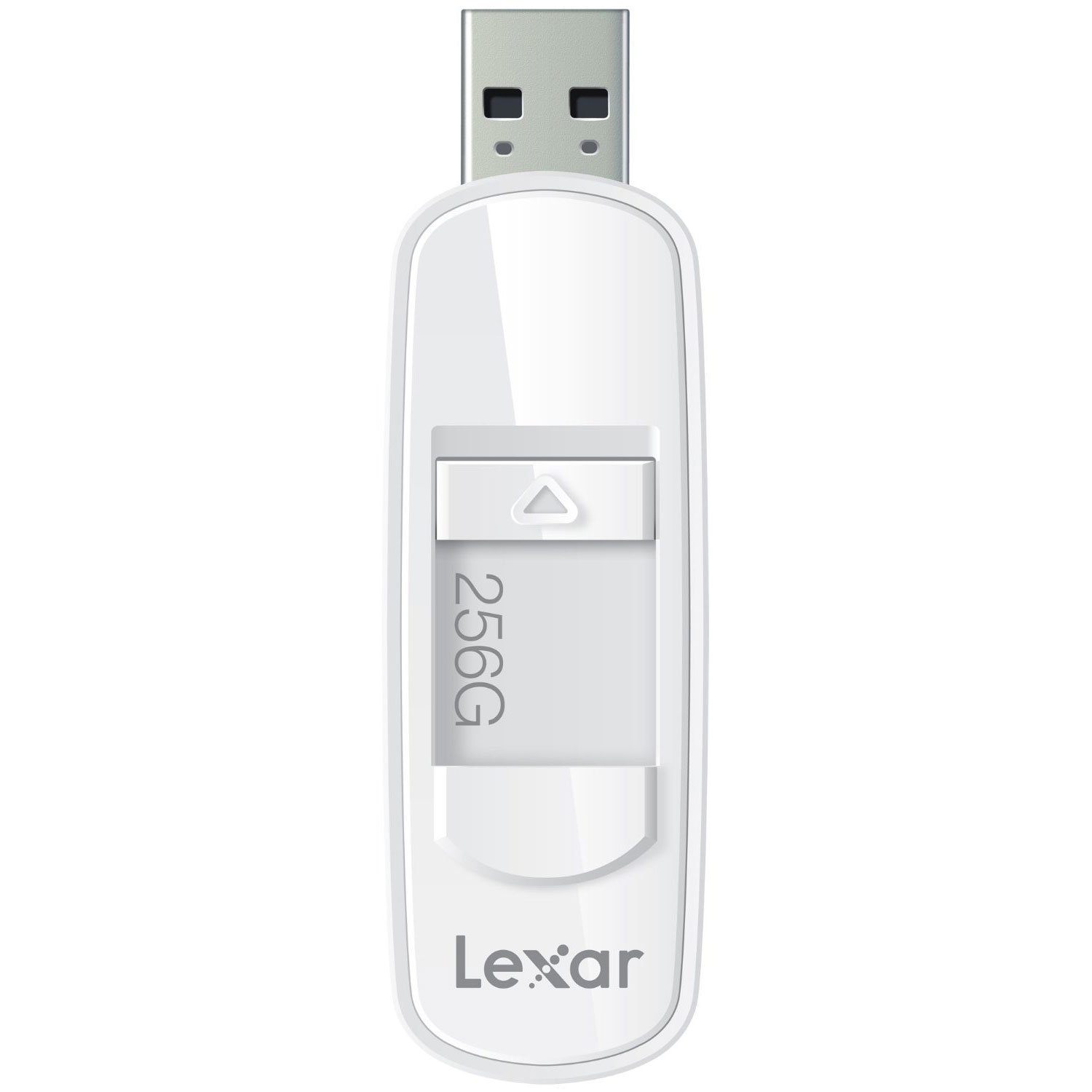
The Lexar JumpDrive S75 is a high-performance USB 3.1 flash drive designed for efficient storage and transfer of photos, videos, and files. It offers fast read and write speeds, making it suitable for various data management tasks. The drive features a retractable connector for protection and is compatible with both PC and Mac systems.
This manual provides essential information for setting up, operating, maintaining, and troubleshooting your Lexar JumpDrive S75.
제품 끝view
This image shows the Lexar JumpDrive S75 USB 3.1 Flash Drive, highlighting its compact design and retractable connector. The drive is being held in a hand, positioned near a laptop and a notebook, illustrating its portability and ease of use in a typical work or study environment.
The Lexar JumpDrive S75 features a sleek design with a retractable USB connector, which protects the connector when not in use. It is equipped with SuperSpeed USB 3.1 technology for rapid data transfer.
- SuperSpeed USB 3.1 Technology: Enables fast content transfer with speeds up to 150MB/s read and 60MB/s write for 64GB-256GB capacities.
- 접이식 커넥터: A convenient thumb slide mechanism extends and retracts the USB connector.
- 광범위한 호환성: PC와 Mac 운영 체제 모두에서 작동합니다.
- LED 작동 표시등: A small light indicates when the drive is actively reading or writing data.
설정
The Lexar JumpDrive S75 is a plug-and-play device, requiring no special driver installation for most modern operating systems.
- 커넥터를 확장하세요: Use the thumb slide to extend the USB connector from the drive casing.
- 컴퓨터에 연결: Insert the USB connector into an available USB port on your computer. For optimal performance, use a USB 3.0 or USB 3.1 port. The drive is also backward compatible with USB 2.0 ports, though speeds will be limited to USB 2.0 specifications.
- 인식: Your computer's operating system should automatically detect the drive and make it accessible. It will typically appear as a removable disk drive in 'My Computer' (Windows) or on the desktop/Finder (Mac).
작동 지침
전송 중 Files
- Open the Drive: Double-click the drive icon on your computer to open its contents.
- 복사 Files: 드래그 앤 드롭 files or folders from your computer to the JumpDrive S75, or vice versa. Alternatively, use the copy and paste functions.
- Monitor Transfer: Observe the LED activity indicator on the drive. A flashing light indicates that data is being read from or written to the drive.
안전한 제거
To prevent data corruption, always safely eject the flash drive before physically removing it from your computer.
- 윈도우: Click the 'Safely Remove Hardware and Eject Media' icon in the system tray, then select the Lexar JumpDrive S75. Wait for the 'Safe to Remove Hardware' message before unplugging.
- 스코틀랜드 사람: Drag the drive icon to the Trash, or right-click (Control-click) the drive icon and select 'Eject'. Wait for the icon to disappear before unplugging.
유지
- 커넥터를 보호하십시오: Always retract the USB connector into the drive casing when not in use to prevent damage to the connector pins.
- 조심스럽게 다루십시오: Avoid dropping the drive or subjecting it to excessive force, as this can cause internal damage.
- 건조하게 유지하세요: Protect the drive from moisture and extreme temperatures.
- 정기 백업: While flash drives are reliable, it is good practice to back up important data to multiple locations to prevent data loss.
문제 해결
드라이브가 감지되지 않음
- 드라이브가 USB 포트에 완전히 삽입되었는지 확인하세요.
- 컴퓨터의 다른 USB 포트를 사용해 보십시오.
- Test the drive on another computer to determine if the issue is with the drive or the computer's USB port.
- 컴퓨터를 다시 시작하세요.
느린 전송 속도
- Verify that you are connected to a USB 3.0 or USB 3.1 port. USB 2.0 ports will operate at significantly lower speeds.
- 많은 작은 것을 전송합니다 file여러 개의 파일을 한 번에 전송하는 것보다 속도가 느릴 수 있습니다. file 전체 크기가 동일합니다.
- 컴퓨터 드라이버가 최신 상태인지 확인하세요.
Data Corruption or Inaccessible Files
- Always safely eject the drive before removal. Unexpected removal can lead to data corruption.
- If files become inaccessible, you may consider using data recovery software (third-party) or reformatting the drive if data is not critical. Reformatting will erase all data.
Reported Capacity Discrepancy
- The actual usable storage capacity may be less than the stated capacity due to formatting, operating system files, and other functions. This is normal for all storage devices.
명세서
| 모델명 | S75 |
| 품목 모델 번호 | LJDS75-256ABNL |
| 메모리 저장 용량 | 256GB (XNUMX기가바이트) |
| 하드웨어 인터페이스 | USB 3.0(USB 3.1과 호환) |
| 읽기 속도 | 최대 150MB/s |
| 쓰기 속도 | 최대 60MB/s |
| 연결 기술 | USB |
| 하드웨어 플랫폼 | PC, 맥 |
| 운영 체제 | PC; 맥 |
| 색상 | 하얀색 |
| 품목 무게 | 0.768 온스 |
| 제품 치수 | 4 x 0.54 x 5.5 인치 |
| 제조업체 | Lexar International |
보증 정보
For detailed warranty information regarding your Lexar JumpDrive S75, please refer to the official Lexar website or the warranty card included with your product at the time of purchase. Warranty terms and conditions may vary by region and product.
지원하다
If you encounter any issues or have questions not covered in this manual, please visit the official Lexar support web추가 지원, FAQ 및 연락 방법은 해당 사이트를 참조하십시오.
Lexar Official Web대지: www.lexar.com


