1. 서론
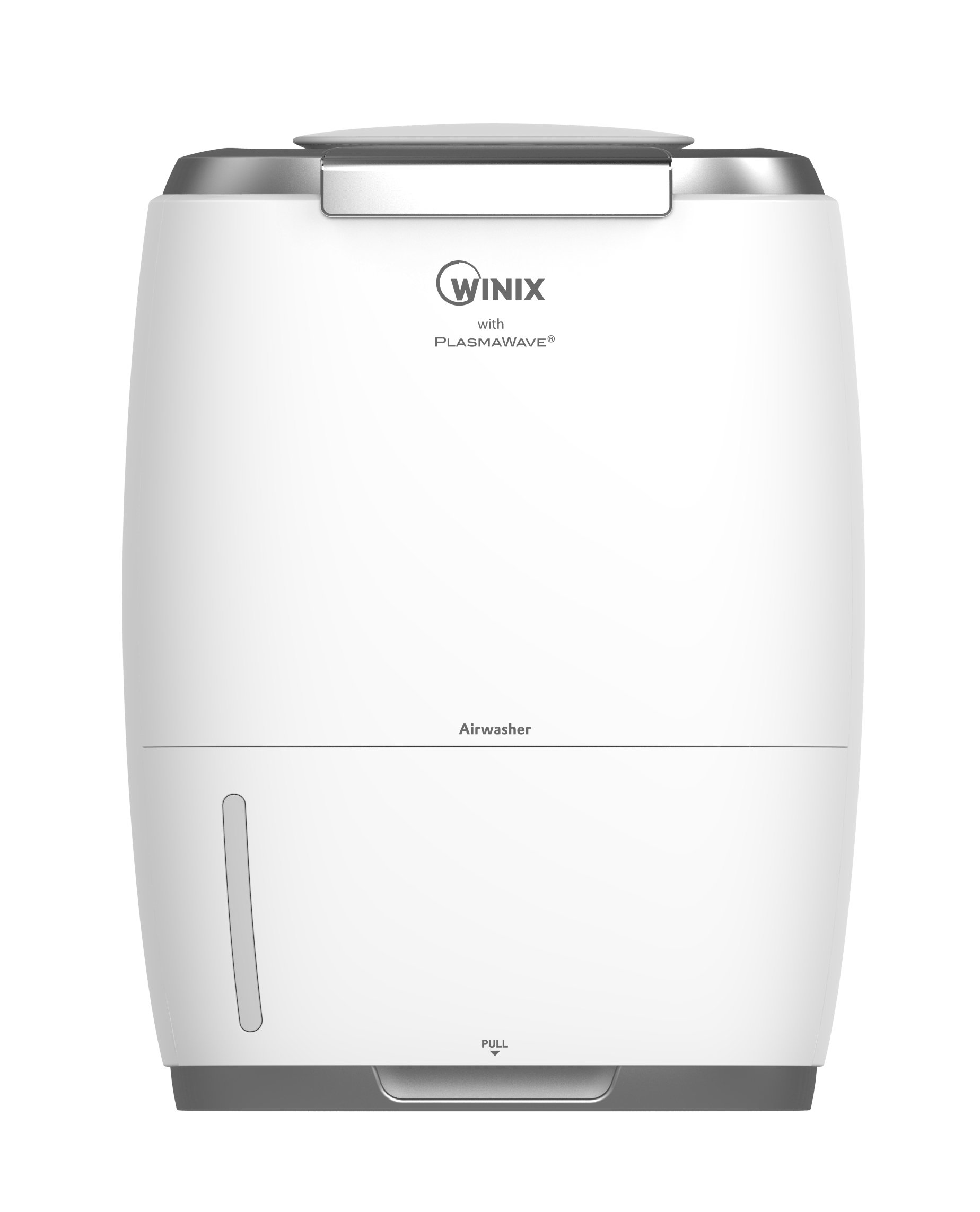
The Winix AW600 Triple Action Humidifier with Plasmawave is designed to simultaneously humidify and purify the air in your home. It features a 3.17 Gallon per day humidification capacity and a 3-stage air purification system. Winix's patented PlasmaWave technology provides an additional layer of air treatment, monitoring room air quality and effectively eliminating a wide range of air pollutants and odors. The HumidiPür is designed for ease of operation, featuring a convenient slide-out water tank and CleanCel anti-bacterial protection throughout the air treatment process.
2. 설정
2.1 풀기
Carefully remove all packaging materials from the unit. Ensure all components, including the water tank, cleaning discs, and HEPA/Carbon filter, are present and undamaged.
2.2 배치
Place the humidifier on a firm, level surface. Ensure there is adequate space around the unit for proper airflow, ideally at least 6 inches (15 cm) from walls or furniture.
2.3 물 탱크 채우기
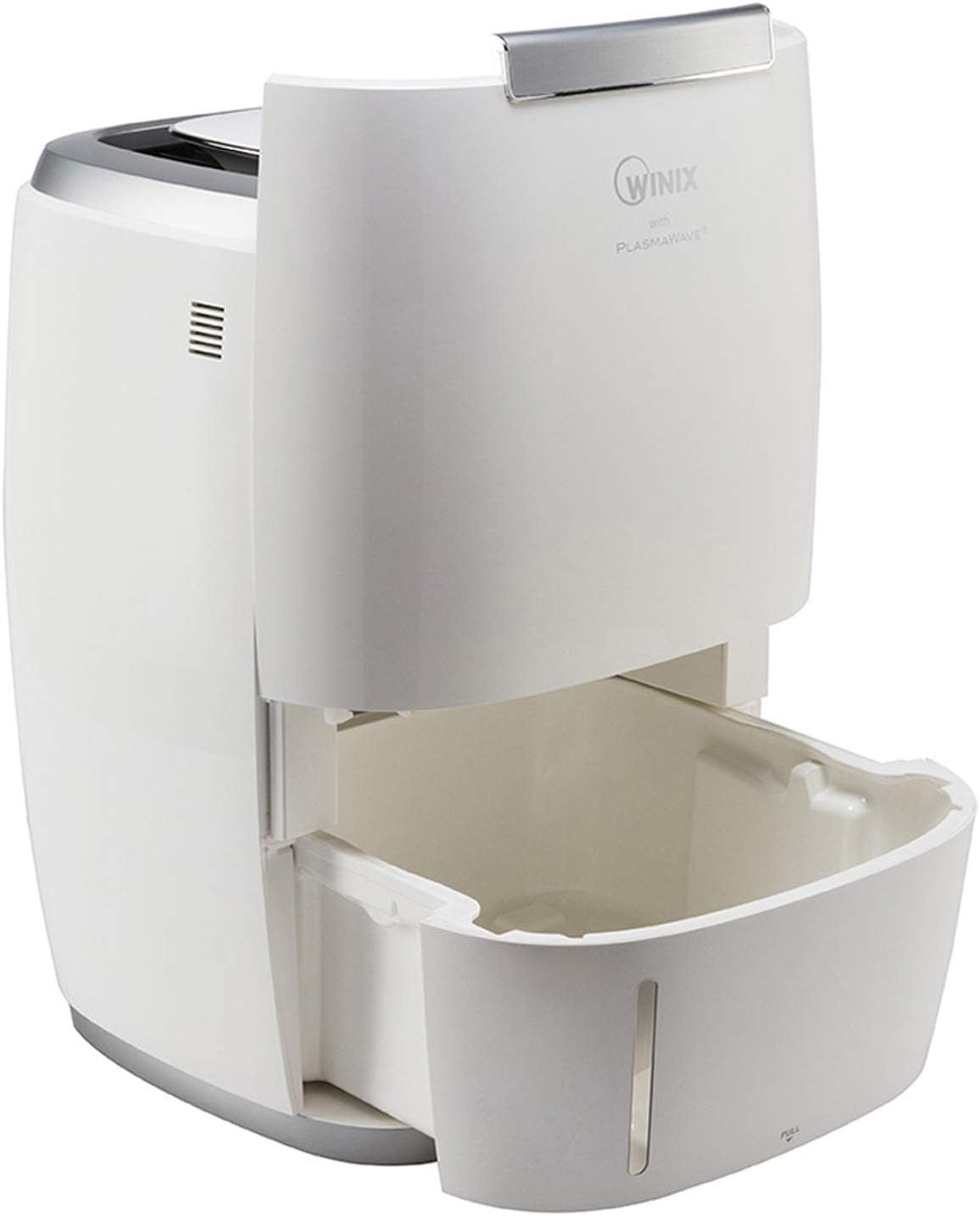
- Pull out the water tank from the bottom front of the unit.
- Fill the tank with clean tap water. Distilled water is recommended to prevent mineral buildup.
- 물탱크를 다시 장치에 밀어 넣어 딸깍 소리가 나면서 제자리에 단단히 고정되도록 합니다.

2.4 필터 설치
The HEPA/Carbon combination filter should be installed before first use. Refer to the unit's side panel for filter compartment access. Ensure the filter is correctly oriented as indicated by markings on the filter or unit.
3. 사용 설명서
3.1 제어판 이상view
The intuitive control panel located on the top of the unit allows for easy management of all functions.
3.2 전원 켜기/끄기
전원 버튼 (⏻) 기기를 켜거나 끌 수 있습니다.
3.3 자동 모드
Select Auto Mode for automatic adjustment of fan speed and humidification based on detected room air quality and humidity levels. The unit aims to maintain a comfortable humidity range (typically 35%-60%).
3.4 팬 속도 조정
Manually adjust the fan speed to your preference using the fan speed button. Higher speeds provide faster humidification and air purification.
3.5 PlasmaWave Technology
Activate or deactivate the PlasmaWave function using its dedicated button. PlasmaWave creates positive and negative ions to break apart airborne pollutants at a molecular level.
3.6 타이머 설정
Set the operational timer for specific durations (e.g., 2, 4, 8 hours) after which the unit will automatically turn off.
3.7 Humidity Indicators
LED indicators on the control panel display current humidity levels, typically in increments (e.g., 10%, 20%, 30%, 40%, 50%, 60%).
4. 유지관리
4.1 Cleaning Discs and Water Tank
The CleanCel anti-bacterial discs and water tank should be cleaned regularly to prevent mineral buildup and maintain optimal performance. The discs are dishwasher safe for convenient cleaning. If using tap water, regular cleaning with a descaling solution may be necessary to remove calcium buildup.

4.2 필터 교체
The HEPA/Carbon combination filter should be replaced approximately once a year, depending on usage and air quality. Refer to the product manual for specific filter replacement instructions and compatible filter models.

4.3 일반 청소
부드러운 천으로 기기 외부를 닦아주세요.amp 필요에 따라 천으로 닦아주세요. 연마성 세제나 용제를 사용하지 마세요.
5. 문제 해결
- Unit not humidifying or low humidity output:
Check the water level in the tank. Ensure the water tank is properly seated. Verify that the cleaning discs are spinning correctly and are free from excessive mineral buildup. Clean the discs and tank if necessary. Ensure the unit is not placed in an overly large room or near a strong draft. - 특이한 냄새:
Replace the HEPA/Carbon combination filter if it has been in use for an extended period (over a year). Clean the water tank and discs thoroughly. Ensure fresh water is used daily. - Unit making unusual noise:
Check for any obstructions in the fan or around the cleaning discs. Ensure the unit is on a stable, level surface. Clean the discs and water tank to remove any debris that might be causing noise. - Mineral buildup on components:
This is common with tap water. Use distilled water to minimize buildup. Regularly clean the water tank and cleaning discs with a descaling solution or a mixture of white vinegar and water.
6. 사양
| 상표 | 위닉스 |
| 모델 번호 | AW600 |
| 색상 | 하얀색 |
| 작동 모드 | 임펠러 |
| 품목 무게 | 15.4 파운드 |
| 왓tage | 16 와트 |
| 제어 방법 | 만지다 |
| 제품 치수 | 13.4 x 13.4 x 17.7 인치 |
| 물 용량 | 3.17 Gallons (per day humidification capacity) |
| 제조업체 | 위닉스 아메리카 |
7. 보증 정보
이 제품은 2년 한정 보증. For detailed terms and conditions, please refer to the warranty card included with your product or contact Winix customer support.
8. 고객 지원
For further assistance, technical support, or warranty claims, please contact Winix customer service. Contact information can typically be found on the official Winix web현장이나 포장재에.


