1. 서론
제품 설명
The StarTech.com 7 Port USB 3.0 Hub (Model: ST7300USB3B) allows you to expand your computer's USB connectivity by adding seven external USB 3.0 ports from a single USB 3.0 host connection. This hub is designed for high-speed data transfer, supporting rates up to 5 Gbps, and is fully compliant with SuperSpeed USB 3.0 specifications. It also maintains backward compatibility with USB 2.0 and 1.x devices, ensuring versatility for all your USB peripherals.
Engineered for user convenience, the hub features a one-sided port orientation for easy access, along with built-in current overload detection and protection across all seven ports. It supports plug-and-play and hot-swap technologies, enabling seamless connection and disconnection of devices without requiring a computer restart. The hub can be bus-powered for portability or utilize the included power adapter for high-power USB devices.
주요 특징
- Adds seven external USB 3.0 ports to a computer.
- Supports data transfer rates up to 5 Gbps (USB 3.0 SuperSpeed).
- Backward compatible with USB 2.0 and 1.x devices.
- Features one-sided port orientation for easy access.
- Includes current overload detection and protection.
- Supports plug-and-play and hot-swap functionality.
- Can be bus-powered or powered via the included AC adapter.

Image: StarTech.com 7 Port USB 3.0 Hub, showcasing its sleek black design and seven USB 3.0 ports.
2. 패키지 내용
패키지에 모든 구성품이 들어 있는지 확인하세요.
- 1x USB 3.0 Hub
- 1x USB 3.0 Cable (3.3 ft / 1 m)
- 범용 전원 어댑터 1개
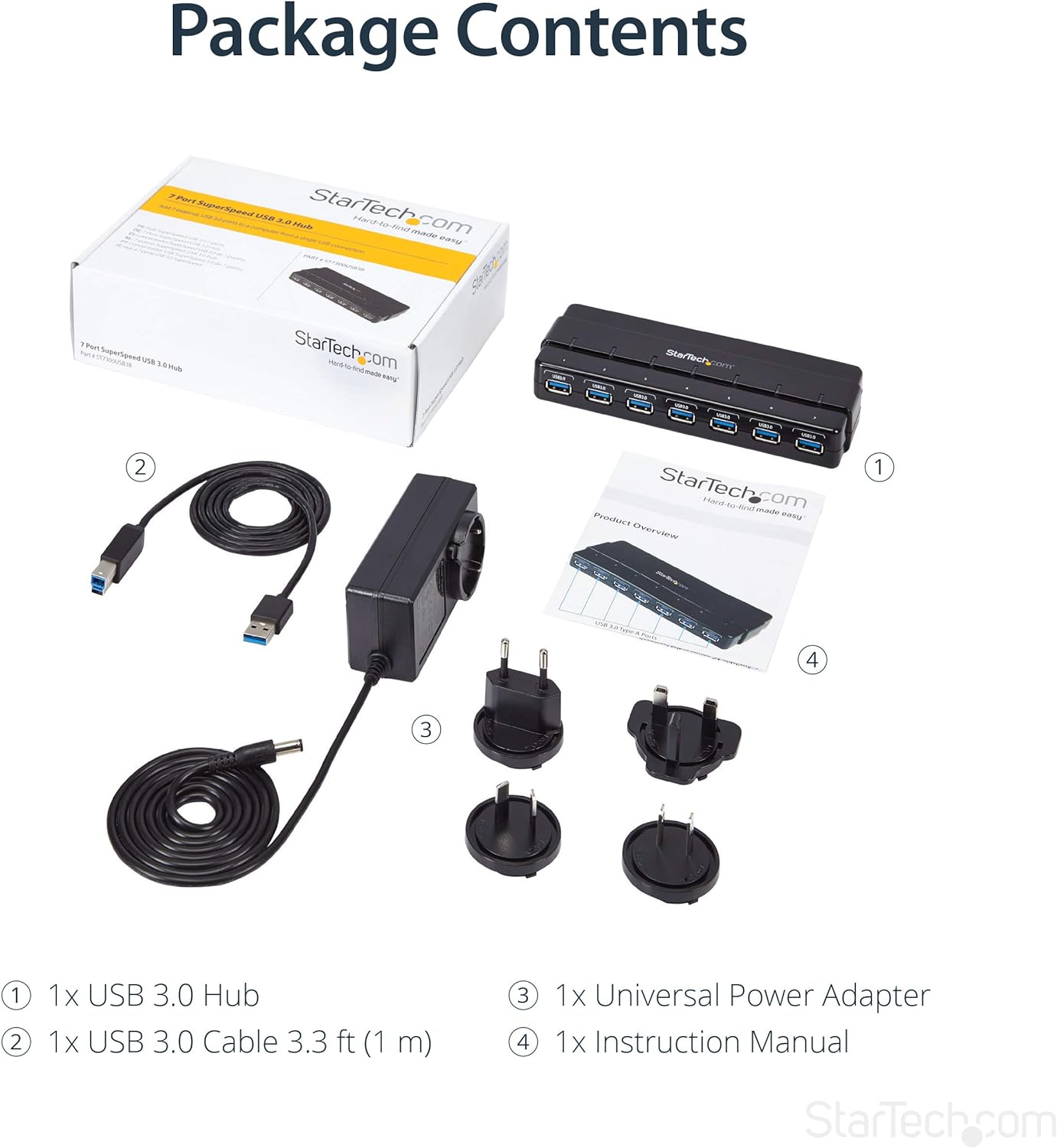
Image: The retail box, the USB 3.0 hub, the USB 3.0 cable, the universal power adapter with various international plug types, and the instruction manual.
3. 설정
허브 연결
- Connect to Power (Optional but Recommended for High-Power Devices): If you are connecting high-power USB devices (e.g., external hard drives, charging devices), connect the included universal power adapter to the DC power input port on the hub. Then, plug the power adapter into a wall outlet. For standard power draw devices, the hub can be bus-powered directly from your computer's USB port.
- 컴퓨터에 연결: Connect the included USB 3.0 cable to the USB 3.0 Type-B (Host) port on the hub. Connect the other end of the USB 3.0 cable to an available USB 3.0 port on your computer.
- Install Drivers (Not Required): The hub is plug-and-play and does not require any additional driver installation for most operating systems (OS Independent). Your computer should automatically detect and configure the hub.
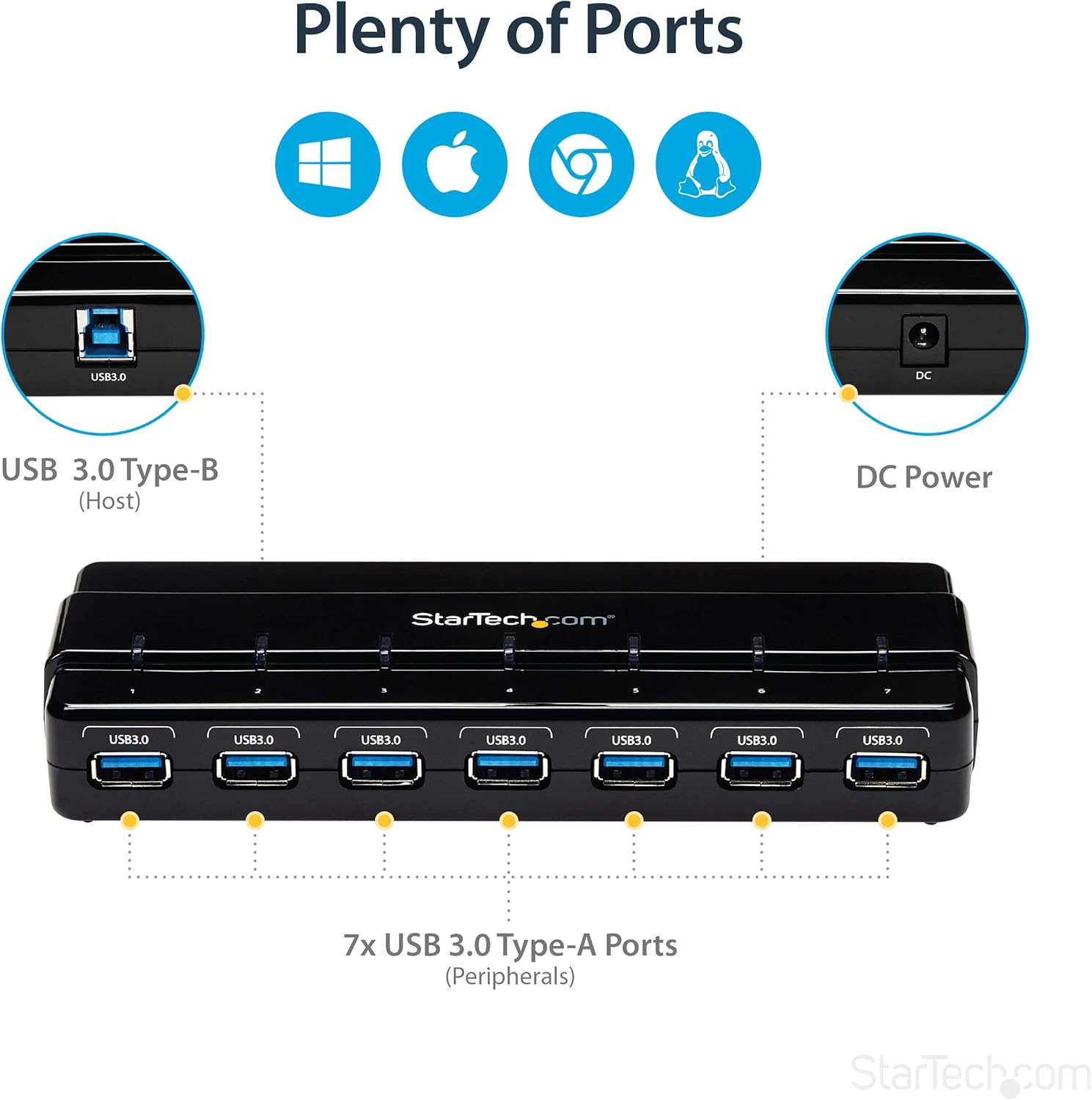
Image: A diagram illustrating the port layout of the hub, showing the USB 3.0 Type-B host port, DC power input, and the seven USB 3.0 Type-A peripheral ports.
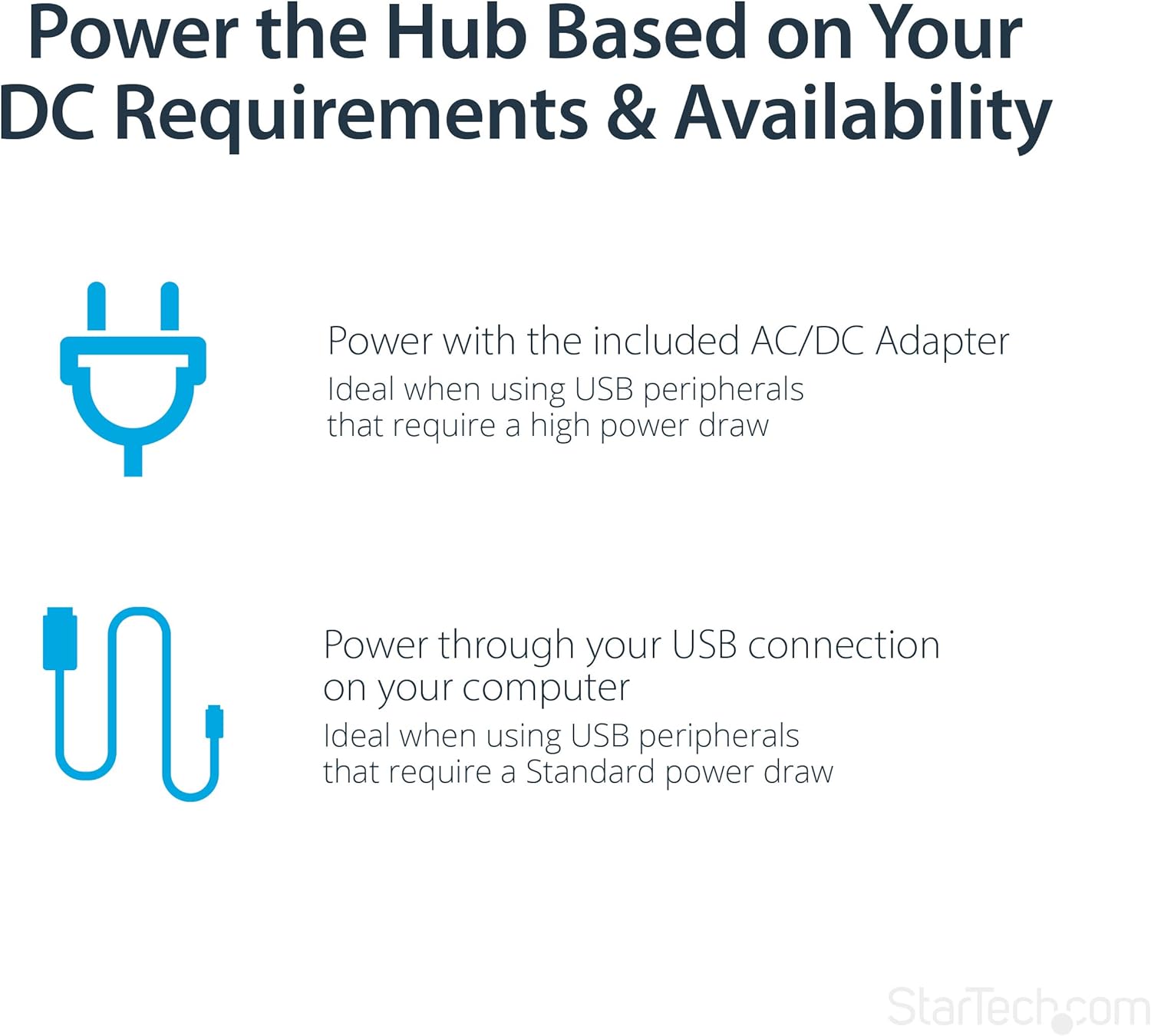
Image: A diagram explaining the two power options for the hub: using the included AC/DC adapter for high-power devices or bus power through the USB connection for standard power devices.
4. 사용 설명서
USB 포트 사용
Once the hub is connected to your computer and powered (if necessary), you can begin connecting your USB devices to the available USB 3.0 Type-A ports. The hub supports hot-swapping, meaning you can connect and disconnect devices without needing to power down your computer or the hub.
- 장치 연결: Simply plug your USB devices into any of the seven available USB 3.0 ports on the hub.
- LED 표시등: Each port on the hub features a blue LED indicator. This LED will illuminate when a device is actively connected and recognized by the system, providing a quick visual confirmation of active connections.
- 데이터 전송: The hub supports SuperSpeed USB 3.0, allowing for fast data transfer with compatible devices. When connecting USB 2.0 or 1.x devices, they will operate at their respective maximum speeds.
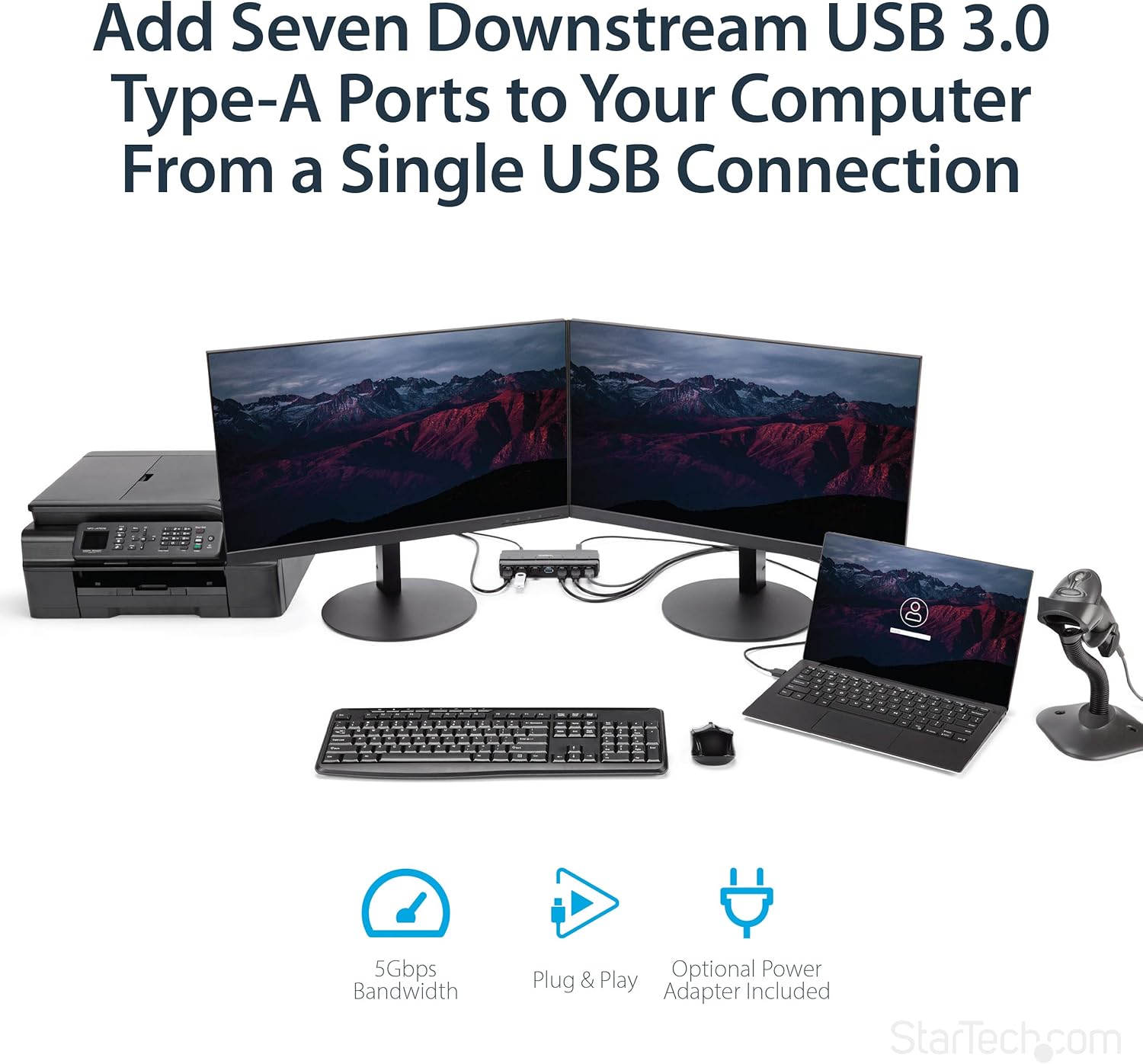
Image: The USB hub integrated into a desktop setup, connecting multiple peripherals like monitors, a printer, a laptop, and a barcode scanner, demonstrating its utility in expanding connectivity.

이미지: 후면 view of the USB hub showing cables connected to various devices, highlighting its design for easy port access and frequent use.
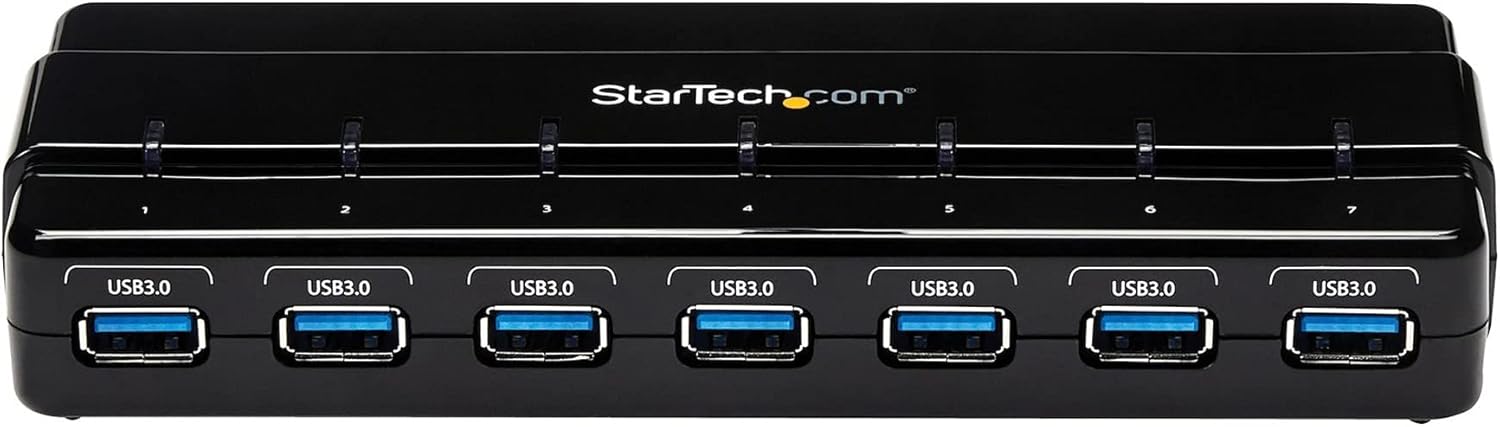
이미지: 위에서 아래로 view of the USB hub, clearly showing the individual blue LED indicators above each USB port, which light up when a connection is active.
5. 유지관리
To ensure the longevity and optimal performance of your StarTech.com USB 3.0 Hub, follow these simple maintenance guidelines:
- 청소: Use a soft, dry, lint-free cloth to clean the exterior of the hub. Avoid using abrasive cleaners, solvents, or strong chemicals, as these can damage the finish or internal components.
- 저장: 장기간 사용하지 않을 경우 허브를 직사광선과 극한 온도 변화를 피해 서늘하고 건조한 곳에 보관하십시오.
- 손질: Handle the hub with care. Avoid dropping it or subjecting it to strong impacts, which could damage the internal circuitry or ports.
- 통풍: Ensure the hub is placed in an area with adequate ventilation to prevent overheating, especially when multiple high-power devices are connected.
6. 문제 해결
If you encounter issues with your StarTech.com USB 3.0 Hub, refer to the following common problems and solutions:
Device Not Recognized or Functioning
- 연결 확인: Ensure all cables (USB 3.0 cable to computer, power adapter to hub and wall outlet) are securely connected.
- 전원 공급 장치: If connecting high-power devices, ensure the external power adapter is connected and functioning. Some devices require more power than can be supplied by bus power alone.
- 다른 포트를 시도해 보세요. Test the device in a different port on the hub, or directly connect it to a USB port on your computer to rule out a device-specific issue.
- 컴퓨터를 다시 시작합니다. Sometimes, a simple computer restart can resolve recognition issues.
- Windows에서는 장치 관리자, Mac에서는 시스템 정보를 확인하세요. Verify that the USB hub and connected devices are listed without errors. Update or reinstall USB drivers if necessary (though typically not required for this hub).
데이터 전송 속도가 느립니다
- USB 3.0 연결: Ensure the hub is connected to a USB 3.0 port on your computer. If connected to a USB 2.0 port, speeds will be limited to USB 2.0 specifications.
- 장치 호환성: Verify that the connected device itself supports USB 3.0 speeds.
- 케이블 품질: Use the provided high-quality USB 3.0 cable. Low-quality or excessively long cables can affect performance.
- 전원 공급 장치: Ensure the hub is adequately powered, especially when multiple devices are transferring data simultaneously.
추가 지원이 필요하면 공식을 참조하세요. 사용 설명서 (PDF) or visit the StarTech.com support web대지.
7. 사양
| 특징 | 사양 |
|---|---|
| USB 3.0 포트 수 | 7 |
| 상표 | StarTech |
| 시리즈 | 7 Port SuperSpeed USB 3.0 Hub,Desktop USB Hub with Power Adapter,Black |
| 품목 모델 번호 | ST7300USB3B |
| 하드웨어 플랫폼 | PC; 맥 |
| 운영 체제 | OS 독립 |
| 품목 무게 | 5.2 온스 |
| 제품 크기(LxWxH) | 8.27 x 2.8 x 0.9 인치 |
| 색상 | 검은색 |
| 전원 | AC 어댑터 포함 |
| 제조업체 | StarTech.com |
| 첫 번째 이용 가능 날짜 | 16년 2014월 XNUMX일 |
| 하드웨어 인터페이스 | USB 3.0 |
| 특징 | 전원 공급 |
| 호환 장치 | 노트북, 데스크톱 |
8. 보증 및 지원
StarTech.com products are backed by a comprehensive warranty. For detailed warranty information, technical support, and additional resources, please visit the official StarTech.com web해당 사이트를 참조하거나 첨부된 문서를 확인하십시오.
- 공식 사용자 가이드: 자세한 사용자 설명서는 PDF 형식으로 다운로드할 수 있습니다. 사용 설명서 (PDF)
- StarTech.com Store: For product information, support, and other products, visit the StarTech.com 아마존 스토어.
- 보호 계획: 표준 보증 기간 이후에도 기기를 보장받을 수 있는 연장 보증 플랜을 구매하실 수 있습니다.


