1. 서론
This manual provides essential instructions for the installation, operation, maintenance, and troubleshooting of your Antec TruePower Classic TP-750C 750W 80 PLUS GOLD Certified Power Supply. Please read this manual thoroughly before installation and retain it for future reference. This power supply is designed to provide stable and efficient power to your personal computer system.
2. 안전 정보
- 설치 또는 취급 전에 전원 공급 장치가 AC 전원 콘센트에서 분리되어 있는지 확인하십시오.
- 전원 공급 장치를 열지 마십시오.asing. 고용량tage components inside pose a risk of electric shock.
- 과열을 방지하기 위해 전원 공급 장치는 통풍이 잘 되는 곳에 설치하십시오.
- 전원 공급 장치와 함께 제공된 케이블만 사용하세요.
- 전원 공급 장치를 습기나 극한 온도에 노출시키지 마십시오.
- This product is intended for use in personal computer systems only.
3. 패키지 내용
설치를 진행하기 전에 패키지에 모든 품목이 들어 있는지 확인하세요.
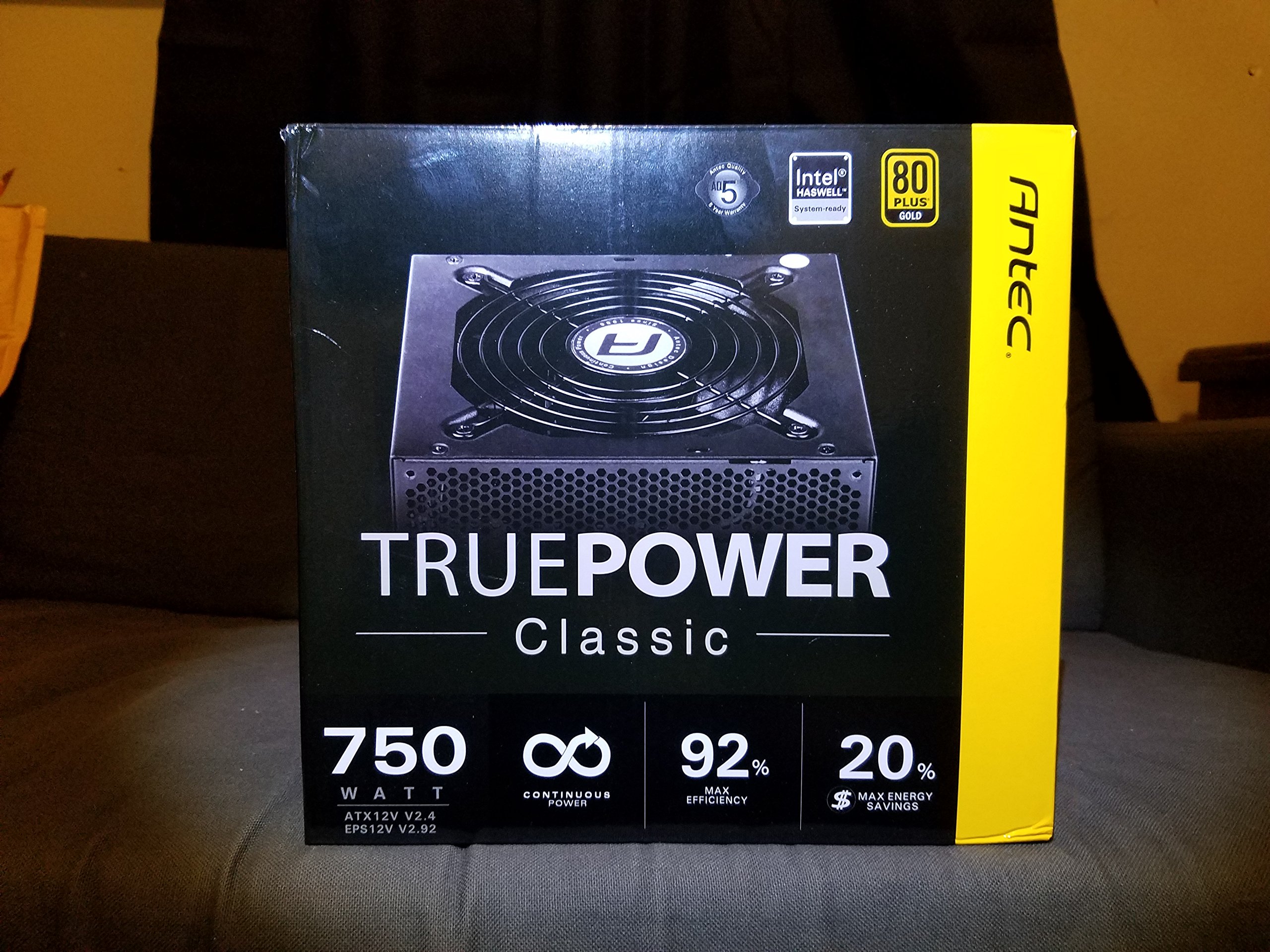
Image 1: Contents of the Antec TruePower Classic TP-750C package. The image displays the power supply unit, various power cables (including a main AC power cable), and user documentation neatly packed within a cardboard box.
- Antec TruePower Classic TP-750C Power Supply Unit
- Modular Cable Set (PCI-E, SATA, Molex, etc.)
- AC 전원 코드
- 장착 나사
- 사용자 매뉴얼 / 문서
4. 설정 및 설치
Follow these steps to properly install your power supply into your computer chassis.
- 섀시 준비: Ensure your computer chassis is powered off and disconnected from all power sources. Open the side panel of your computer case.
- 전원 공급 장치 장착: Carefully slide the Antec TP-750C power supply into the designated power supply bay in your chassis. Align the screw holes on the power supply with those on the chassis. Secure the power supply using the provided mounting screws.
- 메인보드 전원을 연결하세요: Connect the 24-pin ATX main power connector from the power supply to the corresponding port on your motherboard. Ensure it clicks into place.
- CPU 전원 연결: Connect the 4+4-pin (or 8-pin) EPS12V CPU power connector to the CPU power socket on your motherboard.
- 그래픽 카드 전원(PCI-E) 연결: If your graphics card requires external power, connect the appropriate 6+2-pin PCI-E power cables from the power supply to your graphics card.
- 주변기기 전원 연결(SATA/Molex): Connect SATA power cables to your storage drives (SSDs, HDDs) and optical drives. Use Molex connectors for other peripherals as needed.
- 케이블 관리 : 케이스 내부의 공기 흐름과 미관을 개선하려면 케이블을 깔끔하게 정리하십시오.
- 최종 점검: Double-check all connections to ensure they are secure. Close the chassis side panel.
- AC 전원 연결: Connect the AC power cord to the power supply and then to a wall outlet or surge protector.
5. 사용 설명서
The Antec TP-750C power supply operates automatically once correctly installed and connected to an AC power source. It provides stable DC power to all connected components.
- 전원 켜기: After connecting the AC power cord, flip the power switch on the back of the power supply to the "ON" (I) position.
- 시스템 부팅: Press the power button on your computer chassis to start your system.
- 전원 끄기 : Shut down your computer through the operating system. For complete power disconnection, flip the power switch on the power supply to the "OFF" (O) position and unplug the AC power cord.
6. 유지관리
적절한 유지관리는 전원 공급 장치의 수명과 최적의 성능을 보장합니다.
- 먼지 청소: Periodically clean dust from the power supply's fan and ventilation grilles using compressed air. Ensure the power supply is disconnected from AC power before cleaning.
- 통풍: Ensure adequate airflow around the power supply. Do not block the intake or exhaust vents.
- 케이블 무결성: Regularly check power cables for any signs of damage or fraying. Replace damaged cables immediately.
- 운영 환경: 권장 온도 및 습도 범위 내에서 전원 공급 장치를 작동하십시오.
7. 문제 해결
If you encounter issues with your power supply, refer to the following common problems and solutions.
| 문제 | 가능한 원인 | 해결책 |
|---|---|---|
| 시스템 전원이 켜지지 않습니다. | AC power cord not connected, power switch off, loose internal connections, faulty components. |
|
| 시스템이 켜지지만 즉시 종료됩니다. | Overload, overheating, short circuit, faulty component. |
|
| Unusual noise from the power supply. | Fan obstruction, faulty fan bearing, coil whine. |
|
If troubleshooting steps do not resolve the issue, contact Antec customer support for further assistance.
8. 사양
| 모델명 | TruePower Classic TP-750C |
| 상표 | 안텍 |
| 왓tage | 750 와트 |
| 80 PLUS 인증 | 금 |
| 폼 팩터 | 에이티엑스 |
| 커넥터 유형 | 에이티엑스 |
| 최소 입력 볼륨tage | 100 볼트 |
| 호환 장치 | 개인용 컴퓨터 |
| 품목 무게 | 6.24파운드(2.83kg) |
| 패키지 크기 | 9.7 x 9 x 5.5인치(24.6 x 22.9 x 14cm) |
| ASIN | B00JOFALL0 |
| 한국어: | 132018316306 |
9. 보증 및 지원
The Antec TruePower Classic TP-750C Power Supply comes with a 3년 제조업체 보증. 본 보증은 정상적인 사용 중에 발생하는 재료 및 제조상의 결함을 보장합니다.
For technical support, warranty claims, or further inquiries, please visit the official Antec web사이트를 방문하거나 고객 서비스 부서에 문의하세요. 보증 확인을 위해 구매 증빙 자료를 보관하세요.
Please note: Opening the power supply casing를 선택하면 보증이 무효화됩니다.


