1. 소개 및 이상view
The TC Electronic DITTO X2 LOOPER is a highly intuitive looper pedal designed for guitarists, offering a dedicated stop button and versatile loop effects. This manual provides comprehensive instructions for setting up, operating, and maintaining your DITTO X2 LOOPER pedal.
주요 특징:
- Dedicated Start/Stop Button
- Loop Import/Export and Backing tracks
- Looper effects: Stop, Reverse and Half Speed
2. 제품 구성 요소 및 제어
Familiarize yourself with the layout of your DITTO X2 LOOPER pedal:
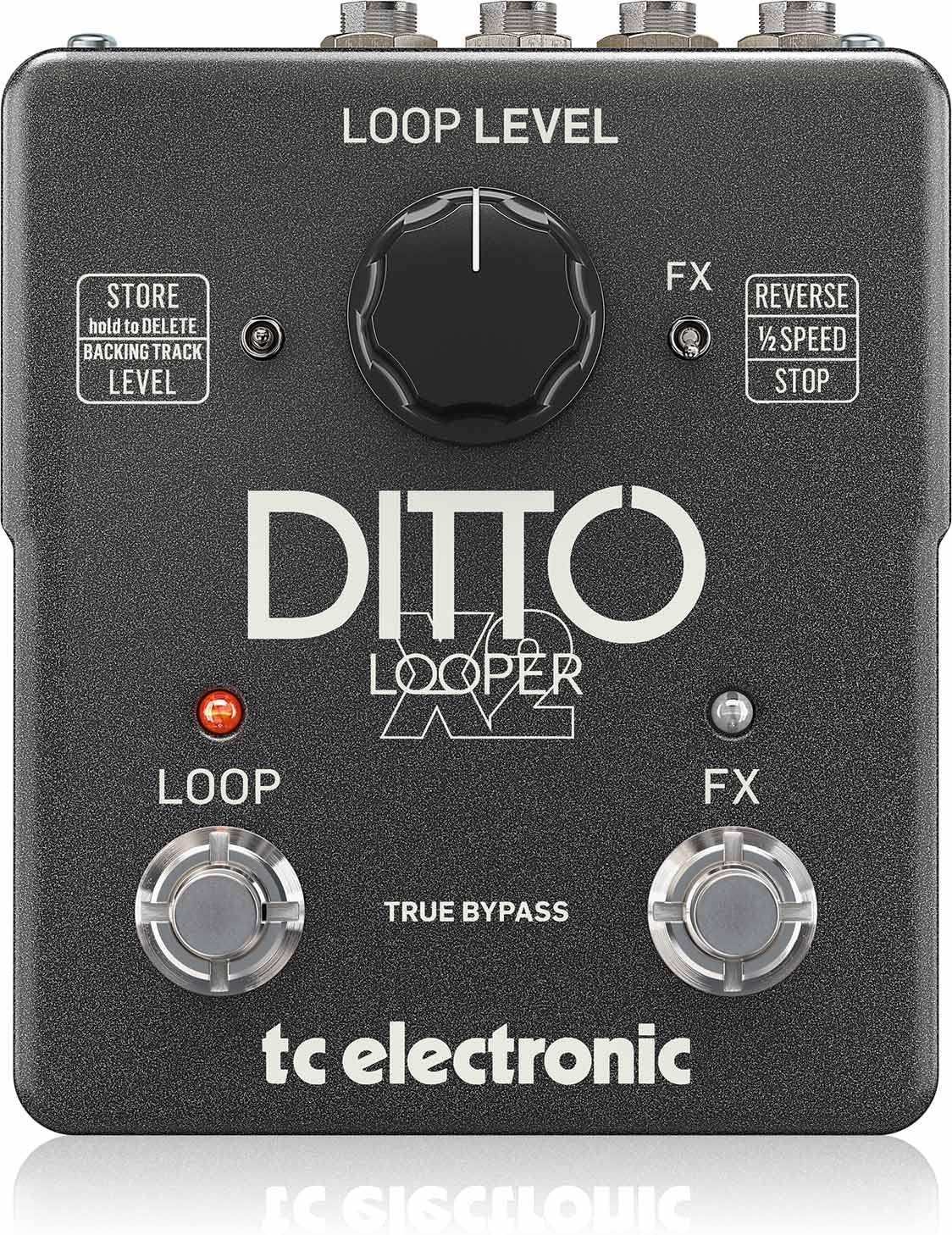
이미지: 상단 view of the DITTO X2 LOOPER pedal, highlighting the Loop Level knob, Loop footswitch, FX footswitch, and FX/Store toggle switches.
- Loop Level Knob: Controls the playback volume of your recorded loops.
- 루프 풋스위치: Primary control for recording, playback, overdubbing, and clearing loops.
- FX Footswitch: Activates/deactivates selected loop effects (Reverse, Half Speed, Stop).
- FX Toggle Switch: Selects the function of the FX footswitch: Reverse, Half Speed, or dedicated Stop.
- Store Toggle Switch: Used for storing and deleting backing tracks.
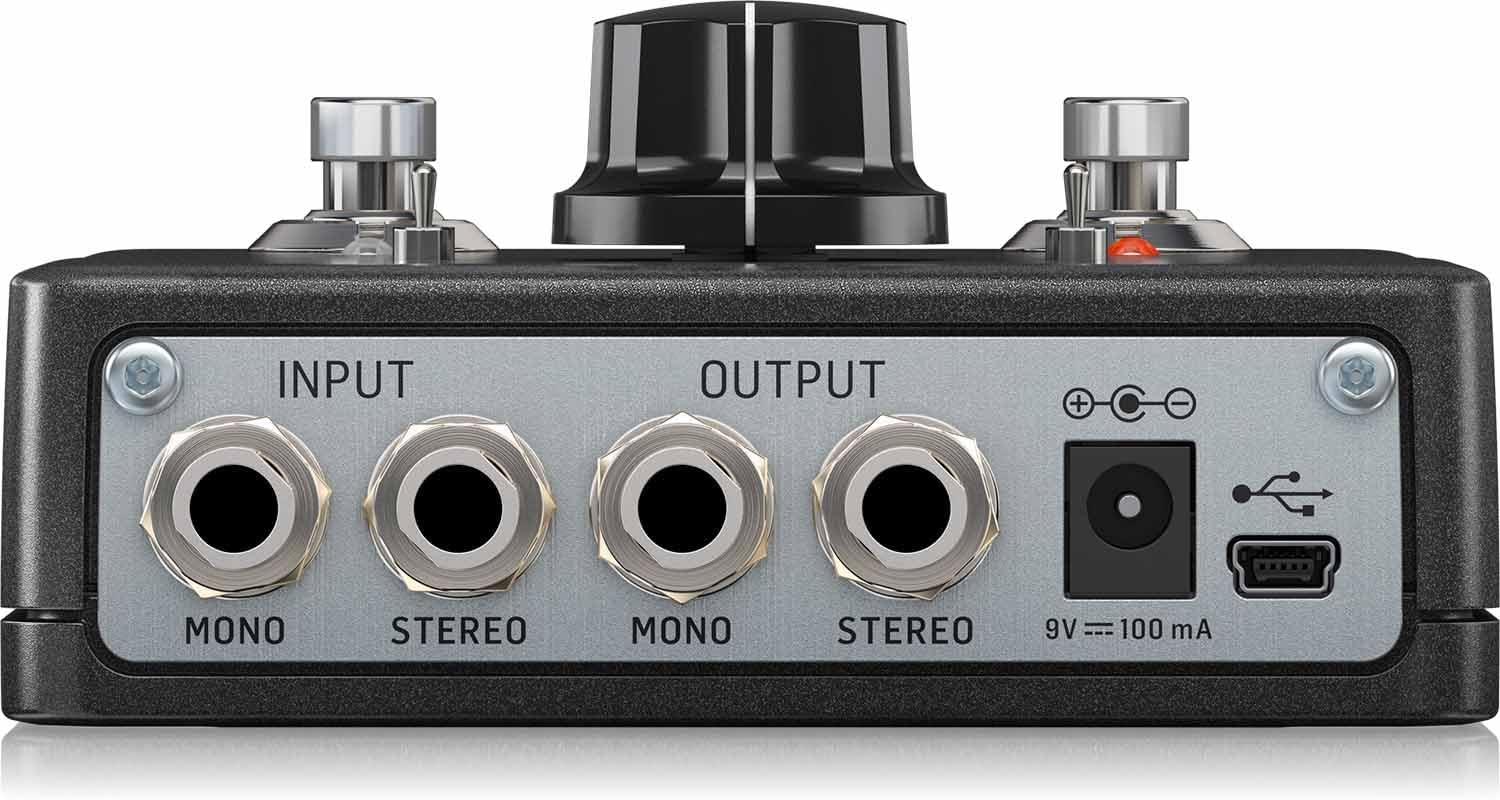
이미지: 후면 view of the DITTO X2 LOOPER pedal, showing the Mono/Stereo Input and Output jacks, 9V DC power input, and Mini-USB port.
- Input Jacks (Mono/Stereo): Connect your instrument(s) here.
- Output Jacks (Mono/Stereo): 당신에게 연결 amplifier 또는 오디오 인터페이스.
- 9V DC 전원 입력: Connect a 9V DC power adapter (100mA minimum, center negative).
- 미니 USB 포트: Used for connecting to a computer for loop import/export and firmware updates.
3. 설정
- 전원 연결: Connect a 9V DC power adapter (not included) to the 9V DC input jack on the rear of the pedal. The pedal does not support battery operation.
- 오디오 연결:
- Connect your instrument (e.g., guitar) to the INPUT jack(s). For mono, use the MONO input. For stereo, use both STEREO inputs.
- Connect the OUTPUT jack(s) to your amplifier or audio interface. For mono, use the MONO output. For stereo, use both STEREO outputs.
- 초기 설정: Set the Loop Level knob to a comfortable starting position (e.g., 12 o'clock).
4. 사용 설명서
The DITTO X2 LOOPER offers intuitive operation for creating and manipulating loops.
4.1 기본 반복문 함수
- 기록: Press the LOOP footswitch once. The LED will turn RED, indicating recording has started.
- 재생: Press the LOOP footswitch again to stop recording and start playback. The LED will turn GREEN.
- 오버더빙: During playback, press the LOOP footswitch once to start overdubbing. The LED will turn RED. Press again to stop overdubbing and return to playback (GREEN LED).
- Undo/Redo Overdub: During playback, hold the LOOP footswitch to undo the last overdub. Hold again to redo it.
- 중지:
- If the FX toggle switch is set to 'STOP', press the FX footswitch once.
- Alternatively, double-tap the LOOP footswitch. The GREEN LED will flash.
- 루프 지우기: Double-tap and hold the LOOP footswitch. The loop will be deleted.
4.2 Loop Effects (Reverse, Half Speed, Stop)
The DITTO X2 offers creative effects to enhance your loops:
- 효과를 선택하세요: Use the FX toggle switch to choose between 'REVERSE', '1/2 SPEED', or 'STOP'.
- Activate/Deactivate Effect: Press the FX footswitch once to activate the selected effect. Press again to deactivate it. The FX LED will indicate activation.
4.3 Backing Tracks
The DITTO X2 allows you to import and export backing tracks for practice or performance:
- 수입/수출: Connect the pedal to your computer via the Mini-USB port. The pedal will appear as a removable drive, allowing you to drag and drop audio files (WAV format recommended).
- Store/Delete Backing Track: Use the 'STORE' toggle switch to manage your backing tracks. Refer to the official TC Electronic software for detailed management.
4.4 비디오 데모
Watch this official video for a visual guide on the DITTO X2 LOOPER's functionality:
Video: Official demonstration of the TC Electronic DITTO X2 Looper pedal, showcasing의 특징과 작동 방식.
5. 유지관리
- 청소: 페달을 닦을 때는 부드럽고 마른 천을 사용하십시오. 연마성 세척제나 용제는 사용하지 마십시오.
- 저장: Store the pedal in a dry environment away from extreme temperatures.
- 펌웨어 업데이트: TC 전자 장치를 주기적으로 점검하십시오. website for any available firmware updates for your DITTO X2 LOOPER. Updates can be installed via the Mini-USB port.
6. 문제 해결
- 소리 없음:
- 모든 케이블이 단단히 연결되어 있는지 확인하십시오.
- Check the Loop Level knob is not set to minimum.
- 전원 공급 장치가 올바르게 연결되어 있고 정상적으로 작동하는지 확인하십시오.
- LED가 켜지지 않음:
- Confirm the power adapter is working and correctly connected.
- Loop Not Recording/Playing Back:
- Ensure the input signal is present.
- Check that the correct footswitch actions are being performed for record/playback.
7. 사양
- 품목 무게: 0.635온스(18그램)
- 제품 크기: 6 x 7 x 3 인치
- 품목 모델 번호: 000-DE800-00010
- 배터리: 1 9V batteries required (for internal dip switch access, not primary power).
- 하드웨어 인터페이스: USB
- 신호 형식: 비슷한 물건
- 권tage: 9V
- Amp나이: 0.1밀리amp초(100mA)
- 첫 번째 이용 가능: 16년 2014월 XNUMX일
8. 상자 안에 무엇이 들어있나요?
- TC Electronic DITTO X2 LOOPER, Highly Intuitive Looper Pedal with Dedicated Stop Button and Loop Effects
9. 보증 및 지원
This product is covered by the manufacturer's warranty. For detailed warranty information, technical support, or service inquiries, please visit the official TC Electronic web사이트를 방문하거나 고객 지원팀에 직접 문의하세요. 보증 청구를 위해 구매 영수증을 보관하세요.


