소개
This manual provides essential instructions for the setup, operation, and maintenance of your Sharper Image Digital 6-Piece Electronic Drum Set, Model Sha-1955. Please read this guide thoroughly before using the product to ensure proper function and longevity.
제품 끝view
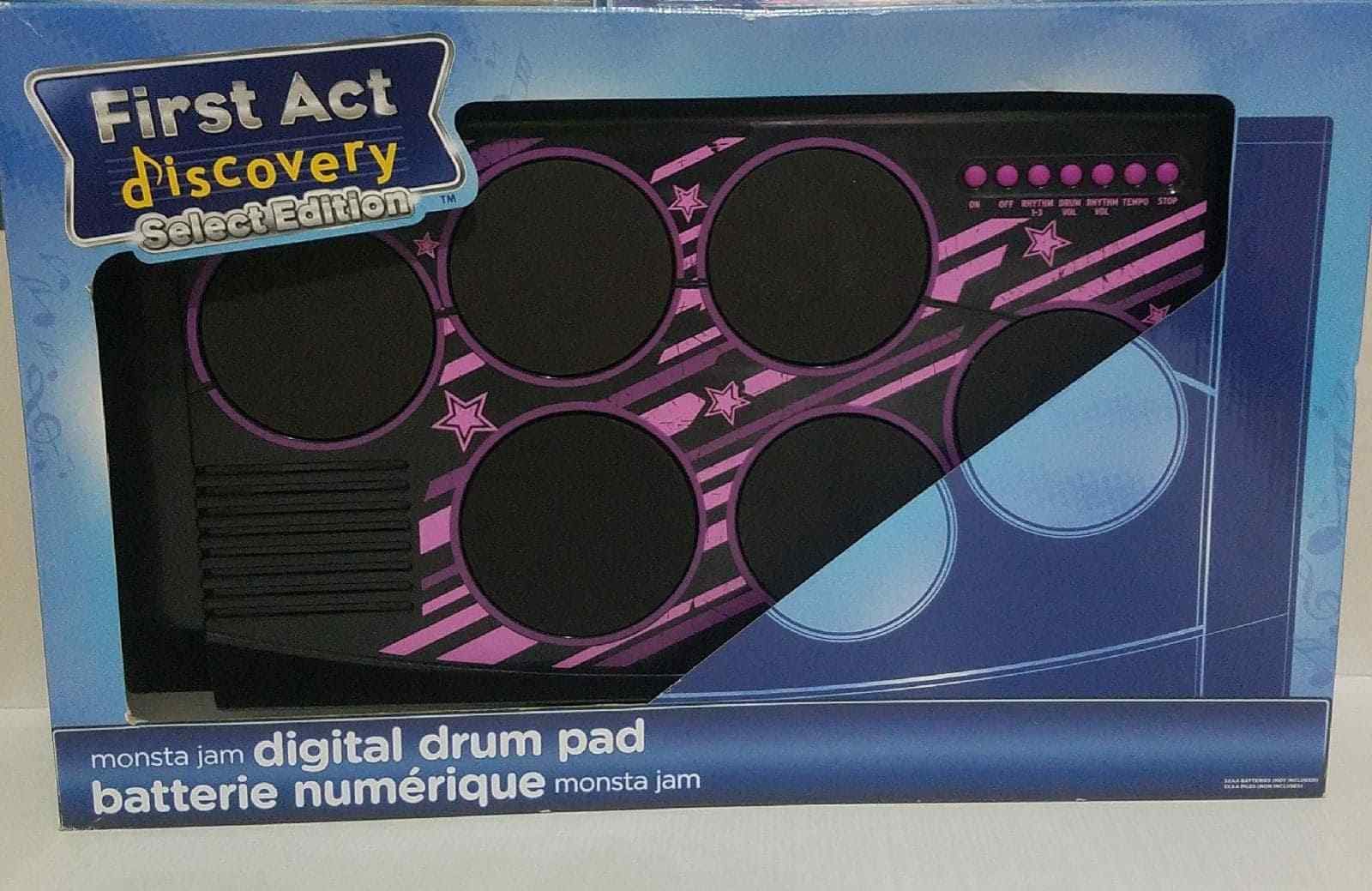
Figure 1: Sharper Image Digital 6-Piece Electronic Drum Set. This image displays the Sharper Image Digital 6-Piece Electronic Drum Set within its retail packaging. The drum set features six circular drum pads with blue accents, a control panel with buttons, and includes a pair of drumsticks. The packaging highlights features such as built-in rhythms, rhythm and volume controls, tempo control, and included drumsticks.
The Sharper Image Digital 6-Piece Electronic Drum Set is designed to provide an engaging musical experience. It includes multiple drum pads and a control panel for various functions.
특징
- Jam along to built-in rhythms.
- Rhythm and volume controls for customized sound.
- Tempo control to adjust the speed of rhythms.
- Includes a pair of drumsticks.
설정
- 언박싱: Carefully remove all components from the packaging. Ensure all parts, including the drum set and drumsticks, are present.
- 전원: Insert the required batteries (not included) into the battery compartment, typically located on the underside of the unit. Ensure correct polarity. Alternatively, if an AC adapter port is present, connect a compatible adapter (sold separately) to a power outlet.
- 놓기: Place the drum set on a stable, flat surface.
- 드럼 스틱: Prepare the included drumsticks for use.
작동 지침
- 전원 켜기/끄기: Locate the power switch (usually labeled "ON/OFF") on the control panel and slide it to the "ON" position to power on the device. Slide to "OFF" when not in use.
- 볼륨 조절: Use the volume control buttons or knob (labeled "VOL" or with '+' and '-' symbols) to adjust the sound output level.
- 리듬 선택: Press the "RHYTHM" button to cycle through the available built-in rhythms.
- 템포 조정: Use the "TEMPO" control buttons or knob to increase or decrease the speed of the selected rhythm.
- 드럼 연주하기: Strike the drum pads with the included drumsticks to produce drum sounds. Each pad may correspond to a different drum sound (e.g., snare, bass, cymbal).
- Stop Rhythm: Press the "STOP" button to halt any playing rhythm.
유지
- 청소: Wipe the surface of the drum set with a soft, dry cloth. Do not use abrasive cleaners or solvents.
- 저장: Store the drum set in a cool, dry place away from direct sunlight and extreme temperatures. If storing for an extended period, remove batteries to prevent leakage.
- 손질: 기기를 떨어뜨리거나 강한 충격을 주지 마십시오.
문제 해결
- 소리 없음:
- 장치의 전원이 켜져 있는지 확인하십시오.
- Check battery installation or AC adapter connection.
- 볼륨 레벨을 높입니다.
- Pads Unresponsive:
- 장치의 전원이 켜져 있는지 확인하십시오.
- Check for any debris on the drum pads.
- Rhythm Not Playing:
- Ensure a rhythm has been selected using the "RHYTHM" button.
- Check if the "STOP" button is engaged.
명세서
| 모델 번호: | Sha-1955 |
| 제품 무게: | 2.86 킬로그램 |
| 패키지 크기: | 54.86 x 44.96 x 13.97cm |
| 추천 연령: | 4세 이상 |
보증 정보
This product is covered by a manufacturer's warranty. Please refer to the warranty card included with your purchase or visit the official Sharper Image web자세한 보증 약관은 해당 사이트를 참조하세요. 보증 청구를 위해 구매 증빙 자료를 보관하세요.
고객 지원
For technical assistance, replacement parts, or any questions regarding your Sharper Image Digital 6-Piece Electronic Drum Set, please contact Sharper Image customer support. Refer to the product packaging or the official Sharper Image web최신 연락처 정보는 사이트에서 확인하세요.


