1. 서론
Thank you for choosing the BLACK+DECKER 7.2V Impact Driver ISD72. This compact and lightweight tool is designed for efficient fastening and light drilling tasks, making it ideal for furniture assembly and various DIY projects. For your safety and to ensure optimal performance, please read this instruction manual carefully before operating the tool. Keep this manual for future reference.

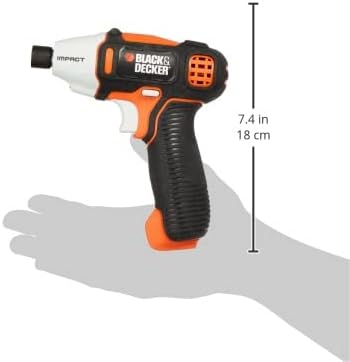
The BLACK+DECKER 7.2V Impact Driver ISD72, showcasing its compact design and orange/black color scheme.
2. 안전 정보
전동공구를 사용할 때는 화재, 감전 및 부상 위험을 줄이기 위해 기본적인 안전 수칙을 항상 준수하십시오.
일반 안전 규칙:
- 작업 영역 안전: 작업 공간을 깨끗하고 밝게 유지하십시오. 어수선하거나 어두운 곳은 사고를 유발합니다.
- 전기 안전: 전동 공구를 비나 습한 환경에 노출시키지 마십시오. 전동 공구에 물이 들어가면 감전 위험이 커집니다.
- 개인 안전: 항상 눈 보호 장비를 착용하십시오. 장시간 작동 시에는 청력 보호 장비를 착용하십시오. 적절한 복장을 착용하고 헐렁한 옷이나 장신구는 피하십시오.
- 도구 사용 및 관리: 전동 공구에 무리한 힘을 가하지 마십시오. 사용 용도에 맞는 전동 공구를 사용하십시오. 조정, 액세서리 교체 또는 전동 공구 보관 시에는 반드시 배터리 팩을 전동 공구에서 분리하십시오.
- 배터리 팩 사용 및 관리: Recharge only with the charger specified by the manufacturer. Do not use a battery pack or tool that is damaged or modified.
3. 패키지 내용
아래 나열된 모든 품목이 패키지에 포함되어 있는지 확인하세요.
- BLACK+DECKER 7.2V Impact Driver ISD72
- 10-piece Bit Set (Phillips 50mm #1/#2, 100mm #1; Slotted 50mm #8; PoziDrive 50mm #2, 100mm #2; Hex bits 50mm #3/#4/#5/#6)
- 4-hour Rapid Charger
- 소프트 휴대용 가방
- 사용 설명서
The included accessories: a set of 10 bits, a 4-hour rapid charger, and a soft carrying bag.
4. 제품 특징
The ISD72 Impact Driver is designed with user convenience and efficiency in mind:
- 컴팩트하고 가벼운 디자인: Easy to handle and maneuver in tight spaces.
- LED 조명: Illuminates the work area, improving visibility in dimly lit conditions.
- One-Touch Chuck: 빠르고 쉽게 비트를 변경할 수 있습니다.
- 가변 속도 스위치: Provides precise control over rotation speed for various applications.
- 통합 배터리: 7.2V Lithium-Ion battery for cordless operation.

A diagram highlighting key features of the ISD72 Impact Driver, including its one-touch chuck, LED light, and variable speed switch.
This image illustrates the easy one-touch bit exchange mechanism and the integrated LED light for improved visibility during operation.
5. 설정
배터리 충전:
- Connect the 4-hour rapid charger to a standard power outlet.
- Plug the charger into the charging port on the impact driver.
- Allow the battery to charge completely. The charging indicator light will show the charging status.
- 충전이 완료되면 충전기를 분리하세요.
Installing/Removing Bits:
- Ensure the tool is off and the trigger is not pressed.
- Pull the one-touch chuck collar forward.
- Insert the desired bit into the chuck until it clicks into place.
- Release the chuck collar to secure the bit.
- 제거하려면 척 칼라를 앞으로 당기고 비트를 빼냅니다.
6. 사용 설명서
기본 작업:
- Select the appropriate bit for your task (screwdriving or light drilling).
- Hold the tool firmly with both hands if necessary, ensuring a stable grip.
- 비트를 패스너 또는 공작물에 위치시키십시오.
- Press the variable speed trigger to start the tool. The speed can be controlled by the amount of pressure applied to the trigger.
- Apply steady, even pressure to drive the fastener or drill the hole.
- 도구를 중지하려면 방아쇠를 놓으십시오.
Working in Dark Areas:
The integrated LED light automatically activates when the trigger is pressed, illuminating your work surface for better visibility.

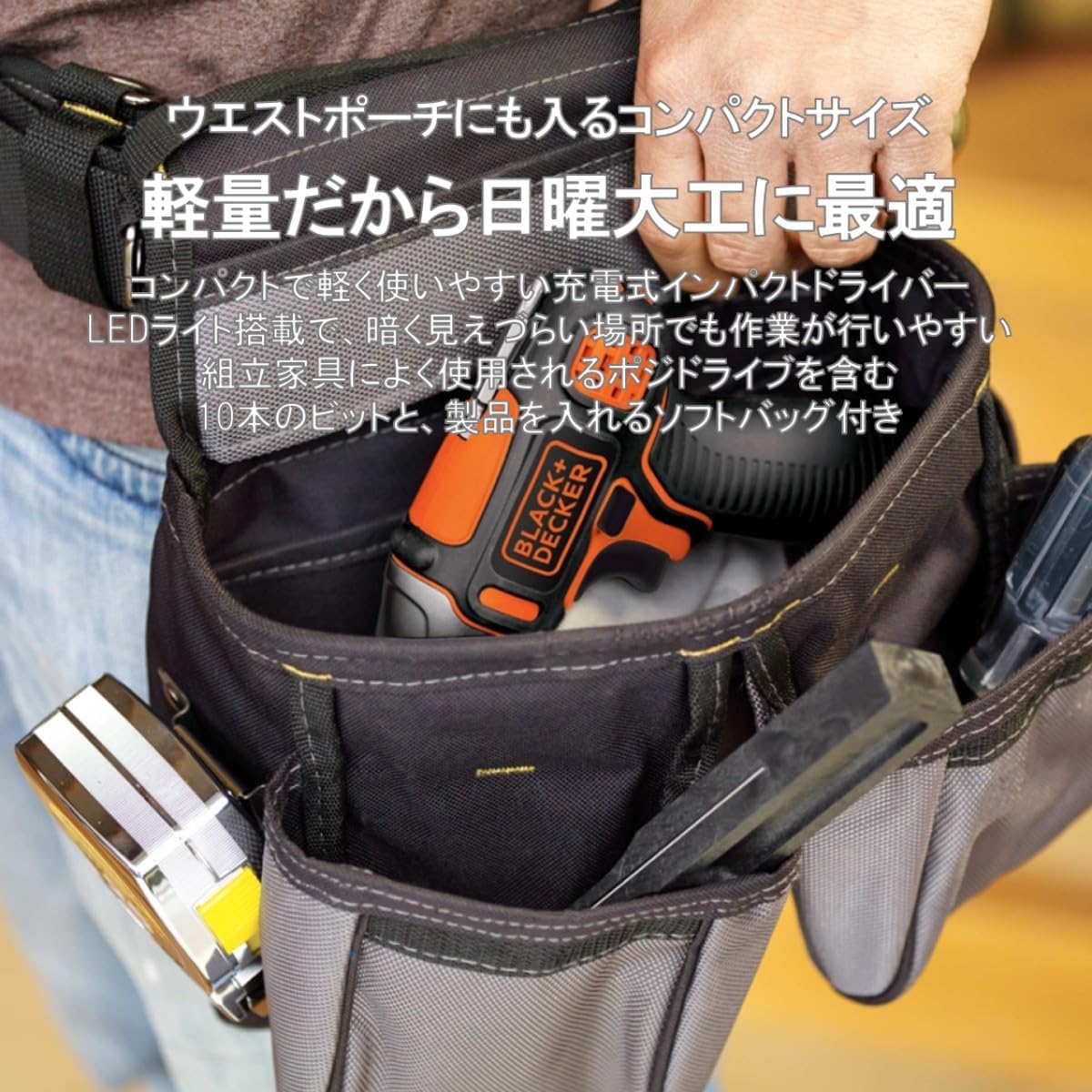
The compact ISD72 Impact Driver fits conveniently into a belt pouch, demonstrating its portability for various tasks.
공식 판매자 영상에서 보여주는 내용asing the impact driver in action, performing tasks such as driving screws into wood and metal, and drilling.
7. 유지관리
정기적인 유지관리는 임팩트 드라이버의 수명과 최적의 성능을 보장합니다.
- 청소: 공구의 통풍구를 깨끗하게 유지하여 과열을 방지하십시오. 부드러운 천을 사용하십시오.amp 외부를 청소할 때는 천을 사용하세요. 강한 화학 물질이나 연마성 세제는 사용하지 마세요.
- 비트 케어: Inspect bits regularly for wear or damage. Replace worn bits to ensure efficient operation and prevent damage to fasteners.
- 저장: Store the tool and accessories in the soft carrying bag in a dry, secure place, away from children and direct sunlight.
- 배터리: For long-term storage, charge the battery partially (around 50%) and store it in a cool, dry place. Avoid storing fully discharged batteries.
8. 문제 해결
임팩트 드라이버 사용 중 문제가 발생하면 다음의 일반적인 문제 및 해결 방법을 참조하십시오.
| 문제 | 가능한 원인 | 해결책 |
|---|---|---|
| 도구가 시작되지 않음 | 배터리가 방전됨 | 배터리를 완전히 충전하십시오. |
| 배터리가 제대로 삽입되지 않았습니다. | 배터리가 제자리에 제대로 장착되었는지 확인하십시오. | |
| 전력/성능 감소 | 배터리 충전량이 부족합니다 | 배터리를 충전하세요. |
| Worn or incorrect bit | Replace the bit or use the correct type for the application. | |
| 도구 과열 | 환기구가 막혔습니다 | Clean the ventilation openings. Allow the tool to cool down. |
| Bit falls out of chuck | Bit not properly secured | Ensure the bit is fully inserted and the chuck collar is released to lock it. |
이러한 해결 방법을 시도한 후에도 문제가 지속되면 BLACK+DECKER 고객 지원팀에 문의하세요.
9. 사양
| 특징 | 사양 |
|---|---|
| 상표 | 블랙앤데커 |
| 모델 번호 | ISD72 |
| 제품 치수 | 5.2 x 16 x 18.4cm |
| 품목 무게 | 640g |
| 색상 | 주황색 |
| 전원 | 충전식(무선) |
| 권tage | 직류 7.2V |
| 최대 조임 토크 | 12Nm(XNUMXNm) |
| 회전 속도 | 0~2200RPM |
| 충격 속도 | 0~2500 BPM |
| 척 사이즈 | 6.35mm (XNUMXmm) |
| 척 타입 | 원터치 |
| 스위치 유형 | 가변 속도 |
| 배터리 유형 | 리튬이온 |
| 원산지 | 중국 |
10. 보증 및 지원
BLACK+DECKER products are manufactured to high-quality standards and are guaranteed against manufacturing defects. For specific warranty details, please refer to the warranty card included with your product or visit the official BLACK+DECKER web대지.
For technical assistance, troubleshooting not covered in this manual, or to order replacement parts, please contact BLACK+DECKER customer support:
- Web대지: www.blackanddecker.com
- 고객 서비스: 해당 지역의 BLACK+DECKER 연락처 정보를 참조하세요.
Please have your model number (ISD72) and purchase date available when contacting support.