소개
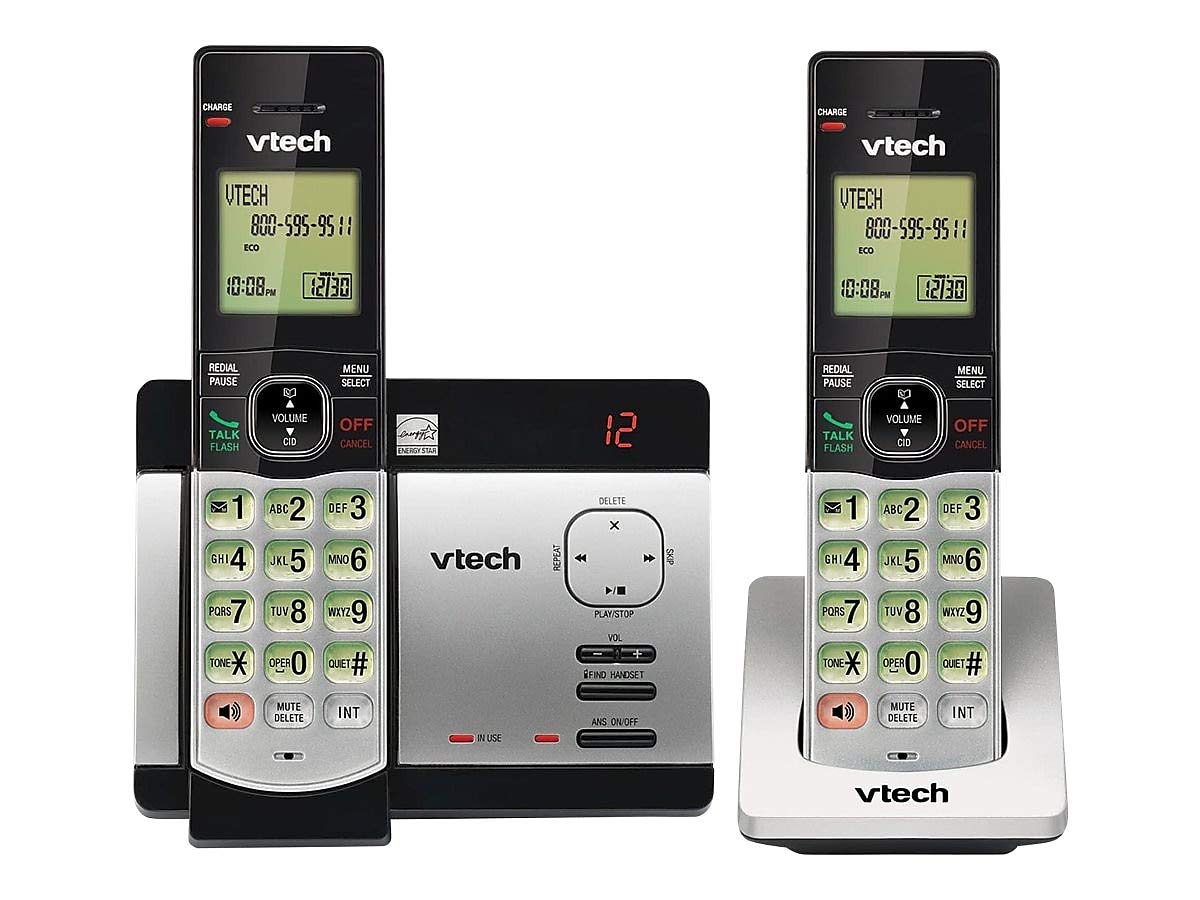
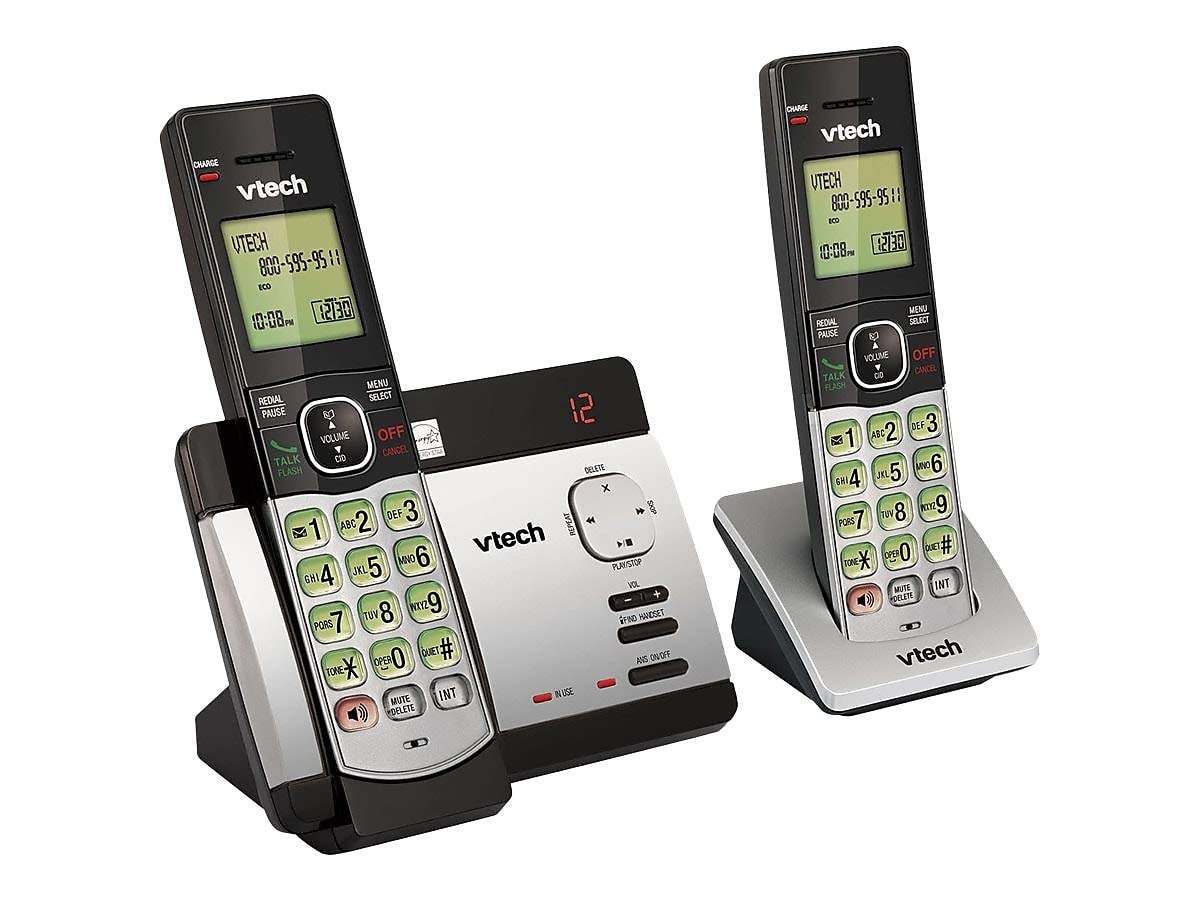
This user manual provides comprehensive instructions for the VTECH Communications CS6729-2 2 Handset Answering System. It covers setup, operation, maintenance, and troubleshooting to ensure optimal performance of your new telephone system. Please read this manual thoroughly before using your phone.
설정 및 설치
패키지 내용
패키지에 모든 품목이 들어 있는지 확인하세요.
- 무선 단말기 (2)
- 디지털 자동응답 시스템이 내장된 본체
- 기본 장치용 AC 전원 어댑터
- 전화선 코드
- Rechargeable Batteries (4 AAA batteries required, included)
- 벽걸이 브라켓
배터리 설치
Before initial use, install the included AAA batteries into each cordless handset. Open the battery compartment cover on the back of the handset, insert the batteries according to the polarity markings, and close the cover. Place the handset on the base unit or charger to charge for at least 16 hours before first use.
기본 장치 연결
Connect the small end of the AC power adapter to the power jack on the back of the telephone base. Plug the large end of the AC power adapter into a wall outlet not controlled by a wall switch. Connect one end of the telephone line cord to the telephone jack on the back of the telephone base. Plug the other end of the telephone line cord into a telephone wall jack.
작동 지침
전화 걸기 및 받기
전화를 걸려면 다음을 누르세요. 토크 / 플래시 or any dial pad key, then dial the number. To receive a call, press 토크 / 플래시 when the phone rings. To end a call, press 끄기/취소 또는 핸드셋을 기본 장치/충전기에 다시 올려놓으세요.
Answering System Features
The integrated digital answering system can record up to 14 minutes of messages. You can retrieve messages from any handset or remotely. The voicemail waiting indicator will notify you of new messages. Messages are time and date stamp쉽게 참조할 수 있습니다.
발신자 ID/통화 대기
The phone displays the caller's name and number (if available) before you answer. If you have Call Waiting service, the phone will alert you to an incoming call while you are on another call.
전화번호부 디렉토리
Store up to 50 names and numbers in the phonebook directory for quick dialing. Refer to the handset menu for instructions on adding, editing, and deleting entries.
기내 통화 장치
Use the intercom feature to communicate between handsets. This system supports up to 5 handsets (additional handsets sold separately).
재 다이얼
The phone stores the last 10 dialed numbers. Press 재다이얼/일시정지 to access and redial these numbers.
볼륨 조절
통화 중 이어피스와 스피커폰 볼륨을 조절하려면 다음을 사용하세요. 용량 buttons on the side of the handset.
무음
를 누르세요 음소거/삭제 button during a call to mute your microphone. The other party will not hear you, but you can still hear them. Press again to unmute.
컨퍼런스 콜
You can set up a 3-way conference call between an outside line and up to two cordless handsets.
Trilingual Prompts
The system offers trilingual prompts, allowing you to choose between English, Spanish, or French for voice announcements and menu options.
유지
청소
부드러운 천으로 전화기와 베이스 유닛을 청소하세요.amp cloth. Do not use cleaning sprays or harsh chemicals. Avoid getting moisture in any openings.
배터리 관리
To maintain optimal battery life, fully charge the handsets regularly. If the phone will not be used for an extended period, remove the batteries to prevent leakage.
문제 해결
If you experience issues with your phone system, try the following solutions:
| 문제 | 해결책 |
|---|---|
| 다이얼 톤이 없습니다 | Ensure the power adapter and telephone line cord are securely plugged into the base unit and wall outlets. Check if the phone line is active. |
| 전화를 걸거나 받을 수 없습니다 | Check battery charge level. Ensure the handset is within range of the base unit. Verify the telephone line connection. |
| 응답 시스템이 메시지를 기록하지 않음 | 자동응답 시스템이 켜져 있는지 확인하십시오. 메모리가 가득 찼는지 확인하고 필요한 경우 오래된 메시지를 삭제하십시오. |
| 음질이 좋지 않음 | 본체에 더 가까이 이동하세요. 다른 전자 장치의 간섭을 확인하세요. |
| 핸드셋이 충전되지 않습니다 | Ensure the handset is properly seated in the charging cradle. Clean the charging contacts on both the handset and cradle. |
명세서
- 모델: CS6729-2
- 기술: DECT 6.0 디지털
- 핸드셋: 2개(최대 5개까지 확장 가능)
- 응답 시스템: 디지털 방식, 녹화 시간 14분
- 전화번호부 용량: 50개의 이름과 숫자
- 재다이얼 메모리: 마지막 10자리 숫자
- 배터리: AAA 충전식 배터리 4개(포함)
- 제품 크기: 1 x 3.2 x 6.9 inches (handset)
- 품목 무게: 1.3파운드
- 색상: 회색
- 전원: 코드식 전기
보증 및 지원
보증 정보 및 기술 지원에 대해서는 제품에 동봉된 보증 카드를 참조하시거나 VTech 공식 웹사이트를 방문하십시오. web사이트. 보증 청구를 위해 구매 증빙 자료로 구매 영수증을 보관하세요.


