소개
This manual provides instructions for the proper setup, operation, and maintenance of your Black Box USB to Serial Cable, model IC199A-R3. This cable is designed to facilitate communication between devices with a DB9 serial port and computers equipped with a USB Type-A port. Please read this manual thoroughly before using the product to ensure optimal performance and longevity.
제품 끝view
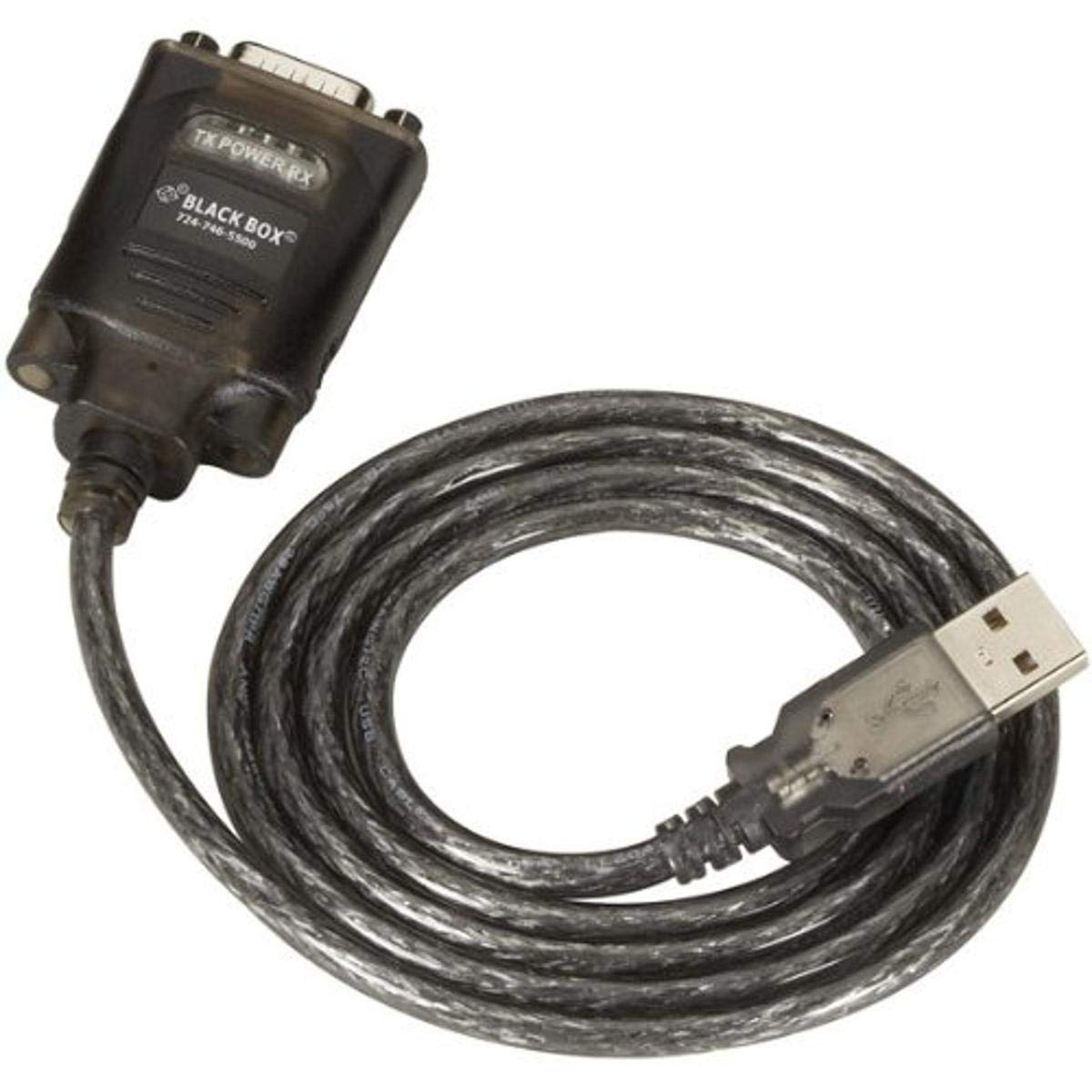
Figure 1: Black Box USB to DB9 Serial Cable (IC199A-R3)
This image displays the Black Box USB to DB9 Serial Cable, featuring a USB Type-A male connector on one end and a DB9 male serial connector on the other. The cable is black and designed for connecting serial devices to a computer's USB port.
The Black Box IC199A-R3 is a reliable solution for connecting legacy serial devices, such as modems, to modern computers that typically lack dedicated serial ports. Its robust design ensures stable data transmission.
설치 지침
- 커넥터 식별: Locate the USB Type-A male connector and the DB9 male serial connector on the cable.
- 컴퓨터에 연결: Insert the USB Type-A male connector into an available USB port on your computer.
- 직렬 장치에 연결: Connect the DB9 male serial connector to the DB9 female port on your serial device (e.g., modem). Ensure a secure connection.
- 드라이버 설치: In most modern operating systems (Windows 10/11, macOS, Linux), the necessary drivers should install automatically upon connection. If the device is not recognized, you may need to manually install drivers. Refer to your operating system's documentation or the Black Box support web필요한 경우 드라이버를 다운로드할 수 있는 사이트입니다.
- 연결 확인: After connecting, check your computer's Device Manager (Windows) or System Information (macOS/Linux) to confirm that the USB to Serial adapter is recognized and functioning correctly. It typically appears as a "USB Serial Port" or similar entry.
작동 지침
Once the Black Box IC199A-R3 cable is properly installed and recognized by your computer, it functions as a standard serial port.
- 소프트웨어 구성 : Open the serial communication software or application you intend to use (e.g., HyperTerminal, PuTTY, minicom, or specific device configuration software).
- COM 포트를 선택하십시오. Within your software, select the virtual COM port assigned to the USB to Serial adapter. This port number can usually be found in your computer's Device Manager (under "Ports (COM & LPT)").
- 직렬 설정 구성: Set the appropriate serial communication parameters (baud rate, data bits, parity, stop bits, flow control) to match the requirements of your connected serial device. Refer to the documentation of your serial device for these settings.
- 의사소통 시작: Once configured, you can initiate data transfer or communication with your serial device through the software.
유지
To ensure the longevity and reliable performance of your Black Box USB to Serial Cable, follow these simple maintenance guidelines:
- 저장: Store the cable in a cool, dry place away from direct sunlight and extreme temperatures when not in use.
- 손질: 케이블을 심하게 구부리거나 꺾지 마십시오. 특히 커넥터 부근에서는 내부 전선이 손상될 수 있습니다.
- 청소: 필요한 경우, 부드럽고 마른 보풀 없는 천으로 케이블과 커넥터를 부드럽게 닦으세요. 액체 세척제나 용제는 사용하지 마세요.
- 연결/연결 해제: 케이블을 연결하거나 분리할 때는 케이블 자체를 잡아당기지 말고 항상 커넥터 하우징을 잡으십시오.
문제 해결
If you encounter issues with your Black Box USB to Serial Cable, consider the following troubleshooting steps:
- 케이블을 인식할 수 없습니다:
- USB 커넥터가 컴퓨터의 USB 포트에 완전히 삽입되었는지 확인하십시오.
- 컴퓨터의 다른 USB 포트를 사용해 보십시오.
- 컴퓨터를 다시 시작하세요.
- Check Device Manager (Windows) or System Information (macOS/Linux) for any error messages or unrecognized devices. Reinstall drivers if necessary.
- 직렬 장치와 통신이 되지 않습니다.
- Verify that the DB9 connector is securely attached to your serial device.
- Confirm that the correct COM port is selected in your serial communication software.
- Double-check that the serial communication parameters (baud rate, data bits, parity, stop bits, flow control) in your software match those of your serial device.
- Ensure the serial device itself is powered on and functioning correctly.
- Try using a different serial communication software to rule out software-specific issues.
- 간헐적인 연결:
- Inspect the cable for any visible damage or frayed wires.
- 모든 연결부가 단단히 고정되어 있고 헐거워지지 않았는지 확인하십시오.
- 강한 전자파 간섭원 근처에 케이블을 두지 마십시오.
명세서
| 상표 | 블랙박스 |
| 모델 번호 | IC199A-R3 |
| 커넥터 유형(컴퓨터) | USB 유형 A 남성 |
| Connector Type (Device) | DB9 Male Serial |
| 케이블 유형 | USB to Serial |
| 호환 장치 | 모뎀 |
| 특징 | 엉킴 프리 |
| 색상 | 검은색 |
| 핀의 수 | 9 (on DB9 connector) |
| 품목 무게 | 0.24파운드(약 3.84온스) |
| 제품 치수(포장) | 6.75 x 1.5 x 4 인치 |
| 제조업체 | BLACK BOX CORPORATION |
보증 및 지원
For information regarding warranty coverage, technical support, or to download the latest drivers, please visit the official Black Box web해당 사이트를 방문하거나 고객 서비스에 문의하세요. 보증 청구를 위해 구매 영수증을 보관하세요.