제품 끝view
The On-Q Cat 6 Patch Cable is engineered for high-performance network installations, supporting voice, data, video, and security applications. This cable is designed to provide superior bandwidth, ensuring reliable and fast connections. Each cable undergoes rigorous 100-percent testing to ensure it meets and exceeds the EIA/TIA 568B performance requirements for Cat 6 cabling.

Image: A coiled blue Legrand On-Q Cat 6 Patch Cable, showcasing its length and flexibility.
주요 특징:
- CAT 6A Cable Management: Fully supports 10 Gigabit Ethernet speeds with 250MHz bandwidth and exceeds 750 insertion cycles as specified in FCC part 68 Subpart.
- Patch Cable Protection: Features a snagless overmold design to prevent the insertion tab from catching on other cables during installation or removal.
- 인증된 성능: UL verified to meet and support the Cat 6 performance patch cable specification.
- 다양한 응용 프로그램: Ideal for voice, data, video, and security network installations where high bandwidth is crucial.

Image: A graphic highlighting key features: 250MHz support for 10 Gigabit speeds, UL verification for Cat 6 specifications, and 24 AWG stranded patch cable construction.
설정 및 설치
Installing your Legrand - OnQ Cat 6 Patch Cable is straightforward. Follow these steps for optimal performance:
- 포트 식별: Locate the Ethernet ports on your devices (e.g., router, modem, computer, gaming console, smart TV, printer). These ports are typically labeled as "LAN" or "Ethernet" and resemble a larger phone jack.
- 첫 번째 끝 연결: Gently insert one end of the Cat 6 patch cable into the Ethernet port of your first device until you hear a click, indicating it is securely latched.
- 두 번째 끝 연결: Insert the other end of the cable into the Ethernet port of your second device. Ensure it also clicks into place.
- 연결 확인: Most devices will have an LED indicator near the Ethernet port that illuminates or blinks when a successful connection is established. Refer to your device's manual for specific indicator behavior.
This cable is designed for broad compatibility, supporting reverse and forward connections with Cat5, Cat5e, Cat6, Cat6a, and Cat7 standards.

Image: A blue Ethernet cable connected to the back of a network router, demonstrating a typical setup.

Image: A graphic illustrating the cable's compatibility with common Ethernet devices such as gaming consoles, smart TVs, laptops, and printers.
작동 지침
Once connected, the Legrand - OnQ Cat 6 Patch Cable operates automatically to facilitate network communication between your devices. It functions as a physical medium for transmitting data signals.
- 데이터 전송: The cable enables high-speed data transfer, supporting up to 10 Gigabit Ethernet speeds, making it suitable for demanding applications like online gaming, 4K video streaming, and large file 이전.
- 신호 무결성: Constructed with pure copper conductors and designed to minimize crosstalk and interference, ensuring a stable and reliable connection.
- 플러그 앤 플레이: No software or drivers are required for operation. Simply connect the cable between compatible devices.
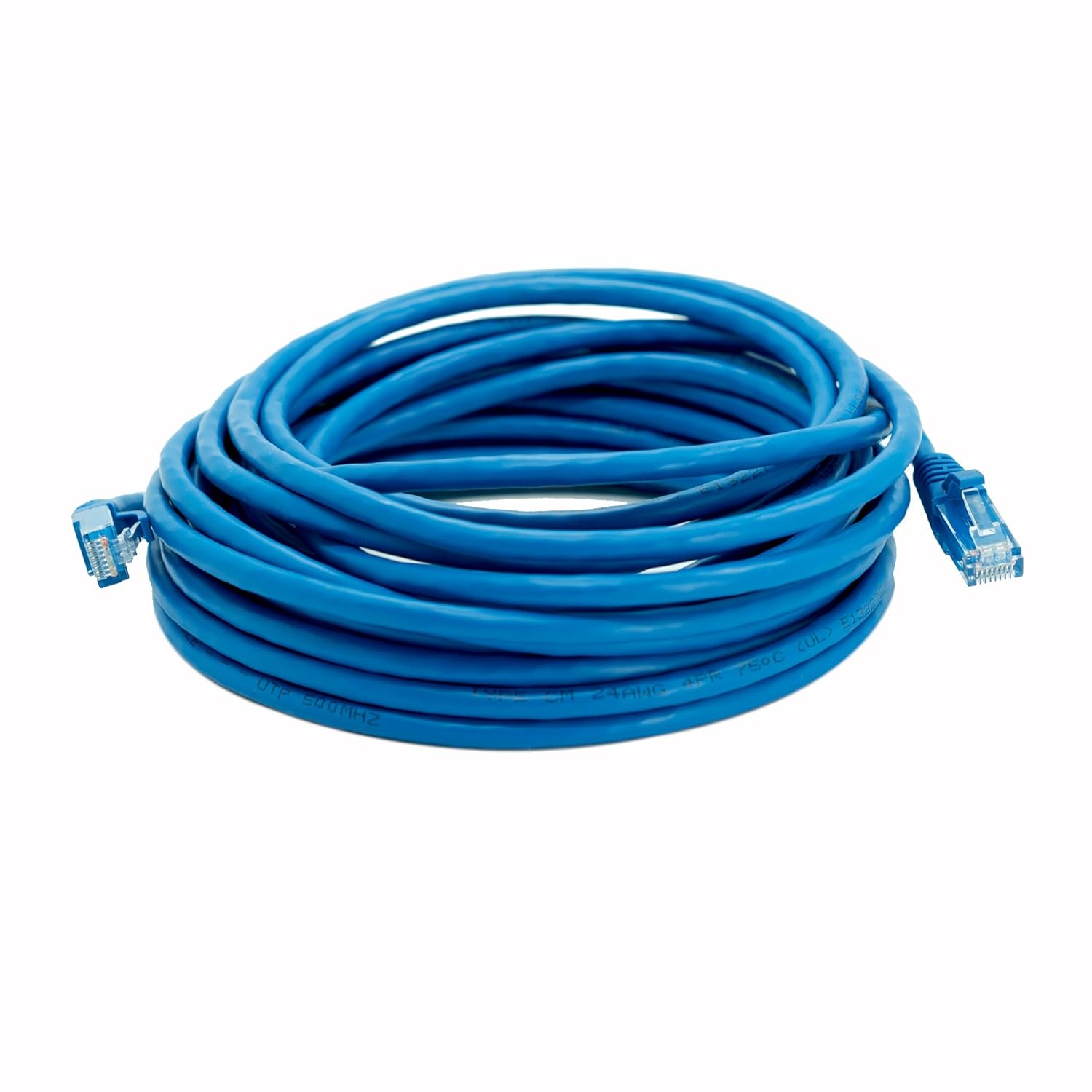
Image: A detailed close-up of the RJ45 connector end of the Cat 6 cable, showing the clear housing and gold-plated pins.
유지 보수 및 관리
Proper care and maintenance will extend the lifespan and ensure the continued performance of your Cat 6 patch cable.
- Avoid Kinks and Sharp Bends: Do not bend the cable sharply or tightly, as this can damage the internal conductors and reduce performance. Maintain a gentle curve when routing.
- 커넥터 보호: Avoid pulling the cable by the cord itself when disconnecting. Always grasp the RJ45 connector housing. Keep connectors clean and free of dust or debris.
- Prevent Snagging: The cable features a snagless overmold design, but still exercise caution when routing through tight spaces or near other cables to prevent damage to the tab.
- 저장: 사용하지 않을 때는 케이블을 느슨하게 감아서 직사광선이나 극한 온도 변화를 피해 건조하고 서늘한 곳에 보관하십시오.
- 청소: 필요한 경우 부드럽고 마른 천으로 케이블을 살살 닦아주세요. 독한 화학 약품이나 연마성 세척제를 사용하지 마십시오.

Image: A graphic emphasizing the PVC shielded jacket designed to prevent snagging, highlighting the protective feature of the cable's connector.
문제 해결
If you encounter issues with your Legrand - OnQ Cat 6 Patch Cable, consider the following troubleshooting steps:
| 문제 | 가능한 원인 | 해결책 |
|---|---|---|
| 네트워크 연결 없음 | Cable not fully seated; faulty port; damaged cable; network device issue. | Ensure both ends of the cable are securely clicked into their ports. Try a different port on your device. Inspect the cable for visible damage (kinks, cuts). Test with another known-good cable. Restart your network devices (modem, router). |
| 느린 네트워크 속도 | Cable damage; device limitations; network congestion; incorrect cable type for speed. | Check cable for damage. Ensure your network devices (router, network card) support the desired speed (e.g., Gigabit Ethernet). Reduce network traffic if possible. Confirm you are using a Cat 6 cable for 10 Gigabit speeds if required. |
| 간헐적인 연결 | Loose connection; cable interference; faulty device. | Reseat the cable ends. Ensure the cable is not running parallel to power lines or other sources of electromagnetic interference. Test with another cable or device to isolate the issue. |
제품 사양
| 사양 | 세부 사항 |
|---|---|
| 제품 치수 | 50 x 0.25 x 0.25 인치 |
| 품목 모델 번호 | AC3650BEV1 |
| 무게 | 11.2 온스 |
| 제조업체 | Legrand On-Q |
| 원산지 | 중국 |
| 상표 | 온큐 |
| 커넥터 유형 | RJ45 |
| 케이블 유형 | Ethernet (Cat 6) |
| 호환 장치 | PC, Routers, Modems, Gaming Consoles, Smart TVs, Printers, etc. |
| 특징 | High Speed (Supports 10 Gigabit Ethernet) |
보증 및 지원
For information regarding warranty coverage and customer support for your Legrand - OnQ Cat 6 Patch Cable, please refer to the official Legrand On-Q web사이트를 방문하거나 고객 서비스에 직접 문의하세요.
You can visit the official On-Q store for more products and support information: On-Q Store on Amazon
보증 청구를 위해 구매 증빙서류를 보관하세요.


