1. 서론
Thank you for choosing the Walimex Pro FT-665T 3D Panhead Tripod. This professional tripod is designed for cameras, offering stability and versatility for various photographic needs. Constructed from aluminum alloy, it features a rotatable center column, adjustable leg angles, and a precise 3D panhead. This manual provides detailed instructions for the proper setup, operation, and maintenance of your tripod to ensure optimal performance and longevity.
2. 안전 지침
- 장비를 장착하거나 삼각대를 방치하기 전에 모든 잠금 장치가 단단히 조여졌는지 항상 확인하십시오.
- Do not exceed the maximum load capacity of 12 kg (26.4 lbs) to prevent damage to the tripod or your camera equipment.
- Be cautious when extending or collapsing the tripod legs to avoid pinching fingers.
- 삼각대를 불안정하거나 미끄러운 표면에 놓지 마십시오.
- Do not expose the tripod to extreme temperatures or corrosive substances.
- When carrying the tripod with a camera mounted, ensure the camera is securely attached and all adjustments are locked.
- Always use the provided carry bag for transport to protect the tripod from damage.
3. 구성 요소 이상view
Familiarize yourself with the main parts of your Walimex Pro FT-665T tripod:
- 3D Panhead: Allows for precise horizontal (pan) and vertical (tilt) adjustments.
- Quick-Release Plate: For easy attachment and detachment of your camera.
- Panhead Handles: Control pan and tilt movements and locking.
- 거품 수준 : 정확한 수평 정렬을 위해.
- 중앙 컬럼: Adjustable height, rotatable for low-angle shots, with a hook for added stability.
- 다리 섹션 : Extendable segments of the tripod legs.
- 다리 걸기: Secure the extended leg sections.
- 다리 각도 조절 장치: Allow setting different leg angles.
- 고무 발: Provide grip on various surfaces.
- 폼 그립: 휴대가 편리하도록.

Figure 1: Walimex Pro FT-665T Tripod, showing the overall structure and key components.

그림 2: 상세 view of the 3D panhead, highlighting the quick-release plate and control handles.
4. 설정
4.1 포장 풀기 및 초기 검사
Carefully remove the tripod from its packaging and the included carry bag. Inspect all components for any signs of damage. Ensure all parts listed in the 'Components Overview' are present.
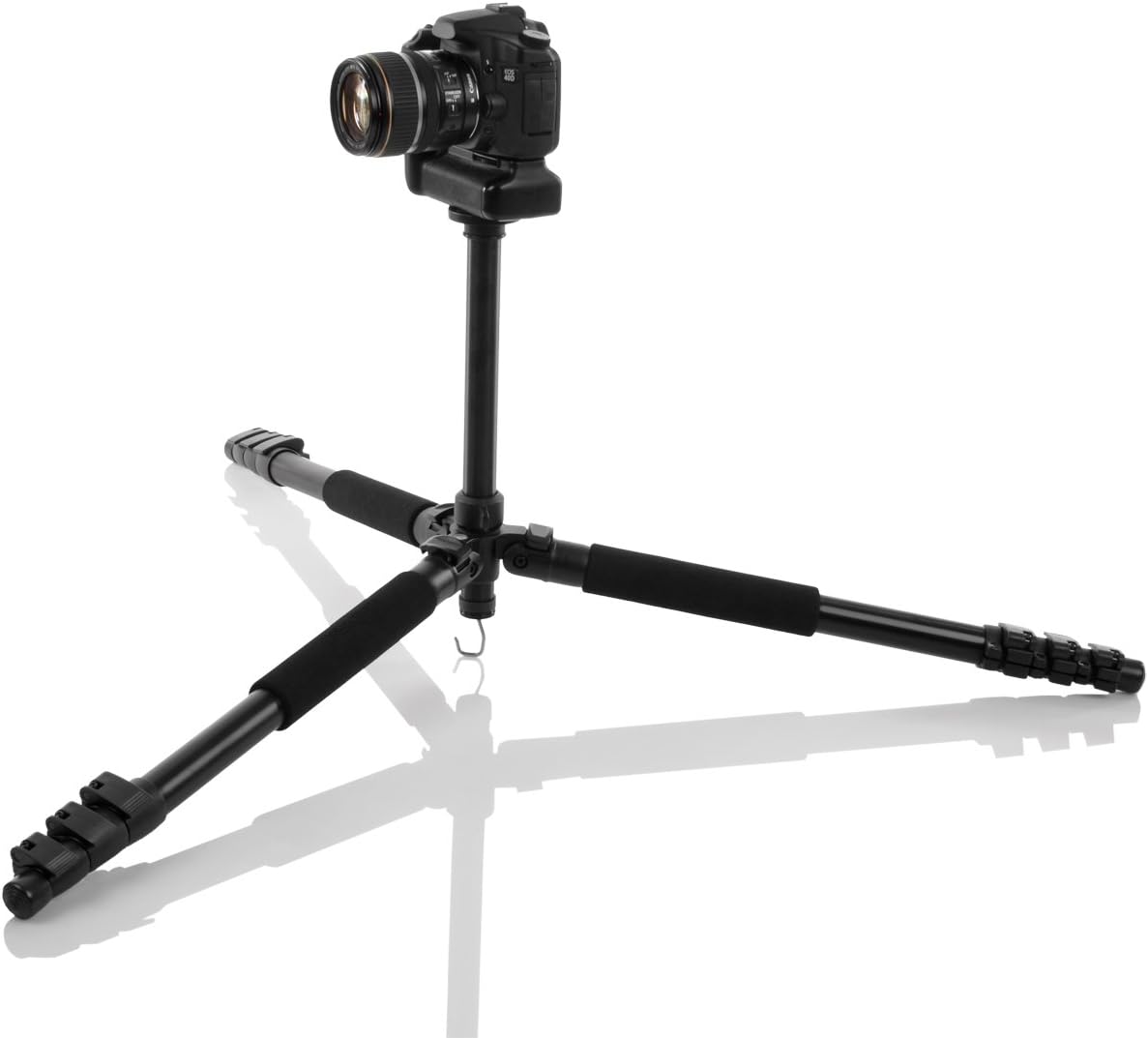
Figure 3: The tripod neatly stored within its convenient carry bag.
4.2 삼각대 다리 펼치기
- 각 다리 부분의 잠금 장치를 풀어주세요.
- 다리 부분을 원하는 길이로 늘리세요.
- Securely close all leg locks to prevent the legs from collapsing.
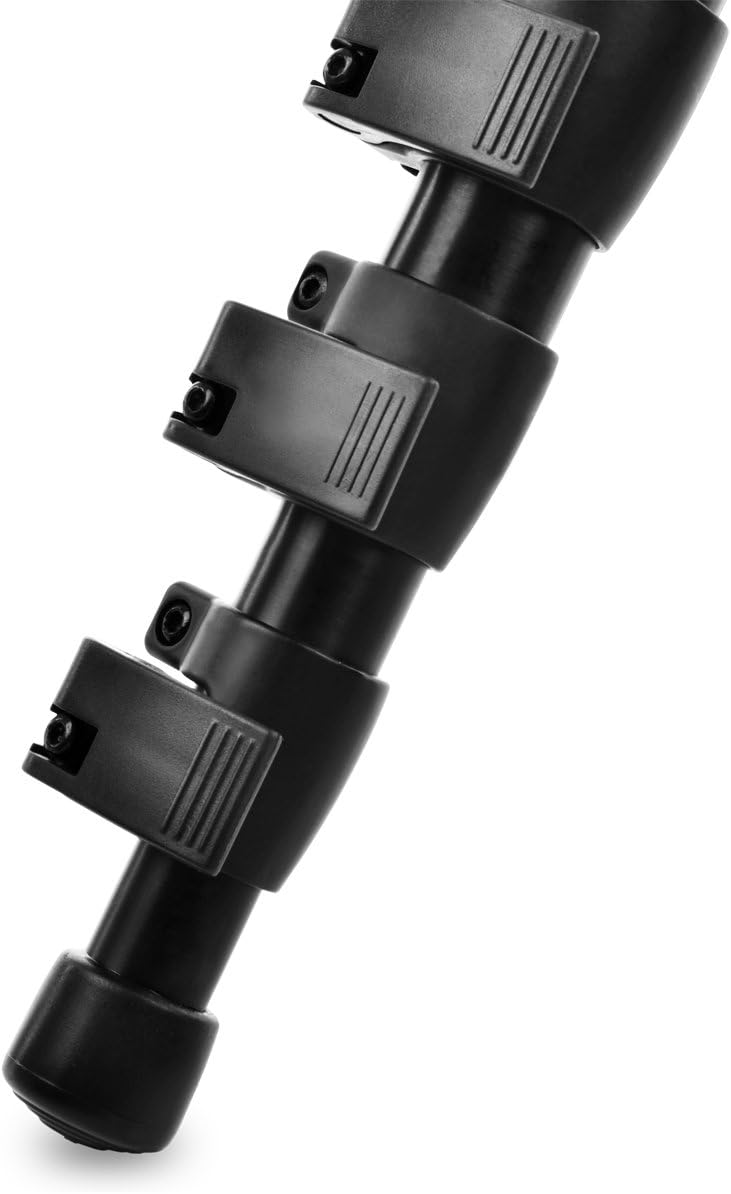
Figure 4: Detail of the leg locks used to secure the extended leg sections.
4.3 다리 각도 조절하기
Each leg can be independently adjusted to different angles for stability on uneven terrain or for low-angle shooting. Locate the leg angle adjusters near the top of each leg and set them to the desired position.
4.4 Attaching the Camera to the Quick-Release Plate
- Remove the quick-release plate from the 3D panhead by releasing its locking lever.
- Attach the quick-release plate to the bottom of your camera using the 1/4 inch screw. Ensure it is tightened securely. The cork coating on the plate provides a non-slip surface.

Figure 5: The quick-release plate with its 1/4 inch camera connection screw.
4.5 Mounting the Camera to the Panhead
With the camera attached to the quick-release plate, slide the plate back into the panhead receiver until it clicks into place. Engage the locking lever to secure the camera firmly.
5. 삼각대 작동법
5.1 Adjusting the 3D Panhead
The 3D panhead allows for independent control over horizontal (pan) and vertical (tilt) movements. Use the dedicated handles to loosen or tighten the pan and tilt axes. Adjust to the desired angle and then tighten the handles to lock the position.
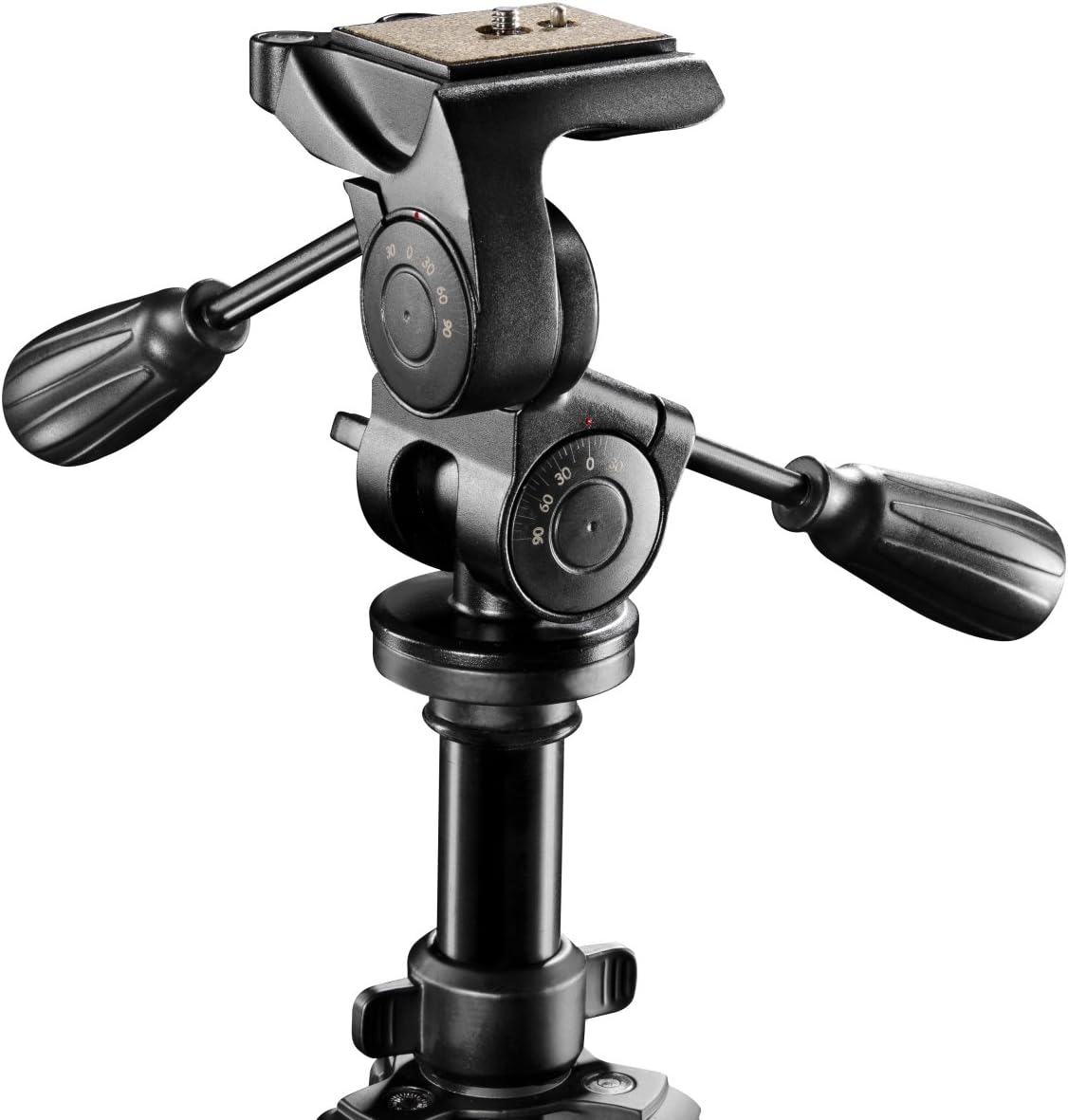
Figure 6: The 3D panhead with its distinct controls for precise camera positioning.
5.2 수평계 사용하기
The integrated bubble level helps ensure your camera is perfectly horizontal. Adjust the tripod legs or the panhead until the bubble is centered within the indicator.
5.3 중앙 기둥 조정
The center column can be extended for additional height. Loosen the center column lock, raise or lower the column to the desired height, and then tighten the lock. For ground-level photography, the center column can be inverted. To do this, fully extend and remove the center column, then reinsert it upside down into the tripod's base.

Figure 7: The tripod configured for low-angle shots with the center column inverted.
5.4 Using the Stability Hook
A hook is located at the bottom of the center column. You can hang a weight (e.g., your camera bag) from this hook to increase the tripod's stability, especially in windy conditions or when using heavy lenses.
6. 유지관리
- 청소: 삼각대를 부드러운 천으로 닦아주세요.amp 먼지나 모래가 많은 환경에서 사용한 후에는 반드시 천으로 닦아주십시오. 강한 화학 물질은 사용하지 마십시오.
- 매끄럽게 하기: The moving parts of the panhead are factory-lubricated. Do not apply additional lubricants unless specifically recommended by the manufacturer.
- 저장: Store the tripod in its carry bag in a dry, cool place away from direct sunlight and extreme temperatures.
- 점검: Periodically check all screws, bolts, and locking mechanisms for tightness. Tighten any loose components carefully.
7. 문제 해결
7.1 삼각대 불안정성
- 문제: 삼각대가 흔들리거나 불안정하게 느껴집니다.
해결책: Ensure all leg locks are fully tightened. Verify that the leg angle adjusters are set correctly and evenly. Check if the quick-release plate is securely attached to both the camera and the panhead. Consider hanging a weight from the center column hook for added stability.
7.2 Panhead Movement Issues
- 문제: Pan or tilt movements are too loose or too stiff.
해결책: Adjust the tension of the panhead handles. Tighten them for stiffer movement or to lock the position, and loosen for smoother movement.
7.3 Camera Not Attaching Securely
- 문제: Camera feels loose on the quick-release plate or the plate won't lock into the panhead.
해결책: Ensure the 1/4 inch screw on the quick-release plate is fully tightened into your camera's tripod mount. Make sure the quick-release plate is inserted correctly into the panhead receiver and the locking lever is fully engaged.
8. 사양
| 특징 | 세부 사항 |
|---|---|
| 상표 | Walimex Pro |
| 모델명 | FT-665T (Item model number: 18835) |
| 재료 | 알루미늄, 플라스틱, 고무 |
| 최대 높이 | 198cm(77.9인치) |
| Minimum Height (approx.) | 73cm(28.7인치) |
| 중량 제한 | 12킬로그램(26.4파운드) |
| 품목 무게 | 2.27킬로그램(5파운드) |
| 삼각대 헤드 유형 | 3D Panhead |
| 특별 기능 | Rotatable Center Column, Spirit Level, Straightening Scale |
| 호환 장치 | 카메라 |
| 색상 | 검은색 |
9. 보증 정보
Walimex Pro products are manufactured to high-quality standards. This product comes with a standard manufacturer's warranty against defects in materials and workmanship. The specific terms and duration of the warranty may vary by region and retailer. Please retain your proof of purchase for any warranty claims. For detailed warranty information, refer to the documentation provided at the time of purchase or contact your retailer.
10. 고객 지원
Should you encounter any issues or have questions regarding your Walimex Pro FT-665T 3D Panhead Tripod that are not covered in this manual, please contact your retailer or the Walimex Pro customer service department. Contact information can typically be found on the Walimex Pro official web사이트 또는 제품 포장에 표시하세요.