1. 소개 및 이상view
The Alpine VIE-X007-WS-E is a dedicated in-dash car navigation system designed for specific vehicle models, featuring a high-definition 7-inch wide VGA LED LCD display. This unit provides clear and detailed maps, high-quality video playback, and integrates advanced features for an enhanced driving experience. It includes a 32GB SDHC memory for map and music data, a built-in terrestrial digital TV tuner, and Bluetooth connectivity for hands-free calling and audio streaming. The system is 'Tuned by Alpine' to ensure optimal acoustic settings and vehicle-specific functionalities.
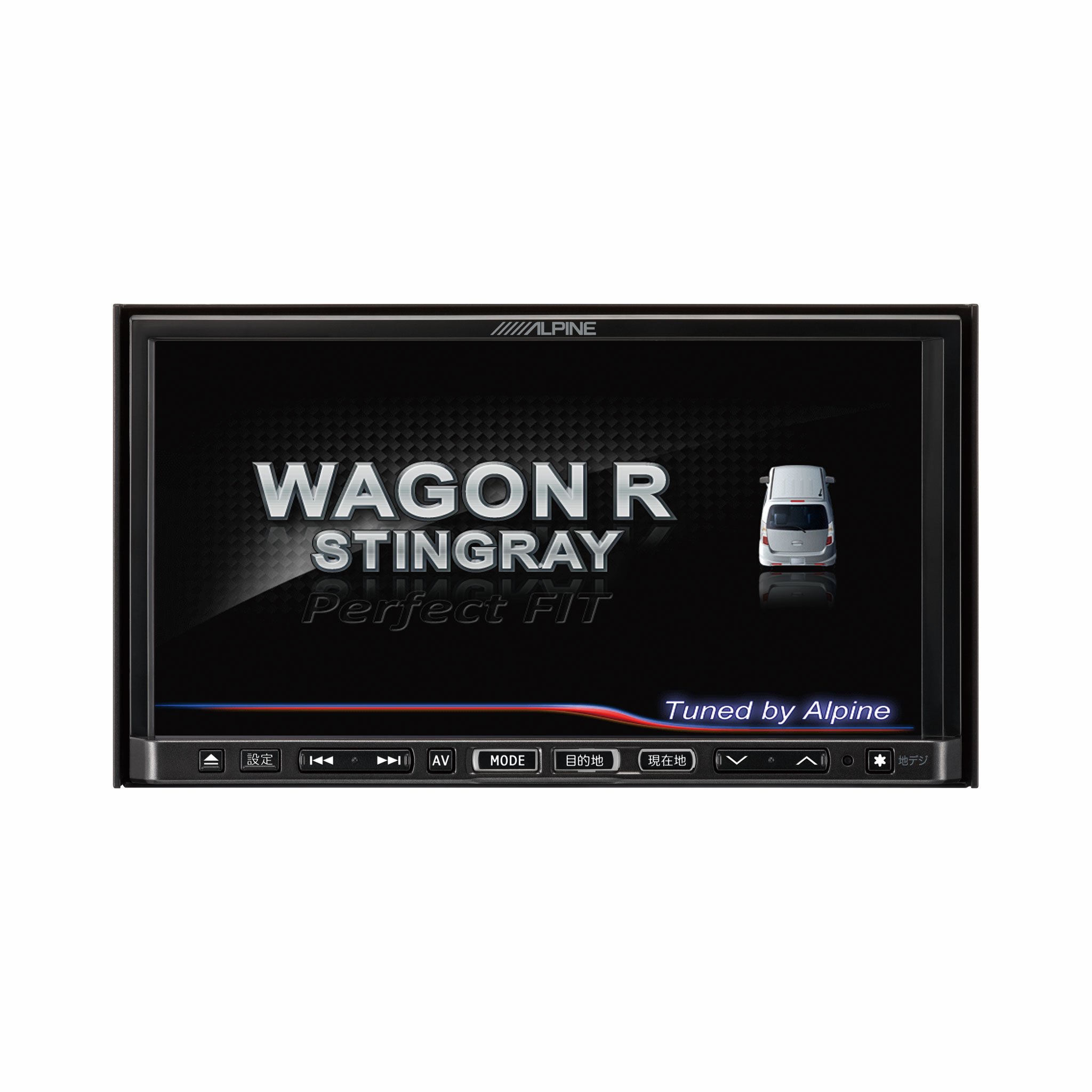
이미지 1.1: 앞면 view of the Alpine VIE-X007-WS-E In-Dash Car Navigation System, showcasing its 7-inch display and control interface.
2. 주요 특징
- 표시하다: 7-inch LED / WVGA Touch Panel Monitor for clear visuals and intuitive control.
- 저장: 32GB SD memory (16GB for Map Data + 16GB for Music Data).
- 조율사: Built-in Terrestrial Digital TV Tuner (12 Segments/One Segment) for broadcast reception.
- 연결성: Built-in Bluetooth for hands-free calling and Bluetooth audio support.
- 미디어 재생 : Supports DVD/CD, FM/AM radio, SD Memory Card, iPod/iPhone, USB, and Walkman (connection cable not included).
- 차량 통합: Alpine system link functions for rear vision camera and vehicle-specific settings.
3. 설정 지침
Proper installation is crucial for optimal performance and safety. It is highly recommended that this unit be installed by a qualified professional car audio technician.
3.1. 설치 전 점검
- 설치를 시작하기 전에 차량의 배터리가 분리되어 있는지 확인하세요.
- Verify all necessary mounting hardware and wiring harnesses are present.
- Confirm compatibility with your specific vehicle model (Wagon R MH23 Stingray).
3.2. 배선 연결
- 전원 연결: 메인 전원 하니스를 차량의 전원 공급 장치에 연결하고, 올바르게 접지되었는지 확인하십시오.
- 스피커 연결: Connect the speaker wires to the corresponding vehicle speakers, observing polarity.
- 안테나 연결: Connect the GPS antenna and the terrestrial digital TV antenna to their respective inputs on the unit. Position antennas in locations with clear line of sight.
- 외부 장치 연결: Connect any optional devices such as a rear-view camera, USB devices, or iPod/iPhone using the appropriate cables (sold separately).
3.3. 유닛 장착
- Carefully insert the unit into the vehicle's dashboard opening.
- 제공된 장착 브래킷과 나사를 사용하여 장치를 고정하십시오.
- Re-connect the vehicle's battery.
3.4. 초기 전원 켜기
- Turn on the vehicle's ignition. The unit should power on and display the Alpine logo.
- 언어 선택 및 시간대 설정과 같은 초기 설정을 위해 화면에 나타나는 안내에 따라 진행하십시오.
4. 사용 설명서
This section provides general guidance on operating your Alpine navigation system.
4.1. 전원 켜기/끄기
- The unit typically powers on automatically with the vehicle's ignition.
- To manually turn off or put the unit into standby, press and hold the power button (location may vary, refer to specific vehicle integration manual).
4.2. 터치스크린 조작
- Navigate menus and select functions by lightly touching the screen icons.
- Use swipe gestures for scrolling through lists or maps.
4.3. 탐색 기능
- 내비게이션 접근: Tap the 'Navigation' or 'Map' icon on the main menu.
- 목적지 입력 중: Use the on-screen keyboard to input an address, point of interest (POI), or select from recent destinations.
- 경로 안내: Once a destination is set, the system will calculate a route and provide turn-by-turn voice guidance and visual cues.
- 지도 View: Switch between 2D, 3D, and various zoom levels using the on-screen controls.
4.4. 미디어 재생
- 라디오: Select 'FM' or 'AM' from the main menu. Use the tuner controls to scan for stations or select presets.
- CD/DVD: Insert a disc into the slot. Playback should begin automatically or can be selected from the 'Disc' source.
- SD Card/USB: Insert an SD card or USB device. Select 'SD' or 'USB' as the source and browse for media files.
- 블루투스 오디오 Pair your Bluetooth device (see section 4.5) and select 'Bluetooth Audio' as the source to stream music.
- Terrestrial Digital TV: Select 'TV' from the main menu. The system will scan for available channels.
4.5. 블루투스 페어링
- On the unit, go to the 'Bluetooth' menu.
- 모바일 장치에서 Bluetooth를 활성화하고 사용 가능한 장치를 검색하십시오.
- Select 'Alpine VIE-X007-WS-E' (or similar name) from your device's list.
- 메시지가 표시되면 두 기기 모두에서 페어링 코드를 확인하세요.
- 페어링이 완료되면 전화를 걸거나 받고 오디오를 스트리밍할 수 있습니다.
5. 유지관리
정기적인 유지보수는 내비게이션 시스템의 수명과 최적의 성능을 보장합니다.
5.1. 장치 청소
- Use a soft, dry cloth to wipe the display and control panel.
- 화면에 끈적끈적한 얼룩이 있는 경우 가볍게 dampen the cloth with a screen cleaner specifically designed for electronics. Do not spray cleaner directly onto the unit.
- 연마성 세척제, 용제 또는 강한 화학 물질의 사용을 피하세요.
5.2. 소프트웨어 및 지도 업데이트
- 알프스 공식 웹사이트를 주기적으로 확인하세요. website for available software and map updates.
- Follow the instructions provided with the update package carefully to ensure proper installation. Updates typically involve downloading files to an SD card or USB drive and inserting it into the unit.
5.3. SD Card Handling
- Always eject the SD card safely through the unit's menu before physically removing it.
- Store the SD card in a protective case when not in use to prevent damage.
6. 문제 해결
이 섹션에서는 일반적으로 발생할 수 있는 문제와 이에 대한 잠재적인 해결책을 다룹니다.
| 문제 | 가능한 원인 | 해결책 |
|---|---|---|
| 장치의 전원이 켜지지 않습니다. | 전원 연결이 느슨하거나, 퓨즈가 끊어지거나, 차량 배터리에 문제가 있습니다. | Check power wiring and fuse. Ensure vehicle battery is charged. Consult a professional if issues persist. |
| GPS 신호가 없거나 위치가 부정확합니다. | GPS antenna obstructed or improperly connected, unit in an area with poor satellite reception. | GPS 안테나가 깨끗한지 확인하십시오. view 하늘을 보세요. 안테나 연결을 확인하세요. 탁 트인 곳으로 이동하세요. |
| 블루투스 장치 페어링에 실패했습니다. | 기기에서 블루투스가 활성화되어 있지 않거나, 페어링 모드가 잘못되었거나, 간섭이 발생했을 수 있습니다. | Ensure Bluetooth is active on your device. Put the unit in pairing mode. Try re-pairing. Move closer to the unit. |
| 터치스크린이 반응하지 않습니다. | 일시적인 소프트웨어 오류, 화면 보정 문제. | Restart the unit (turn vehicle ignition off and on). If available, perform screen calibration via settings. |
| 스피커에서 소리가 나지 않습니다. | 볼륨이 너무 작거나, 음소거가 활성화되었거나, 스피커 배선 문제일 수 있습니다. | 볼륨을 높이세요. 음소거가 활성화되어 있는지 확인하세요. 스피커 연결을 확인하세요. |
If you encounter problems not listed here or if the suggested solutions do not resolve the issue, please contact Alpine customer support or a certified service center.
7. 사양
| 특징 | 사양 |
|---|---|
| 상표 | 알파인 |
| 모델 | VIE-X007-WS-E |
| 화면 크기 | 7 인치 |
| 디스플레이 유형 | WVGA LED LCD Touch Panel Monitor |
| 메모리 저장 용량 | 16 GB (for Map Data, total 32GB SDHC) |
| 특별 기능 | Hands Free (Bluetooth) |
| 연결 기술 | 블루투스, USB |
| 휴먼 인터페이스 입력 | 터치스크린 |
| 지원되는 미디어 유형 | Memory, DVD, CD, FM/AM, SD Card, iPod/iPhone, USB, Walkman |
| 내장 튜너 | Terrestrial Digital TV Tuner (12 Segments/One Segment) |
| 배터리 포함 | 아니요 |
| 제품 치수 | 18.66 x 17.8 x 10cm |
| 품목 무게 | 6.44kg |
8. 보증 및 지원
Warranty information for the Alpine VIE-X007-WS-E is typically provided with the product packaging or at the point of purchase. Please refer to these documents for details regarding warranty coverage, terms, and conditions.
For technical support, service inquiries, or to find authorized service centers, please visit the official Alpine website or contact Alpine customer service directly. Ensure you have your product model number (VIE-X007-WS-E) and proof of purchase available when seeking support.
알파인 공식 Web대지: www.alpine.com


