소개
This manual provides instructions for the proper use and care of your Vivitar 52mm UV Filter and Snap-On Lens Cap. This kit is designed to offer general protection to your camera lens and enhance image quality by reducing ultraviolet light.
키트에는 다음이 포함됩니다.
- One (1) Vivitar 52mm UV Filter
- One (1) Vivitar 52mm Snap-On Lens Cap
설정 및 설치
Follow these steps to properly install the UV filter and attach the lens cap to your camera lens.
UV 필터 설치
- Identify Lens Thread Size: Ensure your camera lens has a 52mm filter thread. This is typically indicated on the front of your lens or in its specifications.
- 렌즈를 준비하세요: Gently clean the front element of your camera lens to remove any dust or smudges before attaching the filter.
- 필터를 부착하세요: Carefully align the Vivitar 52mm UV filter with the filter threads on your camera lens. Rotate the filter clockwise until it is securely fastened. Avoid overtightening.
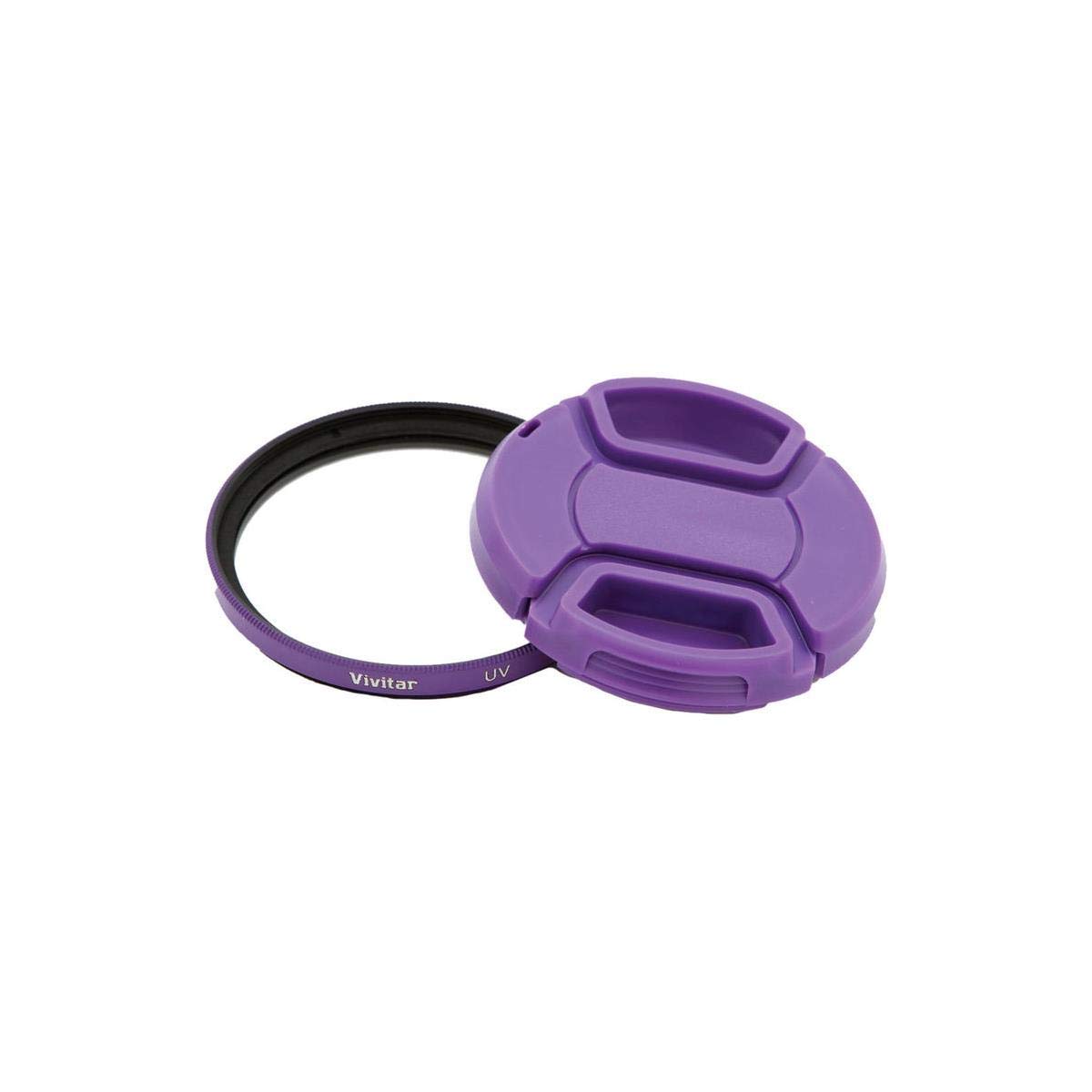
Image: The Vivitar 52mm UV Filter and Snap-On Lens Cap kit, showing both components. The filter is a clear glass disc with a purple rim, and the lens cap is purple with a central pinch mechanism.
The UV filter is designed to absorb ultraviolet light, reducing the bluish cast often seen in daylight photography, and provides an additional layer of protection for your lens.
Attaching the Snap-On Lens Cap
- 캡을 제자리에 놓으세요: With the UV filter installed, align the Vivitar 52mm Snap-On Lens Cap with the front of the UV filter.
- 캡을 고정하세요: Gently press the sides of the lens cap to engage the internal clips with the outer rim of the UV filter. Release the sides to secure the cap in place.
The snap-on design allows for quick and easy removal and installation, protecting the optical surface from dust, dirt, and minor impacts.
작동 지침
Once installed, the UV filter operates passively, providing continuous protection and optical benefits. The lens cap is for active protection when the camera is not in use.
Using the UV Filter
- The UV filter remains on the lens during photography. It does not require adjustment.
- It helps to absorb ultraviolet light, which can cause haze or a bluish tint in outdoor photographs.
- It provides a physical barrier against dust, scratches, and minor impacts to the front element of your camera lens.
Using the Snap-On Lens Cap
- 첨부하려면: Pinch the sides of the cap and place it over the front of the filter or lens. Release to secure.
- 제거하려면: Pinch the sides of the cap and lift it off the filter or lens.
- Always use the lens cap when the camera is not in use or when transporting it to prevent damage to the lens or filter.
관리 및 유지 보수
Proper care ensures the longevity and performance of your Vivitar UV filter and lens cap.
- Cleaning the UV Filter: Use a soft, clean microfiber cloth specifically designed for optical surfaces. For stubborn smudges, a small amount of lens cleaning solution can be applied to the cloth (not directly to the filter).
- Cleaning the Lens Cap: Wipe the lens cap with a soft, damp 옷감. 가혹한 화학 물질을 피하십시오.
- 저장: When not in use, store the filter and cap in a clean, dry environment, away from extreme temperatures and humidity.
- 손질: 유리 표면에 지문이 남지 않도록 항상 필터의 가장자리를 잡고 다루십시오.
문제 해결
| 문제 | 가능한 원인 | 해결책 |
|---|---|---|
| Filter difficult to attach/detach | 정렬 불량 또는 과도한 조임. | Ensure proper alignment before rotating. Do not overtighten. If stuck, use a rubber grip wrench designed for filters. |
| Lens cap does not stay on | Incorrect size or damaged clips. | Verify the filter/lens diameter is 52mm. Inspect cap clips for damage. Replace if necessary. |
| Image quality degradation (e.g., flare, ghosting) | Dirty filter surface or strong light source. | Clean the filter thoroughly. Use a lens hood to minimize flare from strong light sources. |
명세서
- 상표: 카메라 : Vivitar
- 모델 번호: 4332043062
- 필터 유형: 자외선(UV)
- 필터 나사산 크기: 52mm
- Lens Cap Type: 스냅온
- 재료: Optical Glass (Filter), Plastic (Cap)
- Coating Description: 멀티 코팅
- 제품 크기: 포장 포함 약 5.2 x 4.3 x 0.8인치
- 품목 무게: 약 1.6온스
- 방수 수준: 방수가 되지 않음
보증 및 지원
For warranty information and customer support, please refer to the documentation provided with your purchase or visit the official Vivitar website. Specific warranty terms and contact details are typically included with the product packaging.


