1. 서론
The BIC Acoustech PL-66 Surround Speakers are designed to deliver clear, dynamic sound for both music and home theater systems. Featuring an angled cabinet design for wide dispersion, these speakers are equipped with a 6.5-inch mid/high frequency aluminum dome horn tweeter, a 6.5-inch woofer with a heavy-duty surround, and a 5x7-inch passive radiator for enhanced bass output. The elegant enclosures feature hand-rubbed black lacquer tops and bottoms, providing a durable and aesthetically pleasing 마무리.
2. 안전 지침
- Read all instructions before operating the speakers.
- 향후 참고를 위해 이 지침을 보관해 두십시오.
- 제품과 사용 설명서에 있는 모든 경고에 주의하십시오.
- 이 기기를 물 근처에서 사용하지 마십시오.
- 마른 천으로만 닦으십시오.
- 환기구를 막지 마십시오. 제조업체의 지침에 따라 설치하십시오.
- 라디에이터, 난방 조절기, 스토브 또는 기타 장치(다음을 포함)와 같은 열원 근처에 설치하지 마십시오. amp열을 생성하는 발전기.
- 전원 코드가 밟히거나 끼지 않도록 보호하세요. 특히 플러그, 편의용 콘센트 및 기기에서 나오는 부분은 보호하세요.
- 제조사가 지정한 부속품/액세서리만 사용하세요.
- 번개 폭풍 시 또는 장기간 사용하지 않을 때는 기기의 플러그를 뽑아두세요.
- 모든 서비스는 자격을 갖춘 서비스 담당자에게 의뢰하십시오. 전원 코드나 플러그가 손상되었거나, 액체가 쏟아졌거나, 물체가 기기에 떨어졌거나, 기기가 비나 습기에 노출되었거나, 정상적으로 작동하지 않거나, 떨어졌을 때와 같이 기기가 어떤 식으로든 손상된 경우 서비스가 필요합니다.
3. 패키지 내용
Your BIC Acoustech PL-66 Surround Speakers package should include:
- 2 x BIC Acoustech PL-66 Surround Speakers
- Mounting brackets (pre-installed or included separately)
- 사용 설명서(본 문서)
4. 설정 및 설치
4.1 스피커 배치
The PL-66 speakers are designed for use as surround or bookshelf speakers. Their angled cabinet design helps to disperse sound widely, creating an immersive listening experience. For optimal surround sound, place the speakers to the sides or slightly behind the main listening area, at or slightly above ear level.

이미지: 각도 view of the PL-66 speaker, highlighting its design for wide sound dispersion.
Consider the room acoustics and the distance from walls. Avoid placing speakers directly into corners, which can overemphasize bass. Experiment with placement to find the best sound balance for your listening environment.
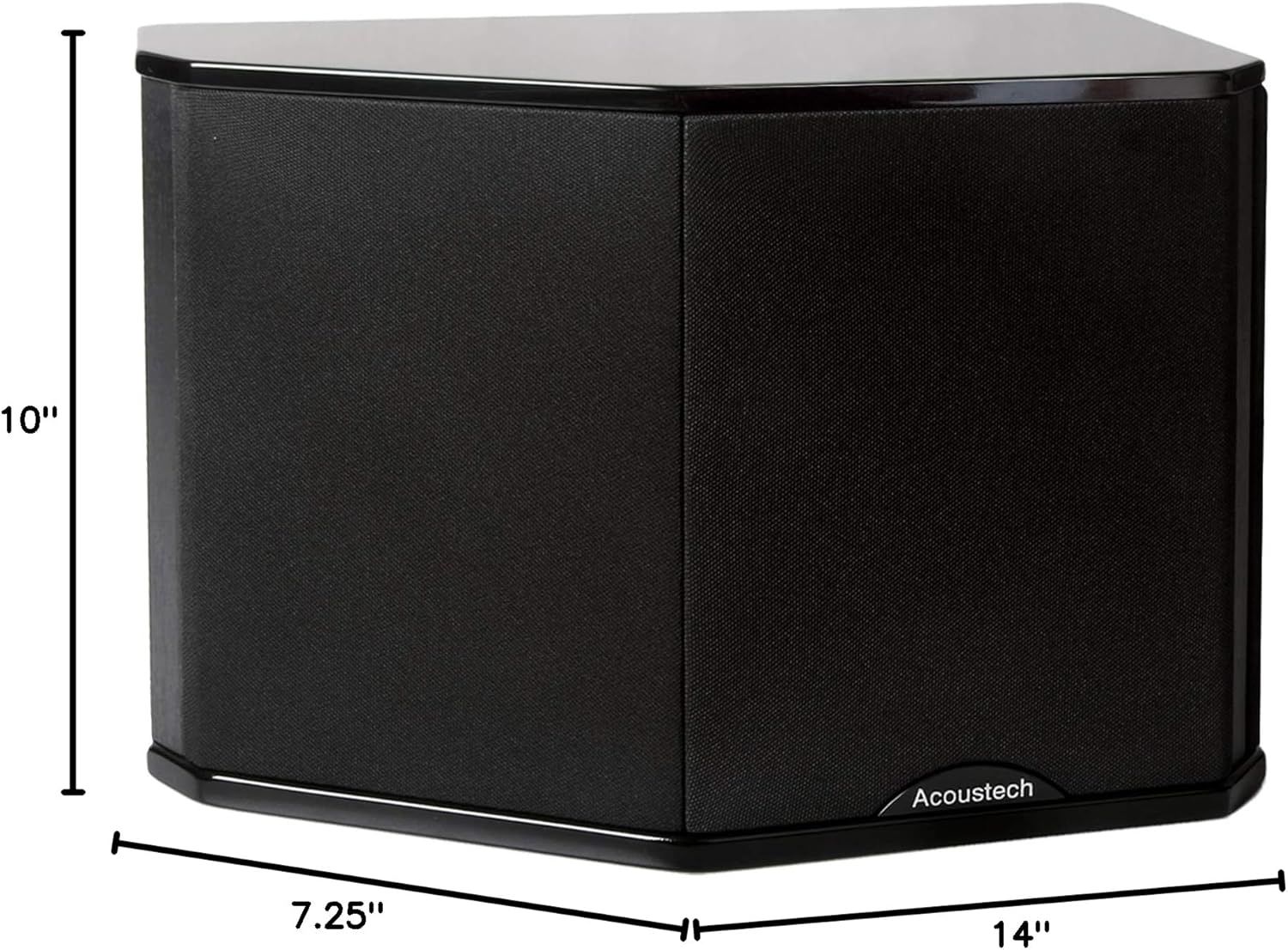
Image: Product dimensions for planning placement. The speaker measures 14 inches deep, 7.25 inches wide, and 10 inches high.
4.2 연결 Amp리시버/리시버
귀하의 것을 확인하십시오 amp연결을 하기 전에 수신기나 통신기가 꺼져 있는지 확인하세요.
- 스피커 와이어 준비: 스피커 선 끝부분의 절연 피복을 약 1.25cm(1/2인치) 정도 벗겨냅니다. 벗겨진 전선을 단단히 꼬아줍니다.
- 극성을 확인하세요: Observe the polarity markings (+ and -) on both your speakers and your amplifier/receiver. It is crucial to connect positive (+) terminals on the amplifier to positive (+) terminals on the speakers, and negative (-) terminals on the amplifier to negative (-) terminals on the speakers. Incorrect polarity can result in poor sound quality and reduced bass response.
- 스피커에 연결: Unscrew the binding posts on the back of the PL-66 speaker. Insert the bare wire ends into the holes and tighten the binding posts securely.
- 연결하기 Amp변환기/수신기: Connect the other end of the speaker wires to the corresponding surround speaker output terminals on your amp증폭기/수신기, 올바른 극성을 유지합니다.

Image: Close-up of the rear panel showing speaker terminals and model information. Ensure correct polarity when connecting speaker wires.
4.3 장착(선택 사항)
The PL-66 speakers are equipped with integrated mounting brackets for wall installation. Ensure that the wall can support the weight of the speakers (approximately 28 pounds each). Use appropriate wall anchors (not included) for secure mounting.
- 마크 장착 지점: Hold the speaker against the wall at the desired location and mark the positions for the mounting screws through the brackets.
- 앵커 설치: Drill pilot holes and install appropriate wall anchors if mounting into drywall. If mounting into a stud, drill pilot holes only.
- 보안 스피커: Attach the speakers to the wall using screws that engage with the anchors or studs. Ensure they are firmly secured before releasing.

이미지: 후면 view of the speaker showing the integrated mounting brackets for wall installation.
5. 운영
Once the speakers are properly connected to your amplifier/receiver, you can begin enjoying your audio. Follow these general guidelines:
- 전원 켜기: 켜세요 amp앰프/리시버를 선택하고 적절한 입력 소스를 고르십시오.
- 볼륨 조절: 낮은 볼륨으로 시작해서 점차 듣기 편한 수준으로 높이세요.
- 수신기 설정 : If using a home theater receiver, access its setup menu to configure speaker sizes (typically 'small' for surround speakers), crossover frequencies (e.g., 80-120 Hz), and channel levels for optimal sound balance.
- 침입 기간: Like many speakers, the PL-66 may benefit from a break-in period of several hours of normal use to allow the drivers to loosen up and achieve their full sonic potential.
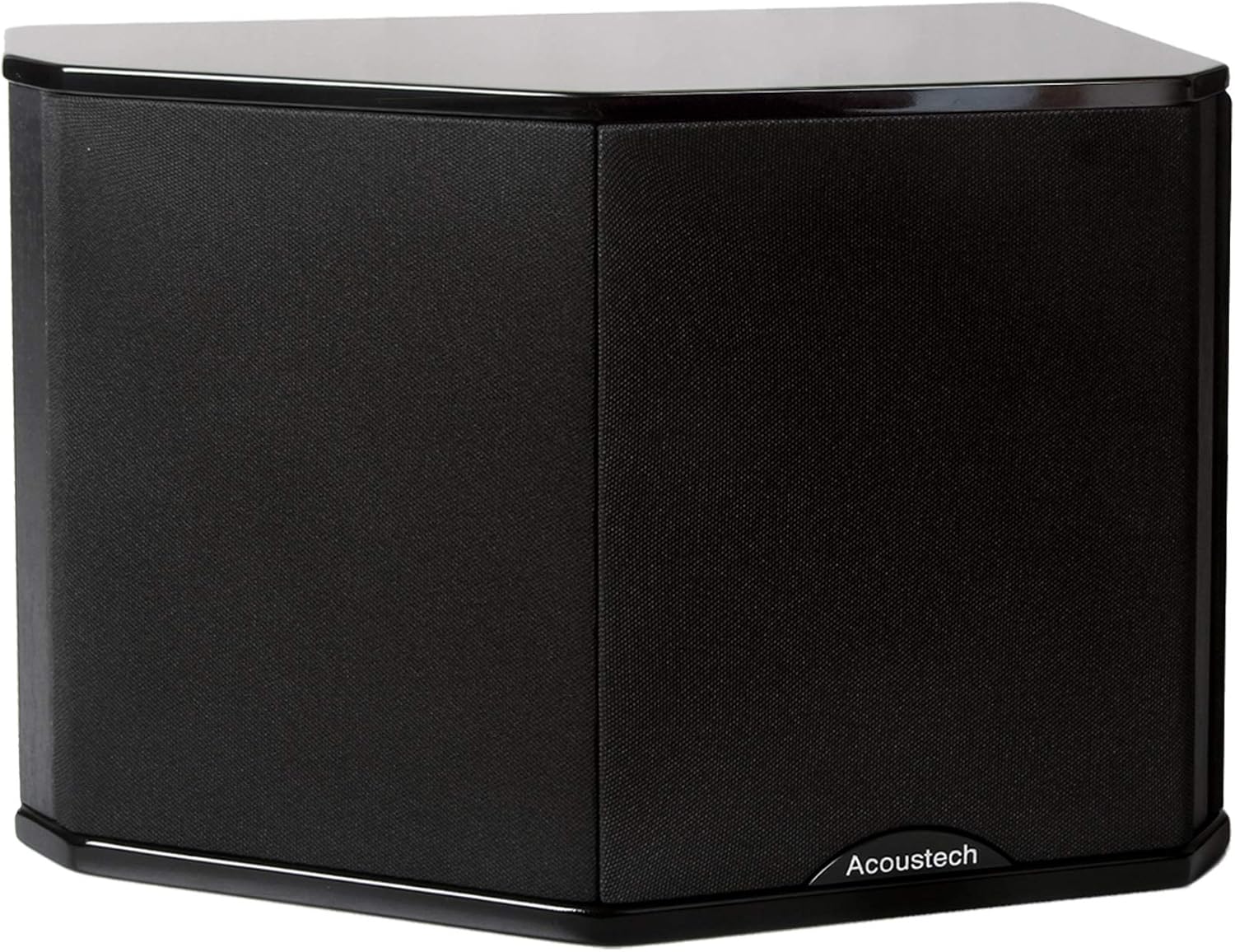
이미지: 앞면 view of the PL-66 speaker with the grille on. The grille protects the drivers and can be removed for a different aesthetic.
6. 유지관리
- 청소: Dust the speaker cabinets with a soft, dry cloth. For the black lacquer finish, a slightly damp cloth followed by a dry one can be used, but avoid harsh chemicals or abrasive cleaners.
- 그릴 : The speaker grilles can be gently removed for cleaning. Use a soft brush or vacuum cleaner with a brush attachment to remove dust.
- 습기를 피하세요: Do not expose the speakers to excessive moisture or direct sunlight, which can damage the finish and internal components.
- 운전자 보호: Avoid touching the speaker drivers (woofer, tweeter, passive radiator) directly, as this can cause damage.

이미지: 앞면 view of the PL-66 speaker with the grille removed, showing the drivers. Handle with care during cleaning.
7. 문제 해결
| 문제 | 가능한 원인 | 해결책 |
|---|---|---|
| 스피커에서 소리가 나지 않음 | 잘못된 배선 Amplifier/receiver off or wrong input selected; Speaker wire disconnected or damaged. | 모든 스피커 배선의 극성이 올바른지, 단단히 연결되어 있는지 확인하십시오. amplifier/receiver is on and set to the correct input. Test with another audio source. |
| 왜곡되거나 불분명한 소리 | 오버드라이브 amplifier; Loose speaker connections; Damaged speaker driver. | Reduce volume. Check speaker wire connections. Inspect speaker drivers for visible damage. |
| 저음이 약하거나 없음 | Incorrect speaker polarity; Incorrect receiver settings (crossover, speaker size). | Verify correct speaker wire polarity (+ to + and - to -). Adjust receiver's speaker settings, ensuring surround speakers are set to 'small' and crossover is appropriate (e.g., 80-120 Hz). |
| Sound imbalance between speakers | Uneven speaker placement; Incorrect channel level settings on receiver. | Adjust speaker placement for symmetry. Use your receiver's channel level calibration feature to balance output. |
8. 사양
| 모델명 | 플 66 |
| 상표 | 빅(BIC) |
| 스피커 유형 | Bookshelf / Surround |
| 재료 | 알루미늄, 플라스틱, 나무 |
| 제품 크기(D x W x H) | 14인치 x 7.25인치 x 10인치 |
| 품목 무게 | 28파운드(개당) |
| 임피던스 | 8옴 |
| 스피커 최대 출력 전력 | 175 와트 |
| 우퍼 직경 | 6.5 인치 |
| 트위터 직경 | 6.5 Inches (Horn) |
| 서라운드 사운드 채널 구성 | 5.1 (as surround speakers) |
| 연결 기술 | 열광한 |
| 장착 유형 | Shelf Mount / Wall Mount |
9. 보증 정보
The BIC Acoustech PL-66 Surround Speakers come with a Limited Warranty. Please refer to the warranty card included with your purchase or contact BIC customer support for specific terms and conditions regarding coverage and duration.
10. 고객 지원
For technical assistance, troubleshooting, or warranty inquiries, please contact BIC customer support. Refer to the contact information provided in your product packaging or visit the official BIC web최신 지원 세부 정보는 사이트에서 확인하세요.


