Konica Minolta Bizhub C350, C351, C450 Magenta Toner Cartridge
사용 설명서
1. 서론
This manual provides essential instructions for the safe and effective use of your Konica Minolta Bizhub C350, C351, and C450 Magenta Toner Cartridge. Please read this manual thoroughly before installation and operation to ensure optimal performance and longevity of your printer and toner.
안전 정보: Always handle toner cartridges with care. Avoid inhaling toner dust. In case of contact with skin or eyes, rinse immediately with plenty of water. Keep out of reach of children. Do not incinerate used toner cartridges.
2. Setup (Toner Installation)
Follow these steps to install the magenta toner cartridge:
- 짐 풀기: Carefully remove the new magenta toner cartridge from its packaging. Retain the packaging for proper disposal of the used cartridge.
- 준비: Gently shake the new toner cartridge horizontally 5-6 times to distribute the toner evenly inside the cartridge.
- Printer Access: Open the front cover or toner access door of your Konica Minolta Bizhub C350, C351, or C450 printer. Refer to your printer's main user manual for specific instructions on accessing the toner compartment.
- 기존 카트리지 제거: Locate the magenta toner cartridge. Press the release lever or button, and carefully pull the used cartridge straight out of the printer.
- 새 카트리지 설치: Insert the new magenta toner cartridge into the corresponding slot. Push it firmly until it clicks into place. Ensure it is securely seated.
- Closing Cover: Close the printer's front cover or toner access door. The printer may perform an initialization cycle.
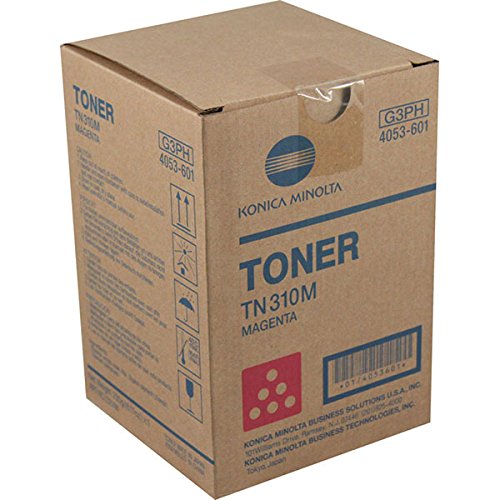
Image: Konica Minolta Bizhub C350, C351, C450 Magenta Toner Cartridge. This image illustrates the general appearance of the toner cartridge.
3. 운영
The Konica Minolta Bizhub C350, C351, and C450 printers automatically monitor toner levels. A warning message will appear on the printer's display when the magenta toner is low. The estimated yield for this cartridge is approximately 11,500 pages at 5% coverage. Actual yield may vary based on print content, printer settings, and other factors.
4. 유지관리
- 저장: 새 토너 카트리지는 원래의 밀봉된 포장 상태로 서늘하고 건조한 곳에 직사광선과 극한 온도 변화를 피해 보관하십시오.
- 청소: Periodically, gently wipe any visible toner dust from the toner compartment area using a dry, lint-free cloth. Do not use water or cleaning solvents.
- 처분: Dispose of used toner cartridges according to local environmental regulations. Many manufacturers offer recycling programs for empty cartridges. Do not dispose of in general waste or incinerate.
5. 문제 해결
- Low Toner Warning Persists After Installation: Ensure the new cartridge is correctly installed and fully seated. Close and reopen the printer cover. If the issue persists, restart the printer.
- 흐릿하거나 얼룩진 프린트: This may indicate low toner, even if a warning has not yet appeared. Replace the cartridge if prints are consistently faded. Ensure the cartridge was shaken before installation. Perform a print quality calibration from the printer's control panel if available.
- 토너 누출: If toner leakage occurs, carefully remove the cartridge and inspect for damage. Clean any spilled toner with a dry cloth. Replace the cartridge if damaged.
6. 사양
- 제품 유형: 토너 카트리지
- 색상: 마젠타
- 호환성: Konica Minolta Bizhub C350, Konica Minolta Bizhub C351, Konica Minolta Bizhub C450
- 예상 페이지 출력량: 11,500 pages (at 5% coverage)
- 부품 번호(참조): B005ME208Y (ASIN)
7. 보증 및 지원
This Konica Minolta toner cartridge is covered by the manufacturer's standard warranty. For warranty claims or technical support, please refer to the contact information provided with your printer or visit the official Konica Minolta web사이트. 구매 증빙 자료로 구매 영수증을 보관하세요.


