제품 끝view
Manage two different phone lines from one phone using the VTech DS6151 DECT 6.0 Expandable 2-Line Cordless Phone with Answering System and Caller ID. Stay organized by placing and answering calls on distinct lines, while having access to all your messages in one place. This 2-line phone stores up to 13 minutes of recording time per line of incoming messages, outgoing announcements and memos. Dedicated mailboxes for each line make it easy to keep things separated.

The VTech DS6151 2-Line Cordless Phone system, featuring a handset and base unit, designed for efficient communication in home or small business environments.
주요 특징
- DECT 6.0 디지털 기술: Ensures interference-free audio, secure transmission, and extended range - ensuring clear, encrypted calls throughout your home, indoors and out.
- 듀얼 라인 지원: Manage two distinct phone lines, allowing for call holding, switching, and conferencing.
- 디지털 응답 시스템: Records up to 13 minutes per line, with dedicated mailboxes for each line.
- 발신자 ID/통화 대기: Stores up to 50 calls, displaying names, numbers, dates, and times.
- Handset and Base Intercom: Facilitates easy communication between handsets and the base unit.
- 보청기 호환 가능: Provides clear, uninterrupted sound for users with hearing aids.
- Conference Hub: Connects lines 1, 2, and outside calls for seamless group conversations.
- 확장 가능한 시스템: Supports up to 12 handsets using up to two phone jacks (DS6101 handsets sold separately).
- Blue Backlit Keypad and Display: 저조도 조건에서 가시성을 향상시킵니다.
패키지 내용
패키지에 다음 품목이 포함되어 있는지 확인하십시오.
- Vtech Ds6151 Dect 6.0 2-Line Expandable Cordless Phone With Digital Answering System And Caller Id
- Silver Handset
- 1-Handset Base
- 배터리
- Remote Charger
- 사용 설명서(본 문서)
초기 설정
기본 장치 연결
- Connect the small end of the power adapter to the POWER jack on the back of the telephone base.
- 전원 어댑터의 큰 쪽을 벽 스위치로 제어할 수 없는 전기 콘센트에 꽂으세요.
- Connect one end of the telephone line cord to the TEL LINE 1 jack on the back of the telephone base.
- 전화선 코드의 다른 쪽 끝을 벽면 전화 잭에 연결합니다.
- If you have a second telephone line, repeat steps 3 and 4 for TEL LINE 2.

The VTech DS6151 base unit of the VTech DS6151, demonstrating the connection points for two separate telephone lines, providing dual-line operation capability.
Handset Battery Installation and Charging
- 핸드셋 뒷면의 배터리 덮개를 엽니다.
- 배터리 팩 플러그를 배터리실 내부의 잭에 연결하고 극성이 올바른지 확인하세요.
- 배터리 팩을 수납함 안에 넣고 덮개를 닫으세요.
- Place the handset in the telephone base or charger with the display facing up. The CHARGE light on the handset will illuminate, indicating proper charging.
- Allow the handset to charge for at least 16 hours before initial use. For optimal performance, keep the handset in the charger when not in use.
날짜 및 시간 설정
The date and time are typically set automatically by your Caller ID service. If the date and time are incorrect or not displayed, you may need to set them manually. Refer to the full user guide for detailed instructions on manual date and time settings.
작동 지침
Making and Receiving Calls (2-Line Operation)
The DS6151 supports two distinct telephone lines. You can easily switch between lines or place calls on hold.
- 전화를 걸려면 다음을 누르세요. 라인 1 or 라인 2, 전화번호를 누르세요.
- 수신 전화를 받으려면 누르세요. 라인 1 or 라인 2, or any dial key.
- To switch between active calls on different lines, press the corresponding 선 단추.
The VTech DS6151 base and handset, illustrating the capability for 2-line operation, ideal for managing separate business and personal calls.
디지털 자동응답 시스템 사용
The integrated digital answering system records messages for both lines, with up to 13 minutes of recording time per line.
- 메시지를 재생하려면 재생/정지 전화베이스에.
- To access messages for a specific line, use the dedicated mailbox buttons (MAILBOX LINE 1 or MAILBOX LINE 2).
- You can also access and manage messages from the handset.

The VTech DS6151 base unit highlighting its digital answering system, capable of recording up to 13 minutes of messages per line, ensuring no call is missed.
발신자 ID 및 통화 대기
The phone stores up to 50 Caller ID entries, allowing you to see who is calling before you answer.
- When a call comes in, the caller's information (name, number, date, time) appears on the display.
- 누르다 신원확인 다시view 발신자 ID 로그.

The VTech DS6151 handset and base displaying Caller ID information, indicating the phone's ability to store up to 50 incoming call details.
전화번호부 디렉토리
Store up to 50 contacts in the phonebook for quick dialing.
- To add a new entry, navigate to the Phonebook menu and select "Add New Entry".
- To dial from the phonebook, press 디렉터 and scroll to the desired entry, then press 라인 1 or 라인 2.

The VTech DS6151 handset and base unit, illustrating the phonebook directory feature which allows storage of up to 50 contacts for easy access.
인터콤 기능
Communicate instantly between handsets or between a handset and the base unit.
- To initiate an intercom call, press 국제 on the handset or base, then select the desired handset.

Two VTech DS6151 handsets demonstrating the intercom feature, allowing for direct communication between units with a single touch.
컨퍼런스 콜링
Easily connect multiple parties, including both phone lines and an outside call, into a single conversation.
- While on a call, you can add another line or an outside party to create a three-way conference. Refer to the full user guide for specific steps.

An illustration of conference calling with the VTech DS6151, showing how multiple individuals can join a single conversation using the phone's capabilities.
스피커폰
Both the handset and the base unit feature a speakerphone for hands-free conversations.
- 통화 중 스피커폰을 활성화하려면 버튼을 누르세요. 스피커 단추.
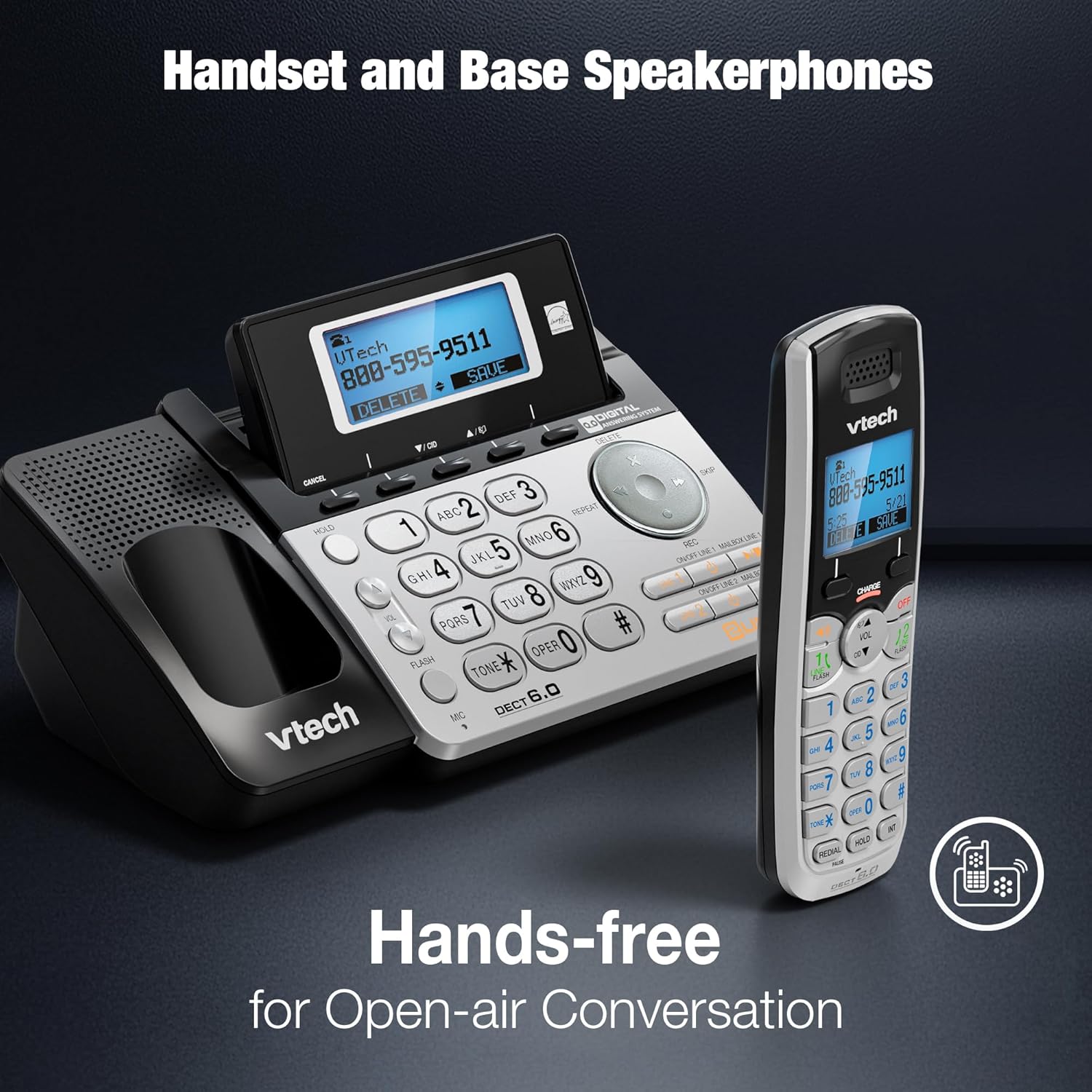
The VTech DS6151 handset and base unit, highlighting their integrated speakerphones for convenient hands-free communication.
백라이트 키패드 및 디스플레이
The handset features a blue backlit keypad and display, making it easy to see and dial in any lighting condition.

A close-up of the VTech DS6151 handset, showcasing its blue backlit keypad and display for improved visibility in low-light environments.
관리 및 유지 보수
- 청소: 부드러운 천으로 전화기와 베이스 유닛을 청소하세요.amp 천으로 닦으세요. 세척용 스프레이나 강한 화학 약품을 사용하지 마세요.
- 배터리 관리 : For optimal battery life, keep the handset in the charger when not in use. If the phone will not be used for an extended period, remove the battery.
- 환경 조건: 휴대전화를 극한의 온도, 직사광선 또는 습기에 노출시키지 마세요.
문제 해결
If you experience any issues with your VTech DS6151 phone, please refer to the following table for common problems and solutions.
| 문제 | 해결책 |
|---|---|
| 발신음이 없습니다. | Ensure the telephone line cord is securely plugged into the phone base and the wall jack. Check if the power adapter is properly connected. |
| 전화를 걸거나 받을 수 없습니다. | Verify that the phone line is active. Check if the handset battery is charged. Ensure the phone is not in "Do Not Disturb" mode. |
| Handset display is blank or "Low Battery". | Place the handset in the charger. Allow at least 16 hours for a full charge. Replace the battery if it no longer holds a charge. |
| 시간과 날짜가 정확하지 않습니다. | The time and date are usually set by Caller ID. If incorrect, manually set them via the handset menu. |
| 오디오 품질이 좋지 않거나 잡음이 있습니다. | Move the handset closer to the base unit. Avoid placing the phone near other electronic devices that may cause interference. Check for loose connections. |
기술 사양
| 특징 | 세부 사항 |
|---|---|
| 제품 치수 | 8.9 x 5.8 x 4.7 인치 |
| 품목 무게 | 2.2파운드 |
| 모델 번호 | DS6151 |
| 배터리 | 1 제품별 배터리 필요(포함) |
| 전화 유형 | 무선 |
| 전원 | 코드식 전기 |
| 응답 시스템 유형 | 디지털 |
| 기술 | 6.0월 XNUMX |
| 색상 | 은 |
| 재료 | 결정 |
| 제조업체 | 브이텍 |
| 원산지 | 중국 |

The VTech DS6151 base unit and handset, with key dimensions (length, width, height) indicated for reference.
보증 및 지원
For detailed warranty information, please refer to the warranty card included with your product or visit the VTech official web대지.
Additional support and comprehensive user guides are available in PDF format:
추가 지원이 필요하면 VTech 고객 지원팀에 문의하세요.


