소개
This manual provides essential instructions for the setup, operation, maintenance, and troubleshooting of your iHome 7-Port USB 2.0 Hub, model IH-U512SP. Please read this guide thoroughly before using the product to ensure proper functionality and longevity.
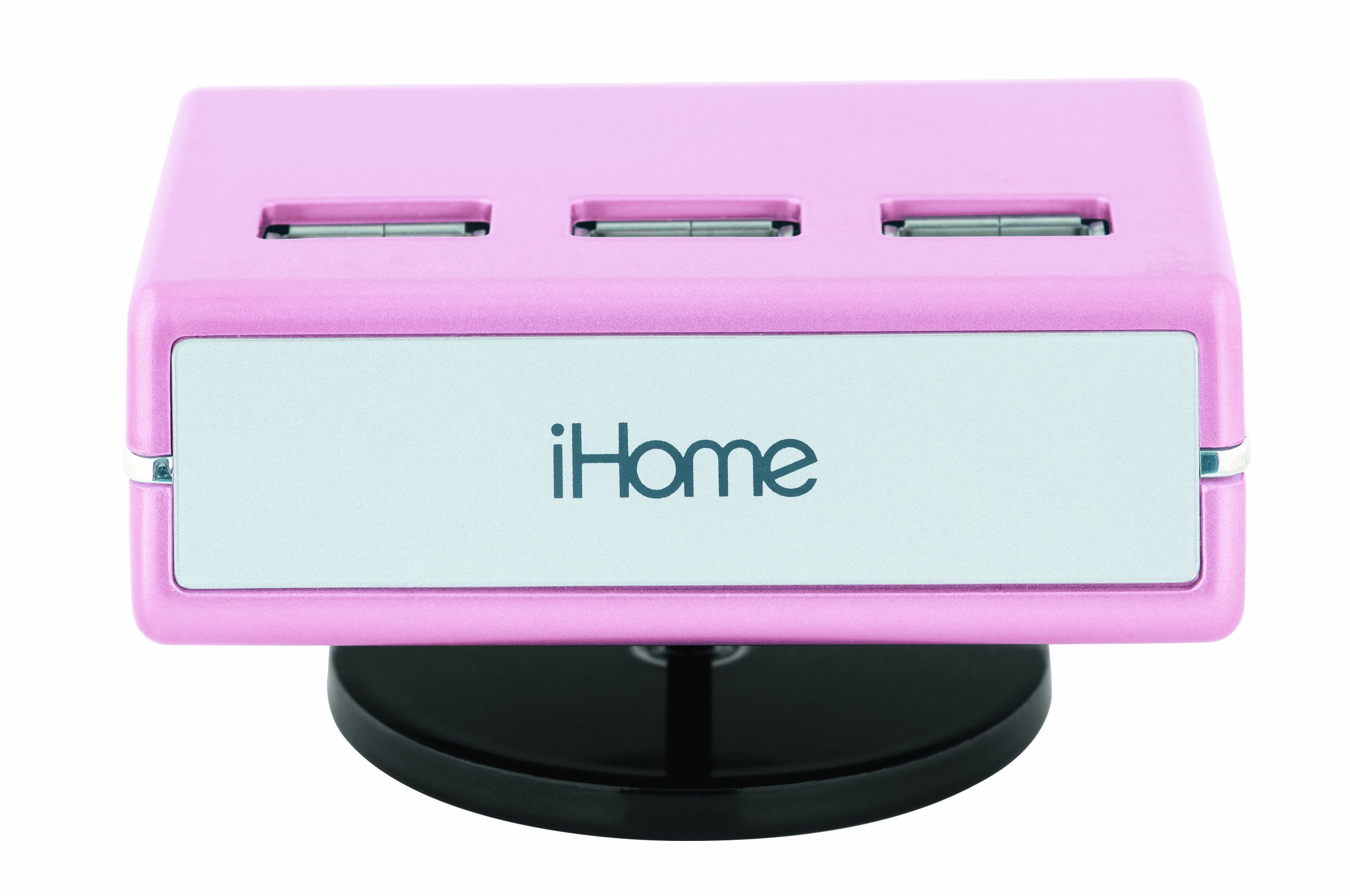
An image of the iHome 7-Port USB 2.0 Hub, featuring its compact design and seven USB 2.0 ports, including three top-loading ports, in a pink finish.
설정
Follow these steps to set up your iHome 7-Port USB 2.0 Hub:
- AC 어댑터를 연결합니다: Plug the included AC adapter into the power input port on the iHome USB hub. Then, plug the other end of the AC adapter into a standard electrical outlet. This provides necessary power for the hub and connected devices.
- 컴퓨터에 연결: Use the provided USB cable to connect the iHome USB hub to an available USB port on your computer. Ensure the connection is secure.
- 드라이버 설치(필요한 경우): For most modern operating systems (Windows, macOS, Linux), the hub should be recognized automatically without additional driver installation. If prompted, follow the on-screen instructions to install any required drivers.
- 장치 연결: You can now connect up to seven USB devices (such as printers, digital cameras, or iPods) to the available USB ports on the hub. The hub features three top-loading ports for convenient access.
작동 지침
The iHome 7-Port USB 2.0 Hub is designed for simple plug-and-play operation:
- 장치 인식: Once connected, your computer should automatically detect any devices plugged into the hub.
- 고속 데이터 전송: The hub supports Hi-Speed USB 2.0 technology, allowing for data transfer rates up to 480 Mbps. Actual speeds may vary depending on the connected devices and your computer's USB capabilities.
- 전원 관리 : The included AC adapter ensures sufficient power delivery to all connected devices, which is especially important for power-hungry peripherals.
- 호환성: This hub is ideal for connecting a wide range of USB 2.0 compatible devices, including but not limited to printers, digital cameras, external hard drives, and portable media players like iPods.
유지
USB 허브의 수명 연장 및 최적 성능 유지를 위해 다음 유지 관리 지침을 따르십시오.
- 청소: Disconnect the hub from power and your computer before cleaning. Use a soft, dry, lint-free cloth to wipe the exterior. Do not use liquid cleaners, aerosols, or solvents.
- 저장: 사용하지 않을 때는 허브를 직사광선과 극한의 온도를 피해 시원하고 건조한 곳에 보관하세요.
- 케이블 관리: Avoid bending or crimping the USB and power cables excessively. Always grasp the plug, not the cable, when disconnecting.
- 환경 조건: Do not expose the hub to moisture, dust, or corrosive environments.
문제 해결
If you encounter issues with your iHome USB hub, refer to the following common solutions:
- 인식되지 않는 장치:
- Ensure the hub's AC adapter is securely plugged into both the hub and a working electrical outlet.
- Verify that the USB cable connecting the hub to your computer is firmly connected at both ends.
- Try connecting the problematic device directly to your computer's USB port to confirm the device itself is functioning.
- 허브를 컴퓨터의 다른 USB 포트에 연결하세요.
- 컴퓨터를 다시 시작하세요.
- 불충분한 전력: If devices are not functioning correctly or intermittently, ensure the AC adapter is connected. Some high-power devices require the hub's external power supply.
- 느린 데이터 전송: Ensure both the hub and the connected device are USB 2.0 compatible. Connecting a USB 1.1 device will limit speeds to USB 1.1 rates.
- 누락된 구성요소: If you believe essential parts are missing for proper functionality (e.g., specific cables for certain operating systems), please contact iHome customer support or your retailer.
명세서
| 모델 번호 | IH-U512SP |
| 제품 치수 | 2.9 x 1.6 x 2.1 인치 |
| 품목 무게 | 10.1 온스 |
| 총 USB 포트 | 7 |
| 하드웨어 인터페이스 | USB 2.0 |
| 호환 장치 | Digital Cameras, Printers, iPods, and other USB 2.0 devices |
| 전원 | AC 어댑터(포함) |
보증 및 지원
보증 정보 또는 기술 지원에 대해서는 구매 시 동봉된 설명서를 참조하시거나 iHome 공식 웹사이트를 방문하십시오. web사이트. 보증 청구를 위해 구매 증빙 자료를 보관하세요.
제조업체: 라이프웍스 테크놀로지 주식회사
첫 이용 가능 날짜: 1년 2009월 XNUMX일


