1. 서론
This manual provides detailed instructions for the proper use and maintenance of your LEXON NEO 8 Optical Watch, model LM88-O. Please read this manual thoroughly before using your watch to ensure optimal performance and longevity.
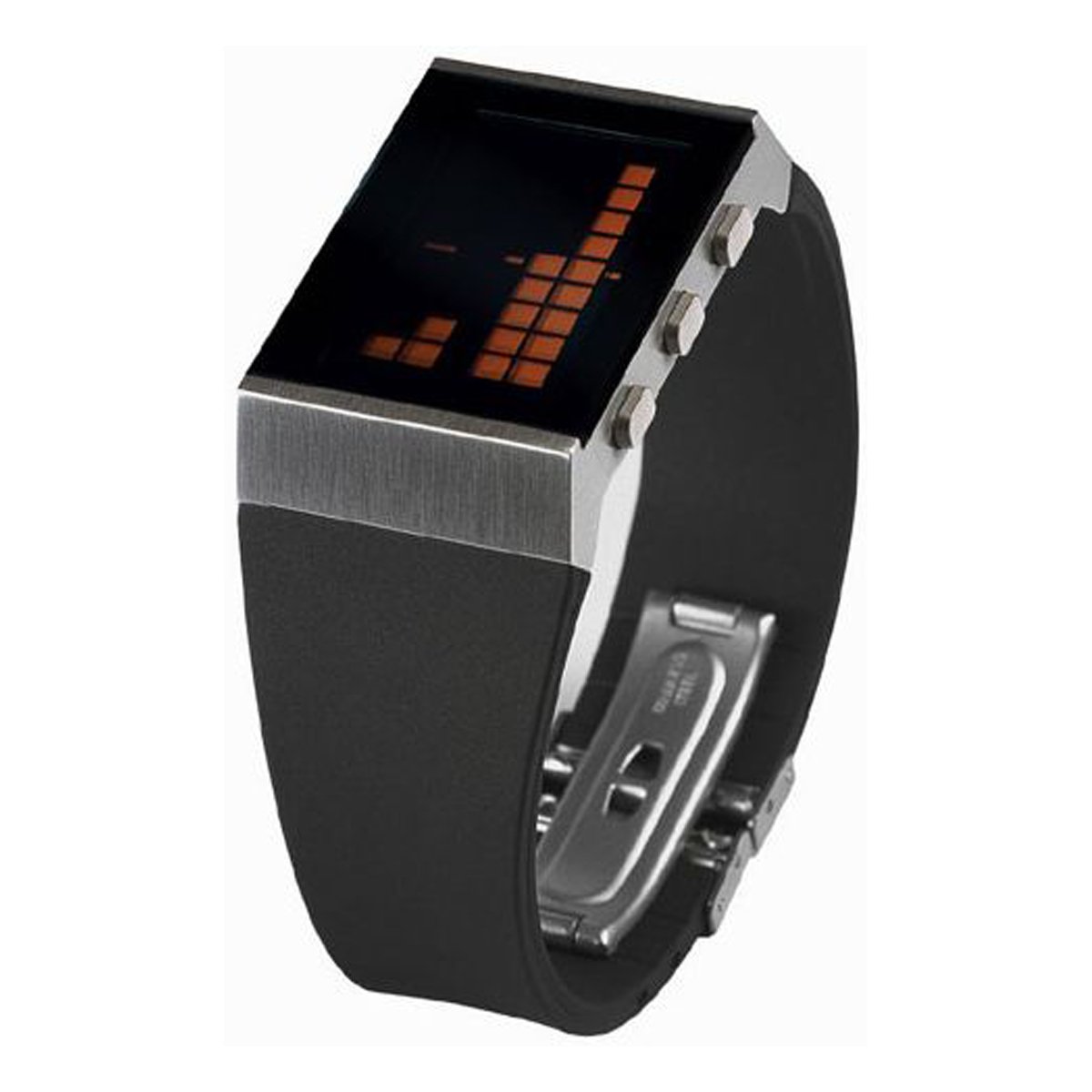
그림 1: The LEXON NEO 8 Optical Watch, featuring a matte chrome casing and a black rubber strap with orange details.
2. 설정
2.1 배터리 설치
The LEXON NEO 8 Optical Watch requires one CR2016 battery for operation. If the display is blank or dim, the battery may need to be installed or replaced.
- 작은 드라이버를 사용하여 시계 뒷면 덮개를 조심스럽게 제거하십시오.
- CR2016 배터리 하나를 양극(+)이 위를 향하도록 삽입하세요.
- Replace the back cover, ensuring it is securely fastened to maintain water resistance.
2.2 초기 시간 설정
After battery installation, set the current time and date.
- Press and hold the 'MODE' button (usually located on the side) until the time display begins to flash.
- Use the 'ADJUST' button to change the flashing digits (hours, minutes, year, month, day).
- Press 'MODE' again to move to the next setting.
- Once all settings are correct, press 'MODE' one last time to exit the setting mode.
3. 사용 설명서
3.1 기본 시간 표시
In normal mode, the watch displays the current time. Pressing the 'LIGHT' button will illuminate the LCD display for better visibility in low light conditions.
3.2 12/24시간 형식
To switch between 12-hour (AM/PM) and 24-hour (military) time formats:
- In time setting mode (refer to Section 2.2), navigate to the hour setting.
- Press the 'ADJUST' button until the desired format appears (e.g., 'PM' for 12-hour or no indicator for 24-hour).
- Confirm by pressing the 'MODE' button.
3.3 알람 기능
알람을 설정하고 활성화하려면:
- Press the 'MODE' button repeatedly until the alarm setting screen appears (often indicated by an alarm icon).
- Use the 'ADJUST' button to set the desired alarm time.
- Press 'MODE' to confirm the alarm time.
- To turn the alarm on or off, press the 'ADJUST' button while on the alarm setting screen. An alarm icon will typically appear on the main display when the alarm is active.
3.4 Day Display
The watch automatically displays the current day of the week. This is typically shown alongside the date. Ensure the date is set correctly for accurate day display.
3.5 Light Function (LCD)
Press the 'LIGHT' button (usually located on the top left or right side) to briefly illuminate the LCD display. This feature is useful for checking the time in dark environments.
4. 유지관리
4.1 청소
시계를 청소하려면 부드럽고 마른 천으로 가볍게 닦으세요. 잘 지워지지 않는 오염의 경우,amp cloth can be used, followed by immediate drying. Avoid using chemical cleaners or abrasive materials, as these can damage the watch's finish and components.
4.2 배터리 교체
When the display becomes dim or the watch stops functioning, it is time to replace the CR2016 battery. Refer to Section 2.1 for battery installation instructions. It is recommended to have battery replacement performed by a qualified technician to ensure proper sealing and water resistance.
4.3 일반 관리
- 시계를 극한의 온도(더위나 추위)나 급격한 온도 변화에 노출시키지 마세요.
- 시계를 강한 자기장에 노출시키지 마십시오.
- While the watch may have some water resistance, avoid prolonged submersion or operating buttons underwater unless specifically stated otherwise for your model.
- Protect the watch from impacts and drops.
5. 문제 해결
| 문제 | 가능한 원인 | 해결책 |
|---|---|---|
| 디스플레이가 비어 있거나 어둡습니다. | 배터리가 부족하거나 방전되었습니다. | CR2016 배터리를 교체하십시오(2.1절 참조). |
| 시간이 정확하지 않습니다. | 시간이 잘못 설정되었거나 실수로 재설정되었습니다. | 시간과 날짜를 재설정하십시오(2.2절 참조). |
| 알람이 울리지 않습니다. | 알람이 활성화되지 않았거나 잘못 설정되었습니다. | Ensure the alarm is turned ON and the time is set correctly (refer to Section 3.3). |
| 버튼이 반응하지 않습니다. | 배터리 문제 또는 내부 고장. | 배터리를 교체해 보세요. 문제가 지속되면 고객 지원 센터에 문의하십시오. |
6. 사양
- 제조업체 모델 번호: 2910215
- 크기: Approximately 4 cm (Length) x 3 cm (Width) x 1.2 cm (Thickness) (Based on 1.6 x 1.2 x 0.5 inches)
- 무게: 0.73kg(1.7파운드)
- 재료: Matte chrome casing, black rubber strap
- 원산지: 중국
- 기능: Alarm, 12/24 hour display, Day display, LCD Light function
- 전원 공급 장치: CR2016×1
7. 보증 및 지원
Specific warranty information for the LEXON NEO 8 Optical Watch, model LM88-O, is not provided in this manual. Please refer to the product packaging or the retailer's website for details regarding warranty coverage and customer support contact information.


