1. 서론
This manual provides instructions for the Insignia 7" Widescreen LCD Digital Photo Frame, model NS-DPF7WA-09. This device allows you to display digital photos from memory cards or its internal memory, offering various slideshow options and display settings. It features a 7-inch TFT-LCD screen with a 16:9 widescreen aspect ratio, 800 x 480 resolution, and 500:1 contrast ratio for clear image presentation.
Please read this manual thoroughly before operating your digital photo frame to ensure proper use and to maximize its features.
2. 패키지 내용
패키지에 모든 품목이 들어 있는지 확인하세요.
- Insignia 7" Widescreen LCD Digital Photo Frame
- 원격 제어
- 전원 어댑터
- 사용 설명서(이 문서)
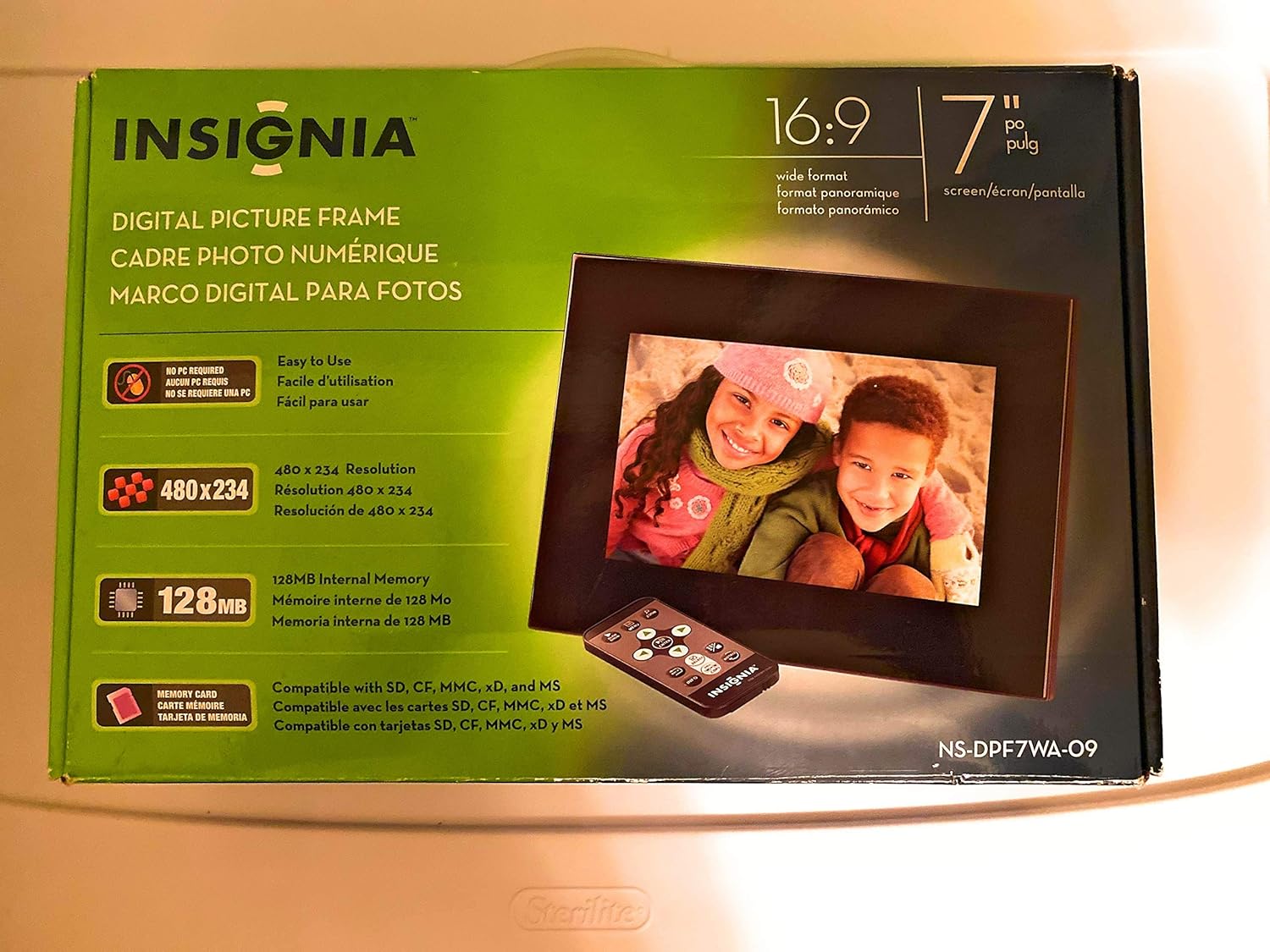
Image 1: Retail packaging of the Insignia 7" Widescreen LCD Digital Photo Frame, highlighting key features like screen size, resolution, internal memory, and supported memory card types.
3. 설정
3.1 프레임 위치 조정
The digital photo frame includes a multiple-position adjustable stand. Adjust the stand to achieve an optimal viewing angle for your desired location.
3.2 전원 연결
- Connect the power adapter to the DC IN port on the back of the digital photo frame.
- 전원 어댑터의 다른 쪽 끝을 표준 전기 콘센트에 꽂습니다.
- The frame will typically power on automatically or enter standby mode.
3.3 메모리 카드 삽입
The frame supports various memory card formats. Locate the memory card slot(s) on the side or back of the frame.
- Supported formats include: Secure Digital (SD), Secure Digital High Capacity (SDHC), microSD, Memory Stick (MS), Memory Stick PRO Duo, MultiMediaCard (MMC), and xD-Picture Card.
- Insert the memory card gently into the appropriate slot until it clicks into place. Ensure the card is inserted in the correct orientation.

Image 2: The Insignia 7" Widescreen LCD Digital Photo Frame unboxed, showing the frame, remote control, and a portion of the manual. This view helps identify the physical components.
4. 사용 설명서
4.1 원격 제어view
The included remote control provides full functionality for navigating menus and controlling playback. Ensure the remote's battery is functional. A small tray on the back of the digital photo frame is provided for remote storage.
4.2 Playing a Slideshow
The digital photo frame can play slideshows from either an inserted memory card or its 128MB internal memory.
- 소스 선택: Use the remote control to navigate to the main menu and select your desired photo source (e.g., "Memory Card" or "Internal Memory").
- Start Slideshow: Once the source is selected, the frame will typically begin a slideshow automatically.
- 슬라이드쇼 설정: Access the settings menu to customize slideshow options, including:
- Transitional Styles: Choose from multiple visual effects between photos.
- 변하기 쉬운 속도 : 각 사진이 표시되는 시간을 조정하세요.
4.3 Adjusting Photo View
Within the slideshow or photo browsing mode, you can often adjust how individual photos are displayed. Options may include zoom, rotate, or fit-to-screen. Refer to the on-screen menu for specific controls.
4.4 Changing Display Settings
The frame's settings menu allows you to modify various display parameters:
- 밝기/대비: Adjust screen brightness and contrast for optimal view다양한 조명 조건에서
- 종횡비: Configure how images are scaled to fit the 16:9 widescreen display.
- 자동 전원 끄기: Enable or disable the auto power off feature, which conserves energy by turning off the frame after a period of inactivity.
- 날짜/시간: 현재 날짜와 시간을 설정합니다.
5. 유지관리
- 화면 청소: 부드럽고 보풀 없는 천으로 LCD 화면을 살살 닦아주세요. 잘 지워지지 않는 얼룩은 살짝 두드려 닦아내세요.amp물이나 전자제품용 화면 세척액을 천에 묻혀 닦으십시오. 강한 화학 물질이나 연마재는 사용하지 마십시오.
- 프레임 청소: Wipe the exterior of the frame with a soft, dry cloth.
- 저장: 장기간 사용하지 않을 경우, 프레임을 직사광선과 극한 온도 변화를 피해 서늘하고 건조한 곳에 보관하십시오.
- 전원 어댑터: Ensure the power adapter cable is not bent or damaged.
6. 문제 해결
If you encounter issues with your Insignia digital photo frame, refer to the following common solutions:
| 문제 | 해결책 |
|---|---|
| 프레임의 전원이 켜지지 않습니다. |
|
| 리모컨이 반응하지 않습니다. |
|
| Photos are not displaying or appear distorted. |
|
| Slideshow transitions are slow or clumpy. |
|
7. 사양
| 특징 | 세부 사항 |
|---|---|
| 모델 번호 | NS-DPF7WA-09 |
| 화면 크기 | 7 인치 |
| 디스플레이 유형 | TFT-LCD |
| 종횡비 | 16:9 와이드스크린 |
| 해결 | 800 x 480(SVGA) |
| 대비율 | 500시 1분 |
| 내부 메모리 | 128MB |
| 지원되는 메모리 카드 | Secure Digital (SD), Secure Digital High Capacity (SDHC), microSD, Memory Stick (MS), Memory Stick PRO Duo, MultiMediaCard (MMC), xD-Picture Card |
| 제품 치수 | 2.2 x 9.2 x 6.5 인치 |
| 품목 무게 | 1.2파운드 |
| 전원 | 전원 어댑터(포함) |
| 리모컨 배터리 | 리튬 금속 배터리 1개 (필수) |
8. 보증 및 지원
For warranty information or technical support, please refer to the warranty card included with your product or visit the official Insignia support web대지. 보증 청구를 위해 구매 영수증을 보관하십시오.
온라인 지원: www.insigniaproducts.com/support


