1. 서론
The Intermatic K4021C is a 120-Volt fixed position thermal photocontrol designed for automatic control of outdoor lighting. This device senses ambient light levels to turn lights on at dusk and off at dawn, providing energy efficiency and convenience. It is suitable for both commercial and residential applications, including standard outlet boxes, post lamps, and wall packs.
중요 참고 사항: This photocontrol is NOT FOR LED APPLICATIONS.
2. 안전 정보
WARNING: Risk of Electric Shock. Disconnect power at the circuit breaker or fuse box before installation or servicing. Installation should be performed by a qualified electrician in accordance with all national and local electrical codes.
- 전원 공급 장치가 장치의 볼륨과 일치하는지 확인하십시오.tage 등급(120볼트).
- 최대 하중 등급인 8.3를 초과하지 마십시오. Amps, 1800 Watts for Tungsten; 15 Amps, 1000 VA for Magnetic Ballast.
- Protect wiring from sharp edges and abrasion.
- 모든 연결 부분이 안전하고 적절히 절연되어 있는지 확인하세요.
3. 설치 지침
The K4021C photocontrol is designed for easy integration into various lighting fixtures. It features a 3/8-inch-18 threaded side mounting with a locking nut and washer gasket for secure installation. The unit comes with 9-inch leads for wiring connections.
3.1 장착
- Choose a mounting location where the photocontrol's sensor will receive unobstructed natural light during the day and will not be affected by artificial light sources at night (e.g., nearby streetlights, windows).
- Drill a suitable hole (if not already present) for the 3/8-inch-18 threaded nipple.
- Insert the threaded nipple of the photocontrol through the mounting hole.
- Secure the photocontrol using the provided locking nut and washer gasket. Ensure a tight seal to prevent moisture ingress.
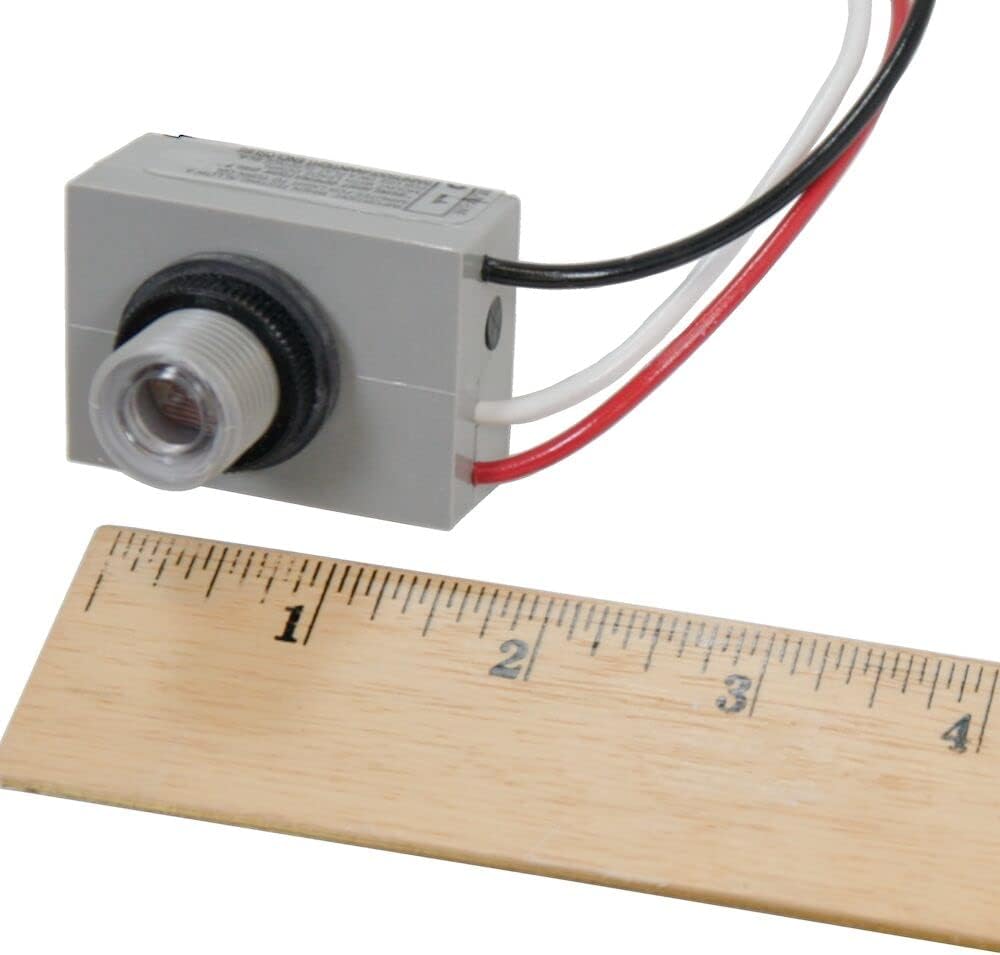
그림 1: 각도 view of the Intermatic K4021C photocontrol, highlighting the threaded nipple and locking nut for secure mounting.
3.2 배선
The K4021C photocontrol has three color-coded wire leads:
- 검은색 와이어: Connect to the 120-Volt AC Line (Hot) input.
- 백색 철사: 중성선에 연결하십시오.
- 빨간색 선: Connect to the Load (lighting fixture) input.
- Ensure power is OFF at the circuit breaker before making any connections.
- Connect the black wire of the photocontrol to the incoming 120-Volt AC Line (Hot) wire from the power source.
- Connect the white wire of the photocontrol to the Neutral wire from the power source and to the Neutral wire of the lighting fixture.
- Connect the red wire of the photocontrol to the Hot wire of the lighting fixture.
- Secure all wire connections with appropriate wire nuts or connectors.
- Carefully tuck all wires into the junction box or fixture, ensuring no wires are pinched.
- Restore power and test the unit.
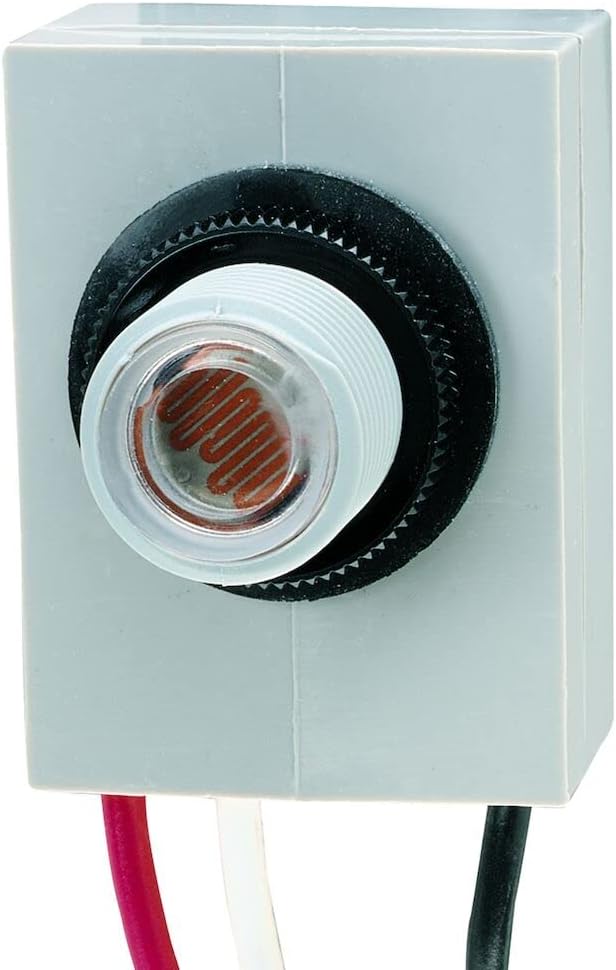
그림 2: 전면 view of the Intermatic K4021C photocontrol, showing the black, white, and red wire leads for electrical connections.

Figure 3: Close-up of the Intermatic K4021C photocontrol, detailing the light sensor and wire connections.
4. 운영
The K4021C photocontrol operates automatically based on ambient light levels:
- Activation ON (at Dusk): The photocontrol will turn the connected lighting fixture ON when the ambient light level drops to approximately 1-5 footcandles.
- Activation OFF (at Dawn): The photocontrol will turn the connected lighting fixture OFF when the ambient light level rises to approximately 3-15 footcandles.
4.1 Delay Feature
This photocontrol incorporates a delay feature to prevent unwanted ON/OFF switching due to transient light changes, such as car headlights, lightning, or other temporary light sources. This ensures stable and reliable operation of your lighting system.
영상 1: 공식 제품 출시 완료view video for the Intermatic K4021C Thermal Photocontrol, demonstrating its features and applications, including the dusk-to-dawn operation and delay feature.
5. 유지관리
The Intermatic K4021C photocontrol is designed for maintenance-free operation. However, periodic inspection is recommended to ensure optimal performance:
- Keep the photocontrol's sensor lens clean and free from dirt, dust, or obstructions that could interfere with light sensing.
- Periodically check wiring connections for tightness and signs of corrosion.
- Ensure the photocontrol is securely mounted and not loose.
6. 문제 해결
| 문제 | 가능한 원인 | 해결책 |
|---|---|---|
| 낮 동안에는 조명이 켜져 있습니다. | Sensor is obstructed or receiving insufficient light. | Clean the sensor lens. Relocate the photocontrol to an area with more direct natural light. |
| 밤에는 불이 켜지지 않습니다. | No power to the photocontrol; faulty wiring; sensor receiving too much artificial light. | Check circuit breaker. Verify wiring connections. Relocate the photocontrol away from artificial light sources. |
| Lights flicker or cycle ON/OFF rapidly. | Sensor is exposed to intermittent light sources (e.g., car headlights, reflections). | The built-in delay feature should mitigate this. If persistent, try to shield the sensor from transient light sources or relocate. |
| Photocontrol does not respond. | Unit failure; incorrect wiring. | Verify all wiring connections. If problem persists, the unit may need replacement. |
7. 사양
| 특징 | 사양 |
|---|---|
| 모델 번호 | K4021C |
| 운영 볼륨tage | 120 볼트 AC |
| 현재 평가 | 15 Amps |
| 텅스텐 부하 | 1800 와트 |
| Magnetic Ballast Load | 1000VA |
| 작동 모드 | ON-OFF (Dusk-to-Dawn) |
| 연락처 유형 | 일반적으로 오픈 |
| 커넥터 유형 | Clamp |
| 단말기 | 단추 |
| 재료 | 폴리카보네이트 |
| 와이어 리드 | 9-Inch, #18 AWG |
| 설치 | 3/8-Inch-18 NPSM Threaded Stem |
| 치수(길이 x 너비 x 높이) | 8 x 8 x 8인치(제품 크기) |
| 품목 무게 | 0.96 온스 |
| 국제 보호 등급 | IP54 |
| 호환 장치 | Fluorescent, HID, Incandescent |
| 색상 | White (Housing) |
8. 보증 및 지원
This Intermatic K4021C photocontrol comes with a 5년 보증 from the date of purchase. For warranty claims or technical support, please contact Intermatic customer service. Keep your proof of purchase for warranty validation.


