1. 서론
This manual provides instructions for the proper use and care of DYMO Rhino Industrial Flexible Nylon Labels, Model 18489. These labels are designed for demanding industrial environments, offering strong adhesion and durability on various surfaces, including wires, cables, and curved or textured areas. The flexible nylon material and thermal transfer printing technology ensure that labels resist damage, smudging, smearing, and fading.
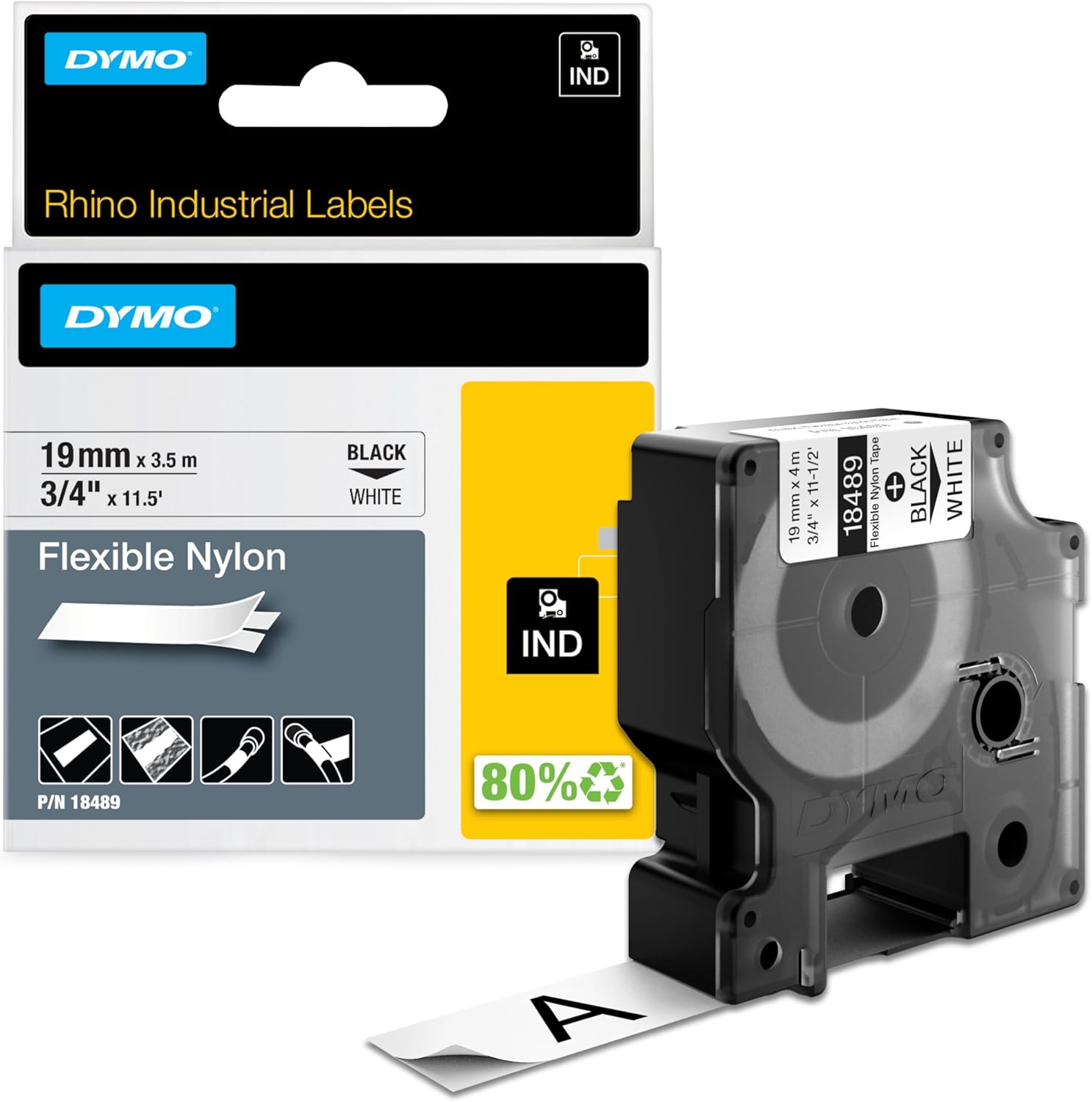
Image 1.1: DYMO Rhino Industrial Flexible Nylon Labels (Model 18489) cassette and packaging. This image displays the product as it is typically supplied, highlighting its dimensions and color.
2. 설정
DYMO Rhino Industrial Flexible Nylon Labels are designed for use with compatible DYMO Rhino industrial label printers, including models 4200, 5200, and 6000. Follow these general steps to install the label cassette:
- Open the Label Maker Compartment: Refer to your specific DYMO Rhino label maker's manual for instructions on how to open the label cassette compartment.
- Insert the Label Cassette: Carefully insert the Model 18489 label cassette into the compartment. Ensure it clicks securely into place. The label tape should feed smoothly out of the cassette's opening.
- 올바른 설치 확인: Confirm that the label tape is properly aligned and not twisted. Some label makers may have visual indicators or on-screen prompts to confirm correct installation.
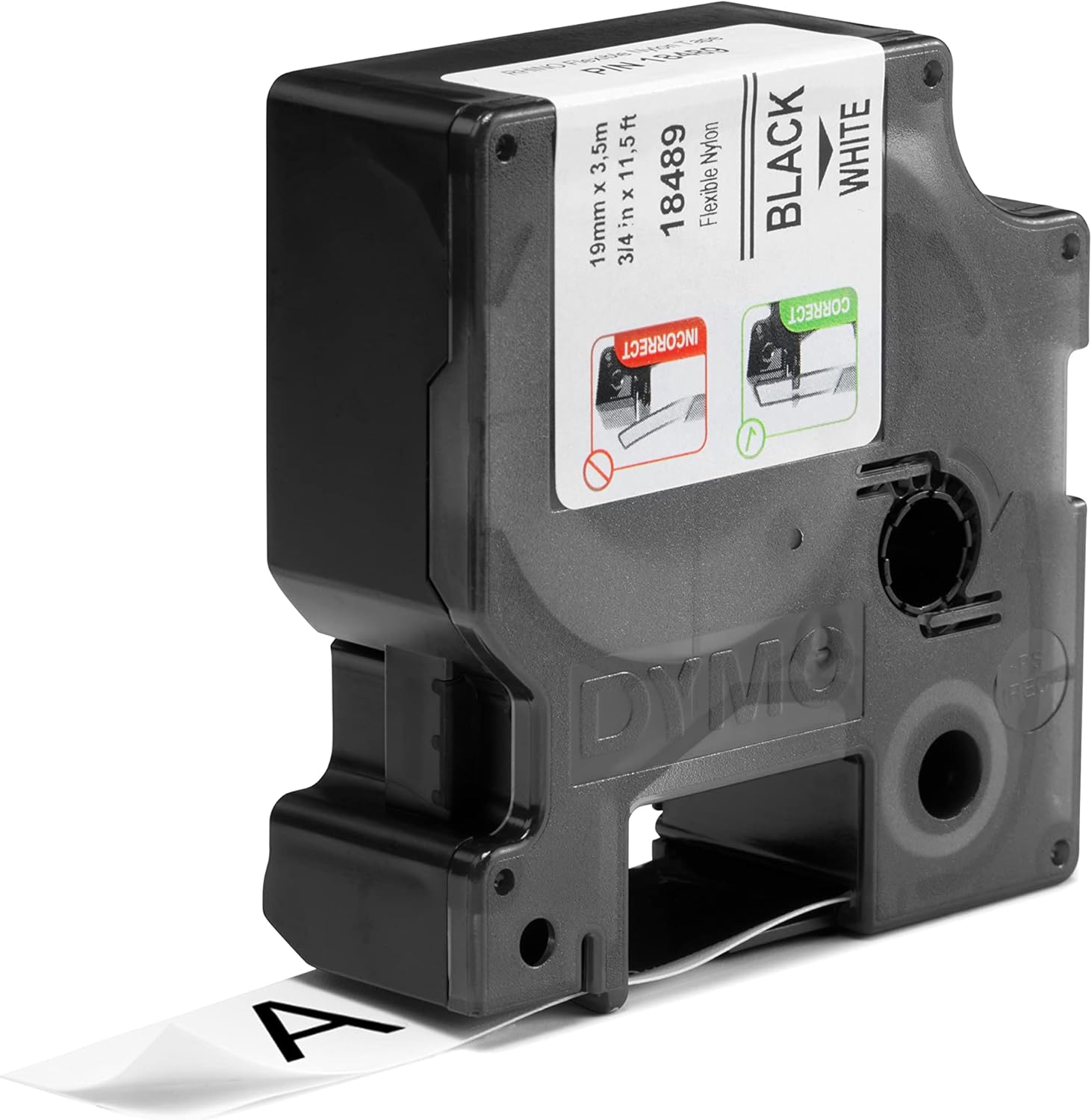
이미지 2.1: 클로즈업 view of the label cassette, illustrating the correct method for loading the tape into a compatible label maker. Incorrect loading can lead to printing errors or tape jams.
3. 운영
Once the label cassette is installed, you can begin creating labels. The flexible nylon material is ideal for wrapping around cables or adhering to curved surfaces.
- 라벨 디자인하기: Use your DYMO Rhino label maker's interface to input text, symbols, and formatting. Consider the application when designing; for cable wraps, shorter text or codes are often more effective.
- 라벨 인쇄: Press the print button on your label maker. The thermal transfer technology will print durable, clear text onto the nylon tape.
- 라벨을 잘라내세요: Most DYMO Rhino label makers have an integrated cutter. Activate the cutter to separate the printed label from the tape roll.
- 라벨을 적용하세요: The labels feature an easy-to-peel split-back design. Carefully peel the backing from the label. For wires and cables, wrap the label tightly around the object, ensuring a secure and smooth application. For flat or curved surfaces, press firmly across the entire label to ensure maximum adhesion.

Image 3.1: A DYMO Rhino 4200 label maker in operation, demonstrating the printing process of a label. The label tape is shown exiting the machine with printed text.

Image 3.2: Hands are shown applying a flexible nylon label to a blue network cable. This illustrates the label's conformability to curved surfaces and its intended use for cable identification.
응용 프로그램 예amp레
- Cable and Wire Identification: Ideal for wrapping around network cables, electrical wires, and other conduits. The flexible material ensures a snug fit and prevents peeling.
- Curved Surfaces: Suitable for labeling pipes, tools with rounded handles, or equipment with non-flat surfaces.
- 질감이 있는 표면: The strong industrial-strength adhesive allows these labels to adhere effectively to rough or textured materials where standard labels might fail.

Image 3.3: Labels applied to storage bins, demonstrating organization in an industrial setting.

Image 3.4: Labels affixed to C-clamps, illustrating durability on tools and equipment.
4. 유지관리
To ensure the longevity and performance of your DYMO Rhino Industrial Flexible Nylon Labels, consider the following:
- 저장: Store unused label cassettes in a cool, dry place away from direct sunlight and extreme temperatures. This helps preserve the adhesive quality and tape material.
- 청소: Once applied, the labels are designed to resist moisture and common industrial solvents. For general cleaning, wipe the label surface with a damp cloth. Avoid harsh abrasive cleaners that could damage the print or label material.
- 손질: While the labels are tear-proof, avoid excessive pulling or stretching of the tape before application, as this could affect its adhesive properties or print quality.
5. 문제 해결
If you encounter issues while using your DYMO Rhino Industrial Flexible Nylon Labels, consider these common troubleshooting tips:
- 라벨이 잘 붙지 않아요:
- Ensure the surface is clean, dry, and free of oil, grease, or dust before application.
- Apply firm, even pressure across the entire label during application.
- Verify that the label is being applied within recommended temperature ranges for optimal adhesion.
- 인쇄 품질 불량:
- Check your label maker's print head for any debris or residue and clean it according to your label maker's manual.
- Ensure the label cassette is correctly installed and fully seated.
- The thermal transfer ribbon inside the cassette may be nearing its end. Replace the cassette if print quality does not improve.
- Tape Jams or Feeding Issues:
- Remove the cassette and re-insert it, ensuring it is properly aligned.
- Check for any obstructions in the label maker's tape path.
- Ensure you are using authentic DYMO labels, as off-brand tapes may not fit or feed correctly.
6. 사양
| 특징 | 세부 사항 |
|---|---|
| 모델 번호 | 18489 |
| 상표 | DYMO |
| 라벨 유형 | Industrial Flexible Nylon Labels |
| 라벨 너비 | 3/4 inch (19MM) |
| 라벨 길이 | 11.5피트(3.5미터) |
| 인쇄 색상 | 검은색 |
| 테이프 색상 | 하얀색 |
| 재료 유형 | 나일론 |
| 마무리 유형 | 적층 |
| 점착제 | Industrial-strength, resists moisture, extreme temperatures, UV light |
| 호환성 | DYMO Rhino 4200, 5200, 6000 industrial label printers |
7. 보증 및 지원
For information regarding product warranty, returns, or technical support, please refer to the official DYMO website or contact DYMO customer service directly. Keep your purchase receipt as proof of purchase for any warranty claims.
Official DYMO Web대지: www.dymo.com


