1. 서론
구매해주셔서 감사합니다asing the NANAO FlexScan L767-R 19-inch Color LCD Display. This manual provides essential information for setting up, operating, and maintaining your monitor. Please read this manual thoroughly before use to ensure proper and safe operation.
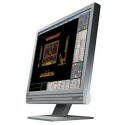
Figure 1: NANAO FlexScan L767-R LCD Monitor. This image shows the monitor from a slight angle, highlighting its slim bezel and adjustable stand.
2. 특징
The FlexScan L767-R is designed for optimal visual performance and user convenience. Key features include:
- 생생한 컬러 디스플레이: Supports approximately 16.77 million full colors for impressive color vibrancy.
- FineContrast Function: Easily adjust brightness and gamma settings to match content (text, images) for optimal view주고받음.
- Dual Input Support: Equipped with both analog and digital input terminals for versatile connectivity.
- 통합 오디오: Features built-in speakers for audio output.
- 인체공학적 스탠드: The stand allows for a 50mm vertical height adjustment, enhancing user comfort.
- Non-Glare Surface: The screen surface is non-glare, reducing reflections and eye strain.
3. 설정
Follow these steps to set up your FlexScan L767-R monitor:
- 모니터 풀기: 모니터와 모든 액세서리를 포장에서 조심스럽게 꺼내세요.
- 모니터 위치: 모니터를 안정적이고 평평한 표면에 놓으십시오. 모니터 주변에 충분한 통풍이 이루어지도록 하십시오.
- 비디오 케이블 연결:
- 을 위한 아날로그 연결: Connect the D-Sub (VGA) cable from your computer's video output to the analog input port on the monitor.
- 을 위한 디지털 연결: Connect the DVI cable from your computer's video output to the digital input port on the monitor.
- 오디오 케이블 연결 (선택 사항): If you wish to use the built-in speakers, connect an audio cable from your computer's audio output to the audio input port on the monitor.
- 전원 케이블 연결: Plug the power cable into the monitor's power input, then plug the other end into a grounded electrical outlet.
- 전원 켜기: Press the power button on the monitor. Power on your computer. The monitor should display your computer's screen.
4. 운영
This section describes the basic operation of your FlexScan L767-R monitor.
4.1. FineContrast Function
The FineContrast function allows you to quickly switch between different display modes optimized for various content types. Use the dedicated buttons on the monitor's front panel to cycle through modes such as Text, Picture, Movie, and Custom. Each mode adjusts brightness, gamma, and color temperature for the best view경험.
4.2. Stand Adjustment
The monitor stand offers vertical height adjustment. Gently push or pull the monitor panel up or down to adjust its height within the 50mm range. Ensure the monitor is stable after adjustment.
4.3. 화면 디스플레이(OSD) 메뉴
Access the OSD menu using the control buttons on the front panel to fine-tune settings such as brightness, contrast, color balance, input selection, and more. Refer to the detailed OSD menu guide in the full manual for comprehensive options.
5. 유지관리
적절한 유지 관리는 모니터의 수명과 성능을 보장합니다.
- 화면 청소: 부드럽고 털이 없는 천을 살짝 사용하세요.ampened with water or a non-abrasive, monitor-specific cleaning solution. Do not spray liquid directly onto the screen.
- C 청소asing: 모니터를 닦으세요asin부드럽고 마른 천으로 닦아주세요. 강한 세제나 용제는 사용하지 마세요.
- 통풍: 과열을 방지하려면 모니터의 통풍구가 막히지 않았는지 확인하세요.
- 전원 끄기 : 모니터를 청소하거나 장기간 사용하지 않을 경우에는 항상 모니터 전원을 끄고 전원 콘센트에서 플러그를 뽑으십시오.
6. 문제 해결
모니터에 문제가 발생하면 다음의 일반적인 문제와 해결 방법을 참조하세요.
- 화면에 이미지가 없습니다:
- 모니터의 전원이 켜져 있는지 확인하세요.
- Verify that the video cable is securely connected to both the monitor and the computer.
- Ensure the correct input source is selected on the monitor (Analog/Digital).
- Image is Distorted or Blurry:
- For analog connections, perform an auto-adjustment via the OSD menu.
- Check the display resolution settings on your computer. Ensure it matches the monitor's native resolution (1280x1024).
- 스피커에서 소리가 나지 않습니다:
- Verify the audio cable is properly connected.
- 모니터와 컴퓨터의 볼륨 설정을 확인해 보세요.
If the problem persists after trying these solutions, please contact EIZO customer support or refer to the comprehensive troubleshooting guide in the full product manual.
7. 사양
| 특징 | 사양 |
|---|---|
| 상표 | 에이조 |
| 모델 | L767-R |
| 화면 크기 | 19 인치 |
| 해결 | 1280 x 1024 |
| 화면 표면 설명 | 눈부심 방지 |
| 명도 | 250칸델라/제곱미터 |
| 새로 고침 빈도 | 60Hz |
| 백라이트 기술 | CCFL |
| HDMI 입력 포트 | 0 |
| USB 기능 | 없음 |
| 내장 스피커 | 예 |
| TV 기능 | 아니요 |
| 3D Display Support | 지원되지 않음 |
| 터치 패널 | 지원되지 않음 |
| 품목 무게 | 10 킬로그램 |
| 패키지 크기 | 56 x 53.5 x 22.5cm |
8. 보증 및 지원
For detailed warranty information, please refer to the warranty card included with your product or visit the official EIZO web사이트. 보증 약관은 지역에 따라 다를 수 있습니다.
For technical support, product inquiries, or service requests, please contact EIZO customer support through their official channels. Keep your product model number (L767-R) and serial number ready when contacting support.
EIZO Official Web대지: www.에이조닷컴


