소개
The Olympus Super Zoom 115 is a compact, fully automatic 35mm film camera designed for ease of use and reliable performance. It features a versatile power zoom lens and advanced autofocus capabilities, making it suitable for various photographic situations.
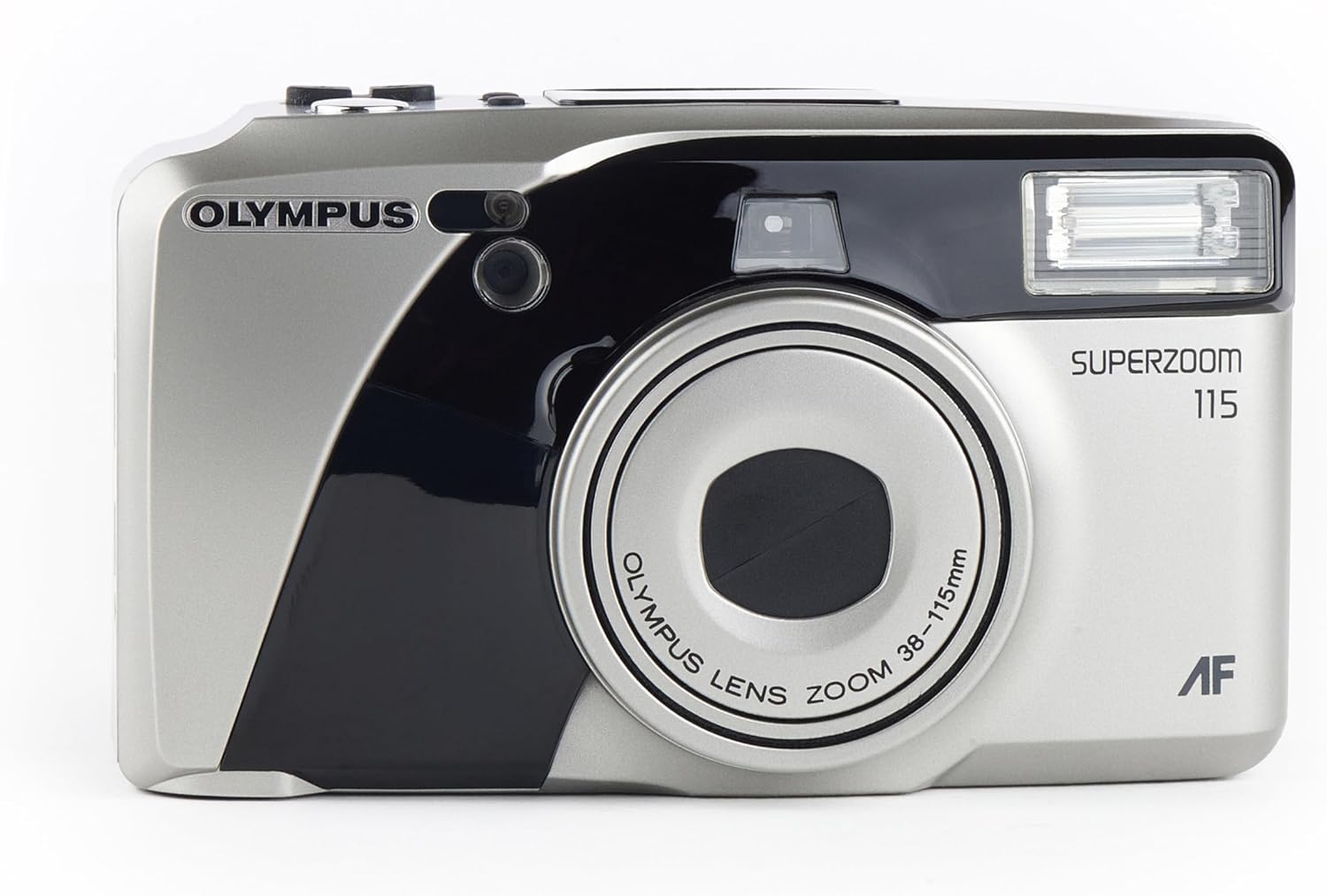
앞쪽 view of the Olympus Super Zoom 115 camera, showcasing its compact design and zoom lens.
주요 특징:
- 38-115mm Power Zoom Lens: Offers a wide range of focal lengths for diverse shots.
- 완전 자동 작동: Simplifies photography with automatic exposure, film loading, and rewinding.
- 11-Point Multi-Wide Autofocus: Ensures sharp and precise focusing across the frame.
- Built-in Flash with Red-Eye Reduction: Provides illumination in low-light conditions and minimizes red-eye effect.
- Quartz Date Back: Imprints the date onto your photos.
- Ultra-Compact Metal Body: Durable and portable design.
설정
1. 배터리 설치
- 카메라 측면이나 하단에 있는 배터리 덮개를 찾으세요.
- 표시에 따라 덮개를 밀거나 열어주세요.
- 배터리함 안쪽에 표시된 극성(+/-)을 확인하여 AA 알칼리 건전지 2개를 삽입하십시오.
- 배터리 덮개를 단단히 닫으세요.
2. 필름 로딩

뒤쪽 view of the camera with the film compartment open, showing where to insert the 35mm film roll.
- Open the camera back cover by sliding the latch located on the side.
- Place a 35mm film cartridge into the film chamber on the left side.
- Pull the film leader across to the film take-up spool on the right side, aligning it with the orange mark.
- Close the camera back cover firmly until it clicks. The camera will automatically advance the film to the first frame.
카메라 작동
1. 전원 켜기/끄기
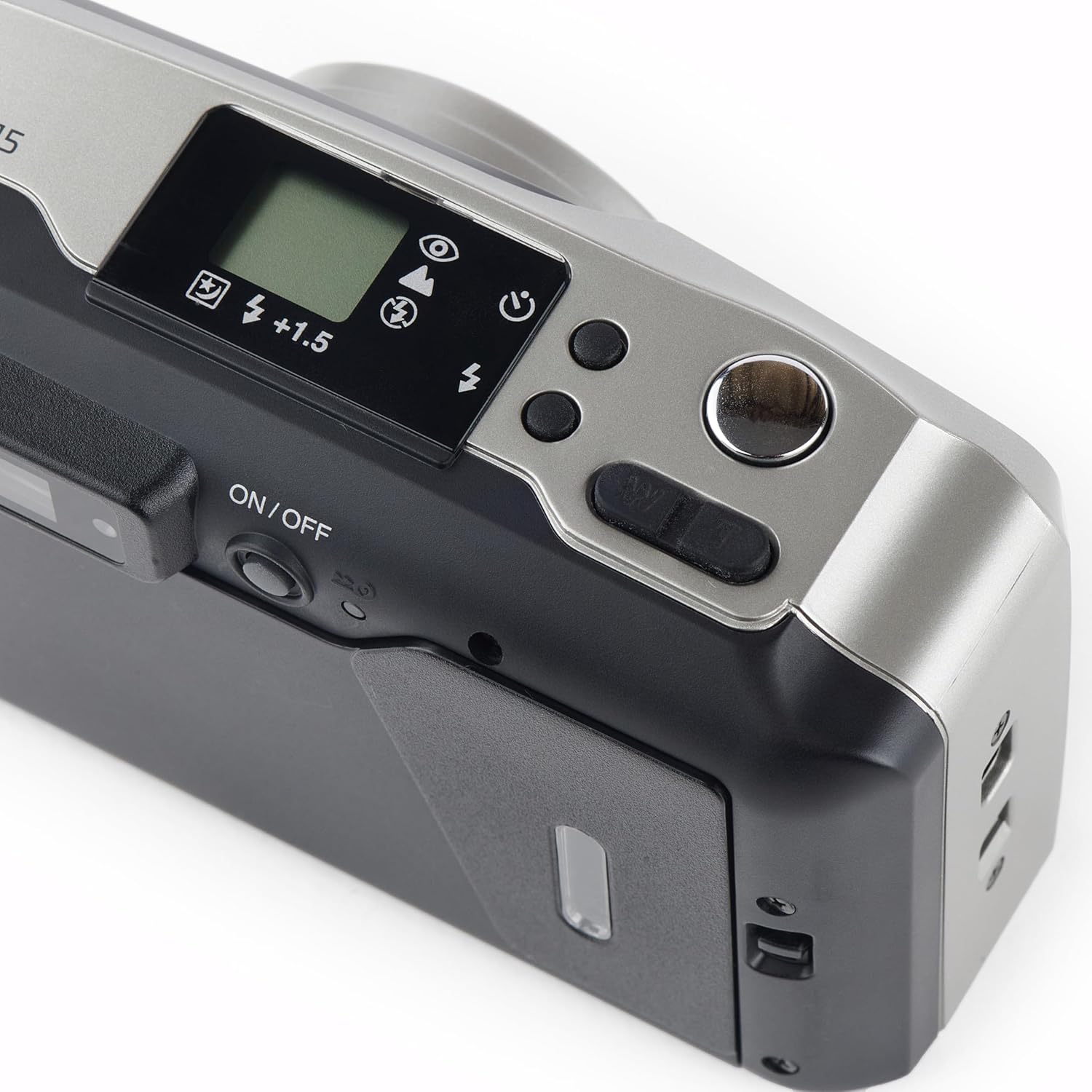
맨 위 view of the camera, highlighting the power button and other control dials.
- To turn on the camera, slide the ON/OFF switch located on the top panel. The lens will extend.
- To turn off the camera, slide the ON/OFF switch again. The lens will retract.
2. 사진 찍기
- 살펴보세요 view파인더를 사용하여 샷을 구성하세요.
- Press the shutter button halfway down to activate the autofocus and exposure system. A green light in the viewfinder indicates focus lock.
- 사진을 찍으려면 셔터 버튼을 완전히 누르세요. 필름이 자동으로 다음 프레임으로 넘어갑니다.
3. 줌 기능 작동
- Use the 'W' (Wide) and 'T' (Telephoto) buttons near the shutter button to adjust the zoom.
- Press 'W' to zoom out (38mm) and 'T' to zoom in (115mm).
4. 플래시 모드
- Press the flash mode button (usually indicated by a lightning bolt icon) to cycle through available flash modes: Auto Flash, Red-Eye Reduction, Fill-in Flash, Flash Off.
- The selected mode will be displayed on the LCD panel.
5. Quartz Date Back
- Use the MODE and SELECT buttons on the back of the camera to set the date and time.
- Once set, the date will be imprinted on your photos.
6. 셀프 타이머
- Activate the self-timer function via the mode button.
- Press the shutter button; the self-timer lamp will blink, and the shutter will release after approximately 10 seconds.
유지
- 청소: 카메라 본체는 부드럽고 보풀 없는 천으로 닦으십시오. 렌즈는 렌즈 전용 클리닝 천과 세척액을 사용하십시오. 렌즈를 직접 만지지 마십시오.
- 저장: 카메라를 직사광선과 극한 온도 변화를 피해 서늘하고 건조한 곳에 보관하십시오. 장기간 사용하지 않을 경우 배터리를 분리해 두십시오.
문제 해결
- 카메라 전원이 켜지지 않습니다: Check if the batteries are inserted correctly and are not depleted. Replace with fresh batteries if necessary.
- 영화가 진행되지 않습니다. Ensure the film is loaded correctly and the back cover is securely closed.
- 플래시가 터지지 않음: Check the flash mode settings. Ensure it is not set to 'Flash Off'.
- For further assistance, refer to the official Olympus support resources.
명세서
| 특징 | 세부 사항 |
|---|---|
| 상표 | 올림포스 산 |
| 모델명 | u mju zoom115 |
| 렌즈 유형 | 표준 줌 |
| 광학 줌 | 3x |
| 최소 초점 거리 | 38 밀리미터 |
| 최대 초점 거리 | 115 밀리미터 |
| 최대 조리개 | 2.8 피트 |
| 자동 초점 포인트 | 11 |
| 노출 제어 | 오토매틱 |
| Light Sensitivity (ISO Range) | 100-3200 |
| 카메라 플래시 | 내장형 |
| 배터리 유형 | 알칼리성 |
| 특징 | 셀프 타이머 |
| 방수 레벨 | 방수 |
공식 제품 영상
이 영상은 시각적으로 다음을 제공합니다.view of the Olympus Super Zoom 115 35mm Camera, demonstrating its features and operation.
보증 및 지원
This Olympus product is covered by a standard manufacturer's warranty. For detailed warranty information, service, or technical support, please visit the official Olympus web사이트를 방문하거나 고객 서비스에 문의하세요.
또한 방문할 수 있습니다 아마존의 올림푸스 스토어 더 많은 제품 정보와 액세서리를 확인하세요.


