제품 끝view
The C2G 02798 DB25 Male to Centronics 36 Male Parallel Printer Cable provides a reliable connection between your personal computer and uni-directional, dot-matrix, or older laser printers. This cable is designed for durability and data integrity, suitable for various environments.
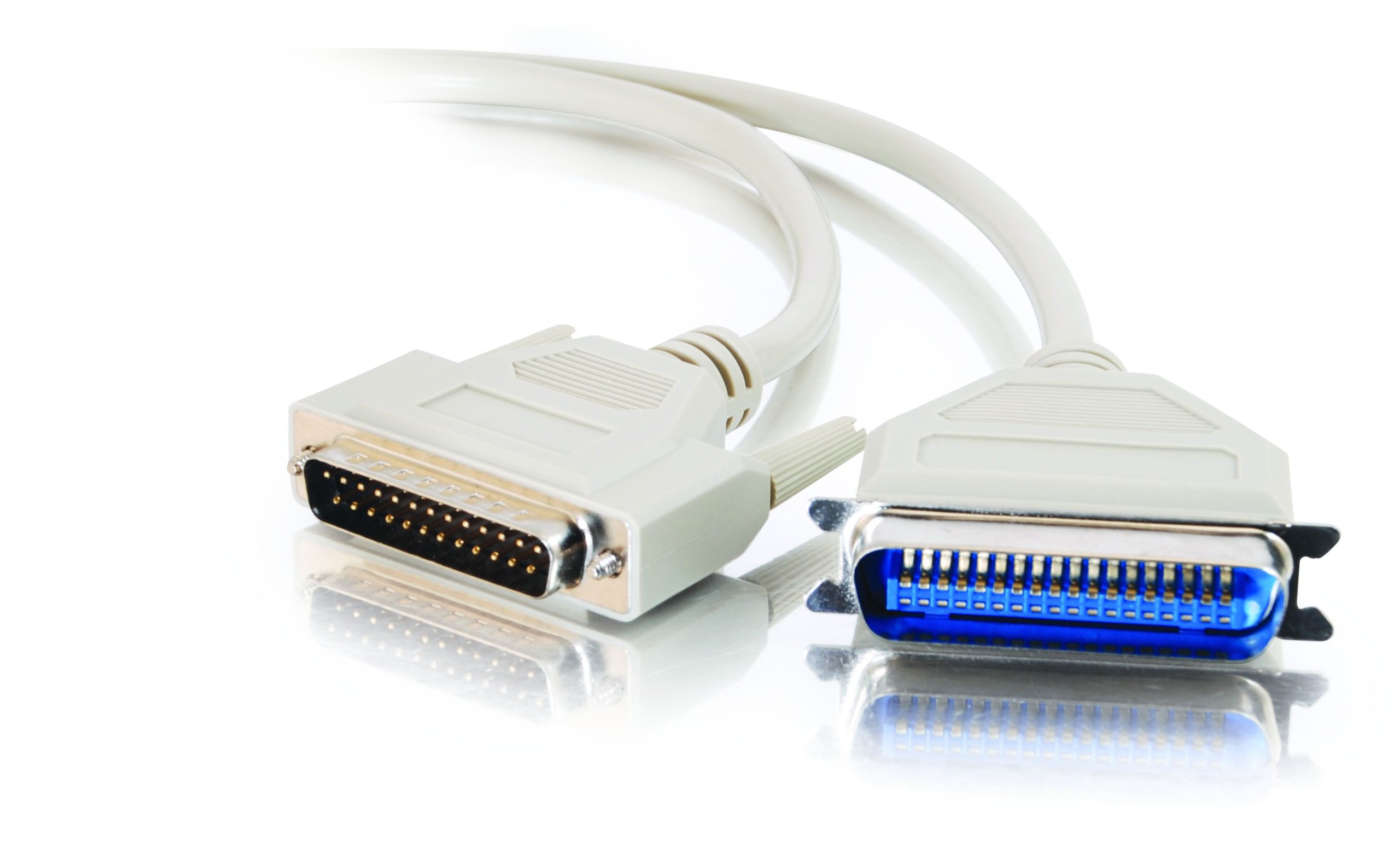
Image: The C2G 02798 DB25 to Centronics 36 Parallel Printer Cable, beige in color, coiled to show both connectors.
주요 특징
- 커넥터: DB25 Male to Centronics 36 Male.
- 호환성: Designed for connecting PCs to parallel dot-matrix printers, older laser printers, or other uni-directional Centronics peripherals.
- 내구성: Fully molded design for excellent strain relief, ensuring longevity.
- 데이터 보호: Features foil shielding to protect valuable data from EMI/RFI interference.
- 사용 편의성: Connectors include slotted, textured thumbscrews for easy attachment and removal.
- 배선: All 25 conductors are wired for broad compatibility.
비디오: 오버view of the C2G Professional Printer Cable, highlighting its features and compatibility with various printers and PCs.
설치 지침
- 포트 식별: Locate the DB25 parallel port on your computer (often a D-shaped port with 25 pins) and the Centronics 36 parallel port on your printer (a larger port with 36 pins).
- Connect DB25 End: Carefully align the DB25 male connector of the cable with the DB25 port on your computer. Gently push it in until it is seated firmly.
- Secure DB25 End: Tighten the slotted thumbscrews on the DB25 connector to secure the cable to the computer port. Do not overtighten.
- Connect Centronics 36 End: Align the Centronics 36 male connector of the cable with the Centronics 36 port on your printer. Push it in until it is fully seated.
- Secure Centronics 36 End: If your Centronics port has clips or screws, ensure the connector is secured.
- 전원 켜기: Once the cable is securely connected at both ends, power on your printer and computer.
- 드라이버 설치: Ensure the correct printer drivers are installed on your computer for the connected printer model. Refer to your printer's manual for driver installation instructions.

이미지: 클로즈업 view of the DB25 Male connector, showing the 25 pins.
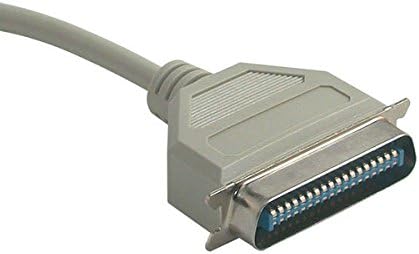
이미지: 클로즈업 view of the Centronics 36 Male connector, showing the 36 pins.
작동 지침
After successful physical connection and driver installation, your computer should recognize the printer. You can now send print jobs from your applications. Ensure the printer is powered on and has paper and ink/toner.
- Select your connected printer from the print dialog box in your application.
- Adjust print settings as needed (e.g., paper size, orientation, print quality).
- 인쇄 작업을 시작하세요.
유지
To ensure the longevity and optimal performance of your C2G parallel printer cable, follow these simple maintenance guidelines:
- 깨끗하게 유지하십시오: Periodically wipe the cable and connectors with a dry, soft cloth to remove dust and debris. Avoid using liquid cleaners directly on connectors.
- 굽힘을 피하십시오: Do not sharply bend or crimp the cable, especially near the connectors, as this can damage internal wires and shielding.
- 적절한 보관: 사용하지 않을 때는 케이블을 느슨하게 감아서 직사광선과 극한 온도 변화를 피해 건조하고 서늘한 곳에 보관하십시오.
- 조심스럽게 다루십시오: 케이블을 연결하거나 분리할 때는 케이블 자체를 잡아당기지 말고 항상 커넥터 하우징을 잡으십시오.
- 정기적으로 검사하세요: Check the cable and connectors for any signs of wear, fraying, or damage. Replace the cable if any damage is observed to prevent potential issues.
문제 해결
If you encounter issues while using your parallel printer cable, consider the following troubleshooting steps:
- 출력 없음:
- Ensure both the computer and printer are powered on.
- Verify the cable is securely connected to both the computer's parallel port and the printer's Centronics port. Tighten thumbscrews.
- Check if the printer has paper and ink/toner.
- Confirm that the correct printer is selected in your computer's print dialog.
- Restart both the computer and the printer.
- Garbled Print Output:
- This often indicates a driver issue. Reinstall or update your printer drivers.
- 느슨한 연결이 있는지 확인하십시오.
- Ensure the cable is not damaged. Try a different parallel cable if available.
- 프린터가 감지되지 않음:
- Verify the cable is fully inserted and secured.
- Check your computer's Device Manager (Windows) or System Information (macOS) to see if the parallel port is recognized and functioning correctly.
- Ensure the printer is set to the correct interface (parallel) if it has multiple connection options.
- 느린 인쇄:
- Parallel connections are generally slower than modern USB connections. This is normal for this type of cable.
- Ensure your printer drivers are up to date.
제품 사양
| 특징 | 사양 |
|---|---|
| 상표 | C2G |
| 모델명 | 02798 |
| 커넥터 유형 | DB25 Male, Centronics 36 Male |
| 케이블 유형 | 평행한 |
| 호환 장치 | Personal Computer, Printer (dot-matrix, older laser, uni-directional Centronics peripherals) |
| 특징 | 데이터 전송 |
| 색상 | 베이지색 |
| 커넥터 성별 | 남성 대 남성 |
| 핀의 수 | DB25 (25 pins), Centronics 36 (36 pins) |
| 단위 수 | 1 카운트 |
| 품목 무게 | 2.4 온스 |
| 제품 치수 | 9 x 5 x 1 인치 |
| 최대 볼륨tage | 5볼트(DC) |
| 겉감 소재 | 폴리염화비닐(PVC) |
보증 정보
This C2G product is covered by a manufacturer's warranty. For specific details regarding warranty duration and terms, please refer to the documentation included with your purchase or visit the official C2G web사이트. 보증 청구를 위해 구매 증빙 자료를 보관하세요.
고객 지원
For further assistance, technical support, or inquiries about the C2G 02798 Parallel Printer Cable, please contact C2G customer service through their official web사이트 또는 제품 포장과 함께 제공된 연락처 정보를 참조하세요. 또한 아마존에서 C2G 스토어를 만나보세요 더 많은 제품 정보를 보려면.


