가이드 소개
This guide serves as an invaluable resource for users of the Digitech GNX4 Guitar Workstation. Authored by Craig Anderton, it delves into the advanced functionalities and hidden features of the GNX4, offering insights that complement and expand upon the original manufacturer's manual. The objective of this book is to empower users to fully utilize their guitar workstation, transforming complex operations into understandable steps and unlocking the device's complete creative potential.
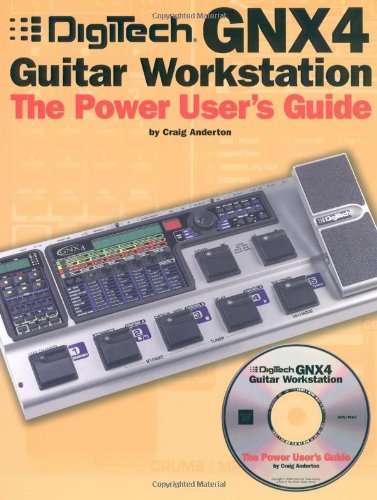
Image: Front cover of 'Digitech GNX4 Guitar Workstation: The Power User's Guide'. This image displays the title and author, indicating the primary subject of this instruction manual.
Many users find that the GNX4 possesses numerous powerful features that are not immediately apparent or are difficult to grasp from standard documentation. This guide, written by an experienced professional, aims to illuminate these aspects, providing clear explanations and practical applications to help you get the most out of your equipment.
Understanding GNX4 Setup with This Guide
While this book does not physically set up your GNX4 unit, it provides comprehensive instructions and methodologies for configuring your workstation effectively. It clarifies the initial setup processes and advanced configurations that might be overlooked in the standard manual. This section of the guide focuses on how to interpret and apply the book's knowledge to properly set up your GNX4 for various applications, ensuring optimal performance from the outset.
- 초기 구성: Learn how to correctly interpret the GNX4's interface and menu structures for basic setup.
- Advanced Connections: Understand how to integrate the GNX4 into complex audio setups, including external amplifiers, mixers, and recording interfaces.
- Parameter Initialization: Guidance on resetting and customizing parameters to establish a solid foundation for your sound.
Operating the Digitech GNX4
This guide is designed to enhance your operational proficiency with the Digitech GNX4. It moves beyond basic functions, offering detailed explanations and practical tips for navigating the workstation's extensive features. The book covers various operational aspects, ensuring you can confidently control and customize your sound.
Navigating Effects and Parameters
The guide provides in-depth descriptions of the GNX4's numerous effects, including their individual parameters and how they interact. It offers strategies for customizing effects chains, saving presets, and recalling them efficiently during live performance or studio sessions. This includes detailed insights into the nuances of each effect to achieve desired tonal characteristics.
MIDI 구현
Explore the full potential of MIDI control with your GNX4. The book explains how to integrate the workstation with other MIDI-compatible devices, set up MIDI mapping, and use MIDI for advanced control over parameters and program changes. This section is crucial for users looking to incorporate the GNX4 into a larger digital audio workstation or live setup.
Mixer and Routing
Gain a clearer understanding of the GNX4's internal mixer and signal routing capabilities. The guide demystifies complex signal paths, explaining how to optimize your sound by correctly routing audio through various effects and outputs. It offers alternative perspectives on managing the mixer to achieve specific sonic outcomes.
Expression Pedal Usage
Unlock the versatility of the GNX4's expression pedal. This guide provides detailed instructions and creative applications for assigning and utilizing the expression pedal to control various parameters in real-time, adding dynamic and expressive elements to your performance.
Software Integration (X-Edit)
The book also covers the bundled software, such as X-Edit, explaining its functionalities and how it can be used to edit parameters, manage presets, and customize user banks more efficiently from a computer interface. This section highlights how software tools can streamline your workflow and expand your creative options.
유지 관리 및 최적화
This guide contributes to the long-term optimal performance of your Digitech GNX4 by providing a deeper understanding of its internal workings and best practices. While it does not cover physical maintenance, it offers insights into maintaining the integrity of your settings and maximizing the unit's efficiency.
- 사전 설정 관리: Learn strategies for organizing and backing up your custom presets to prevent data loss and ensure consistent performance.
- 펌웨어 업데이트: Although not directly covered in the book, understanding the GNX4's architecture as explained in the guide can help users better comprehend the impact and necessity of firmware updates (refer to official Digitech resources for actual update procedures).
- Signal Chain Optimization: The detailed explanations of effects and routing help users maintain a clean and efficient signal chain, preventing unwanted noise or signal degradation.
일반적인 문제 해결
The 'Power User's Guide' is an excellent resource for troubleshooting and resolving common operational difficulties with the Digitech GNX4. By providing a more profound understanding of the unit's features and interconnections, it equips users with the knowledge to diagnose and rectify problems that may arise.
- Clarifying Complex Features: The guide addresses areas where the original manual might be unclear, helping users understand why certain functions behave in specific ways, which is often the first step in troubleshooting.
- Problem Solving with Deeper Understanding: With detailed explanations of MIDI, routing, and effects parameters, users can better pinpoint the source of unexpected behavior or sound issues.
- 예방 조치: By following the best practices and advanced techniques outlined in the book, users can often prevent issues before they occur, leading to a more stable and reliable performance.
가이드 사양
| 발행자 | Schirmer Trade Books |
| 출판 날짜 | 1년 2005월 XNUMX일 |
| 언어 | 영어 |
| 인쇄 길이 | 131페이지 |
| ISBN-10 | 0825673232 |
| ISBN-13 | 978-0825673238 |
| 품목 무게 | 1.25파운드 |
| 치수 | 8.75 x 0.25 x 11.5 인치 |
보증 및 지원
This 'Power User's Guide' is an independent publication designed to assist users of the Digitech GNX4 Guitar Workstation. It is not an official Digitech product manual and does not come with a separate warranty from the publisher beyond standard retail return policies for books.
For warranty information, technical support, or service related to the Digitech GNX4 Guitar Workstation hardware or its official software, please refer to the official documentation provided by Digitech or visit their official website. This guide serves as a supplementary educational resource to enhance your understanding and usage of the GNX4.