📘 Motionics manuals • Free online PDFs
Motionics logo

Motionics Manuals & User Guides

Motionics specializes in wireless metrology tools, machinery diagnostics, and condition monitoring solutions, including Bluetooth-enabled gauges and sensors.

Tip: include the full model number printed on your Motionics label for the best match.

About Motionics manuals on Manuals.plus

모션틱스 LLC is an Austin, Texas-based technology company specializing in metrology, machinery diagnostics, and condition monitoring. The company develops advanced wireless measurement tools that interface seamlessy with smart devices and PCs, transforming traditional industrial measurements into connected, actionable data.

그들의 제품 라인업에는 다음이 포함됩니다: 블루다이얼 wireless dial indicator, WiMER series wireless transmitters for existing sensors, rotor runout kits, and vibration analyzers like the 셰이커워치. By integrating robust hardware with dedicated software applications such as 멀티게이지 리더, Motionics enables technicians and engineers to perform accurate, remote monitoring and data analysis, significantly improving operational safety and efficiency.

Motionics manuals

최신 매뉴얼 manuals+ 이 브랜드를 위해 큐레이션되었습니다.

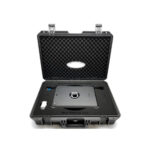
Motionics LLC 진동 분석 키트 사용자 안내서

24년 2023월 XNUMX일
Motionics 진동 분석 키트 사용자 가이드 설명 Motionics 진동 분석 키트는 iPad 기반 진동 분석기입니다. 그것은 낮은 볼륨을 포함tage accelerometer for vibration measurement. Accelerometer signals are acquired through…

Motionics Wireless Laser Measure User Guide

사용자 가이드
User guide for the Motionics Wireless Laser Measure, detailing setup, operation, compatible software, and important safety notes. Includes model numbers GLM50C and GLM165-27.

ShakerWatch 무선 진동 분석기 사용자 가이드

사용자 가이드
Motionics ShakerWatch 무선 진동 분석기 사용자 가이드에는 제품 설명, 소프트웨어 다운로드, 앱 설치, 진동 분석을 위한 빠른 시작 지침이 자세히 설명되어 있습니다.

Motionics manuals from online retailers

Motionics support FAQ

이 브랜드의 매뉴얼, 등록, 지원에 대한 일반적인 질문입니다.

  • Where can I download the software for Motionics devices?

    Software apps such as MultiGage Reader (for iOS and Android) are available on the Apple App Store and Google Play Store. Windows software and drivers can typically be downloaded from the Resources section of the Motionics web대지.

  • How do I pair my wireless Motionics device?

    Turn on your device/transmitter and launch the specific app (e.g., MultiGage). Tap the Scan or '+' button in the app to search for nearby devices, then select your device ID (e.g., WiMER or BlueDial) to connect.

  • Do Motionics devices turn off automatically?

    Many Motionics devices, such as the WiMER series and BlueDial, do not have an auto-off feature to ensure continuous monitoring. You must manually turn them off after use to preserve battery life.

  • What type of batteries do Motionics tools use?

    Battery types vary by model. Some use rechargeable internal batteries (charged via USB), while others use coin cells (e.g., CR2477 or SR44). Refer to your specific user guide for details.