
1. 서론
Thank you for choosing the Aigostar Gx-5555 Ceiling Fan with Light. This product combines a powerful ceiling fan with an integrated LED light, offering both comfort and illumination for your living space. It features a silent DC motor, five durable ABS blades, and a sleek black metal design. The light offers adjustable color temperature and brightness, while the fan provides six speed settings and a convenient timer function. This manual provides essential information for safe installation, operation, and maintenance of your new ceiling fan.
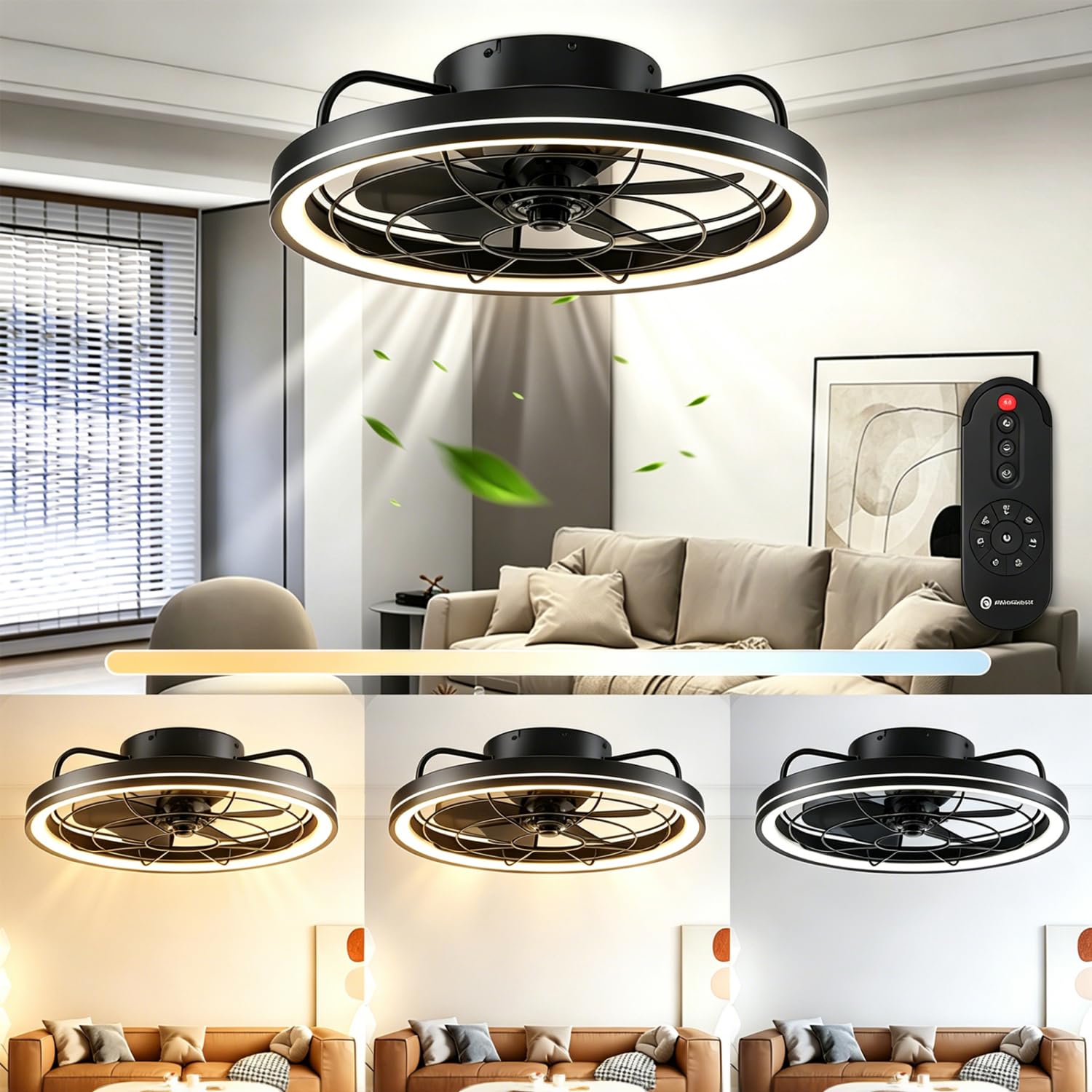
그림 1: 이상view of the Aigostar Gx-5555 Ceiling Fan with Light.
2. 안전 지침
설치 및 사용 전에 모든 안전 지침을 주의 깊게 읽어 주십시오. 나중에 참조할 수 있도록 이 설명서를 보관하십시오.
- 설치, 청소 또는 유지관리를 하기 전에 전원 공급이 차단되었는지 확인하세요.
- 설치는 현지 배선 규정에 따라 자격을 갖춘 전기 기술자가 수행해야 합니다.
- 장착 구조는 팬의 무게(약 4.05kg)를 지탱할 수 있어야 합니다.
- 선풍기가 작동 중일 때는 선풍기 날개 사이에 물건을 넣지 마십시오.
- 선풍기가 작동하는 동안 어린이가 선풍기에 접근하지 못하도록 하세요.
- d에서 팬을 사용하지 마십시오.amp 또는 습한 곳.
- Only use the provided remote control for operation.
3. 패키지 내용
포장을 풀 때 모든 구성품이 들어 있고 손상되지 않았는지 확인하세요.
- Aigostar Ceiling Fan Unit
- 원격 제어
- 사용 설명서
4. 사양
| 특징 | 사양 |
|---|---|
| 모델 번호 | GX-5555 |
| 치수(길이 x 너비 x 높이) | 48 x 48 x 15.5cm |
| 무게 | 4.05kg |
| Power (Light) | 40와트 |
| 전원(팬) | 20와트 |
| 광속 | 4400LM |
| 색온도 | 2700K-6500K (조절 가능) |
| 명도 | 10-100% (Adjustable) |
| 팬 속도 | 6단계 |
| 타이머 기능 | 1/2/4 시간 |
| 모터 유형 | DC Motor (Silent) |
| 블레이드 | 5개의 ABS 블레이드 |
| 권tage | 230V(교류) |
| 제어 방법 | 원격 제어 |
| 장착 유형 | 천장 마운트 |
| 인증 | CE, RoHS |
5. 설정 및 설치
Installation should only be performed by a qualified professional to ensure safety and proper functionality. Always disconnect power at the circuit breaker before beginning any installation work.
5.1 풀기
Carefully remove all components from the packaging. Inspect for any damage during transit. Retain packaging for future transport or returns.
5.2 설치 위치
Choose a ceiling location that can safely support the fan's weight and allows for adequate clearance around the blades. The fan has a diameter of 480mm and a height of 155mm.

그림 2: 설치 계획을 위한 제품 치수.
5.3 Wiring and Assembly
Follow the detailed wiring diagrams and assembly instructions provided in the separate installation guide included with your product. Ensure all electrical connections are secure and comply with local electrical codes. After wiring, securely attach the fan unit to the ceiling mount.
6. 사용 설명서
The Aigostar Gx-5555 Ceiling Fan with Light is operated using the included remote control. Ensure batteries are correctly inserted into the remote.
6.1 조명 함수
Use the remote control to adjust the light settings:
- 색온도 조정: Cycle through warm white (2700K), neutral white (4500K), and cool white (6500K) to suit your preference.
- 밝기 조정: 조명 강도를 10%에서 100%까지 조절합니다.
- The light features a memory function, retaining the last setting when turned off and on again.

Figure 3: Adjustable color temperature and brightness settings.
6.2 팬 기능
Control the fan speed and direction with the remote:
- 속도 조정 : Select from 6 fan speeds. Lower speeds (1-2) are ideal for sleeping, medium speeds (3-4) for daily activities, and higher speeds (5-6) for increased air circulation.

Figure 4: Fan speed settings for various comfort levels.
- 조용한 작동: The DC motor ensures quiet operation, minimizing disturbance, especially during sleep.

Figure 5: The fan's quiet operation for undisturbed rest.
- 역회전: The fan can rotate clockwise for downward airflow (ideal for cooling in summer) or counter-clockwise for upward airflow (to circulate warm air in winter). Refer to the remote control for the specific button to change rotation direction.
6.3 타이머 기능
Set the fan and/or light to automatically turn off after a specified period:
- Press the timer button on the remote to select 1, 2, or 4 hours.
- Note: Pressing any other button after setting the timer will cancel the timer function.

Figure 6: Remote control displaying the timer function.
7. 유지관리
정기적인 유지관리를 통해 천장선풍기의 최적의 성능과 수명을 보장할 수 있습니다.
- 청소: 청소하기 전에는 항상 전원을 분리하세요. 부드러운 천을 사용하세요.amp 팬 본체와 날개를 닦을 때는 천을 사용하십시오. 연마성 세척제나 용제를 사용하지 마십시오.
- 블레이드 검사: Periodically check the fan blades for any dust buildup or damage.
- 견고함: Ensure all screws and connections remain tight.
8. 문제 해결
문제가 발생하면 다음의 일반적인 문제와 해결 방법을 참조하세요.
| 문제 | 가능한 원인 | 해결책 |
|---|---|---|
| 팬이 작동하지 않습니다 | 전원 공급 없음; 리모컨 배터리 부족/방전; 배선 오류. | Check circuit breaker; Replace remote batteries; Consult a qualified electrician to check wiring. |
| 불이 켜지지 않습니다 | No power supply; Light component fault. | Check circuit breaker; Contact customer support if light component is faulty. |
| 리모컨이 작동하지 않습니다 | Batteries incorrectly inserted or dead; Remote not paired (if applicable). | Check battery orientation and replace if necessary; Refer to remote pairing instructions in the full manual. |
| 팬이 흔들린다 | 느슨한 장착 나사, 불균형한 블레이드. | Ensure all mounting screws are tight; Check for balanced blades and re-tighten if necessary. |
위 해결 방법을 시도한 후에도 문제가 지속되면 Aigostar 고객 지원팀에 문의하십시오.
9. 보증 및 지원
Aigostar products are designed and manufactured to the highest quality standards. This product comes with a standard manufacturer's warranty. For detailed warranty information, please refer to the warranty card included in your package or visit the official Aigostar web대지.
For technical support, replacement parts, or any other inquiries, please contact Aigostar customer service through the contact information provided on our website or in your product documentation. Please have your model number (Gx-5555) and purchase date ready when contacting support.


