
소개
Thank you for choosing the JOMAA X9 Wired Gaming Mouse. This manual provides detailed instructions for setting up, operating, and maintaining your mouse to ensure optimal performance. The JOMAA X9 features 10 programmable buttons, adjustable DPI up to 12800, and customizable RGB lighting effects, designed for both gaming and office use.
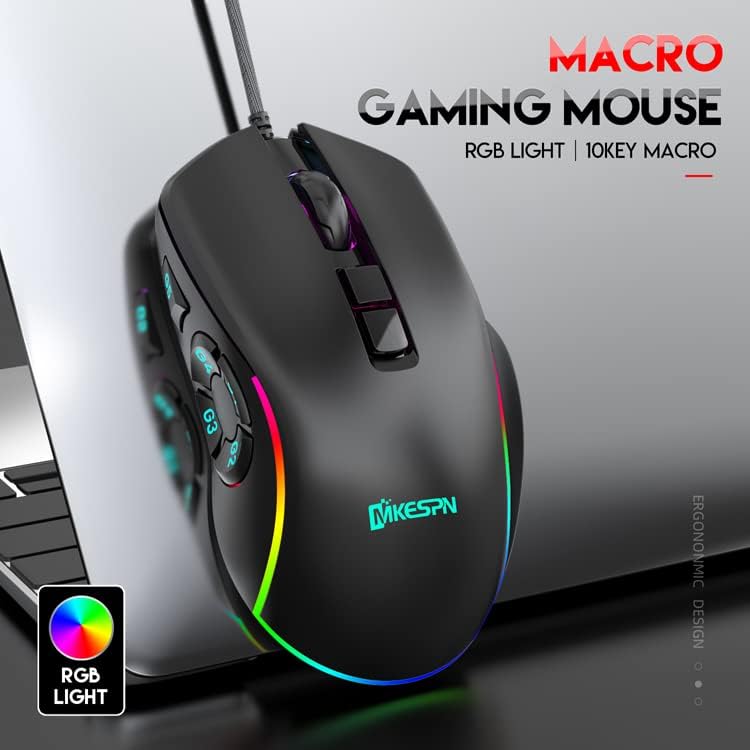
Image: The JOMAA X9 Wired Gaming Mouse, showcasin인체공학적 디자인과 RGB 조명을 갖추고 있습니다.
제품 특징
- 10개의 프로그래밍 가능한 매크로 키: Customize complex command sequences. Macro programming requires a Windows PC, but settings are saved to onboard memory for use on any system.
- 조정 가능한 DPI: Six default DPI levels (800/1200/1600/3200/4800/6400) with on-the-fly adjustment. Up to 12800 DPI is available via driver software (Windows only).
- 14 RGB Lighting Effects: Personalize your mouse with various lighting modes. RGB control functions on any system without additional drivers.
- 조정 가능한 폴링 속도: Selectable polling rates from 125Hz to 1000Hz to minimize input lag.
- 인체공학적 디자인: Comfortable for various grip styles (claw, palm, fingertip) during extended use.
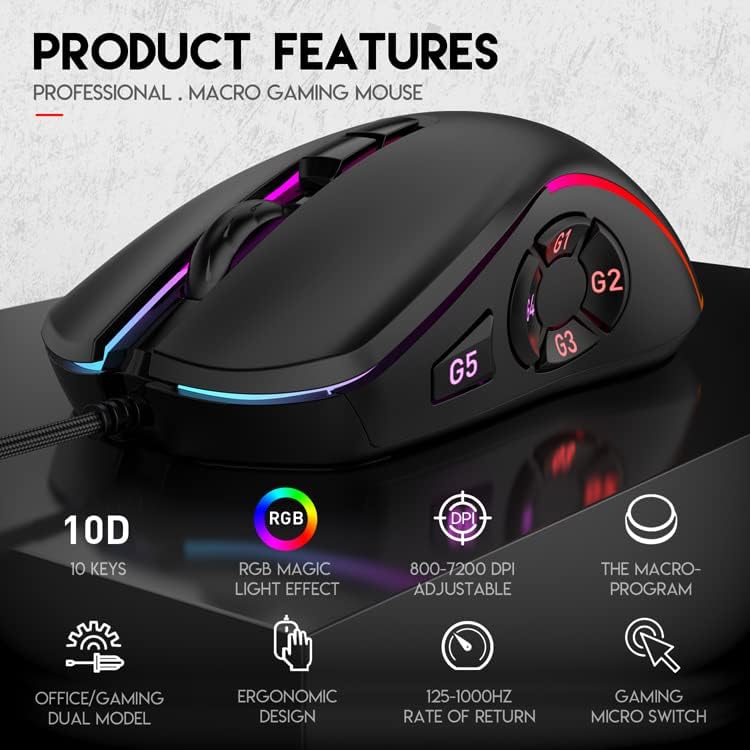
이미지: 오버view highlighting the key features of the JOMAA X9 mouse, including 10 keys, RGB lighting, adjustable DPI, macro programming, and ergonomic design.
설정
1. 물리적 연결
- Unpack the JOMAA X9 Wired Gaming Mouse from its packaging.
- 마우스의 USB 케이블을 컴퓨터의 사용 가능한 USB 포트에 연결하십시오.
- The mouse will be automatically recognized by your operating system (Windows, Mac, Linux) and basic functionality will be available immediately.
2. Driver Software Installation (Optional for Advanced Features)
For macro programming and advanced DPI settings (up to 12800 DPI), driver software is required. This software is compatible with Windows operating systems only.
- Visit the official JOMAA website to download the latest driver software for the X9 Gaming Mouse.
- 화면의 지시에 따라 소프트웨어를 설치하세요.
- Once installed, you can access the software to customize macros, adjust DPI beyond default levels, and fine-tune other settings.
작동 지침
버튼 기능

Image: Diagram illustrating the button layout and functions of the JOMAA X9 mouse.
- (1) Left Button: 표준 왼쪽 클릭 기능.
- (2) Soft Scroll Wheel: 위/아래로 스크롤하고 가운데 클릭 기능을 사용할 수 있습니다.
- (3) Right Button: 표준 마우스 오른쪽 클릭 기능.
- (4) DPI+ Switch: Increases DPI level.
- (5) A Key Map: Function not explicitly detailed, likely programmable.
- G1 (M4 Pressure Gun): 프로그래밍 가능한 버튼.
- G2 (AKM Pressure Gun): 프로그래밍 가능한 버튼.
- G3 (UMP9 Pressure Gun): 프로그래밍 가능한 버튼.
- G4 (M16 Pressure Gun): 프로그래밍 가능한 버튼.
- G5 (Pressure Gun Range Adjustment): 프로그래밍 가능한 버튼.
- 사무 모드/게임 모드 전환: Press the Middle key + Right button for 3 seconds. The green light flashes to indicate mode change. In Game mode, FN+roller can adjust pressure gun range.
DPI 조정
The JOMAA X9 mouse offers 6 default DPI levels that can be changed on the fly without software:
- 800DPI
- 1200DPI
- 1600DPI
- 3200DPI
- 4800DPI
- 6400DPI
를 누르세요 DPI+ Switch (4) button located behind the scroll wheel to cycle through these DPI settings. Each change will be indicated by a brief change in the mouse's LED lighting.
For DPI settings up to 12800, install the Windows-compatible driver software and adjust through its interface.

Image: A visual representation of the 6 adjustable DPI levels (800-6400) available on the JOMAA X9 mouse.
매크로 프로그래밍
The JOMAA X9 mouse allows you to program up to 10 macro keys for complex command sequences. This feature requires the dedicated driver software and a Windows PC for initial setup.
- Ensure the driver software is installed on your Windows PC.
- Open the JOMAA X9 driver software.
- Navigate to the macro programming section within the software interface.
- Select the desired button (G1-G5 or other programmable keys) and record your macro sequence.
- Save the settings. The programmed macros are stored directly onto the mouse's onboard memory.
Once programmed, these macros will function on any operating system (Windows, Mac, Linux) without needing the driver software to be running or even installed on that system.

Image: Screenshot of the JOMAA X9 macro programming software interface, showing options for key assignment and macro recording.
RGB 조명 제어
The JOMAA X9 features 14 distinct RGB lighting effects. These can be controlled directly from the mouse without any software.
- To cycle through the 14 RGB lighting effects, use the dedicated control combination (if available, otherwise it cycles automatically or via software).
- To turn off the RGB lighting for office use or to conserve power, press the G2 + N0.5 keys 동시에.
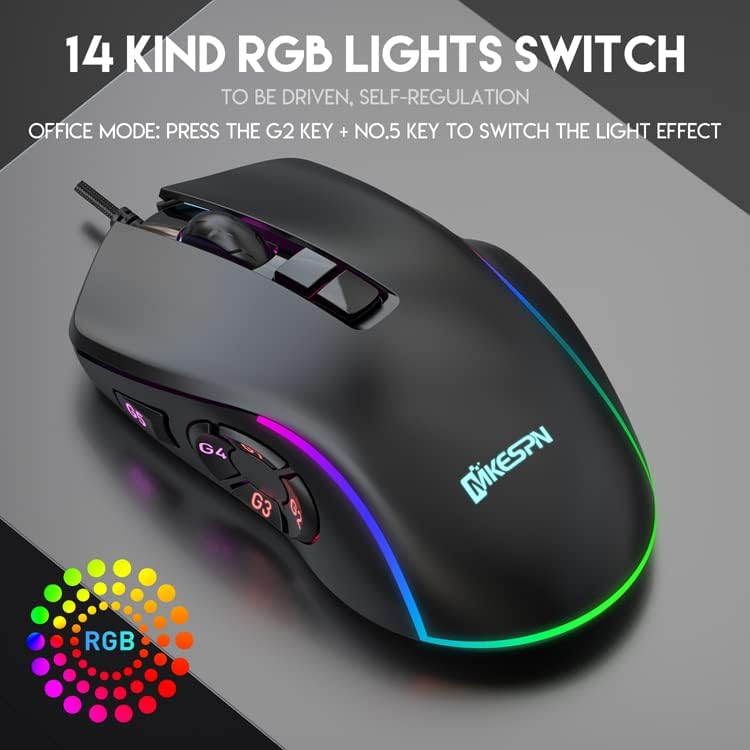
Image: The JOMAA X9 mouse displaying its vibrant RGB lighting effects.
폴링률 조정
The polling rate of the JOMAA X9 mouse can be adjusted between 125Hz and 1000Hz. This setting influences the mouse's response time. Higher polling rates generally provide smoother tracking but may consume slightly more system resources.
Adjustment of the polling rate is typically done through the driver software on a Windows PC. Refer to the software interface for specific instructions.
유지
Proper maintenance ensures the longevity and optimal performance of your JOMAA X9 mouse.
- 청소: 부드럽고 마른 보풀 없는 천을 사용하여 마우스 표면을 닦으세요. 잘 지워지지 않는 오염의 경우, 가볍게 두드리세요.amp천에 물이나 순한 세척액을 묻혀 닦아주세요. 강한 화학 물질이나 연마재는 사용하지 마세요.
- 감지기: 정확한 추적을 보장하려면 마우스 밑면의 광학 센서를 깨끗하고 먼지나 이물질이 없는 상태로 유지하세요.
- 케이블: 손상을 방지하기 위해 꼬임 방지 USB 케이블을 급격하게 구부리거나 과도하게 당기지 마십시오.

Image: Close-up details of the JOMAA X9 mouse, showing the soft scroll wheel and the durable braided cable.
문제 해결
- 마우스가 응답하지 않음:
- USB 케이블이 컴퓨터에 제대로 연결되어 있는지 확인하세요.
- 마우스를 다른 USB 포트에 연결해 보세요.
- 컴퓨터를 다시 시작하세요.
- 다른 컴퓨터에서 마우스를 테스트하여 문제가 마우스에 있는지, 아니면 시스템에 있는지 확인하세요.
- 부정확한 추적:
- 마우스 밑면의 광학 센서를 청소하세요.
- 마우스를 적합한 표면(예: 마우스 패드)에서 사용하고 있는지 확인하세요.
- Adjust the DPI settings to a level that suits your preference.
- 매크로가 작동하지 않습니다:
- Verify that the macros were correctly programmed using the Windows driver software.
- Ensure the macros were saved to the mouse's onboard memory.
- Check if the mouse is in the correct mode (e.g., Game Mode if macros are specific to it).
- RGB 조명이 작동하지 않음:
- Check if the lights have been turned off using the G2 + N0.5 key combination.
- 마우스가 제대로 연결되어 있고 전원이 공급되고 있는지 확인하십시오.
명세서
| 특징 | 세부 사항 |
|---|---|
| 상표 | 조마 |
| 모델 | X9 |
| 연결성 | 유선 USB |
| DPI 레벨 | 800/1200/1600/3200/4800/6400 (up to 12800 via software) |
| 프로그래밍 가능한 버튼 | 10 |
| RGB 조명 | 14 효과 |
| 폴링 속도 | 125-1000Hz Adjustable |
| 무게 | 230g |
| 치수 | 125 x 68 x 35mm |
| 케이블 길이 | 1.8m 브레이드 |
보증 및 지원
JOMAA products are designed for reliability and performance. For warranty information, technical support, or customer service inquiries, please refer to the contact information provided with your purchase or visit the official JOMAA web대지.
보증 청구를 위해 구매 증명서를 보관하십시오.