
1. 서론
Welcome to the OnePlus Nord CE6 Lite user manual. This guide provides essential information to help you get started with your new smartphone, understand its features, and ensure optimal performance. The OnePlus Nord CE6 Lite combines a powerful MediaTek Dimensity 7400 Apex Processor with a long-lasting 7000mAh battery and a smooth 144Hz display, designed for a seamless user experience.

Image: The OnePlus Nord CE6 Lite smartphone in Vivid Mint, showcasin세련된 디자인이에요.
2. 설정 가이드
2.1. SIM 카드 설치
- 기기 측면에서 SIM 카드 트레이를 찾으세요.
- SIM 꺼내기 도구를 트레이 옆에 있는 작은 구멍에 넣고 트레이가 튀어나올 때까지 단단히 누르세요.
- Place your Nano SIM cards (supports Dual SIM) into the designated slots on the tray, ensuring the gold contacts face downwards.
- SIM 트레이가 딸깍 소리가 나면서 제자리에 고정될 때까지 조심스럽게 휴대폰에 다시 삽입하십시오.
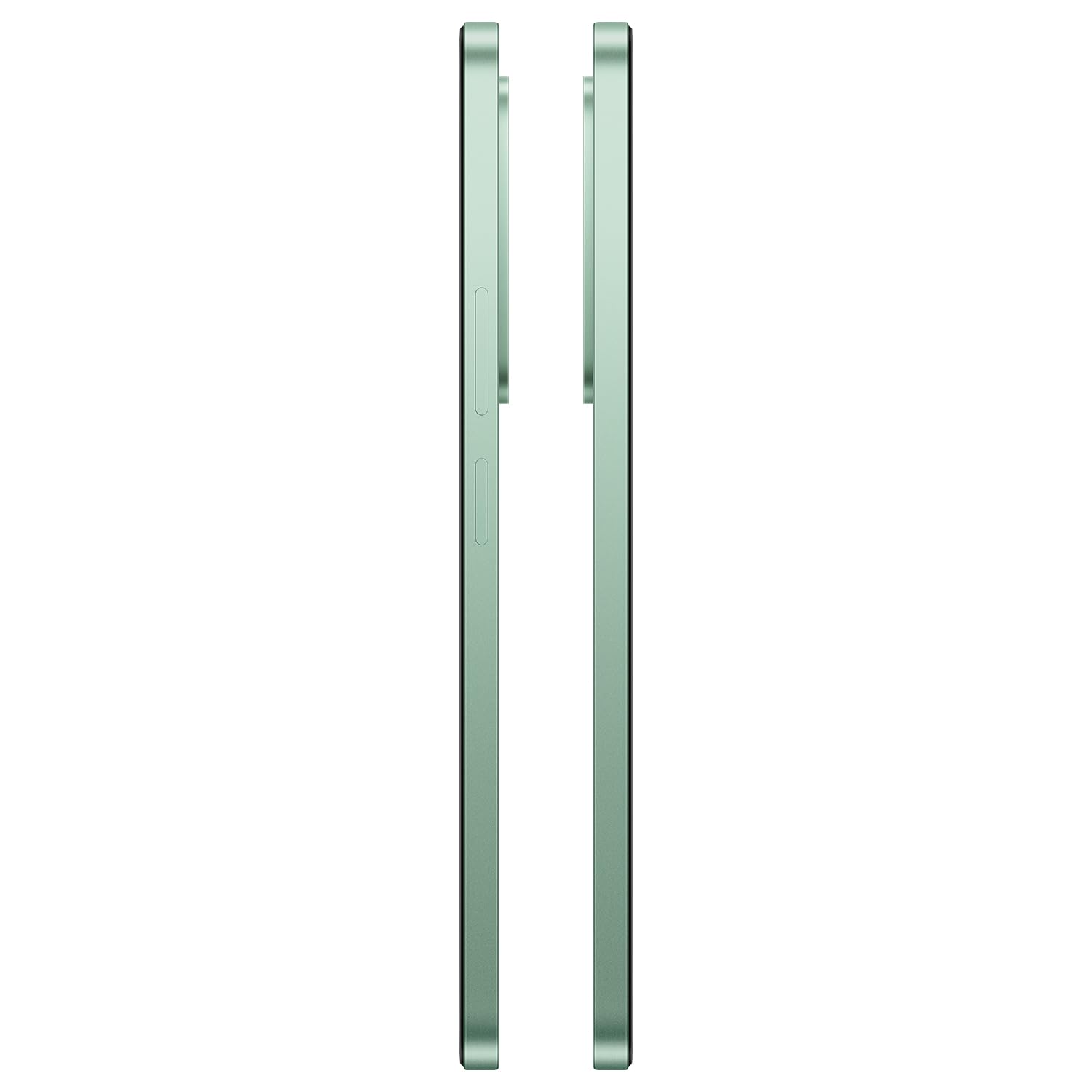
이미지: 측면 view of the OnePlus Nord CE6 Lite, indicating the location of the SIM card tray.
2.2. 초기 전원 켜기 및 설정
- OnePlus 로고가 나타날 때까지 전원 버튼을 길게 누르세요.
- 화면의 지시에 따라 언어를 선택하고, Wi-Fi에 연결하고, Google 계정을 설정하세요.
- Configure security features such as fingerprint recognition and screen lock.
2.3. 장치 충전
The OnePlus Nord CE6 Lite is equipped with a 7000mAh battery and supports 45W SUPERVOOC fast charging. Use the provided power adapter and USB Type-C cable for optimal charging speed.
- USB Type-C 케이블을 휴대폰 하단의 충전 포트에 연결합니다.
- 전원 어댑터를 벽면 콘센트에 꽂으세요.
- A full charge takes approximately 97 minutes. A quick 10-minute charge can provide up to 7.5 hours of call time.

Image: The OnePlus Nord CE6 Lite charging with its 45W SUPERVOOC fast charger, highlighting the 7000mAh battery capacity.
3. 장치 작동
3.1. 디스플레이 기능
Experience fluid visuals on the 6.72-inch LCD display with a 144Hz refresh rate and 2400 x 1080 pixel resolution. The display offers up to 1000 nits peak brightness for clear viewing even in bright sunlight. Aqua Touch technology ensures precise control, even with wet or oily fingers.

Image: The OnePlus Nord CE6 Lite display highlighting its 144Hz refresh rate for smooth visuals.
3.2. 성능 및 게임
Powered by the MediaTek Dimensity 7400 Apex Processor and 8GB RAM, the Nord CE6 Lite delivers enhanced performance for multitasking and gaming. Enjoy up to 144 FPS support for compatible games and 90 FPS for top-rated shooters, ensuring a responsive and lag-free experience.

Image: Visual representation of the MediaTek Dimensity 7400 Apex Processor, 8GB RAM, and 256GB ROM.

Image: A user playing a game on the OnePlus Nord CE6 Lite, illustrating high FPS gaming performance.
3.3. 카메라 사용
Capture every moment with the versatile triple camera system: a 50MP main camera, an 8MP front camera, and a 2MP depth-assist camera. Record sharp and smooth videos in 4K at 30 FPS. Utilize features like 4K Motion Photos, AI Portrait Glow, and AI Eraser for enhanced photography.
- 50MP 메인 카메라: For high-resolution photos and detailed shots.
- 8MP 전면 카메라: 선명한 셀카와 화상 통화를 위해.
- 2MP 심도 보조 카메라: Enhances portrait mode for professional-looking bokeh effects.
- 4K 비디오 녹화: Capture moments with superior clarity and motion.
- 4K Motion Photos: Bring still images to life with short video clips.
- AI 기능: Utilize AI Portrait Glow for improved portraits and AI Eraser to remove unwanted objects from photos.

Image: Diagram illustrating the 8MP front, 50MP main, and 2MP depth-assist cameras on the OnePlus Nord CE6 Lite.

Image: A scene captured with 4K 30 FPS video recording on the OnePlus Nord CE6 Lite.

Image: A comparison showing the effect of AI Portrait Glow on a photograph.
3.4. 소프트웨어 및 사용자 인터페이스
The OnePlus Nord CE6 Lite runs on OxygenOS 16, offering a smooth and intuitive user experience. It integrates Google Gemini, a personal AI assistant from Google, to help with various tasks from planning to learning.

Image: The OxygenOS 16 interface, showcasin깔끔하고 사용하기 쉬운 디자인이 특징입니다.

이미지: 전직ample of Google Gemini in action on the OnePlus Nord CE6 Lite, assisting with a query.
3.5. 오디오
Enhance your audio experience with the 300% Ultra Volume Mode, providing powerful sound that cuts through noise. The device features a Type-C headphone jack.

Image: The OnePlus Nord CE6 Lite illustrating the 300% Ultra Volume Mode for powerful audio output.
4. 유지관리
4.1. 기기 내구성
The OnePlus Nord CE6 Lite is built with military-grade durability, designed to withstand real-world toughness and maintain its performance for up to 5 years.

Image: The OnePlus Nord CE6 Lite depicted in a rugged environment, symbolizing its military-grade durability.
4.2. Battery Health Management
The 7000mAh battery is designed for longevity, retaining up to 80% of its capacity even after 6 years of daily use. To maximize battery life, avoid extreme temperatures and use the official charger.

Image: Graphic indicating 6 years of battery health for the OnePlus Nord CE6 Lite.
4.3. 냉각 시스템
The device features a category-leading 5,300 mm² VC (Vapor Chamber) cooling system to effectively manage heat during intensive tasks like gaming or heavy multitasking, ensuring stable performance.

이미지: 내부 view of the OnePlus Nord CE6 Lite highlighting the 5300 mm² vapor chamber cooling system.
5. 문제 해결
If you encounter issues with your OnePlus Nord CE6 Lite, consider the following basic troubleshooting steps:
- 장치 재시작: 간단한 재시작만으로도 많은 사소한 소프트웨어 오류를 해결할 수 있습니다.
- 연결 확인: Ensure Wi-Fi, Bluetooth, and cellular connections are active and stable.
- 소프트웨어 업데이트: 최적의 성능과 보안을 위해 시스템 업데이트를 정기적으로 확인하고 설치하세요. 설정 > 기기 정보 > OxygenOS 버전.
- 캐시 지우기: 앱이 제대로 작동하지 않는 경우 다음을 통해 캐시를 지워보세요. Settings > Apps > [App Name] > Storage usage > Clear cache.
- 공장 초기화 : As a last resort, if issues persist, you may consider a factory reset. 경고: 이렇게 하면 휴대전화의 모든 데이터가 삭제됩니다. 진행하기 전에 중요한 데이터를 백업하세요. Settings > System settings > Backup and reset > Reset phone > Erase all data.
For more advanced troubleshooting or persistent issues, please contact OnePlus customer support.
6. 사양
| 특징 | 세부 사항 |
|---|---|
| 상표 | 원플러스 |
| 모델 | Nord CE6 Lite |
| 운영 체제 | 산소OS 16 |
| 프로세서 | MediaTek Dimensity 7400 Apex (2.6 GHz) |
| 숫양 | 8GB (XNUMX기가바이트) |
| 저장 용량 | 128GB (XNUMX기가바이트) |
| 디스플레이 크기 | 6.72 인치 |
| 디스플레이 해상도 | 2400 x 1080 픽셀 |
| 새로 고침 빈도 | 144Hz |
| 메인 카메라 | 50 MP |
| 전면 카메라 | 8 MP |
| 비디오 캡처 해상도 | 4K 30FPS |
| 배터리 용량 | 7000mAh |
| 충전 중 | 45W SUPERVOOC 고속 충전 |
| SIM 카드 슬롯 수 | Dual SIM (Nano) |
| 연결성 | 5G, 블루투스, USB Type-C, Wi-Fi |
| 생체 인식 보안 | 지문 인식 |
| 방수 레벨 | 방수 |
| 품목 무게 | 208그램 |
| 품목 치수 | 16.6 x 7.6 x 0.9 센티미터 |
7. 상자 안에 무엇이 들어있나요?
Your OnePlus Nord CE6 Lite package includes the following items:
- OnePlus Nord CE6 Lite Smartphone
- 전원 어댑터(45W SUPERVOOC)
- USB 케이블(C형)
- 전화 케이스
- 빠른 시작 가이드
- SIM 트레이 이젝터
8. 보증 및 지원
8.1. 보증 정보
The OnePlus Nord CE6 Lite comes with a 1-year manufacturer's warranty. Please refer to the warranty card included in your package for detailed terms and conditions. Additional protection plans may be available for purchase separately.
8.2. 제조업체 연락처 정보
For support, service, or inquiries, please contact the manufacturer:
제조업체: DBG 테크놀로지(인도) 프라이빗 리미티드
주소: PLOT NO 10, SECTOR-5, HSIIDC INDUSTRIAL MODEL TOWNSHIP, BAWAL, REWARI, HARYANA -123501, India
You can also visit the official OnePlus support web추가 지원은 사이트를 참조하세요.