
소개
Thank you for choosing the GOBOULT Y1 v2.0 Wireless Earbuds. This manual provides essential information for setting up, operating, and maintaining your earbuds to ensure optimal performance and longevity. Please read it carefully before use.
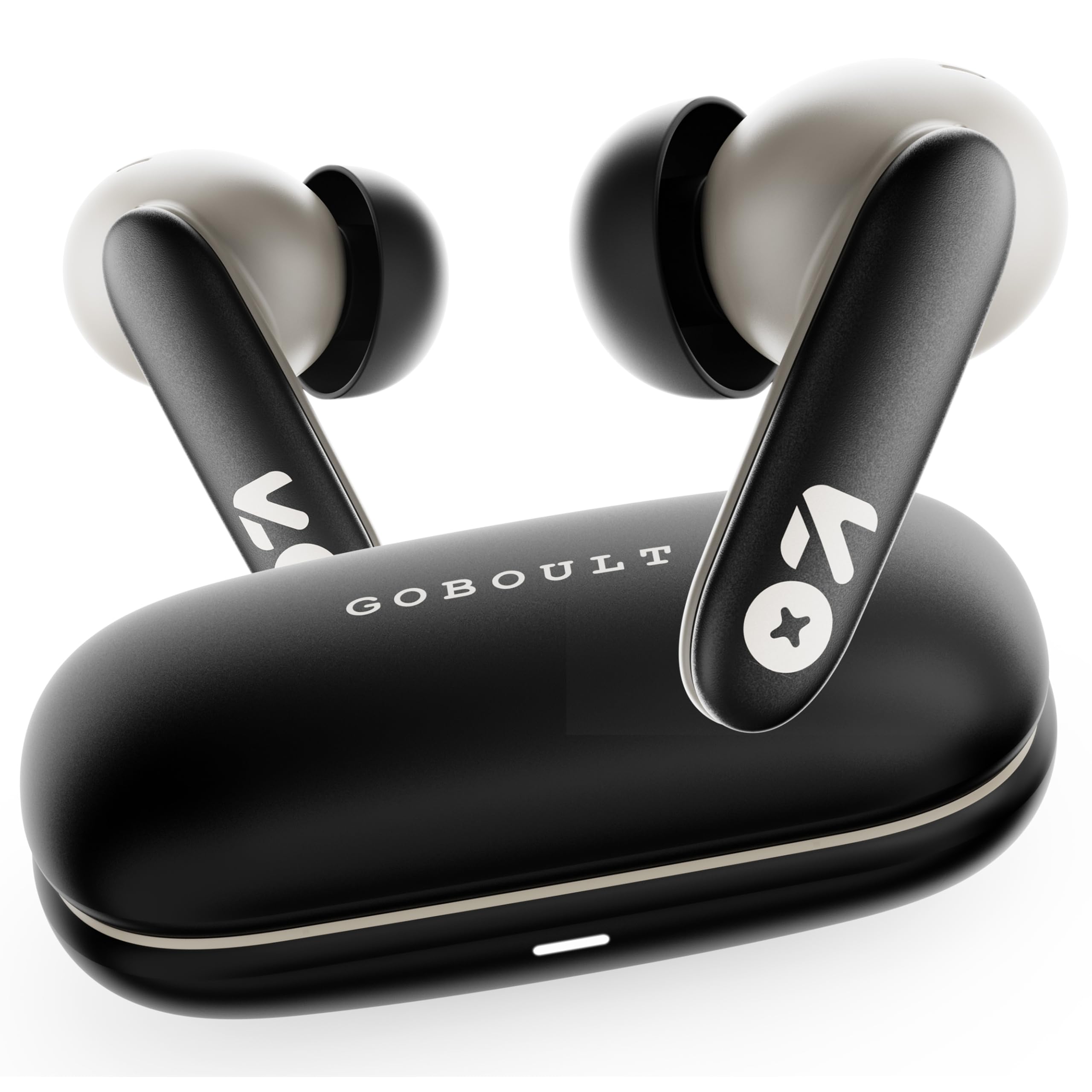
Image: GOBOULT Y1 v2.0 Wireless Earbuds and their charging case, showcasin세련된 디자인.
상자 안에 무엇이 들어있나요?
- GOBOULT Y1 v2.0 Wireless Earbuds
- 충전 케이스
- USB Type-C 충전 케이블
- 이어쿠션(다양한 사이즈)
- 사용자 설명서
- 보증 카드
제품 특징
The GOBOULT Y1 v2.0 earbuds are designed with advanced features for an enhanced audio experience:
- 연장된 플레이 시간: 충전 케이스를 사용하면 최대 60시간 동안 재생할 수 있습니다.
- 블루투스 6.0 : Ensures fast, stable, and efficient wireless connectivity.
- Zen Quad Mic ENC: Environmental Noise Cancellation with four microphones for clear calls.
- 낮은 지연 시간: 45ms ultra-low latency for gaming and video synchronization.
- 터치 컨트롤: 직관적인 터치 센서로 음악, 통화 및 음성 비서를 관리할 수 있습니다.
- 듀얼 기기 페어링: Connect and switch seamlessly between two devices.
- 13mm Bass Driver: 강력한 저음과 선명한 오디오를 제공합니다.
- AMP 앱 지원: Customize audio settings and controls via the dedicated application.
- IPX5 방수 : 땀과 가벼운 물 튀김으로부터 보호해줍니다.
- 빠른 충전: Type-C port for quick charging of the case.

이미지: 이상view of GOBOULT Y1 v2.0 features including sleek design, AMP App support, Bluetooth 6.0, 60 hours battery life, and dual device pairing.
설치 가이드
1. 이어버드와 케이스 충전
처음 사용하기 전에 이어버드와 충전 케이스를 완전히 충전하세요.
- 이어버드를 충전 케이스에 넣으세요. 이어버드가 제대로 장착되었는지 확인하세요.
- USB Type-C 충전 케이블을 케이스의 충전 포트와 전원에 연결합니다.
- 케이스의 LED 표시등은 충전 상태를 표시합니다. 완전히 충전하는 데는 일반적으로 약 1.5~2시간이 걸립니다.

Image: The GOBOULT Y1 v2.0 earbuds and charging case, highlighting the 60-hour battery life and Type-C fast charging capability.
2. Initial Pairing (Single Device)
- 충전 케이스를 여세요. 이어버드가 자동으로 페어링 모드로 진입합니다.
- 기기(스마트폰, 태블릿 등)에서 Bluetooth를 활성화하세요.
- 검색 available Bluetooth devices and select "GOBOULT Y1 v2.0".
- 연결되면 확인음이 들립니다.
3. 두 기기 페어링
The Y1 v2.0 supports connecting to two devices simultaneously.
- Pair the earbuds with your first device as described in "Initial Pairing".
- 첫 번째 기기에서 블루투스를 끄세요. 그러면 이어버드가 다시 페어링 모드로 들어갑니다.
- 이어버드를 두 번째 기기와 페어링하세요.
- Re-enable Bluetooth on the first device. The earbuds should automatically connect to both devices.
- To switch between devices, simply play audio on the desired device.

Image: The GOBOULT Y1 v2.0 earbuds connected to both a laptop and a smartphone, illustrating the dual device pairing feature.
작동 지침
1. 터치 컨트롤
The earbuds feature intuitive touch controls on their stems:
| 행동 | 기능 |
|---|---|
| 단일 탭(왼쪽/오른쪽) | 음악 재생/일시 정지, 전화 받기/종료 |
| 더블 탭(오른쪽) | 다음 트랙 |
| 더블 탭(왼쪽) | 이전 트랙 |
| 트리플 탭(왼쪽/오른쪽) | 음성 지원 활성화 |
| 길게 누르기(왼쪽/오른쪽) | 전화 거부 |
| 길게 누르기(오른쪽) | 볼륨을 높이다 |
| 길게 누르기(왼쪽) | 볼륨 낮추기 |

Image: Visual representation of touch controls for music playback and call management, along with the IPX5 water resistance rating.
2. 음성 지원
Activate your device's voice assistant (Siri, Google Assistant) by triple-tapping either earbud. You can then issue commands like making calls or playing music.

Image: The GOBOULT Y1 v2.0 earbuds highlighting Bluetooth 6.0 for stable connection and integration with AI voice assistants like Siri and Google Assistant.
3. 게임 모드 (저지연)
For an optimized gaming experience, activate the 45ms ultra-low latency gaming mode. Refer to the AMP App or specific touch control gestures (if available) for activation.

Image: The GOBOULT Y1 v2.0 earbuds illustrating the 45ms ultra-low latency Gaming Mode.
4. AMP 앱 지원
Download the GOBOULT AMP App to unlock advanced customization options:
- Adjust Equalizer (EQ) settings for personalized sound.
- 터치 컨트롤을 사용자 정의합니다.
- Access additional features like Water Ejection mode.

Image: Screenshot of the GOBOULT AMP App interface, demonstrating equalizer adjustments and other customization features.
유지
1. 청소
정기적인 청소는 건전한 품질과 위생을 유지하는 데 도움이 됩니다.
- 부드럽고 마른 보푸라기 없는 천으로 이어폰과 충전 케이스를 닦으세요.
- 작은 브러시나 면봉을 사용하여 이어팁과 스피커 메시에서 귀지나 이물질을 부드럽게 제거하십시오.
- 연마성 세척제, 알코올, 화학 용제는 사용하지 마세요.
2. 방수 기능(IPX5)
The GOBOULT Y1 v2.0 earbuds are rated IPX5 water resistant, meaning they are protected against low-pressure water jets from any direction. This makes them suitable for workouts and light rain.
- 이어버드를 물에 담그지 마세요.
- 충전 케이스는 방수가되지 않습니다.
- 손상을 방지하려면 이어폰을 충전 케이스에 다시 넣기 전에 이어폰이 건조한지 확인하세요.
문제 해결
| 문제 | 해결책 |
|---|---|
| 이어폰이 페어링되지 않음 | 이어버드가 충전되어 있는지 확인하세요. 기기의 Bluetooth를 껐다가 다시 켜세요. Bluetooth 설정에서 기기를 삭제하고 다시 페어링하세요. |
| 하나의 이어폰만 작동 | Place both earbuds back in the case, close it, then open again. Ensure both are charged. Reset earbuds if issue persists. |
| 볼륨이 낮거나 음질이 좋지 않음 | Clean earbud speaker mesh. Adjust volume on both earbuds and connected device. Try different ear tip sizes for a better seal. |
| 충전 케이스가 충전되지 않음 | Check USB Type-C cable and power adapter. Ensure connections are secure. |
명세서
| 특징 | 세부 사항 |
|---|---|
| 상표 | 고볼트 |
| 모델명 | Y1 v2.0 (Airbass) |
| 귀 위치 | 귀에 |
| 소음 제어 | 환경 소음 제거(ENC) |
| 블루투스 버전 | 6.0 |
| 블루투스 범위 | 10 미터 |
| 배터리 수명(전체) | 최대 60시간 |
| 오디오 드라이버 크기 | 13 밀리미터 |
| 오디오 지연 | 45밀리초(게임 모드) |
| 주파수 응답 | 20Hz - 20,000Hz |
| 방수 레벨 | IPX5 |
| 제어 방법 | 터치 컨트롤, 앱 |
| 호환 장치 | Android, iOS, Desktops, Laptops, Tablets |
| 품목 무게 | 50그램 |

Image: A detailed comparison table showing the specifications of GOBOULT Y1 v2.0 versus the previous Y1 model, highlighting improvements.
보증 및 지원
The GOBOULT Y1 v2.0 Wireless Earbuds come with a 1년 제조사 보증 구매일로부터 유효합니다. 이 보증은 제조상의 결함에 적용됩니다.
For warranty claims, technical support, or any product-related inquiries, please refer to the contact information provided on your warranty card or visit the official GOBOULT support web대지.