
1. 서론
Thank you for choosing the THOMSON TDF-1001P Digital Photo Frame. This device allows you to display your favorite photos and videos, play music, and utilize features like a calendar, clock, and alarm. With Wi-Fi connectivity, you can easily share media and receive weather updates. Please read this manual thoroughly before operating the device to ensure proper use and maintenance.
2. 안전 정보
- 기기를 습기, 비 또는 극한 온도에 노출시키지 마십시오.
- 열원 근처나 직사광선에 장치를 두지 마십시오.
- 제공된 전원 어댑터만 사용하십시오. 승인되지 않은 어댑터를 사용하면 기기가 손상되고 보증이 무효화될 수 있습니다.
- 기기를 직접 분해하거나 수리하지 마십시오. 모든 정비는 자격을 갖춘 기술자에게 맡기십시오.
- 장치를 강한 자기장에서 멀리 두십시오.
- Clean the screen with a soft, dry cloth. Do not use liquid cleaners or sprays directly on the screen.
3. 패키지 내용
다음 품목이 패키지에 포함되어 있는지 확인하세요.
- THOMSON TDF-1001P Digital Photo Frame
- 전원 어댑터
- 사용 설명서 (본 문서)
- (해당되는 경우) 스탠드
4. 제품 오버view
디지털 액자의 구성 요소를 숙지하세요.
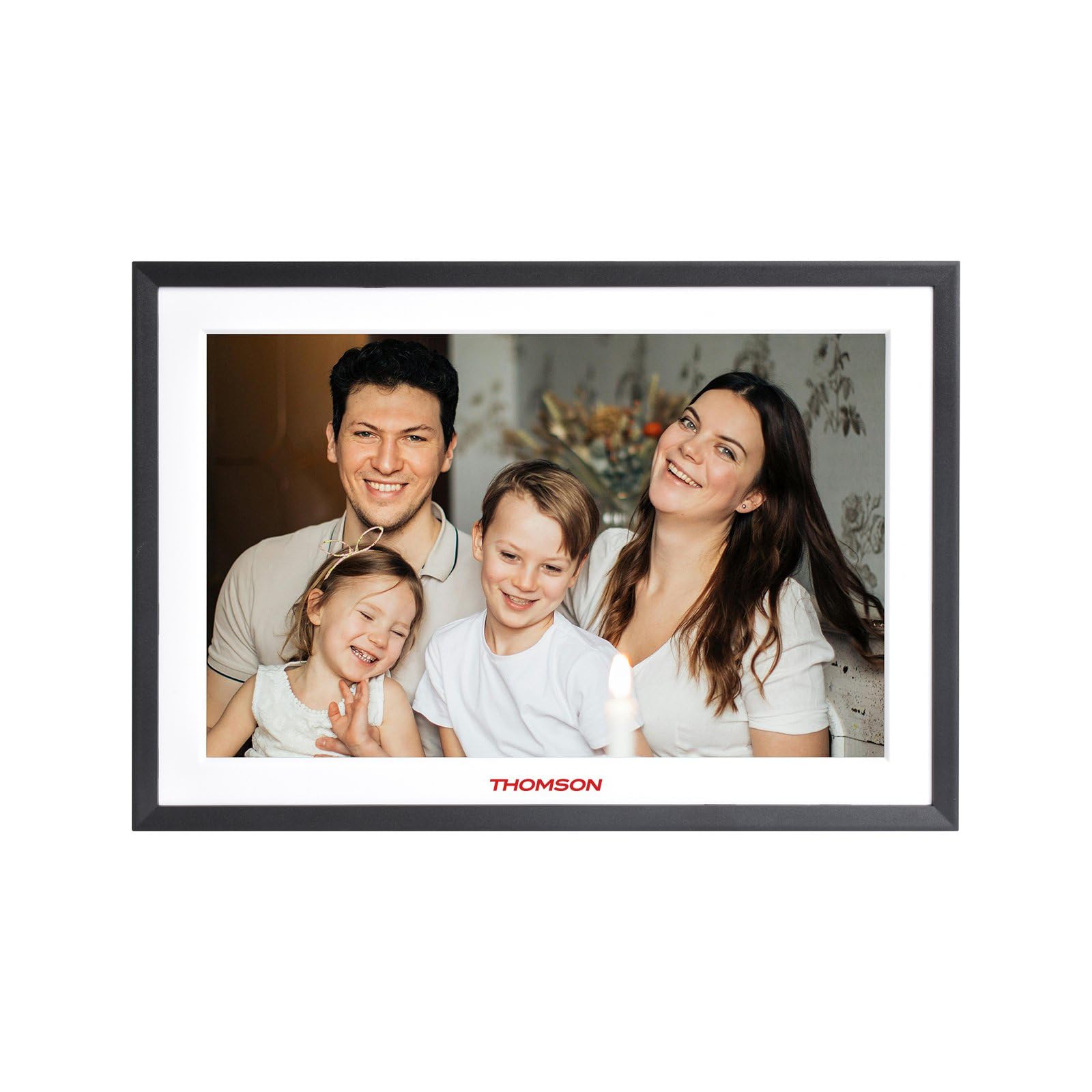
그림 4.1: 앞쪽 view of the THOMSON TDF-1001P Digital Photo Frame. This image shows the 10.1-inch IPS display with a black frame, designed for clear photo and video playback.
4.1. 전면 패널
- 10.1인치 IPS 터치스크린: The main display for viewing content and interacting with the device.
4.2. 후면 패널 및 포트
The rear panel typically includes various ports for connectivity and power.
- 전원 입력: 제공된 전원 어댑터에 연결합니다.
- USB 포트: For connecting USB drives to transfer media.
- SD 카드 슬롯: For inserting SD cards to expand storage or transfer media.
- 재설정 버튼: A small pinhole button to reset the device if necessary.
5. 설정
5.1. 초기 전원 켜기
- Unpack the digital photo frame and its accessories.
- Attach the stand to the back of the frame, ensuring it is securely fastened.
- 전원 어댑터를 프레임의 전원 입력 포트에 연결하십시오.
- 전원 어댑터를 벽면 콘센트에 꽂으세요. 액자가 자동으로 켜집니다.
- 화면의 지시에 따라 언어와 지역을 선택하십시오.
5.2. Wi-Fi 연결
Connecting to Wi-Fi enables online features like photo sharing and weather updates.
- 메인 메뉴에서 '설정'을 탭하세요.
- Select 'Wi-Fi' or 'Network Settings'.
- Toggle Wi-Fi to 'On'. The frame will scan for available networks.
- 목록에서 원하는 Wi-Fi 네트워크를 선택하세요.
- 화면 키보드를 사용하여 Wi-Fi 비밀번호를 입력하고 '연결'을 탭하세요.
- 연결되면 상태 표시줄에 Wi-Fi 아이콘이 나타납니다.
5.3. App Setup for Sharing
To share photos and videos via Wi-Fi, you will need to install the dedicated app on your smartphone.
- Locate the app name or QR code in the frame's settings under 'Cloud Services' or 'App Connection'.
- Download and install the app on your smartphone from your device's app store.
- 앱을 열고 계정을 만들거나 로그인하세요.
- Follow the app's instructions to pair your smartphone with the digital photo frame, typically by scanning a QR code displayed on the frame or entering a unique device ID.
- Once paired, you can send photos and videos directly from your smartphone to the frame.
6. 디지털 액자 작동 방법
6.1. 인터페이스 탐색
The frame features a touch screen for easy navigation. Tap icons to open applications and swipe to browse content or menus.
6.2. 사진 및 비디오 재생
- From the main menu, tap the 'Photos' or 'Gallery' icon.
- Select the source of your media (Internal Storage, SD Card, USB Drive, or Cloud/App).
- Browse through your albums or individual files. Tap on a photo or video to view 그것.
- During playback, you can typically swipe left/right to navigate between files, or tap the screen to reveal playback controls (play/pause, next, previous, rotate, delete).
6.3. 음악 재생
- Tap the 'Music' icon from the main menu.
- Select the source of your music files.
- Browse and tap on a song to begin playback.
- Use the on-screen controls for play/pause, skip, volume adjustment, and repeat modes.
6.4. Calendar, Clock, and Alarm
- 달력: '달력' 아이콘을 탭하세요 view the current date and month. Some models may allow adding events.
- 시계: The current time is usually displayed on the home screen. Time settings can be adjusted in the 'Settings' menu.
- 경보: Access the 'Alarm' function via the main menu or 'Settings'. You can set multiple alarms with custom times and sounds.
6.5. Weather Updates
If connected to Wi-Fi, the frame can display local weather information.
- 액자 프레임이 Wi-Fi에 연결되어 있는지 확인하십시오.
- Go to 'Settings' and find 'Weather' or 'Location Services'.
- Enable weather updates and set your location (either automatically or manually).
- The weather forecast will then be displayed on the home screen or a dedicated weather widget.
7. 유지관리
7.1. 장치 청소
- 청소하기 전에는 항상 장치의 전원을 끄고 플러그를 뽑으세요.
- 부드럽고 보풀 없는 천으로 화면과 프레임을 살살 닦아주세요.
- 화면에 끈적끈적한 얼룩이 있는 경우 가볍게 dampen the cloth with water or a screen-safe cleaning solution, then wipe gently. Do not spray liquids directly onto the screen.
- 연마성 세척제나 용매는 피하세요.
7.2. 보관
When not in use for extended periods, store the digital photo frame in a cool, dry place, away from direct sunlight and extreme temperatures. It is recommended to keep the original packaging for storage.
8. 문제 해결
이 섹션에서는 일반적으로 발생할 수 있는 문제에 대해 설명합니다.
| 문제 | 가능한 원인 | 해결책 |
|---|---|---|
| 프레임의 전원이 켜지지 않습니다. | 전원 어댑터가 연결되지 않았거나 결함이 있습니다. | 전원 어댑터가 프레임과 전원 콘센트에 제대로 연결되어 있는지 확인하세요. 다른 콘센트를 사용해 보세요. |
| Wi-Fi에 연결할 수 없습니다. | 비밀번호가 잘못되었거나, 연결 범위를 벗어났거나, 라우터에 문제가 있을 수 있습니다. | Verify the Wi-Fi password. Move the frame closer to the router. Restart your Wi-Fi router. |
| 사진/동영상이 표시되지 않습니다. | 지원되지 않음 file 형식이 손상되었습니다. files, or incorrect source selected. | 보장하다 files are in supported formats (e.g., JPEG for photos, MP4 for videos). Check if the files are corrupted. Select the correct storage source (SD card, USB, internal). |
| 터치 스크린이 반응하지 않습니다. | 일시적인 소프트웨어 오류입니다. | Restart the frame by unplugging and replugging the power adapter. If the issue persists, use a pin to press the reset button on the back. |
9. 사양
| 특징 | 사양 |
|---|---|
| 모델 | TDF-1001P |
| 디스플레이 크기 | 10.1인치 |
| 해결 | 800 * 1280 IPS |
| 종횡비 | 16시 10분 |
| Internal Flash Storage | 32GB (XNUMX기가바이트) |
| 터치 스크린 | G+P Type |
| 연결성 | 와이파이 |
| 기능 | Photo, Music, Video, Calendar, Clock, Alarm, Weather, Wi-Fi Sharing |
| 재료 | Plastic black frame and white middle frame |
| 품목 치수(L x W) | 7.25인치 길이 x 10.44인치 너비 |
| 전원 | 코드식 전기 |
10. 보증 정보
The THOMSON TDF-1001P Digital Photo Frame comes with a 1년 한정 보증 from the date of purchase. This warranty covers manufacturing defects in materials and workmanship under normal use. It does not cover damage caused by misuse, accidents, unauthorized modifications, or external causes such as power surges.
Please retain your proof of purchase for warranty claims. For detailed warranty terms and conditions, refer to the warranty card included in your package or contact customer support.
11. 고객 지원
If you have any questions, require technical assistance, or need to make a warranty claim, please contact THOMSON customer support. Refer to the contact information provided on the product packaging or the official THOMSON web대지.
When contacting support, please have your product model number (TDF-1001P) and proof of purchase readily available.