
소개
This manual provides essential information for setting up, operating, maintaining, and troubleshooting your Xiaomi 17T smartphone. Please read this guide thoroughly to ensure optimal performance and longevity of your device.
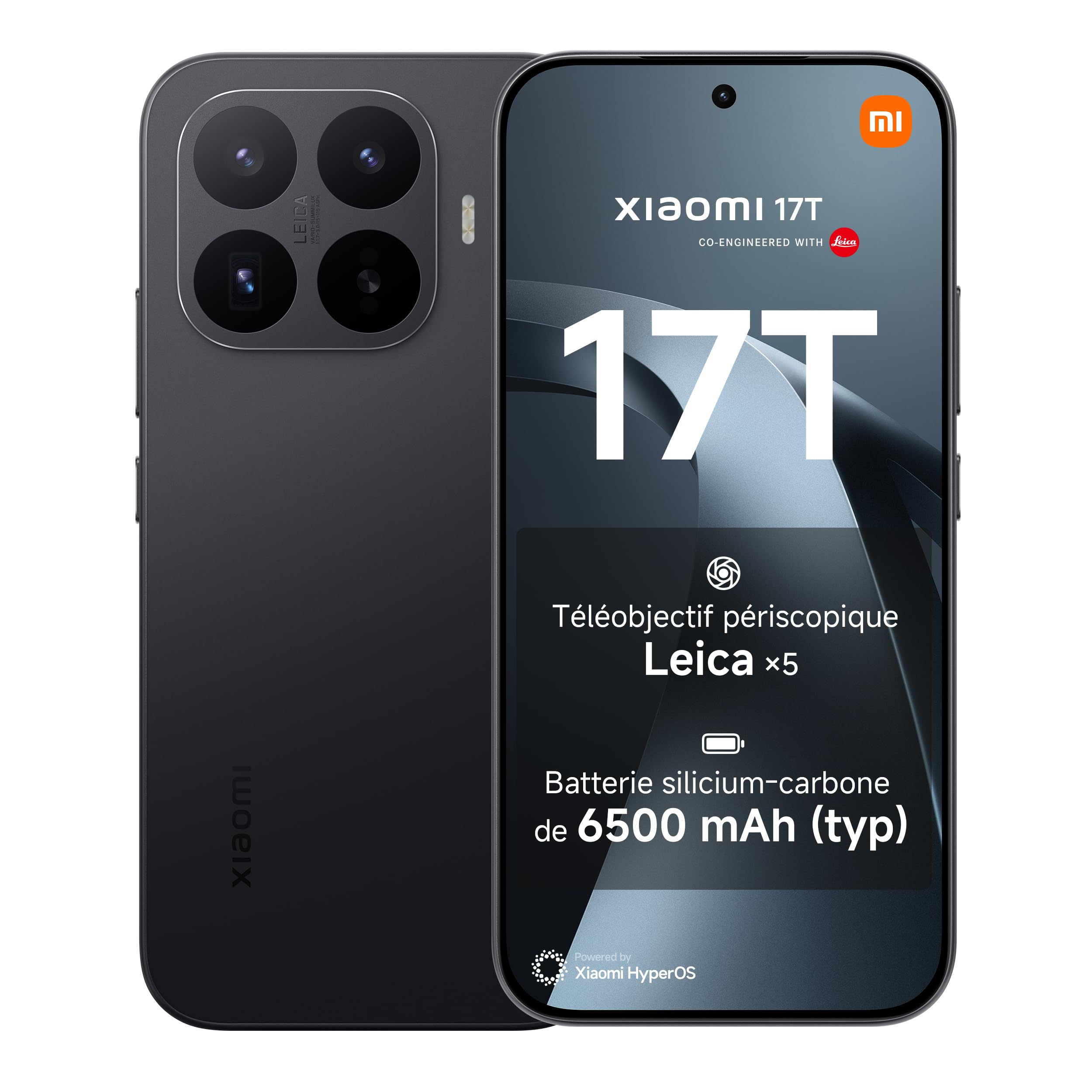
이미지: 앞면과 뒷면 view of the Xiaomi 17T smartphone in black.
설정
1. 언박싱 및 초기 검사
Carefully remove all items from the packaging. Verify that all components are present and undamaged.
패키지 내용:
- 샤오미 17T 스마트폰
- USB 케이블(C형)
- 전화 케이스
- SIM 이젝터 도구

Image: The contents of the Xiaomi 17T retail box, showing the smartphone, USB-C cable, protective case, and SIM ejector tool.
2. SIM 카드 삽입
- 기기 측면에서 SIM 카드 트레이를 찾으세요.
- SIM 꺼내기 도구를 트레이 옆에 있는 작은 구멍에 넣고 트레이가 튀어나올 때까지 단단히 누르세요.
- Place your Nano-SIM card(s) into the tray with the gold contacts facing down. The Xiaomi 17T supports Dual SIM functionality.
- 트레이를 조심스럽게 전화기에 다시 삽입하세요.
3. 초기 충전 및 전원 켜기
Before first use, it is recommended to fully charge your device. Connect the USB cable to the phone's USB Type-C port and to a compatible power adapter (67W or higher recommended, consult your local retailer for availability). Press and hold the power button until the Xiaomi logo appears to turn on the device.
Operating Your Xiaomi 17T
디스플레이 기능
The Xiaomi 17T features a 6.59-inch AMOLED display with a 120Hz refresh rate. It incorporates Xiaomi Vision Care technology, including Wet Touch 2.0 and low blue light certification, designed for enhanced visual comfort and eye protection.

Image: Illustration of the Xiaomi Vision Care display technology on the smartphone screen.
카메라 시스템
The device is equipped with a Leica co-engineered triple camera system, featuring a 50 MP rear sensor and a 32 MP front sensor. A key highlight is the Leica x5 telephoto lens, offering up to x120 AI Ultra Zoom for capturing distant subjects with clarity. The Leica Live Moment feature enhances photo capture by preserving the context before the shutter press.

이미지: 클로즈업 view of the triple Leica camera system on the back of the Xiaomi 17T.

이미지: 전직ample of the Leica Live Moment feature in action, capturing a dynamic scene.
성능 및 배터리
Powered by the MediaTek Dimensity 8500-Ultra processor and an 8-core GPU, the Xiaomi 17T delivers robust performance for multitasking and demanding applications. The 6500mAh battery provides approximately 17.2 hours of continuous use. The device supports 67W HyperCharge, allowing a full charge in approximately 58 minutes. It also supports PD/PPS 50W fast charging and 22.5W wired reverse charging.

Image: Diagram illustrating the 6500mAh battery inside the Xiaomi 17T smartphone.

Image: Close-up of the MediaTek Dimensity 8500-Ultra processor chip.
Operating System and Security
The Xiaomi 17T runs on Hyper OS, offering a smooth and intuitive user experience. For security, the device includes fingerprint recognition.

Image: The Xiaomi HyperOS logo, indicating the operating system.
유지
배터리 관리
To maximize battery lifespan, avoid exposing the device to extreme temperatures. Use only the provided or certified charging accessories. Regular full discharge and recharge cycles are not necessary for modern lithium-ion batteries.
화면 관리
The display is designed for durability, but avoid sharp objects and excessive pressure. Clean the screen with a soft, lint-free cloth. The Wet Touch 2.0 technology allows for improved responsiveness even with wet fingers.
냉각 시스템
The Xiaomi 17T incorporates a Xiaomi 3D IceLoop cooling system to manage internal temperatures during intensive use, ensuring stable performance. Ensure proper airflow around the device during heavy tasks.
문제 해결
If you encounter issues with your Xiaomi 17T, consider the following basic troubleshooting steps:
- 장치가 응답하지 않음: 강제로 재시작하려면 전원 버튼을 약 10~15초 동안 길게 누르십시오.
- 충전 문제: Ensure the USB cable and power adapter are securely connected and undamaged. Try a different compatible charger if available.
- 네트워크 연결성: Check if your SIM card is correctly inserted. Toggle Airplane Mode on and off. Restart the device.
- 앱 오류: 문제가 있는 애플리케이션을 닫았다가 다시 열어보세요. 문제가 지속되면 앱의 캐시를 지우거나 다시 설치해 보세요.
For more detailed troubleshooting or persistent issues, please refer to the official Xiaomi support resources or contact customer service.
For safety information, please refer to the 안전 정보 PDF.
명세서
| 특징 | 세부 사항 |
|---|---|
| 상표 | 샤오미 |
| 모델명 | 샤오미 17T |
| 운영 체제 | 하이퍼 OS |
| 숫양 | 12GB (XNUMX기가바이트) |
| 저장 용량 | 256GB (XNUMX기가바이트) |
| 화면 크기 | 6.59 인치 |
| 해결 | 2756 x 1268 |
| 새로 고침 빈도 | 120Hz |
| 셀룰러 기술 | 5G |
| 무선 통신사 | 모든 통신사 |
| 색상 | 느와르(검정) |
| SIM 카드 슬롯 | 더블 SIM |
| 생체 인식 보안 | 지문 인식 |
| 전면 카메라 해상도 | 32 MP |
| 후면 카메라 해상도 | 50메가픽셀 |
| 디지털 줌 | 10 개 |
| 배터리 용량 | 6500mAh |
| 평균 배터리 수명 | 17.2시간(연속 사용) |
| Talk Time Battery Life | 30시간 |
| 품목 무게 | 219그램 |
| 품목 치수 | 16.1 x 7.5 cm (Height x Width) |
| 비디오 해상도 | 3840 MP (Effective), 4K, 8K (Capture) |
| 연결 기술 | 블루투스, NFC, Wi-Fi |
| 모델 연도 | 2026 |
| 원산지 | 중국 |
| 전자파 흡수율(SAR) | 1 Watts per kilogram |
| EU Product Information | EPREL 데이터베이스 링크 |
보증 정보
The Xiaomi 17T smartphone comes with a 2년 제조사 보증, supplemented by an additional one-year extended warranty. No activation is required for this extended warranty.
또한, free screen replacement is provided for the first six months from the date of purchase. Please refer to the warranty card included in your package or the official Xiaomi web전체 이용 약관에 대한 사이트.

이미지: 이상view of warranty and service offers for the Xiaomi 17T, including free screen replacement and extended warranty.
지원 및 연락처
For further assistance, technical support, or service inquiries, please contact Xiaomi customer support:
- 제조업체: 샤오미
- 서비스 제공자: 샤오미 테크놀로지 네덜란드 BV
- 주소: Vriendweg 2, 5657 EH, The Hague, Pays-Bas
- 이메일: compliance@xiaomi.com
- 핸드폰: +31 0900 3344553
- 공식적인 Web대지: www.mi.com
공식을 방문할 수도 있습니다 아마존의 샤오미 스토어 제품 정보 및 액세서리에 대한 정보는 여기에서 확인하세요.