
1. 서론
The Sonew V831 AI Development Module is a high-performance, low-power vision AI board designed for Python development within an AloTLinux environment. It integrates a single-core ARM Cortex A7 processor, supporting frequencies up to 800MHz. This module is optimized for advanced video coding and image processing tasks, making it suitable for a wide range of applications including security monitoring, SDV, dashcams, and wearable cameras.
The V831 features comprehensive H/H.265 video coding support, multi-stream coding capabilities, and can achieve 1080p video coding performance at 30 frames per second. It incorporates advanced image correction algorithms such as ISP image processor, NPU, EISE, wide-angle distortion correction, fisheye, and PTZ correction to deliver professional image effects. For cost efficiency and low power consumption, the V831 includes an embedded 64MB DDR2 chip and utilizes an advanced low-power architecture.
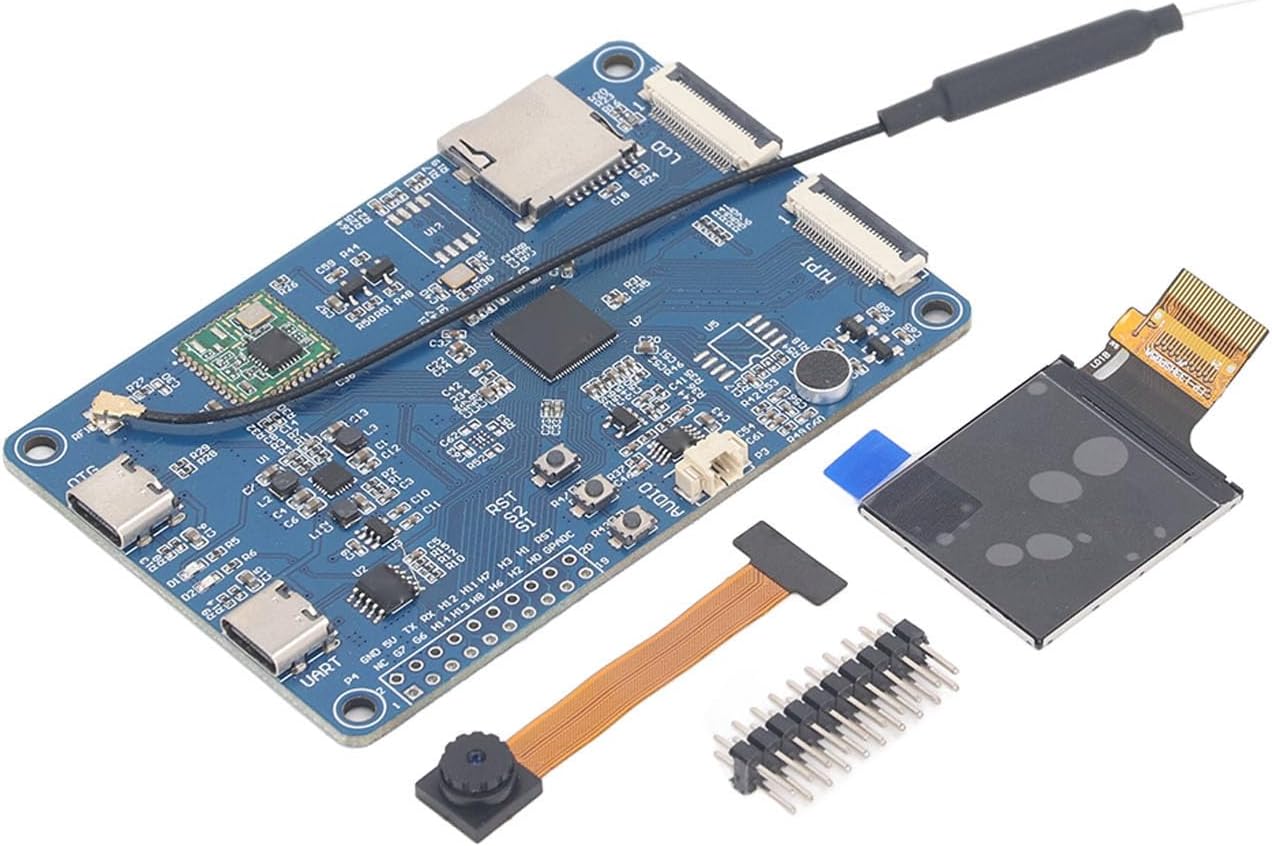
Figure 1: Sonew V831 AI Development Module with attached antenna.
2. 패키지 내용
아래 나열된 모든 품목이 패키지에 들어 있는지 확인하세요.
- 1 x V831 Visual AI Development Board
- 1 x LCD Screen 1.3TFI 24PIH 240x240
- 1 x Camera Module 0V2685 MIFl Interface 24P
- 1 x 2x10P Double Row Needle
- 1 x 보관 상자
Note: Small memory card is not included.
3. 설정 지침
Follow these steps to set up your Sonew V831 AI Development Module:
- Prepare the Development Board: Carefully remove the V831 development board from its packaging. Handle the board by its edges to avoid touching sensitive components.
- 카메라 모듈을 연결하세요: Locate the MIPI interface connector on the V831 board. Gently insert the ribbon cable of the 0V2685 Camera Module into this connector, ensuring it is properly aligned and secured.
- Attach the LCD Screen: Identify the LCD connector on the V831 board. Connect the 1.3TFI 24PIH 240x240 LCD Screen to this interface. Ensure the connection is firm.
- Install the Double Row Needle: If required for your specific application or debugging, attach the 2x10P Double Row Needle to the corresponding pin headers on the board.
- 전원 연결: Connect a compatible 5V power supply to the appropriate power input port (e.g., USB-C OTG or UART) on the V831 board. Ensure the power supply meets the board's requirements.
- 초기 부팅: Once all components are connected, power on the board. Observe the indicator lights for signs of activity.
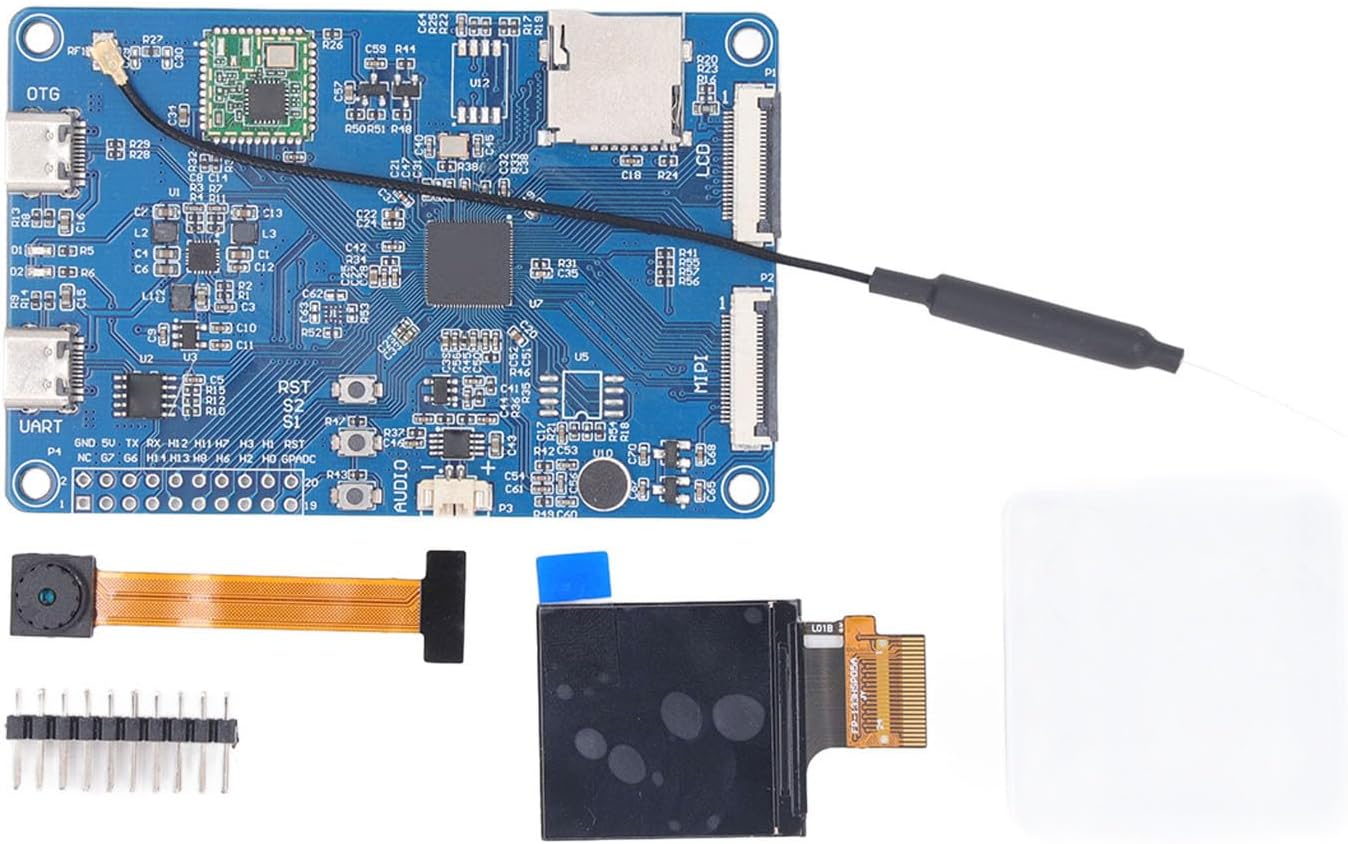
Figure 2: V831 Development Module with included camera, LCD, and pin header for assembly.

그림 3: 상세 view of the LCD connector on the V831 board.
4. 사용 설명서
The Sonew V831 AI Development Module operates within an AloTLinux environment, supporting Python development. Its primary functions revolve around video coding and advanced image processing.
- 소프트웨어 개발: Utilize the Allwinner SDK for developing applications. The SDK is known for its stability and ease of use, facilitating rapid prototyping and mass production.
- 비디오 처리: Leverage the H/H.265 video coding capabilities for capturing, encoding, and streaming video at resolutions up to 1080p at 30fps.
- 이미지 향상: Implement the integrated ISP image processor, NPU, and EISE for advanced image correction, including wide-angle distortion, fisheye, and PTZ adjustments.
- AI Applications: Develop and deploy AI-driven applications for vision tasks, taking advantage of the ARM Cortex A7 processor and NPU for efficient computation.
- 연결성: Utilize the available UART and OTG ports for communication and data transfer with other devices or for debugging purposes.
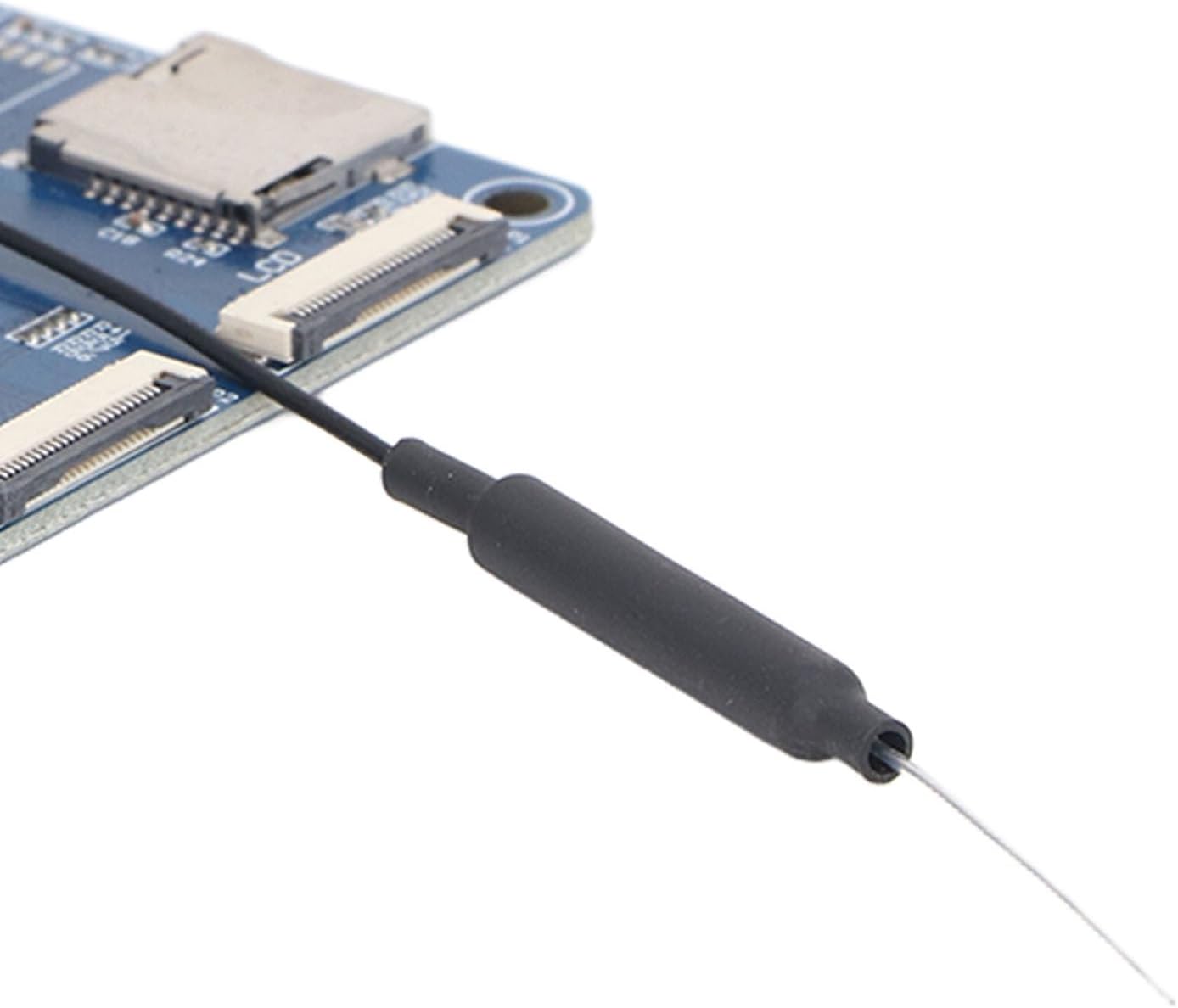
Figure 4: Close-up of the antenna connection point on the V831 board.
5. 유지관리
Proper maintenance ensures the longevity and reliable operation of your V831 AI Development Module:
- 손질: Always handle the board by its edges. Avoid touching the electronic components directly to prevent electrostatic discharge (ESD) damage.
- 청소: 보드에 먼지와 이물질이 묻지 않도록 하십시오. 부드럽고 마른 브러시나 압축 공기를 사용하여 표면을 살살 닦아주세요. 액체 세척제는 사용하지 마십시오.
- 저장: When not in use, store the board in its original anti-static packaging or a static-safe environment. Keep it away from extreme temperatures and humidity.
- 전원 공급 장치: Always use a stable and appropriate power supply (5V) to prevent damage to the board.
- 펌웨어 업데이트: Regularly check for and apply firmware updates from the manufacturer to ensure optimal performance and access to new features.
6. 문제 해결
If you encounter issues with your V831 AI Development Module, consider the following troubleshooting steps:
- 전원 없음/부팅 불가:
- 전원 공급 장치가 올바르게 연결되어 있고 지정된 5V 전압을 공급하는지 확인하십시오.
- 전원 케이블에 손상이 있는지 확인하세요.
- 전원이 정상적으로 작동하는지 확인하십시오.
- Display Issues (LCD):
- Confirm the LCD screen ribbon cable is securely and correctly inserted into the MIPI/LCD connector on the board.
- Check for any physical damage to the LCD screen or its cable.
- Camera Not Functioning:
- Ensure the camera module's ribbon cable is properly seated in its connector.
- Verify that the software drivers for the camera are correctly installed and configured in your AloTLinux environment.
- Software/Development Environment Issues:
- Refer to the Allwinner SDK documentation for specific software setup and debugging guides.
- Ensure your Python environment and necessary libraries are correctly installed.
- 과열:
- Ensure the board has adequate ventilation.
- Reduce workload if possible, or consider passive cooling solutions if operating in high-temperature environments.
위의 단계를 시도한 후에도 문제가 지속되면 8절에 제공된 지원 정보를 참조하십시오.
7. 사양
| 특징 | 세부 사항 |
|---|---|
| 프로세서 | Single-core ARM Cortex A7 |
| 빈도 | 최대 800MHz |
| 비디오 코딩 | H/H.265, 1080p @ 30fps |
| 메모리 | 64MB DDR2 (embedded) |
| 이미지 프로세서 | ISP, NPU, EISE |
| Correction Algorithms | Wide-angle distortion, fisheye, PTZ |
| 운영 체제 | AloTLinux (for Python development) |
| 모델 번호 | Sonewfx6gp95nwa |
| ASIN | B0GPWSZN1G |
| 소포 크기 | 15 x 10 x 3cm |
| 무게 | 35g |
8. 보증 및 지원
The Sonew V831 AI Development Module comes with a manufacturer warranty of 90 days from the date of purchase. This warranty covers defects in materials and workmanship under normal use.
For technical support, warranty claims, or further assistance, please contact Sonew customer service through the official channels provided at the point of purchase or on the Sonew brand website. Please have your product model number (Sonewfx6gp95nwa) and ASIN (B0GPWSZN1G) ready when contacting support.