
소개
The Roku Hiro 32-inch 720p HD Smart TV offers an integrated Roku streaming experience. This television features an HD display for clear picture quality and speakers with enhanced audio. It supports Bluetooth for private listening with headphones and includes Wi-Fi for internet connectivity. The Roku operating system provides a customizable home screen, access to numerous streaming channels, and automatic updates, making it suitable for various living spaces.
상자 안에 무엇이 들어있나요?
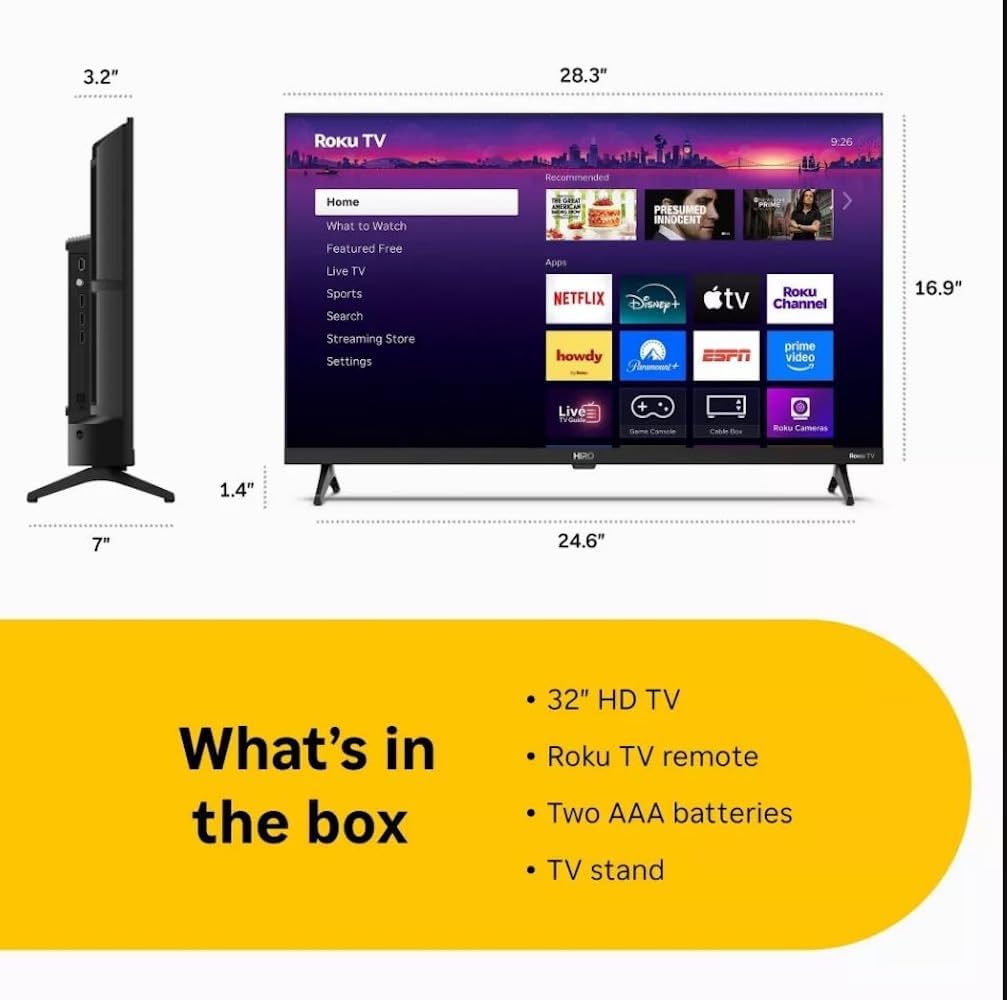
Diagram showing the dimensions of the Roku Hiro 32-inch TV and a list of included accessories: 32-inch HD TV, Roku TV remote, two AAA batteries, and TV stand.
- Hiro 32" 720p HD Smart TV Flat Screen LED Television with Roku TV
- 원격 제어
- TV 스탠드
- 전원 케이블
- 사용자 가이드
설정
1. 스탠드 설치
Carefully place the TV screen-down on a soft, clean surface to prevent damage. Align the TV stand with the designated slots on the bottom of the TV. Secure the stand using the provided screws. Ensure the stand is firmly attached before proceeding.
2. 장치 연결

뒤쪽 view of the Roku Hiro TV, showing the input/output ports including USB, HDMI, and antenna connections.
- 힘: 전원 케이블을 TV의 전원 입력 단자에 연결한 다음 벽면 콘센트에 연결합니다.
- HDMI : Connect external devices such as Blu-ray players, game consoles, or cable boxes to the HDMI ports. This TV features 3 HDMI ports.
- USB: USB 포트를 사용하여 USB 드라이브의 미디어를 재생하세요.
- 광 오디오: Connect an external sound system using an optical audio cable for enhanced sound.
- 안테나/케이블: Connect an antenna or cable TV feed to the RF input for over-the-air or cable channels.
3. 초기 설정
After connecting all necessary cables, power on the TV. Follow the on-screen instructions to:
- 언어를 선택하세요.
- Wi-Fi 네트워크에 연결하십시오.
- Roku 계정을 활성화하거나 새 계정을 만드세요.
- Scan for available channels if an antenna is connected.
작동 지침
원격 제어 기능

Close-up of the Roku TV remote control, highlighting buttons for TV power, volume, mute, sleep timer, instant replay, options, and app shortcuts.
- 전원 버튼: TV를 켜거나 끕니다.
- 방향 패드(D-패드): 메뉴를 탐색하고 항목을 선택합니다.
- 확인 버튼: 선택 사항을 확인합니다.
- 홈 버튼: Roku 홈 화면으로 돌아갑니다.
- 뒤로가기 버튼: 이전 화면으로 돌아갑니다.
- 볼륨 높이기/낮추기: TV 볼륨을 조정합니다.
- 음소거 버튼: TV 소리를 음소거하거나 음소거 해제합니다.
- 앱 바로가기 버튼: Direct access to popular streaming services (e.g., Netflix, Disney+, Apple TV+, Prime Video).
- 수면 타이머 : Sets a timer for the TV to turn off automatically.
- 즉시 재생: Jumps back a few seconds in supported content.
- 옵션: Accesses additional settings or information for the current content.
Roku OS 탐색하기

The Roku TV home screen interface, showing recommended content and various streaming applications.
The Roku home screen provides access to all your streaming channels, inputs, and settings. Use the D-Pad on your remote to navigate through the menu options on the left and the app grid on the right. You can customize the order of your channels by highlighting an app, pressing the * (Options) button, and selecting 'Move channel'.
스트리밍 콘텐츠
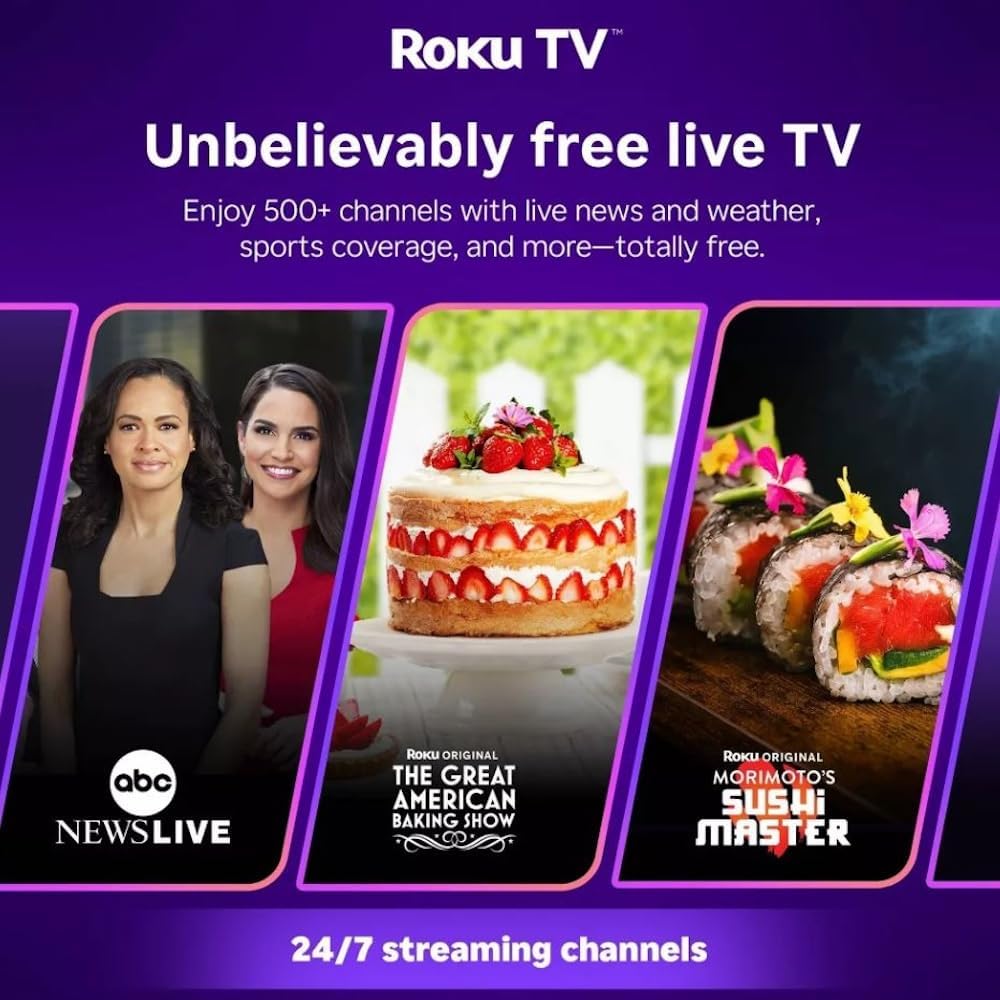
Roku TV interface promoting free live TV channels, featuring examples like ABC News Live, The Great American Baking Show, and Morimoto's Sushi Master.
Access a wide range of streaming services and free content through the Roku Channel Store. The Roku platform offers over 500 free channels, including live television, movies, and news. Use the 'Search' function on the home screen to find specific titles or channels.
오디오 기능

Roku Hiro TV displaying the home screen with various streaming apps, emphasizing enhanced audio quality.
The TV features enhanced audio quality. For private listening, you can pair Bluetooth headphones directly with the TV. Navigate to Settings > Remotes & devices > Bluetooth devices > Pair new device to connect your headphones.
유지
TV 청소
- 청소하기 전에는 항상 TV의 플러그를 뽑아 두세요.
- 부드럽고 보푸라기가 없는 천을 사용하여 화면과 캐비닛을 가볍게 닦으세요.
- 완고한 자국의 경우 가볍게 damp천에 물이나 순하고 마모성이 없는 화면 세척제를 묻혀 닦아주세요. 세척제를 화면에 직접 뿌리지 마세요.
- 강한 화학 물질, 연마 패드 또는 용제의 사용을 피하세요.
소프트웨어 업데이트
The Roku TV automatically checks for and installs software updates when connected to the internet. To manually check for updates, go to 설정 > 시스템 > 소프트웨어 업데이트.
문제 해결
| 문제 | 해결책 |
|---|---|
| 전원이 없습니다 | 전원 케이블이 TV와 정상적으로 작동하는 콘센트에 단단히 연결되어 있는지 확인하세요. 다른 콘센트에 연결해 보세요. |
| 화면은 나오지 않지만 소리는 나옵니다 | 입력 소스를 확인하세요. 집 button on the remote and select the correct input. Ensure all HDMI cables are securely connected. |
| 소리는 나지 않지만 화면은 나옵니다 | 볼륨 레벨을 확인하고 TV가 음소거되어 있지 않은지 확인하십시오. 외부 오디오를 사용하는 경우 연결 및 설정을 확인하십시오. |
| Wi-Fi에 연결할 수 없습니다 | Verify your Wi-Fi password. Restart your router and modem. Go to 설정 > 네트워크 > 연결 설정 to reconfigure. |
| 리모컨이 작동하지 않습니다 | 리모컨의 배터리를 교체하세요. 리모컨과 TV IR 센서 사이에 장애물이 없는지 확인하세요. |
명세서
| 모델명 | H32C2C4 |
| 화면 크기 | 32 인치 |
| 디스플레이 기술 | 주도의 |
| 해결 | 720p |
| 새로 고침 빈도 | 60Hz |
| 운영 체제 | 로쿠 OS |
| 연결 기술 | Bluetooth, HDMI, Optical Audio, USB, Wi-Fi |
| HDMI 포트 총 개수 | 3 |
| 총 USB 포트 | 1 |
| 제품 크기(D x W x H) | 3.2인치 깊이 x 28.3인치 너비 x 16.9인치 높이 |
| 품목 무게 | 7.5 파운드 |
| 권tage | 120볼트(AC) |
| 장착 유형 | 테이블 마운트 |
| 색상 | 검은색 |
보증 정보
This Roku Hiro TV is covered by a 90-day Replacement Warranty. Please retain your proof of purchase for any warranty claims. For detailed terms and conditions, refer to the warranty documentation included with your product or visit the official Roku support web대지.
지원하다
For further assistance, troubleshooting guides, or to contact customer support, please visit the official Roku support website. You can find comprehensive FAQs and contact information there.