파워에이 어드밴tage Wireless Controller for Nintendo Switch 2 - Mario & Yoshi
Model: NSGP0569-01V
소개
이 설명서는 PowerA Advan에 대한 자세한 사용 지침을 제공합니다.tage Wireless Controller, designed for use with the Nintendo Switch family of devices. It covers setup, operation, maintenance, and troubleshooting to ensure optimal performance and longevity of your controller.
주요 특징
홀 효과 모듈: Equipped with contact-free magnetic sensors in the thumbsticks to prevent stick drift, offering smoother control, enhanced precision, and increased longevity.
고급 게임 버튼: Two mappable buttons can be programmed on the fly during gameplay without needing to access system settings.
Intuitive Motion Controls: Experience fluid and responsive motion controls for aiming, steering, flying, and other in-game actions.
C 버튼: Provides quick access to GameChat features.
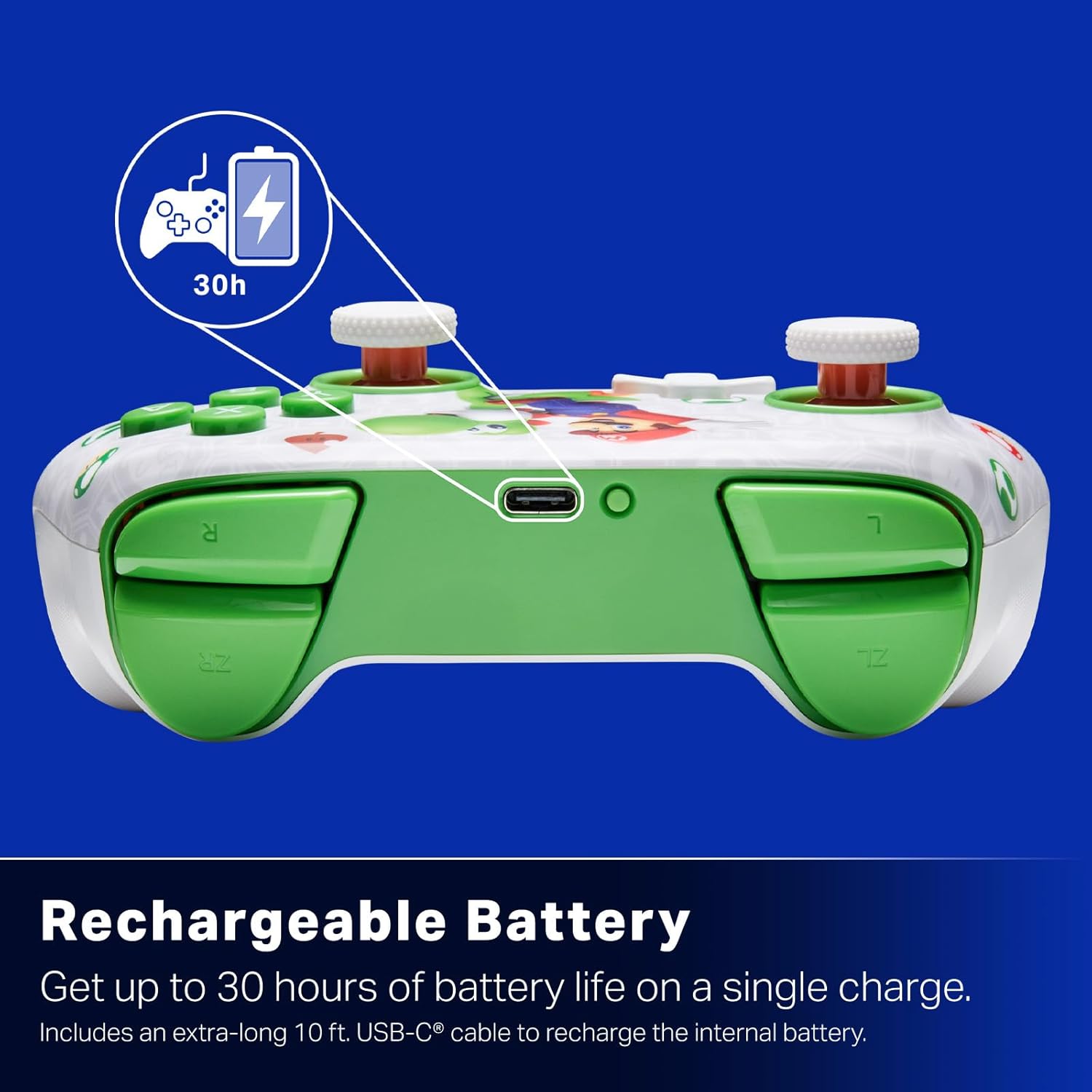
충전식 배터리: Offers up to 30 hours of gameplay on a single charge. Includes a 10 ft. (3m) USB-C cable for recharging.
인체공학적 디자인: Crafted for comfort during extended gaming sessions, utilizing cutting-edge ergonomics and high-quality materials.
Nintendo Family Compatibility: Compatible with Nintendo Switch 2, Nintendo Switch, Nintendo Switch – OLED Model, and Nintendo Switch Lite.
공식 라이센스: PowerA products undergo rigorous testing by Nintendo to ensure compatibility and quality.
설치 지침
1. 초기 충전
Before first use, fully charge your PowerA Advantage Wireless Controller. Connect the included 10 ft. (3m) USB-C cable to the controller's USB-C port and the other end to a powered USB port on your Nintendo Switch dock or a USB wall adapter.
Figure 1: Controller connected via USB-C for charging, highlighting the rechargeable battery feature.
2. 닌텐도 스위치와의 페어링
Nintendo Switch 콘솔의 전원이 켜져 있고 최신 시스템 소프트웨어로 업데이트되어 있는지 확인하세요.
홈 메뉴에서 컨트롤러, 그 다음에 그립/오더 변경.
On the PowerA Advantage Wireless Controller, press and hold the SYNC 버튼 located on the top edge of the controller for at least three seconds. The player indicator LEDs on the bottom of the controller will begin to flash.
Once the controller successfully pairs, the player indicator LED(s) corresponding to the controller number will remain lit.
를 누르세요 단추 to confirm and exit the pairing screen.
For subsequent uses, simply press the HOME button on the controller to wake it up and automatically reconnect to your Switch console.
작동 지침
기본 제어
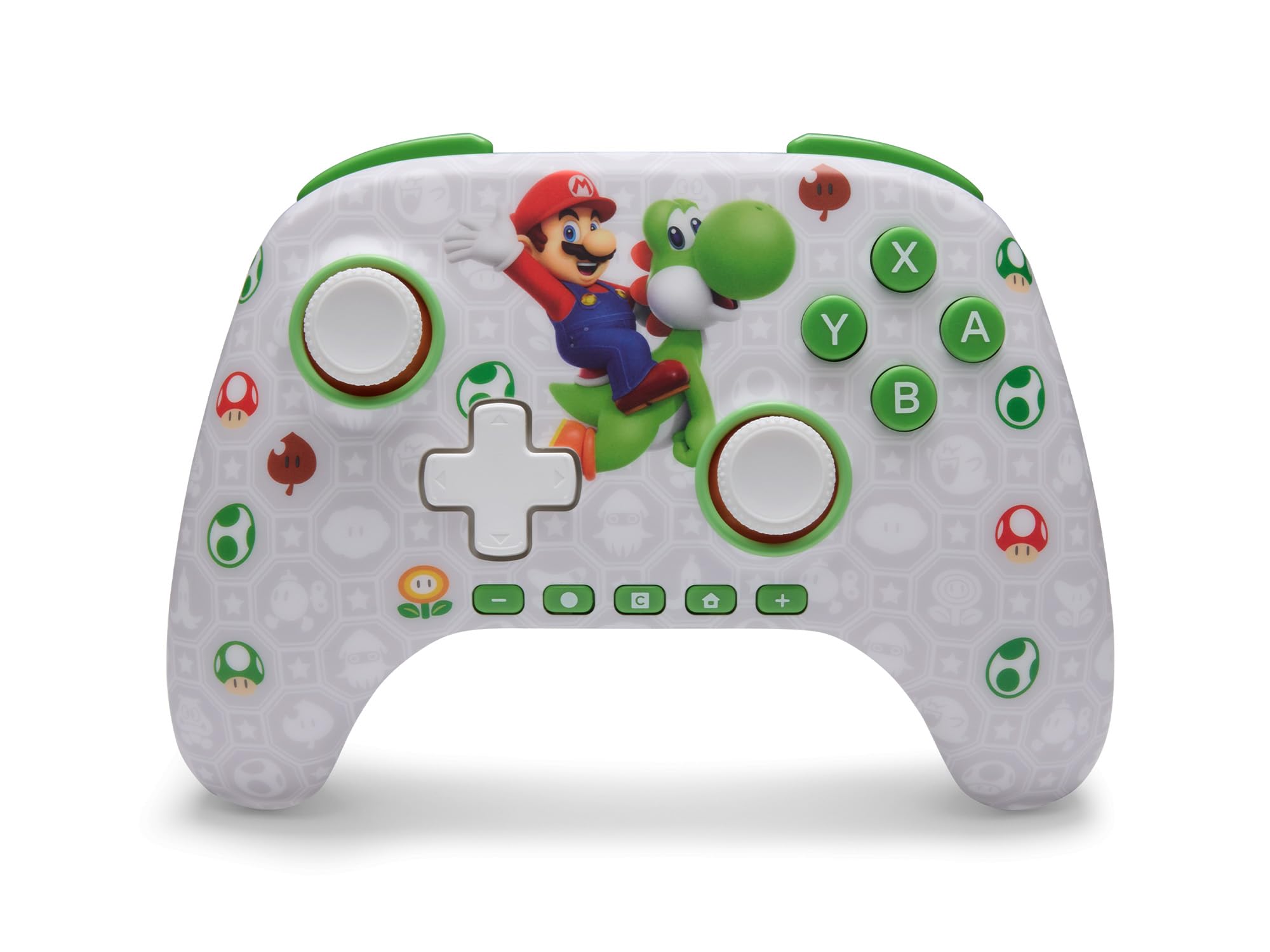
PowerA Advantage Wireless Controller features standard Nintendo Switch button layouts, including A, B, X, Y buttons, L/R and ZL/ZR shoulder buttons, a D-pad, and dual analog sticks. Familiarize yourself with these controls for general gameplay.
그림 2: 전면 view of the PowerA Advantage Wireless Controller, highlighting the Mario and Yoshi design and button layout.
고급 게임 버튼(AGB)
The controller includes two mappable Advanced Gaming Buttons (AGR and AGL) on the back. These buttons can be assigned to replicate any other button on the controller for quick access during gameplay.
를 누르세요 Program Button (PRGM) on the back of the controller. The Program LED will flash.
를 누르세요 Advanced Gaming Button (AGR or AGL) you wish to map. The Program LED will flash rapidly.
를 누르세요 단추 you want to assign to the Advanced Gaming Button (e.g., A, B, X, Y, L, R, ZL, ZR, D-pad directions). The Program LED will stop flashing, indicating successful mapping.
To clear a mapped button, repeat steps 1-2, then press the 프로그램 버튼 다시.
Figure 3: Advanced Gaming Buttons (AGB) on the back of the controller, with an illustration of mappable functions.
모션 컨트롤
The controller supports motion controls, allowing for intuitive interaction in compatible games. These controls are automatically enabled when supported by the game.
Figure 4: Controller demonstrating motion control capabilities through tilting.
C Button (GameChat)
The dedicated C Button provides quick access to GameChat features in supported titles, enhancing your multiplayer experience.
Figure 5: The 'C' button, used for GameChat features.
유지
청소: 부드럽고 마른 천을 사용하여 컨트롤러를 청소하세요. 강한 화학 물질이나 연마재는 사용하지 마세요.
저장: 컨트롤러는 직사광선과 극한의 온도를 피해 서늘하고 건조한 곳에 보관하세요.
배터리 관리 : 배터리 수명을 연장하려면 컨트롤러를 자주 완전히 방전시키지 마십시오. 계속 사용하지 않더라도 정기적으로 충전하십시오.
케이블 관리: Handle the USB-C charging cable with care. Avoid bending or twisting it excessively.
문제 해결
컨트롤러가 연결/페어링되지 않습니다
컨트롤러가 완전히 충전되었는지 확인하세요.
닌텐도 스위치 본체의 시스템 소프트웨어가 최신 버전으로 업데이트되었는지 확인하십시오.
Repeat the pairing process (see "Pairing with Nintendo Switch" in Setup Instructions).
If issues persist, try restarting both the controller and the Nintendo Switch console.
스틱 드리프트
PowerA Advantage Controller features Hall Effect modules designed to prevent stick drift. If you experience any unintended input, ensure the controller's firmware is up to date (check PowerA's official web(업데이트는 해당 사이트를 참조하세요).
Recalibrate the joysticks through the Nintendo Switch system settings if necessary (System Settings > Controllers and Sensors > Calibrate Control Sticks).
짧은 배터리 수명
컨트롤러를 사용하기 전에 완전히 충전되었는지 확인하십시오.
Battery life can vary based on game usage and features enabled.
최적의 충전을 위해 제공된 USB-C 케이블을 사용하세요.
명세서
특징
세부 사항
모델 번호
NSGP0569-01V
연결성
Wireless (Bluetooth), USB-C (for charging)
호환 장치
Nintendo Switch 2, Nintendo Switch, Nintendo Switch – OLED Model, Nintendo Switch Lite
배터리 수명
최대 30시간(사용량에 따라 다름)
케이블 길이
10 ft. (3m) USB-C
치수
5.88 x 4.21 x 2.36 인치
무게
0.66 파운드
특별 기능
Hall Effect Thumbsticks, Mappable Advanced Gaming Buttons, Motion Controls, C Button
보증 및 지원
PowerA Advantage Wireless Controller comes with a XNUMX 년 제한 보증. For detailed warranty information, product support, or to register your product, please visit the official PowerA web사이트에서 PowerA.com/지원.
Figure 6: Official Nintendo Licensed Product badge, ensuring quality and compatibility.
Ask a question about this manual
Ask about setup, troubleshooting, compatibility, parts, safety, or missing instructions. Manuals+ will review the question and use this page’s manual context to help answer it.