
1. 제품 오버view
The TESSAN Power Strip Tower JW402-IT is a versatile power solution designed for home and office use. It features 8 Italian Schuko outlets, 3 USB-A ports, and 1 USB-C port, providing a total of 12 charging options. Equipped with a 5-meter extension cable and independent switches, this power strip offers convenience and safety for multiple devices.

Image: TESSAN Power Strip Tower, showcasing its 8 Schuko outlets and 4 USB ports, ready to power multiple devices.
주요 특징:
- 12가지 기능을 하나로! 전력 솔루션 8 Italian Schuko outlets, 3 USB-A ports, and 1 USB-C port.
- 20W PD 고속 충전: USB-C port and one USB-A port (A3) deliver up to 20W for rapid charging of compatible devices.
- 5미터 연장 케이블: Provides extended reach for flexible placement.
- 독립 스위치: Two separate ON/OFF switches for controlling groups of outlets, enhancing energy efficiency and safety.
- 포괄적인 안전 보호: Includes overload protection, short-circuit protection, lightning protection, and over-temperature protection.
- 공간 절약형 디자인: Vertical tower design with 45-degree angled outlets prevents plugs from blocking each other.
2. 안전 지침
- Do not exceed the maximum rated power of 2500W (10A, 110-250V~).
- 습한 환경에서 사용하지 마십시오.
- 어린이의 손이 닿지 않는 곳에 보관하세요.
- 제품을 분해하거나 개조하지 마십시오.
- 플러그가 콘센트에 완전히 꽂혀 있는지 확인하십시오.
- 장기간 사용하지 않을 때는 멀티탭의 플러그를 벽면 콘센트에서 뽑아 두세요.
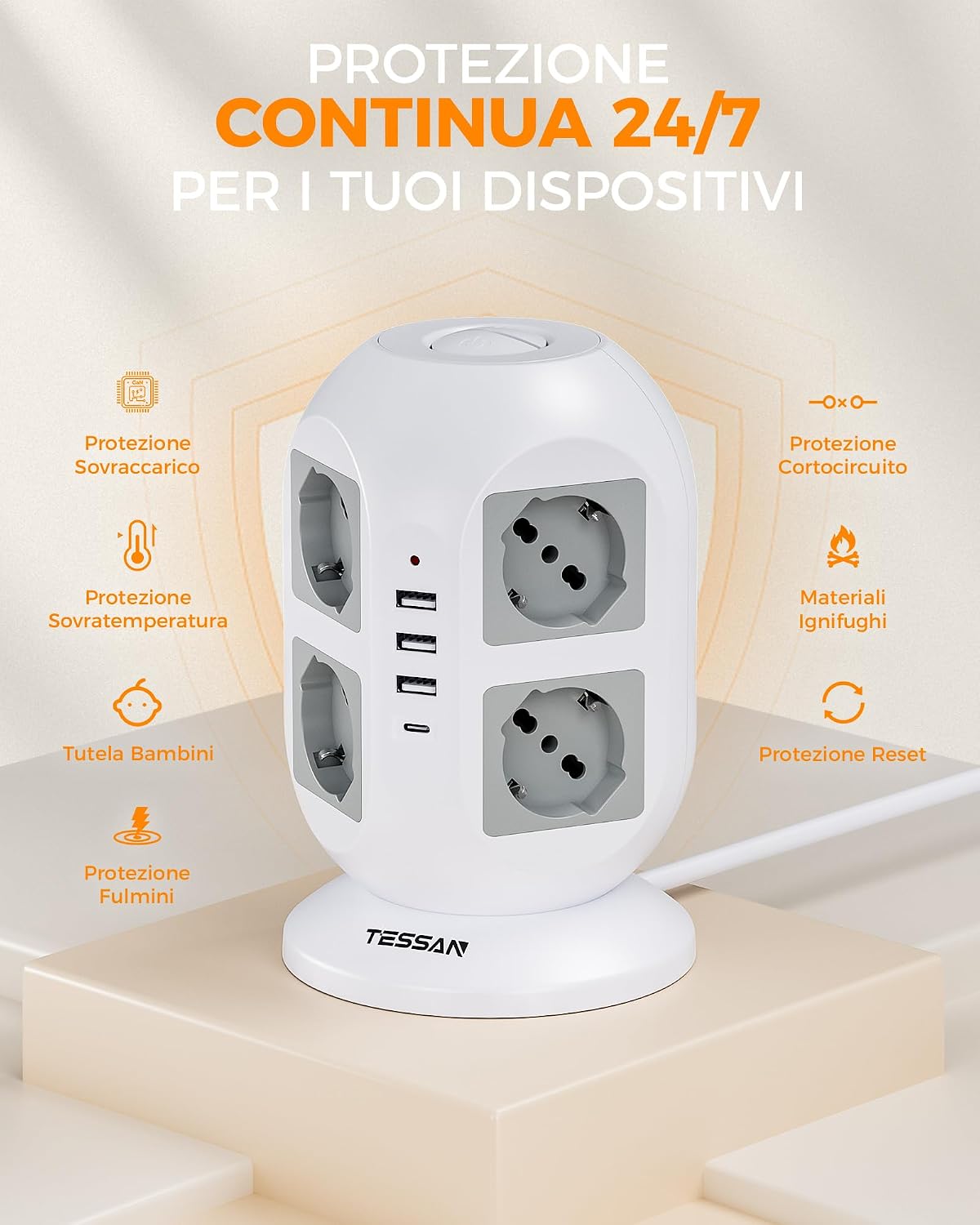
Image: Visual representation of the power strip's continuous 24/7 protection features, including overload, short-circuit, over-temperature, and lightning protection, along with child safety and fire-retardant materials.
3. 설정
- 풀다: 전원 스트립을 포장에서 조심스럽게 꺼내세요.
- 놓기: Place the power strip on a stable, dry surface, away from heat sources and direct sunlight. The 5-meter cable allows for flexible positioning.
- 벽면 콘센트에 연결: Plug the power strip's main plug into a grounded wall outlet.
- 장치 연결:
- Insert appliance plugs into the 8 Schuko outlets. The 45-degree angled design helps prevent overcrowding.
- Connect USB-powered devices to the 3 USB-A ports or the 1 USB-C port.

Image: The TESSAN Power Strip with its 5-meter extension cable, demonstrating its reach and flexibility for placement in various scenarios, such as a living room setup.
4. 사용 설명서
전원 장치:
- After plugging in your devices, press the corresponding ON/OFF switch to activate the outlets. The power strip features two independent switches, allowing you to control different sets of outlets.
- A red indicator light will illuminate when the power strip is active.

Image: Detail of the two independent ON/OFF switches located on the top of the power strip, allowing for separate control of connected devices.
USB 충전:
- USB-C 포트: Provides up to 20W Power Delivery (PD) for fast charging compatible smartphones, tablets, and other USB-C devices.
- USB-A3 Port: Also provides up to 20W for fast charging compatible devices.
- USB-A1 & USB-A2 Ports: Combined output of up to 12W for standard charging of various USB devices.
- Simply connect your device's USB charging cable to the appropriate port.

Image: The TESSAN Power Strip actively charging a tablet via USB-C and other devices, highlighting the 20W PD fast charging capability and the different USB port outputs.
5. 유지관리
- 청소: 청소하기 전에 멀티탭의 전원 플러그를 벽면 콘센트에서 뽑으세요. 마른 부드러운 천으로 표면을 닦으세요. 액체 세제나 연마제를 사용하지 마세요.
- 저장: When not in use, store the power strip in a cool, dry place, away from dust and moisture.
- 점검: Periodically inspect the power cord and the power strip for any signs of damage. If damage is found, discontinue use and contact customer support.
6. 문제 해결
| 문제 | 가능한 원인 | 해결책 |
|---|---|---|
| 콘센트/USB 포트에 전원이 공급되지 않습니다. |
|
|
| USB를 통해 충전되지 않는 기기. |
|
|
| 멀티탭이 뜨겁습니다. |
|
|
7. 사양
| 특징 | 세부 사항 |
|---|---|
| 모델 번호 | JW402-IT |
| 상표 | 테산 |
| AC 콘센트 | 8 Italian Schuko Sockets |
| USB 포트 | 3개의 USB-A, 1개의 USB-C |
| USB-C 출력 | 맥스 맥스 맥스 |
| USB-A3 출력 | 맥스 맥스 맥스 |
| USB-A1 & USB-A2 Combined Output | 맥스 맥스 맥스 |
| 정격 전력 | 2500W (10A, 110-250V~) |
| 케이블 길이 | 5 미터 |
| 특별 기능 | Independent ON/OFF Switches, Overload Protection, Short-circuit Protection, Lightning Protection, Over-temperature Protection |
| 색상 | 회색 |
| 호환 장치 | General electronic devices |
8. 보증 및 지원
TESSAN products are designed for reliability and performance. This product typically comes with a standard manufacturer's warranty. Please refer to the warranty information provided with your purchase or visit the official TESSAN web보증 조건에 대한 자세한 내용은 해당 사이트를 참조하십시오.
기술 지원, 문제 해결 지원 또는 보증 청구 관련 문의는 테산 공식 고객 서비스 센터로 연락해 주십시오. website or the retailer from whom you purchased the product. Have your model number (JW402-IT) and purchase details ready when contacting support.
제조업체: Dongguan JunWei Electronics Co.,Ltd