
1. 서론
The AVATTO Zigbee/Thread PoE Dongle (Model GW90-POE-Ti) is a versatile Zigbee 3.0 gateway designed for seamless integration with smart home platforms like Home Assistant and Zigbee2MQTT. This device offers flexible connectivity options including Ethernet (with Power over Ethernet support), Wi-Fi, and USB, powered by an ESP32 and CC2652P SoC. This manual provides essential information for setting up, operating, and maintaining your dongle.
2. 패키지 내용
아래 나열된 모든 품목이 패키지에 포함되어 있는지 확인하세요.
- AVATTO Zigbee/Thread PoE Dongle
- Two (2) Antennas
- USB 케이블
- 장착 브래킷
- 나사 및 벽면 플러그
- 사용자 설명서

Image: Contents of the AVATTO Zigbee/Thread PoE Dongle package, including the dongle, antennas, USB cable, mounting hardware, and user manual.
3. 제품 오버view 및 기능
3.1 핵심 구성 요소
The dongle is equipped with an ESP32 V3 Dual-Core 240 MHz processor and 16 MB Flash memory, paired with a CC2652P/CC2652P7 SoC for robust Zigbee and Thread communication.

이미지: 상세 view of the dongle's internal components, highlighting the ESP32 and CC2652P chips, 5dBi antenna gain, adjustable antennas, PoE and Type-C power options, and firmware flashing capability.
3.2 Antenna and Signal
The device features two adjustable antennas with a 5dBi gain, enhancing signal strength by approximately 3.16 times. These antennas can be rotated 360 degrees or adjusted to a 90-degree angle for optimal signal coverage and stable wireless connectivity.

Image: The AVATTO dongle showing its adjustable antennas, Type-C port, RJ45 Gigabit Ethernet port with PoE support, and options for network mode selection (Ethernet, Wi-Fi, USB).
3.3 Multiple Network Connection Modes
The dongle supports various network connection methods to suit your setup:
- 이더넷 연결(PoE 전원 공급): Connect a network cable for a stable and reliable network signal. If your router or switch supports PoE, the device can be powered directly through the Ethernet cable. Otherwise, a separate PoE power supply module is required.
- Wi-Fi 연결: The device can establish a stable Wi-Fi network, allowing flexible placement anywhere in your home.
- USB 연결: Connect directly to a Home Assistant Box using the provided USB cable.
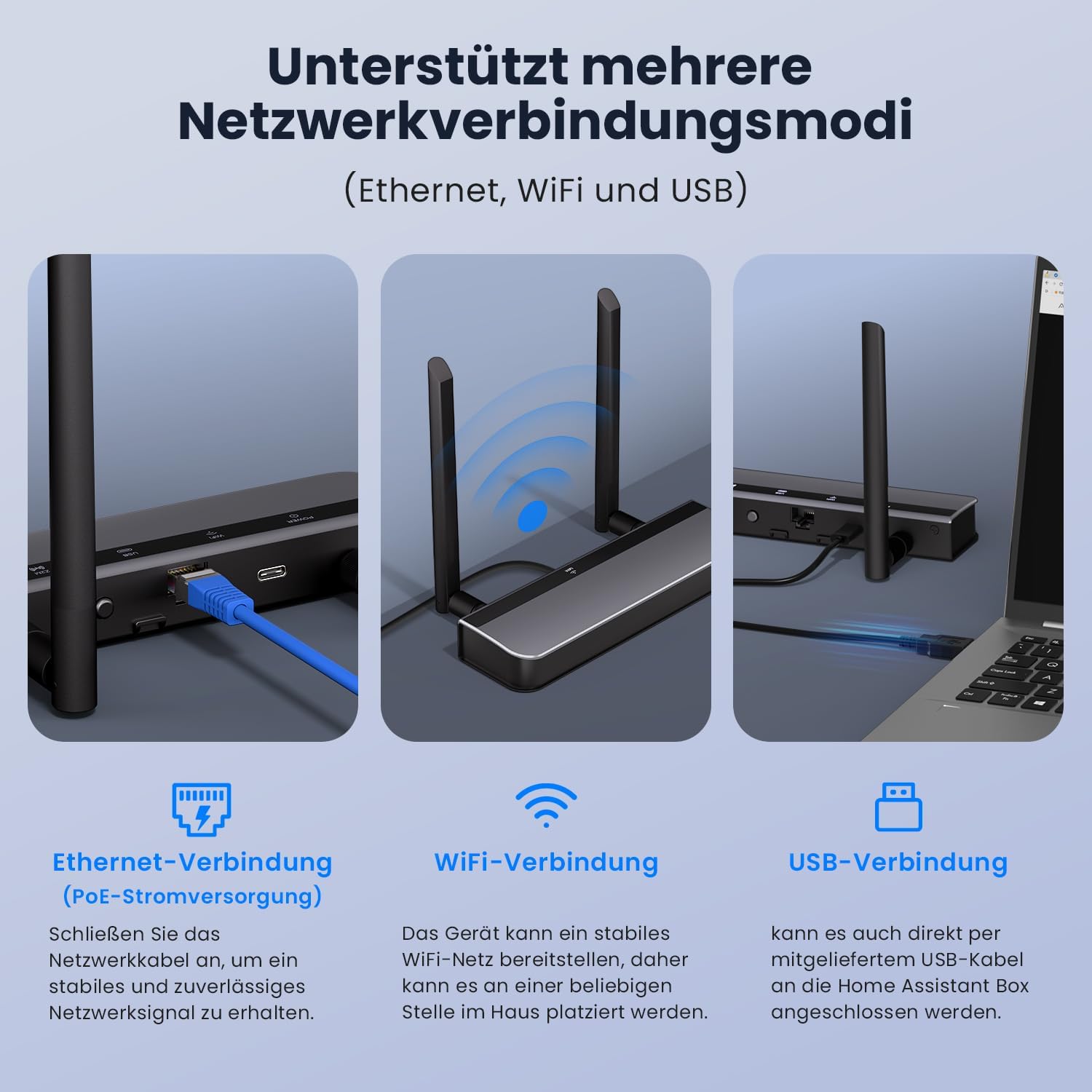
Image: Visual representation of the three supported network connection modes: Ethernet (with PoE), Wi-Fi, and USB, demonstrating how to connect the dongle in each scenario.
3.4 전원 공급 옵션
The dongle can be powered via Power over Ethernet (PoE) through its RJ45 port or directly via a Type-C USB connection. If PoE is not supported by your network equipment, use the Type-C port for power.
3.5 호환성
This gateway is compatible with a wide range of Zigbee devices and integrates seamlessly with Home Assistant (ZHA), Zigbee2MQTT, and iobroker. It supports various Home Assistant setups including Home Assistant Green/Yellow, Raspberry Pi, AVATTO HA70, and AVATTO HA80.
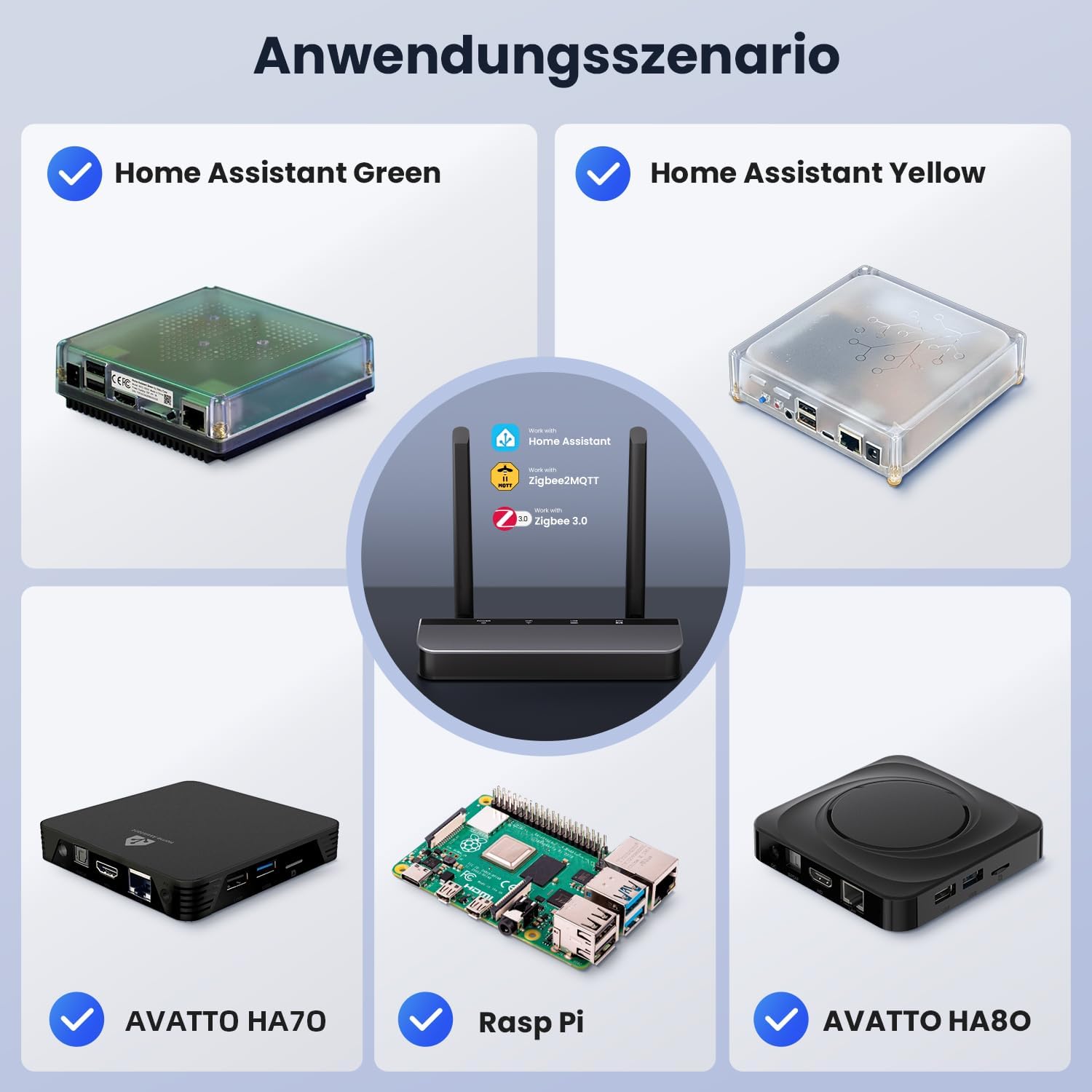
Image: Diagram illustrating various application scenarios, showing the AVATTO dongle connected to Home Assistant Green, Home Assistant Yellow, AVATTO HA70, Raspberry Pi, and AVATTO HA80, highlighting its compatibility with Home Assistant, Zigbee2MQTT, and Zigbee 3.0.
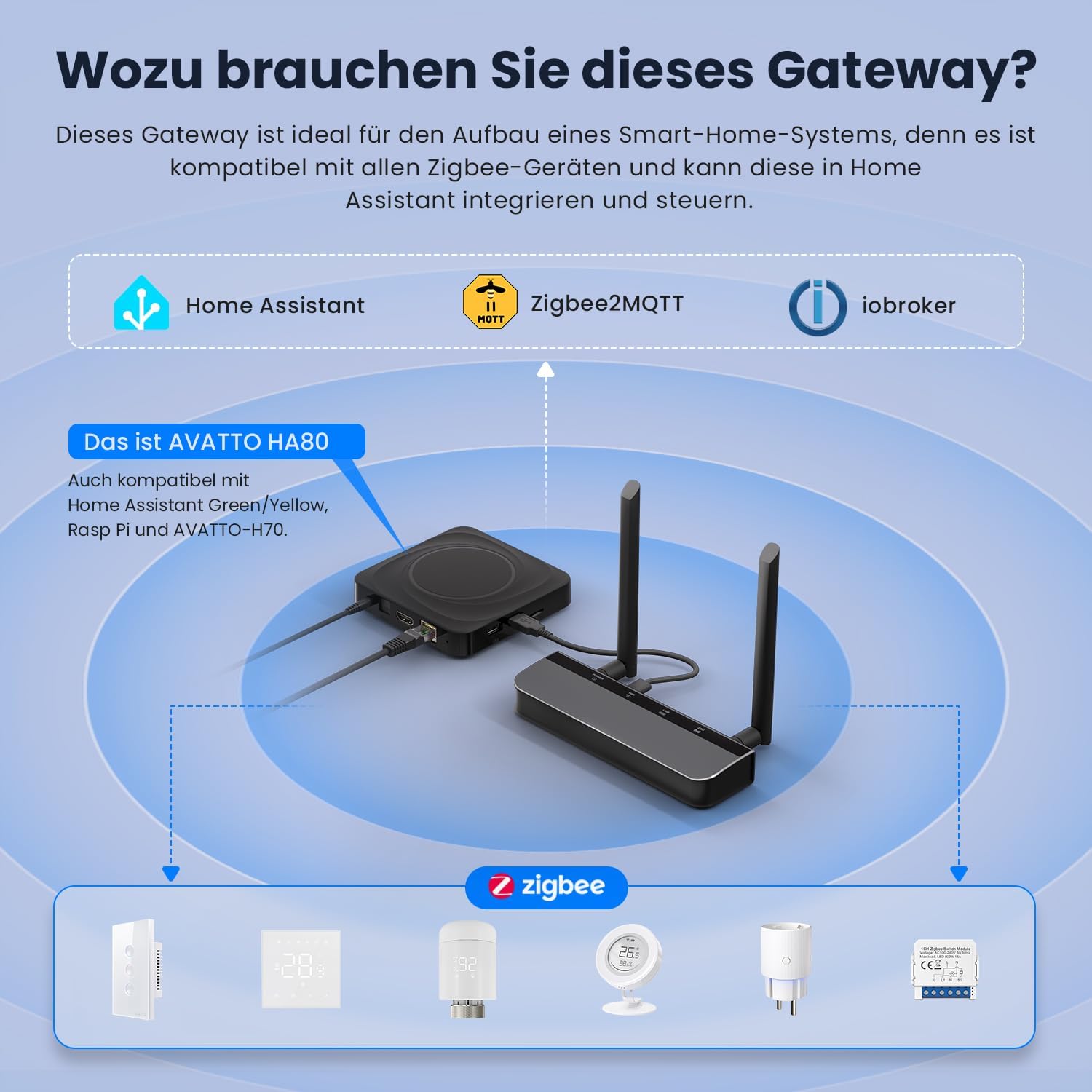
Image: An illustration demonstrating the AVATTO gateway's role in a smart home system, connecting to Home Assistant, Zigbee2MQTT, and iobroker, and controlling various Zigbee devices.
4. 설정 지침
4.1 물리적 연결
- 안테나 부착: Screw the two provided antennas onto the connectors on the dongle. Ensure they are securely fastened.
- 전원 선택:
- PoE: If using Power over Ethernet, connect an Ethernet cable from a PoE-enabled router or switch to the dongle's RJ45 port.
- 타입 C : If PoE is not available, connect a Type-C USB cable to the dongle's Type-C port and to a suitable power adapter (not included).
- Choose Data Connection:
- 이더넷: Connect an Ethernet cable from your network to the dongle's RJ45 port.
- 와이파이: The device will broadcast a Wi-Fi signal for initial setup.
- USB: Connect the provided USB cable from the dongle to your Home Assistant host device.
4.2 초기 구성
After physical connection, the dongle can be configured via its web interface. Refer to the device's documentation or the AVATTO website for specific instructions on accessing the web interface and selecting your preferred network mode (Ethernet, Wi-Fi, or USB).
For further resources and detailed guides, visit www.avattosmart.com.
5. 사용 설명서
5.1 Integrating with Home Assistant / Zigbee2MQTT
Once the dongle is powered and connected to your network, it can be integrated into your smart home system:
- Home Assistant (ZHA): Follow the official Home Assistant documentation for adding a new Zigbee coordinator via the ZHA integration. The dongle should be automatically detected or can be manually added.
- Zigbee2MQTT: Configure Zigbee2MQTT to use the dongle as its coordinator. Ensure the correct serial port path or network address is specified in the Zigbee2MQTT configuration file.
5.2 펌웨어 업데이트
Firmware updates are performed directly through the device's web interface. Regularly check for updates to ensure optimal performance and access to new features. Consult the AVATTO web최신 펌웨어 버전 및 업데이트 절차에 대한 정보는 해당 사이트를 참조하십시오.
6. 유지관리
- 놓기: Ensure the dongle is placed in a well-ventilated area to prevent overheating. Avoid placing it near large metal objects that could interfere with wireless signals.
- 전원 공급 장치: Use a stable and appropriate power supply (PoE or Type-C) to prevent operational issues.
- 펌웨어: Periodically check for and apply firmware updates to maintain security and functionality.
- 청소: Use a soft, dry cloth to clean the device. Do not use liquid cleaners.
7. 문제 해결
- 장치가 응답하지 않음: Check all power and network connections. Ensure the power source is active and the cables are securely plugged in.
- 네트워크 연결 없음: Verify your Ethernet cable is functional or that your Wi-Fi credentials are correctly entered in the device's configuration. If using PoE, confirm your network equipment supports it.
- Zigbee 장치가 페어링되지 않습니다: Ensure the dongle is in pairing mode and within range of your Zigbee devices. Check for any interference from other wireless devices.
- 펌웨어 업데이트 문제: Ensure a stable internet connection during firmware updates. Do not power off the device during the update process.
For more detailed troubleshooting guides and support, please visit the official AVATTO web사이트에서 www.avattosmart.com.
8. 사양
| 상표 | 아바토 |
| 모델 번호 | GW90-POE-Ti |
| ASIN | B0GMF3LCM3 |
| 색상 | 검은색 |
| 데이터 전송 속도 | 100MHz |
| CPU | ESP32 V3 Dual-Core 240 MHz |
| 플래시 메모리 | 16메가바이트 |
| Zigbee/Thread SoC | CC2652P/CC2652P7 |
| 안테나 이득 | 5dBi |
| 연결성 | Ethernet (PoE), Wi-Fi, USB |
| 전원 공급 장치 | PoE, Type-C |
9. 보증 및 지원
Warranty information for the AVATTO Zigbee/Thread PoE Dongle (Model GW90-POE-Ti) is not provided in this manual. For details regarding warranty terms and conditions, please refer to the product packaging or contact AVATTO customer support directly.
For technical support, frequently asked questions, and additional resources, please visit the official AVATTO web대지:

