
1. 서론
Welcome to the user manual for your new Xiaomi 17 Ultra smartphone. This device combines cutting-edge technology with a sophisticated design, offering an exceptional user experience. Key features include a powerful Leica 200MP telephoto lens, a 1-inch ultra-dynamic camera with LOFIC HDR technology for stunning night photography, and the advanced Snapdragon 8 Elite Gen 5 mobile platform for superior performance. The device is also equipped with a long-lasting 6000 mAh Xiaomi Surge battery and integrates HyperAI for enhanced productivity and smart features.

Figure 1: Xiaomi 17 Ultra smartphone in hand.
2. 설정
2.1 언박싱 및 패키지 구성품
Carefully unbox your Xiaomi 17 Ultra. Ensure all components are present. The standard package includes the Xiaomi 17 Ultra smartphone, a USB-C cable, and a SIM ejector tool (SIM-Pin).

Figure 2: Package contents including the Xiaomi 17 Ultra, USB-C cable, and SIM-Pin.
2.2 SIM 카드 삽입
- 기기 측면에서 SIM 카드 트레이를 찾으세요.
- SIM 트레이의 작은 구멍에 SIM 추출 도구를 넣고 트레이가 튀어나올 때까지 부드럽게 누르십시오.
- 나노 SIM 카드의 금색 접촉면이 아래로 향하도록 트레이에 넣으세요. 방향이 올바른지 확인하세요.
- SIM 트레이가 기기 표면과 평평해질 때까지 조심스럽게 슬롯에 다시 밀어 넣으십시오.

그림 3: 측면 view of the Xiaomi 17 Ultra, indicating the SIM card tray.
2.3 초기 전원 켜기 및 충전
To power on your device, press and hold the power button located on the side until the Xiaomi logo appears. For initial setup, it is recommended to fully charge your device. Connect the USB-C cable to the phone's charging port and the other end to a compatible power adapter (not included) or a computer.
3. Operating Your Xiaomi 17 Ultra
3.1 기본 탐색
- 전원 켜기/끄기: Press and hold the power button. Select "Power off" or "Restart" from the menu.
- 화면 잠금/잠금 해제: Briefly press the power button. Use your fingerprint, face unlock, or PIN/pattern to unlock.
- 홈 화면: 화면 하단에서 위로 스와이프하면 홈 화면으로 이동합니다.
- 최근 앱: 아래에서 위로 스와이프하고 유지하세요 view 최근 지원서.
- 알림 및 빠른 설정: 화면 상단에서 아래로 살짝 밀어 알림과 빠른 설정 토글에 접근하세요.
3.2 카메라 기능
The Xiaomi 17 Ultra features an advanced Leica camera system designed for professional-grade photography.
- Leica 200MP Telephoto Lens: Experience exceptional detail and clarity with the 75–100mm optical zoom, eliminating the need for digital cropping.
- Leica 1-inch Ultra-Dynamic Camera: The large 1-inch sensor, combined with LOFIC HDR technology, captures stunning images even in challenging low-light conditions, preserving intricate details.
- Leica UltraPure Optical Design: An updated optical structure with precision glass elements significantly reduces reflections, ensuring purer image quality.
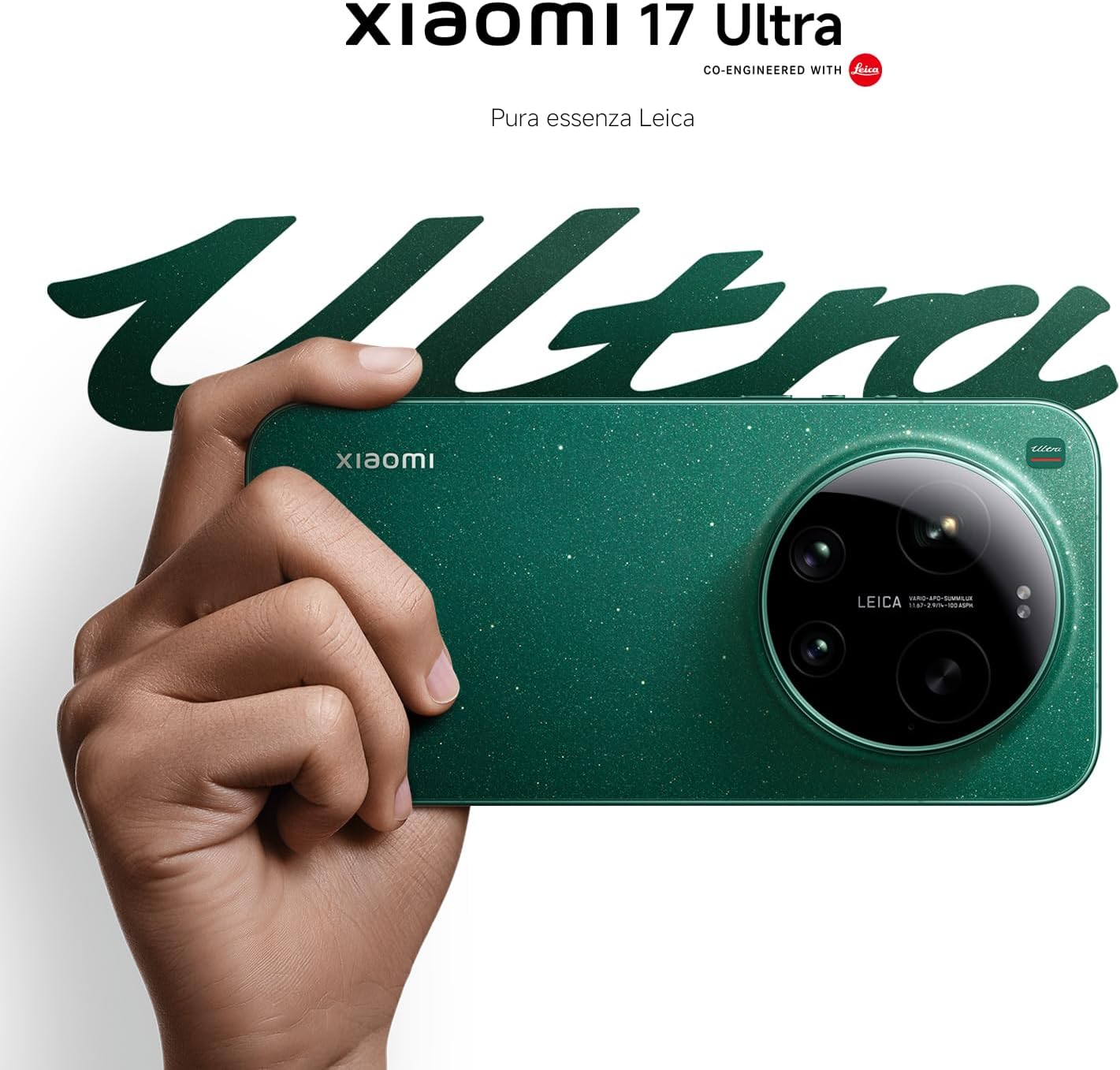
Figure 4: Leica 200MP Telephoto Lens.

Figure 5: Leica 1-inch Ultra-Dynamic Camera Sensor.

Figure 6: Leica UltraPure Optical Design.
Video 1: Demonstration of the Xiaomi 17 Ultra's camera capabilities, capturing fireworks with detail and clarity.
3.3 HyperAI Features
The integrated HyperAI enhances various aspects of your smartphone experience, offering intelligent assistance and improved productivity.
- AI 글쓰기: Assists with text composition and suggestions.
- 인공지능 음성 인식: Provides accurate voice-to-text conversion and command execution.
- AI 검색: Intelligently processes search queries for more relevant results.
- 다이내믹 AI 배경화면: Offers personalized and adaptive visual experiences.

그림 7: 이상view of Xiaomi HyperAI functionalities.
4. 유지관리
4.1 배터리 관리
Your Xiaomi 17 Ultra is equipped with a 6000 mAh Xiaomi Surge battery for extended usage. To maximize battery lifespan:
- 극한의 온도(더위나 추위)를 피하세요.
- Do not let the battery drain completely regularly. Charge it before it reaches very low levels.
- 승인된 충전기와 케이블만 사용하세요.
- Avoid overcharging for prolonged periods.

그림 8: 내부 view of the 6000 mAh Xiaomi Surge battery.
4.2 Screen and Device Cleaning
To clean your device, use a soft, lint-free cloth. Avoid abrasive materials, sprays, or harsh chemicals. For stubborn smudges, slightly dampen the cloth with water. Do not submerge the device in water.
4.3 소프트웨어 업데이트
Regularly check for and install software updates to ensure optimal performance, security, and access to new features. You can usually find this option in your device's settings under "About phone" or "System updates."
5. 문제 해결
5.1 일반적인 문제 및 해결 방법
| 문제 | 가능한 해결책 |
|---|---|
| 장치가 켜지지 않음 | 배터리가 충전되어 있는지 확인하세요. 전원 버튼을 10~15초 이상 길게 눌러 강제로 다시 시작하세요. |
| 앱이 충돌하거나 정지됨 | Close the app and reopen it. Clear the app's cache and data in settings. Update the app or the phone's software. |
| 배터리 수명이 짧음 | Check background app usage. Reduce screen brightness. Disable unnecessary features like GPS or Bluetooth when not in use. Refer to battery care tips. |
| 네트워크 연결 문제 | Restart the device. Check if airplane mode is off. Reinsert the SIM card. Reset network settings. Contact your service provider. |
6. 사양
| 특징 | 세부 사항 |
|---|---|
| 모델 | 샤오미 17 울트라 |
| 프로세서 | Snapdragon 8 Elite Gen 5 Mobile Platform |
| 숫양 | 16GB (XNUMX기가바이트) |
| 내부 저장소 | 512GB (XNUMX기가바이트) |
| 메인 카메라 | Leica 1-inch Ultra-Dynamic Camera with LOFIC HDR |
| 망원렌즈 | Leica 200MP, 75–100mm Optical Zoom |
| 배터리 | 6000 mAh Xiaomi Surge Battery (typical) |
| AI 기능 | Xiaomi HyperAI (AI Writing, Voice Recognition, Search, Dynamic Wallpapers) |

Figure 9: Snapdragon 8 Elite Gen 5 Mobile Platform.
7. 보증 및 지원
7.1 제조업체 보증
샤오미 17 울트라에는 다음이 포함되어 있습니다. 3년 제조사 보증. This includes the standard 2-year manufacturer warranty plus an additional 1 year of extended warranty, automatically applied upon purchase.
보증 청구를 위해 구매 증명서를 보관하십시오.
7.2 고객 지원
추가적인 지원, 기술 지원 또는 보증 관련 문의는 샤오미 공식 지원 페이지를 방문해 주세요. website or contact their customer service. You can find contact information on the Xiaomi official website or within your device's "Settings" under "About phone" > "Legal information" or "Support".