
1. 제품 오버view
The Edifier W280NB Pro are neckband wireless headphones designed for immersive audio experiences with advanced features. They offer hybrid active noise cancellation, Hi-Res Audio support with LDAC, and a durable, comfortable design suitable for various activities.

Image: Edifier W280NB Pro headphones with key features highlighted.
주요 특징:
- Deep Hybrid Active Noise Cancellation: Up to -45dB noise reduction with 4 selectable modes (High ANC, Medium ANC, Ambient Aware, Wind Reduction).
- Studio-Quality Hi-Res Audio: 10mm dynamic drivers with titanium-coated composite diaphragms, supporting LDAC codec and Hi-Res Audio Wireless certification (20Hz-40KHz frequency response).
- 오래 지속되는 배터리 및 고속 충전: Up to 23 hours of playback (ANC off), 14 hours (ANC on). 15 minutes of charging provides 5 hours of playtime. Full charge in 1.5 hours.
- 안정적인 블루투스 5.4 연결: Ensures stable transmission, low power consumption, and multipoint connection for seamless device switching.
- All-Day Comfort & Secure Fit: Lightweight, flexible neckband with skin-friendly material and multiple sizes of ear wings for a secure fit. Magnetic earbuds for tangle-free storage.
- Durable & Clear Calls: IP55 dust and water resistance. Built-in AI noise-canceling microphones for clear communication in noisy environments.
2. 설정 가이드
2.1 패키지 내용
사용하시기 전에 패키지 안에 모든 구성품이 있는지 확인하십시오.
- Edifier W280NB Pro Neckband Wireless Headphones
- USB-C 충전 케이블
- Multiple sizes of ear tips and ear wings
- 사용 설명서 (본 문서)
2.2 헤드폰 충전
Charge the headphones fully before first use to ensure optimal battery performance.
- Connect the provided USB-C charging cable to the charging port on the neckband.
- 케이블의 다른 쪽 끝을 USB 전원 어댑터(포함되지 않음)나 컴퓨터의 USB 포트에 연결합니다.
- 표시등은 충전 상태를 보여줍니다(자세한 내용은 LED 표시등 부분을 참조하십시오).
- A full charge takes approximately 1.5 hours. A 15-minute quick charge provides approximately 5 hours of playback.

Image: Visual representation of battery life (23 hours ANC off, 14 hours ANC on) and fast charging (15 mins = 5 hours).
2.3 Fitting the Headphones
Proper fit is crucial for comfort, sound quality, and effective noise cancellation.
- Select the ear tips and ear wings that best fit your ears. Experiment with different sizes for the most secure and comfortable seal.
- 넥밴드를 목에 두르세요.
- Insert the earbuds into your ear canals and adjust the ear wings to sit snugly in your outer ear for stability.

Image: Diagram showing various ear tip and ear wing sizes for a secure and comfortable fit.
2.4 블루투스 페어링
Pair your Edifier W280NB Pro headphones with your device via Bluetooth.
- 헤드폰이 충전되어 있고 전원이 꺼져 있는지 확인하세요.
- Press and hold the multi-function button (usually the power button) until the indicator light flashes rapidly (e.g., blue and red alternately), indicating pairing mode.
- 기기(스마트폰, 태블릿, 노트북)에서 Bluetooth를 활성화하고 사용 가능한 기기를 검색하세요.
- Select "Edifier W280NB Pro" from the list of found devices.
- 연결되면 표시등은 일반적으로 파란색 불빛을 계속 켜두거나 천천히 깜빡입니다.
다지점 연결:
The W280NB Pro supports multipoint connection, allowing you to connect to two Bluetooth devices simultaneously.
- 위에서 설명한 대로 헤드폰을 첫 번째 장치와 페어링합니다.
- 첫 번째 기기에서 Bluetooth를 비활성화합니다.
- 헤드폰을 다시 페어링 모드로 전환하고 두 번째 기기와 페어링하세요.
- Re-enable Bluetooth on the first device. The headphones should now be connected to both devices, allowing seamless switching.

Image: Illustration of Bluetooth 5.4 technology for stable transmission and multipoint connection.
3. 사용 설명서
3.1 전원 켜기/끄기
- 전원 켜기: 다기능 버튼을 약 3초간 길게 누르면 표시등이 켜집니다.
- 전원 끄기 : 다기능 버튼을 표시등이 꺼질 때까지 약 5초 동안 길게 누르십시오.
3.2 버튼 컨트롤
The Edifier W280NB Pro features intuitive button controls on the neckband for easy management of music, calls, and noise cancellation modes.

Image: Diagram illustrating the functions of each button on the neckband for calls, music playback, and mode switching.
| 행동 | 기능 |
|---|---|
| Multi-function Button (Power) | Press and hold 3s: Power On Press and hold 5s: Power Off Press and hold (pairing mode): Enter Bluetooth pairing Single press (during call): Answer/End Call Double press (during call): Reject Call |
| 볼륨 업(+) | 한 번 누르기: 볼륨 증가 길게 누르세요: 다음 트랙 |
| 볼륨 작게 (-) | 한 번 누르기: 볼륨 감소 길게 누르세요: 이전 트랙 |
| 재생/일시정지 버튼 | Single press: Play/Pause Music |
| ANC 모드 버튼 | Single press: Cycle through ANC modes (High ANC, Medium ANC, Ambient Aware, Wind Reduction, ANC Off) |
3.3 능동 소음 제거(ANC) 모드
The W280NB Pro offers four distinct noise cancellation modes to adapt to your environment.

Image: Visual guide to the four ANC modes and their typical use cases.
- 높은 ANC: Provides maximum noise reduction, ideal for very noisy environments like airplanes or subways.
- 중간 ANC: Offers a balanced level of noise cancellation, suitable for offices or cafes.
- 주변 인식: Allows you to hear your surroundings while still enjoying your audio, useful for urban environments or when needing to be aware of announcements.
- 풍속 감소: 야외 활동 중 바람 소음을 최소화하도록 특별히 설계되었습니다.
3.4 전화 걸기 및 받기
The headphones feature AI noise-canceling microphones for clear call quality.
- 전화 받기: 다기능 버튼을 한 번 누르세요.
- 통화 종료: 다기능 버튼을 한 번 누르세요.
- 전화 거부: 다기능 버튼을 두 번 누르세요.

Image: A person using the headphones for a call, highlighting the AI-enhanced clear call feature.
3.5 에디파이어 커넥트 앱
For advanced settings and customization, download the Edifier Connect app from your device's app store. The app allows you to:
- 장치 이름을 바꿉니다.
- Personalize ANC levels.
- Fine-tune audio with preset EQs or custom EQs.
- 잃어버린 헤드폰을 찾아보세요.
4. 유지관리
4.1 청소
The W280NB Pro headphones are IP55 rated for dust and water resistance, but proper cleaning helps maintain their condition.
- 넥밴드와 이어버드를 부드럽고 마른 보풀 없는 천으로 닦아주세요.
- For ear tips, gently remove them and clean with a damp 필요하면 천과 순한 비누를 사용하세요. 다시 부착하기 전에 완전히 말랐는지 확인하세요.
- Avoid using harsh chemicals, abrasive materials, or submerging the headphones in water.
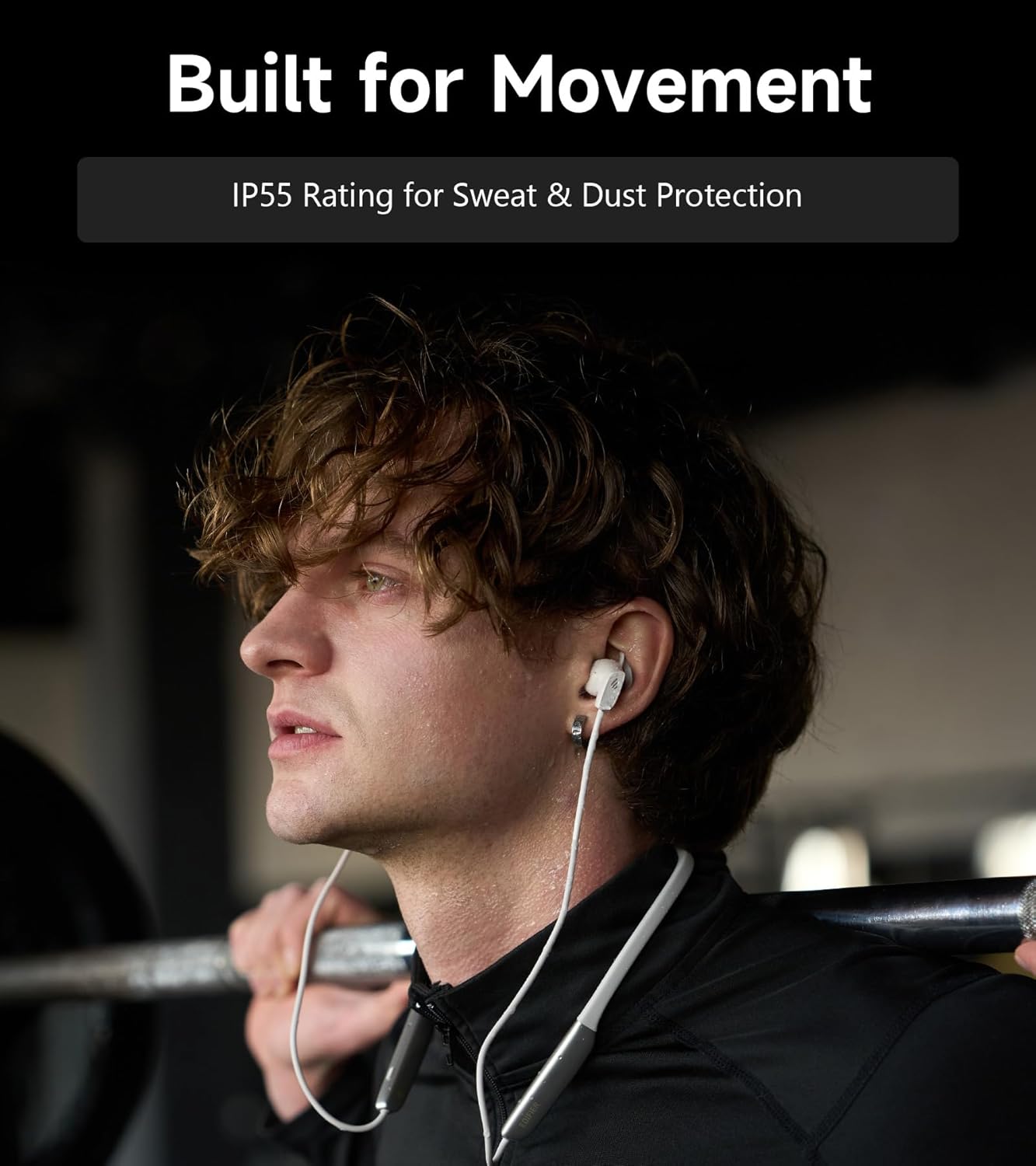
Image: A person wearing the headphones during a workout, illustrating the IP55 sweat and dust protection.
4.2 보관
When not in use, store your headphones properly to prevent damage.
- The earbuds are magnetic, allowing them to snap together for tangle-free storage around your neck or in a bag.
- 직사광선 및 극한의 온도를 피해 서늘하고 건조한 곳에 보관하세요.
4.3 배터리 관리
- 배터리를 자주 완전히 방전시키지 마세요.
- 배터리 수명 유지를 위해 장기간 사용하지 않더라도 헤드폰을 정기적으로 충전하십시오.
5. 문제 해결
If you encounter issues with your Edifier W280NB Pro headphones, refer to the following common problems and solutions.
| 문제 | 가능한 원인 | 해결책 |
|---|---|---|
| 헤드폰의 전원이 켜지지 않습니다. | 배터리가 부족합니다. | 헤드폰을 완전히 충전하세요. |
| 기기와 페어링할 수 없습니다. | 헤드폰이 페어링 모드가 아닙니다. Bluetooth disabled on device. 기기가 헤드폰에서 너무 멀리 떨어져 있습니다. | Ensure headphones are in pairing mode (flashing indicator). 기기에서 Bluetooth를 활성화하세요. Move device closer to headphones (within 10 meters). Try resetting the headphones (refer to manual for specific reset procedure if available, or power cycle). |
| 소리가 나지 않거나 볼륨이 작습니다. | Volume too low on headphones or device. Headphones not connected. 장치에서 잘못된 오디오 출력을 선택했습니다. | Increase volume on both headphones and device. 헤드폰이 성공적으로 페어링되고 연결되었는지 확인하십시오. Check your device's audio settings to ensure output is set to Edifier W280NB Pro. |
| 음질이 좋지 않습니다. | 블루투스 연결이 좋지 않습니다. Improper ear tip fit. 오디오 소스 품질. | 연결된 기기에 더 가까이 다가가세요. Ensure ear tips provide a secure seal. 다른 오디오 소스를 시도하거나 file. |
| 능동적 소음 제거 기능이 효과적이지 않습니다. | Improper ear tip fit. Incorrect ANC mode selected. Extreme noise conditions. | Ensure ear tips provide a secure seal. Cycle through ANC modes to select the most appropriate one. ANC works best for low-frequency, constant noise. |
| 통화 중 마이크가 작동하지 않습니다. | Headphones not selected as input device. 기기에서 마이크가 음소거되었습니다. | Check your device's call settings to ensure Edifier W280NB Pro is selected for microphone input. Ensure microphone is not muted on your device. |
6. 사양
Detailed technical specifications for the Edifier W280NB Pro Neckband Wireless Headphones.
| 특징 | 세부 사항 |
|---|---|
| 상표 | 에디파이어 |
| 모델명 | W280NB 프로 |
| 색상 | 검은색 |
| 귀 위치 | 귀에 |
| 폼 팩터 | 넥밴드 |
| 임피던스 | 24옴 |
| 소음 제어 | 능동 소음 제거 |
| 주파수 범위 | 20Hz-40kHz |
| 오디오 드라이버 유형 | Dynamic Driver (10mm with Titanium-Coated Diaphragm) |
| 연결 기술 | 무선(블루투스) |
| 블루투스 버전 | 5.4 |
| 블루투스 범위 | 10미터(33피트) |
| Battery Average Life (Playback) | 23시간(ANC 꺼짐), 14시간(ANC 켜짐) |
| 배터리 충전 시간 | 1.5시간 |
| 방수 레벨 | IP55 (Dust & Waterproof) |
| 호환 장치 | 스마트폰, 태블릿, 노트북, 스마트 스피커 |
| 재료 | Silicone (Enclosure) |
| 한국어: | 628430220005 |
7. 보증 정보
The Edifier W280NB Pro Neckband Wireless Headphones come with a 1년 제조사 보증.
This warranty covers defects in materials and workmanship under normal use. It does not cover damage caused by misuse, accidents, unauthorized modifications, or normal wear and tear. Please retain your proof of purchase for warranty claims.
8. 고객 지원
For further assistance, technical support, or warranty inquiries, please contact Edifier customer service.
- Web대지: Visit the official Edifier webFAQ, 지원 리소스, 연락처 정보를 제공하는 사이트입니다.
- 이메일/전화: Refer to the Edifier website or your product packaging for specific contact details in your region.