
1. 안전 정보
Before operating the SIMATE Electric Scooter S2 pro, please read and understand all safety instructions. Failure to follow these instructions may result in serious injury or damage to the scooter.
- 자전거를 탈 때는 항상 헬멧과 적절한 안전 장비(무릎 보호대, 팔꿈치 보호대)를 착용하세요.
- Ensure all fasteners are tight and the scooter is in good working condition before each ride.
- 젖은 노면, 고르지 않은 노면 또는 적절한 조명 없이 야간에 주행하지 마십시오.
- 모든 현지 교통 법규를 준수하십시오.
- This scooter is designed for children aged 6-14. Adult supervision is recommended.
- 최대 중량 한도인 176파운드(80kg)를 초과하지 마십시오.
2. 제품 오버view
The SIMATE Electric Scooter S2 pro is designed for children and teens, featuring adjustable heights, colorful LED lights, and a dual braking system for a safe and enjoyable riding experience.

The SIMATE S2 pro features three adjustable handlebar heights (34, 37, and 39 inches) to accommodate growing children.

The scooter is equipped with a bright light system, including a headlight, standpipe lamp, and pedal lights, enhancing visibility and style.
3. 설정
3.1 스쿠터 펼치기
- 스쿠터를 평평한 표면에 놓으십시오.
- 핸들바 스템 아랫부분 근처에서 접이식 메커니즘을 찾으세요.
- Release the locking lever and carefully lift the handlebar stem until it clicks into the upright position.
- 사용하기 전에 잠금 장치가 제대로 잠겨 있는지 확인하십시오.
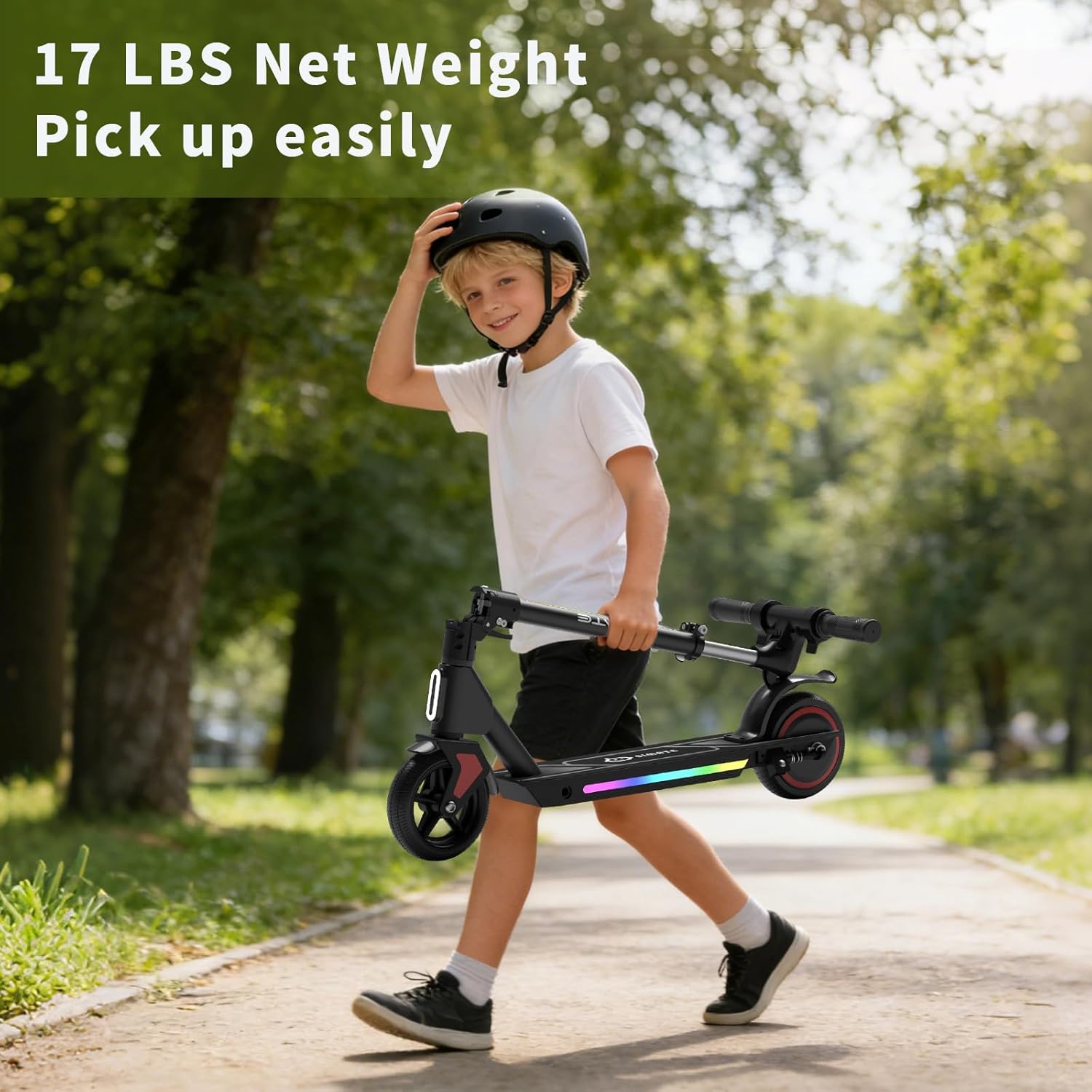
The scooter's one-step folding design makes it lightweight and easy to carry or store.
3.2 핸들바 높이 조정
- 퀵 릴리스 버튼을 찾으세요amp 핸들바 스템에 있습니다.
- cl을 열어라amp and adjust the handlebar to one of the three available heights (34", 37", or 39").
- Ensure the handlebar is securely locked in place by closing the quick-release clamp.
3.3 초기 충전
처음 사용하기 전에 스쿠터 배터리를 완전히 충전하세요.
- 충전기를 스쿠터의 충전 포트에 연결하세요.
- 충전기를 표준 벽면 콘센트에 꽂으세요.
- 충전기의 충전 표시등은 충전이 완료되면 색상이 바뀝니다(예: 빨간색에서 녹색으로).
- 충전에는 일반적으로 약 3시간이 소요됩니다.

The scooter features an innovative and safe charging system, with a full charge taking about 2-3 hours.
4. 운영
4.1 전원 켜기/끄기
- To power on: Press and hold the power button on the LED display until the display illuminates.
- 전원 끄기: 디스플레이가 꺼질 때까지 전원 버튼을 길게 누르세요.
4.2 스로틀 사용
The scooter is equipped with an electronic throttle. To accelerate, gently press the throttle lever located on the handlebar. Release the throttle to reduce speed.
4.3 브레이크 시스템
The SIMATE S2 pro features a dual braking system for enhanced safety.
- 전자 브레이크: Located on the handlebar, activate by pressing the brake lever. This provides quick stopping power.
- 풋 브레이크: Located on the rear fender, apply pressure with your foot to activate. This helps prevent splashing in various weather conditions and offers additional stopping control.
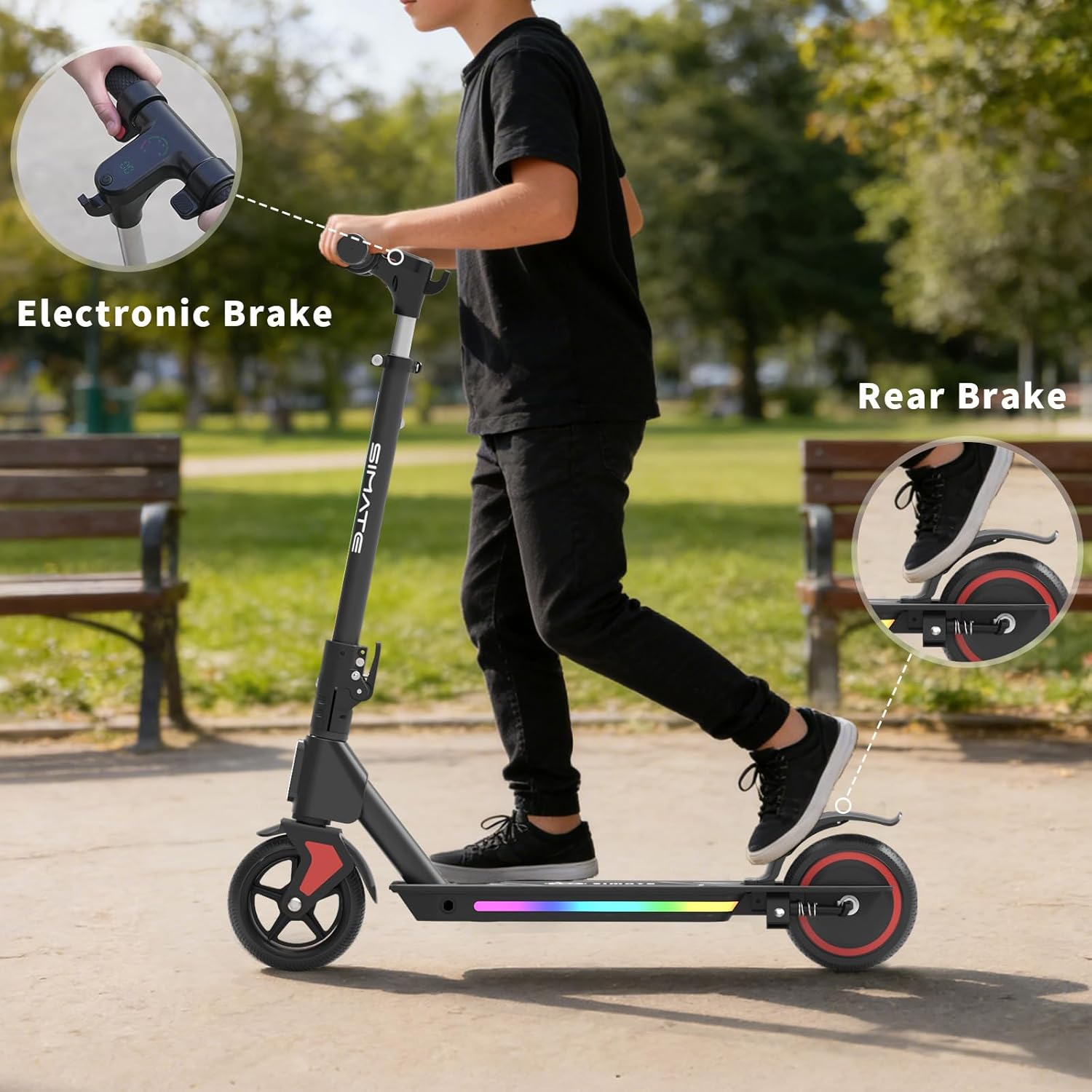
The dual brake system, including an electronic brake and a foot brake, ensures reliable stopping power.
4.4 LED 디스플레이
통합 LED 디스플레이는 실시간 정보를 제공합니다.
- 주행 속도: 현재 속도를 보여줍니다.
- 스피드 기어 : 선택된 속도 모드를 나타냅니다.
- 배터리 용량: 남은 배터리 수명을 표시합니다.
4.5 스쿠터 타기
To begin riding, place one foot on the deck and push off with the other foot to gain some momentum. Once moving, place both feet on the deck and gently engage the electronic throttle. Maintain balance and steer by leaning and turning the handlebars.
Official video demonstrating the SIMATE Electric Scooter for Kids and Teens, showcasing의 특징과 작동 방식.
5. 유지관리
5.1 배터리 관리
- 스쿠터를 사용하지 않을 때에도 배터리를 정기적으로 충전하면 배터리 수명을 연장할 수 있습니다.
- 충전하기 전에 배터리를 완전히 방전시키지 마세요.
- 스쿠터는 직사광선과 극한의 온도를 피해 시원하고 건조한 곳에 보관하세요.
5.2 청소 및 보관
- 스쿠터를 깨끗하게 닦으세요amp 옷감. 강한 화학 물질이나 연마성 세제를 사용하지 마십시오.
- 전기 부품에 직접 물을 뿌리지 마십시오.
- When storing for extended periods, ensure the battery is partially charged (around 50%) and recharge every few months.
5.3 타이어 검사
The scooter is equipped with solid, anti-puncture rubber tires. Regularly inspect the tires for any signs of wear or damage to ensure optimal performance and safety.
6. 문제 해결
If you encounter issues with your SIMATE Electric Scooter S2 pro, refer to the following common troubleshooting tips:
- 스쿠터가 켜지지 않습니다. 배터리가 충전되어 있는지 확인하십시오. 모든 연결 상태를 점검하십시오.
- Scooter not accelerating: Verify the throttle is functioning correctly. Check for any error codes on the LED display.
- 주행 가능 거리 또는 속도 감소: This may indicate a low battery charge or a need for battery recalibration. Ensure the scooter is fully charged.
- 브레이크가 작동하지 않음: Inspect the brake levers and cables for any obstructions or damage.
더 복잡한 문제가 있는 경우 고객 지원팀에 문의하세요.
7. 사양
| 특징 | 세부 사항 |
|---|---|
| 상표 | 시메이트 |
| 모델명 | S2 pro |
| 색상 | 검은색 |
| 연령대 (설명) | Kid (Recommended Maximum Age: 14) |
| 특별 기능 | Adjustable Handlebar Height, Dual Braking System, Foldable, Lights, Long Battery Life |
| 중량 제한 | 176파운드(80kg) |
| 제품 크기(L x W x H) | 24인치 x 12인치 x 31인치 |
| 바퀴 수 | 2 |
| 휠 소재 | 고무 |
| 프레임 소재 | 알류미늄 |
| 핸들바 유형 | 조절할 수 있는 |
| 휠 유형 | 단단한 |
| 서스펜션 유형 | 엄격한 |
| 브레이크 스타일 | Front Braking (Electronic), Rear Braking (Foot) |
| 배터리 충전 시간 | 3시간 |
| 최대 거리 범위 | 5마일(8km) |
| 품목 무게 | 13파운드(5.9kg) |
| 휠 크기 | 5 인치 |
| 모터 파워 | 130와트 |
| 최대 속도 | 8.7mph(14km/h) |
8. 보증 및 지원
8.1 보증 정보
The SIMATE Electric Scooter S2 pro comes with a 1년 한정 보증 구매일로부터. 본 보증은 정상적인 사용 중 발생한 제조상의 결함에 적용됩니다. 보증 청구를 위해 구매 증빙 서류를 보관해 주십시오.
8.2 고객 지원
For any questions, technical assistance, or warranty claims, please contact SIMATE customer support through the retailer where the product was purchased or visit the official SIMATE web연락처 정보 사이트.