
1. 서론
This manual provides essential information for setting up, operating, maintaining, and troubleshooting your Xiaomi Redmi Note 15 Pro 5G smartphone. Please read this manual carefully before using your device to ensure optimal performance and longevity.
The Xiaomi Redmi Note 15 Pro 5G features a 200MP main camera with optical stabilization, a 6580mAh battery, a 1.5K CrystalRes AMOLED display with 120Hz refresh rate, and is powered by the Mediatek Dimensity 7400-Ultra processor. It also boasts advanced water and dust resistance (IP66, IP68, IP69, and IP69K ratings).
2. 디바이스 오버view
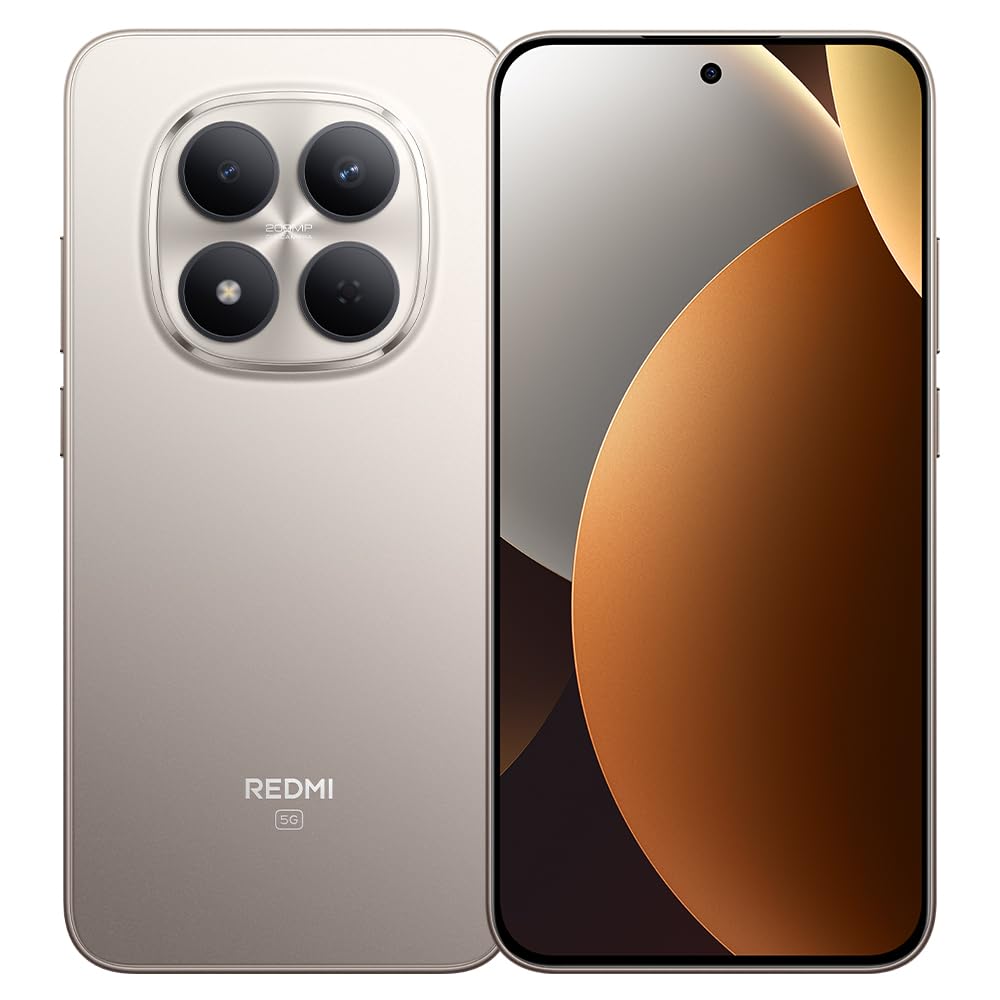
그림 1: Xiaomi Redmi Note 15 Pro 5G Smartphone. This image displays the front and back of the device, highlighting its sleek design and camera module.
패키지 내용
- Xiaomi Redmi Note 15 Pro 5G 스마트 폰
- 전원 어댑터
- USB Type-C 케이블
- SIM 추출 도구(지역에 따라 다를 수 있음)
- 빠른 시작 가이드(본 설명서)
3. 설정
3.1. SIM 카드 삽입
- 기기 측면에서 SIM 카드 트레이를 찾으세요.
- SIM 꺼내기 도구를 트레이 옆에 있는 작은 구멍에 넣고 트레이가 튀어나올 때까지 단단히 누르세요.
- Place your Nano-SIM card(s) into the tray with the gold contacts facing down. Ensure proper orientation. This device supports Dual SIM functionality.
- 트레이를 조심스럽게 전화기에 다시 삽입하세요.
3.2. 초기 전원 켜기 및 설정
- Xiaomi 로고가 나타날 때까지 전원 버튼을 길게 누르세요.
- 화면의 지시에 따라 언어와 지역을 선택하고, Wi-Fi에 연결하고, Google 계정을 설정하세요.
- Configure biometric security features such as facial recognition for enhanced security.
3.3. 장치 충전
Connect the USB Type-C cable to the phone's charging port and the other end to the provided power adapter. Plug the adapter into a power outlet. The device supports fast charging. Ensure the power adapter is suitable for your region.
4. 사용 설명서
4.1. 디스플레이 및 탐색
- The device features a 6.83-inch CrystalRes AMOLED display with a 120Hz refresh rate for smooth visuals.
- Navigate using gestures or on-screen navigation buttons (configurable in settings).
- Adjust display brightness and color settings in the 'Display' section of the Settings app.
4.2. 카메라 사용
Your Redmi Note 15 Pro 5G is equipped with a 200MP main rear camera with optical stabilization and a 20MP front camera.
- 카메라 앱을 엽니다.
- 원하는 모드(사진, 인물, 비디오, 프로 등)를 선택하세요.
- 셔터 버튼을 탭하여 사진을 찍거나 비디오 녹화를 시작/중지하세요.
- Utilize the 200MP mode for high-resolution images and 4K video recording for detailed videos.
4.3. 성능 및 연결성
- The Mediatek Dimensity 7400-Ultra processor and 8GB RAM ensure smooth multitasking and gaming.
- Connect to 5G networks for high-speed internet access.
- Manage Wi-Fi, Bluetooth, and mobile data connections through the Quick Settings panel or the 'Network & Internet' section in Settings.
5. 유지관리
5.1. 배터리 관리
- The 6580mAh battery provides extended usage. For optimal battery life, avoid extreme temperatures.
- Use the provided charger for efficient and safe charging.
- Regularly check battery usage in Settings to identify and manage power-consuming apps.
5.2. 방수 및 방진 기능
Your device is rated IP66, IP68, IP69, and IP69K for water and dust resistance. This means it is protected against strong jets of water, immersion up to certain depths, and high-pressure/high-temperature water jets. However, resistance is not permanent and may decrease over time with normal wear. Avoid exposing the device to seawater, chlorinated water, or liquids other than fresh water. If the device gets wet, dry it thoroughly before charging or using the USB port.
5.3. 소프트웨어 업데이트
Regularly check for and install software updates to ensure your device has the latest features, security patches, and performance improvements. Go to 'Settings' > 'About phone' > 'MIUI version' to check for updates.
6. 문제 해결
6.1. 일반적인 문제 및 해결 방법
- 장치가 켜지지 않음: 배터리가 충전되어 있는지 확인하십시오. 최소 15분 동안 충전기에 연결한 후 전원을 켜보십시오.
- 배터리 수명이 짧음: Reduce screen brightness, disable unnecessary background apps, turn off GPS/Bluetooth when not in use. Check 'Battery' settings for detailed usage.
- 연결 문제(Wi-Fi/5G): Restart your device. Toggle Wi-Fi/Mobile Data off and on. Reset network settings if the issue persists.
- 앱 충돌: Clear the cache of the problematic app (Settings > Apps > [App Name] > Storage > Clear cache). If the issue continues, reinstall the app.
- 장치가 응답하지 않음: 전원 버튼을 약 10~15초간 길게 눌러 강제로 다시 시작하세요.
7. 사양
| 특징 | 사양 |
|---|---|
| 상표 | 샤오미 |
| 모델 | 레드미노트15프로5G |
| 운영 체제 | 기계적 인조 인간 |
| CPU 모델 | Mediatek Dimensity 7400-Ultra |
| 저장 용량 | 256GB (XNUMX기가바이트) |
| 숫양 | 8GB (XNUMX기가바이트) |
| 화면 크기 | 6.83 인치 |
| 디스플레이 유형 | 아몰레드 |
| 최대 화면 해상도 | 2772 x 1280 픽셀 |
| 새로 고침 빈도 | 120Hz |
| 후면 카메라 해상도 | 200 MP |
| 전면 카메라 해상도 | 20 MP |
| 비디오 캡처 해상도 | 4K (4096 픽셀) |
| 배터리 용량 | 6580mAh |
| 배터리 지속 시간 | 24시간 (일반적인 사용 기준) |
| 연결 기술 | 5G, 2G |
| 무선 네트워크 기술 | 지에스엠에스엠 |
| 커넥터 유형 | USB 타입-C |
| SIM 카드 유형 | Nano-SIM (Dual SIM) |
| 생체 인식 보안 | 얼굴 인식 |
| 방수 레벨 | IP66, IP68, IP69, IP69K |
| 헤드폰 잭 | 없음 |
| 포함된 구성 요소 | 전원 어댑터 |
| 외부 시험 인증 | Anatel: 062732509185 / Model: 25080RABDG |
8. 보증 및 지원
8.1. 보증 정보
이 제품에는 다음이 포함되어 있습니다. 90일 보증 against manufacturing defects. Please retain your proof of purchase for warranty claims. The warranty does not cover damage caused by misuse, accidents, unauthorized repairs, or normal wear and tear.
8.2. 고객 지원
For further assistance, technical support, or warranty inquiries, please refer to the official Xiaomi support website or contact their customer service. You can find contact details on the official Xiaomi web웹사이트 또는 기기와 함께 제공된 설명서를 참조하십시오.
For product homologation details, please visit: sistemas.anatel.gov.br/sch