
1. 서론
The Shark ChillPill is a portable 2-in-1 personal cooling system designed to provide relief from heat both indoors and outdoors. It features a high-speed fan and a dry-touch evaporative misting system. This manual provides instructions for the safe and effective use, maintenance, and troubleshooting of your ChillPill device.
2. 중요 안전 지침
- 장치를 사용하기 전에 모든 지침을 읽으십시오.
- 기기를 물과 습기로부터 멀리하십시오. 물에 담그지 마십시오.
- Do not block the fan intake or outlet during operation.
- 제공된 USB-C 충전 케이블만 사용하세요.
- 어린이의 손이 닿지 않는 곳에 보관하세요.
- 기기를 직접 분해하거나 수리하려고 하지 마세요. 도움이 필요하면 고객 지원에 문의하세요.
- Avoid direct contact of the mist with electronic devices.
3. 상자 안에 무엇이 들어있나요?
패키지에 모든 구성품이 들어 있는지 확인하세요.
- Shark ChillPill device
- 팬캡
- Dry-Touch Misting Pod
- USB-C 충전 케이블
- 3 replacement misting wicks
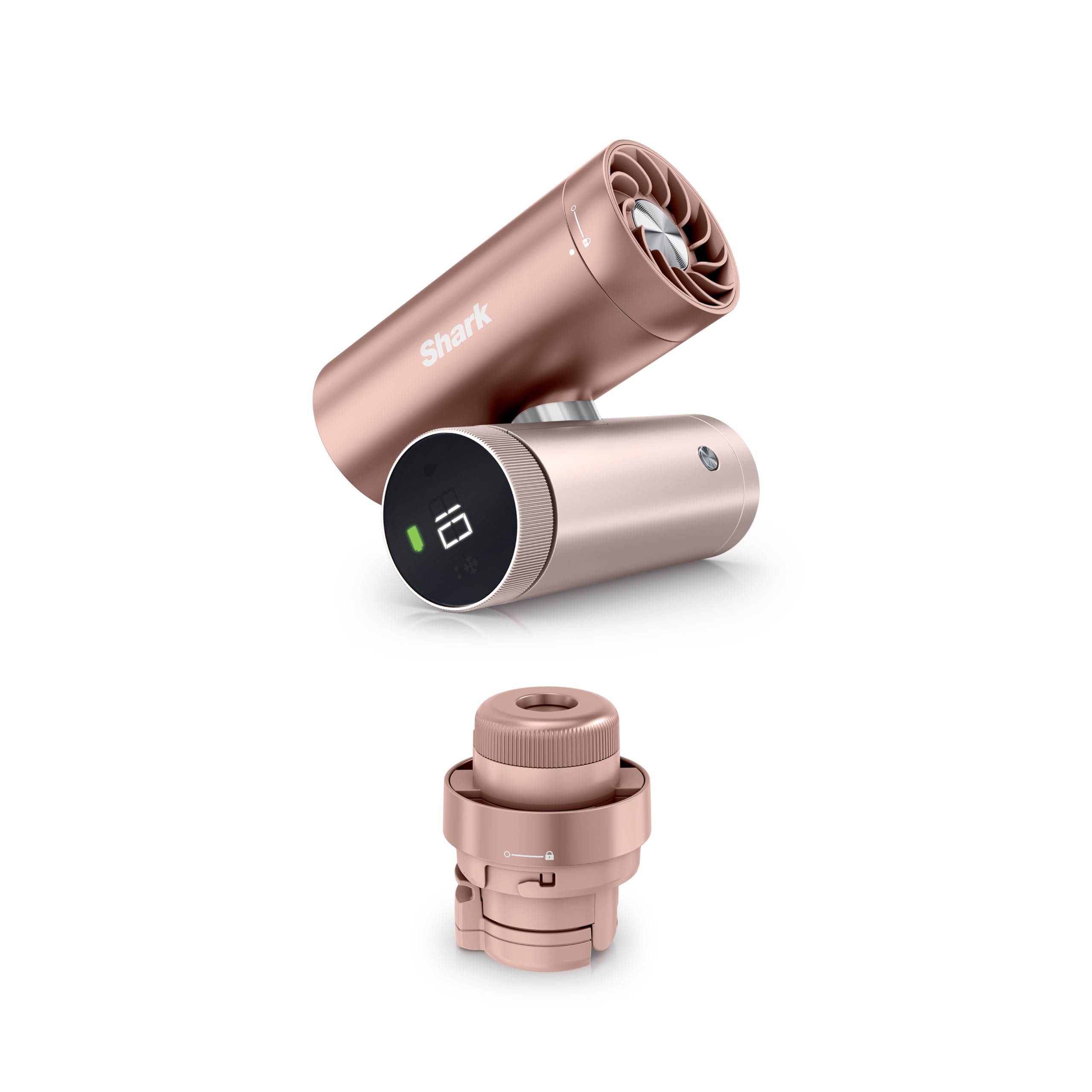
Image: The Shark ChillPill device in Rose Gold, showcasin컴팩트한 디자인입니다.
4. 제품 구성품
The Shark ChillPill consists of a main unit and interchangeable cooling attachments:
- 메인 유닛: Contains the battery, controls, and connection point for attachments.
- Fan Cap: Provides high-speed airflow.
- Dry-Touch Misting Pod: Delivers a fine, evaporative mist.

이미지: 폭발된 view of the Shark ChillPill, illustrating the main unit, fan cap, and dry-touch misting pod.
5. 설정
5.1 장치 충전
- Connect the USB-C charging cable to the charging port on the ChillPill device.
- 케이블의 다른 쪽 끝을 호환되는 USB 전원 어댑터(포함되지 않음)에 꽂습니다.
- The battery indicator on the device will show charging status. A full charge takes approximately 3.5 hours.
5.2 Attaching the Fan Cap or Misting Pod
- Align the desired attachment (Fan Cap or Misting Pod) with the top of the main unit.
- 부착물을 시계 방향으로 돌려 딸깍 소리가 나면서 제자리에 단단히 고정될 때까지 조이십시오.
5.3 Filling the Misting Reservoir (for Misting Pod)
- Ensure the Misting Pod is detached from the main unit.
- Carefully open the reservoir cap.
- Fill the reservoir with clean, cool tap water. Do not overfill.
- 물통 뚜껑을 단단히 닫으세요.
5.4 Replacing Misting Wicks (for Misting Pod)
- Unscrew the bottom part of the Misting Pod to access the wick chamber.
- Remove the old wick and insert a new replacement wick.
- Reassemble the Misting Pod, ensuring all parts are secure.
6. 사용 설명서
6.1 전원 켜기/끄기
본체의 전원 버튼을 길게 눌러 기기를 켜거나 끄세요.
6.2 팬 속도 조정
When the Fan Cap is attached and the device is on, rotate the dial on the main unit to adjust the fan speed. There are 10 speed settings available. Higher speeds provide stronger airflow but may generate more noise.
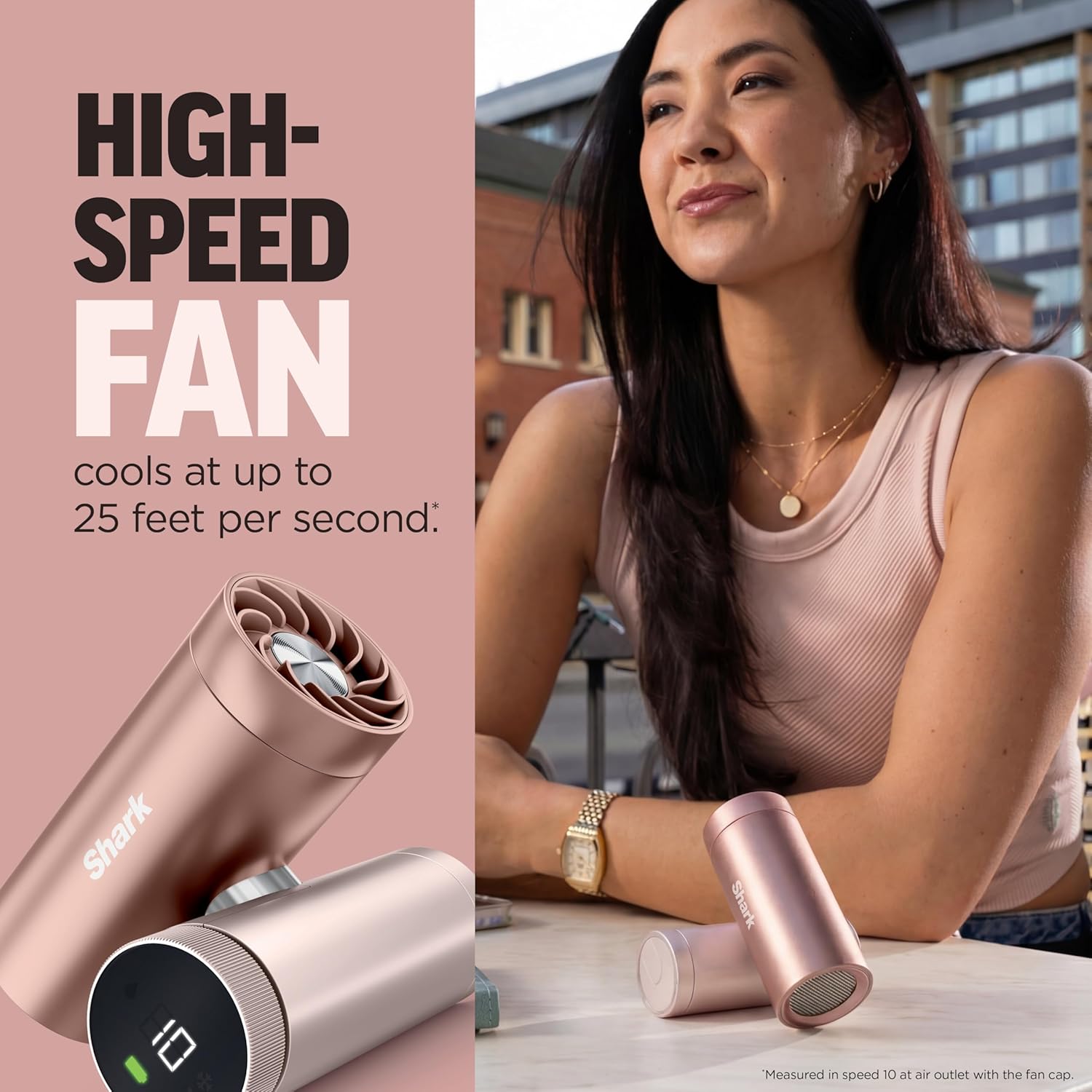
Image: A person using the Shark ChillPill with the fan cap attached, demonstrating its high-speed airflow.

Image: A table outlining recommended fan speeds (1-10) for different activities, from indoor relaxation to outdoor adventures.
6.3 Using Dry-Touch Mist
When the Misting Pod is attached and filled with water, press the mist button to activate the misting function. You can choose between constant mist or interval mist mode by pressing the button again. Interval mode conserves water for longer use.

Image: A person using the Shark ChillPill with the dry-touch misting pod, showing the fine mist being emitted.
6.4 핸즈프리 사용
The ChillPill is designed for versatile hands-free use. It can be worn, clipped, or twisted for tabletop mode. Optional accessories (sold separately) include cross-body lanyards, clips, clamps, and wristlets to enhance portability and hands-free operation.

Image: Individuals demonstrating different hands-free methods of carrying the Shark ChillPill, including wearing it and attaching it to clothing.

Image: A visual representation of different accessories for hands-free use, including a wristlet, clip, clamp, and crossbody strap.
7. 유지관리
7.1 장치 청소
- 청소하기 전에 장치가 꺼져 있고 플러그가 뽑혀 있는지 확인하십시오.
- 부드러운 천으로 기기 외부를 닦아주세요.amp 옷감.
- For the Fan Cap, use a dry brush or compressed air to remove dust from the fan blades.
- For the Misting Pod, periodically clean the reservoir with mild soap and water, then rinse thoroughly. Allow to air dry completely before reassembly.
7.2 Misting Wick Replacement
Replace misting wicks regularly, especially if you notice a decrease in mist output or if the wick appears discolored. Refer to section 5.4 for replacement instructions.
7.3 보관
Store the ChillPill in a cool, dry place when not in use. If storing for an extended period, ensure the battery is partially charged (around 50%) to prolong battery life.
8. 문제 해결
| 문제 | 가능한 원인 | 해결책 |
|---|---|---|
| 기기가 켜지지 않음 | 배터리 부족; 기기가 충전되지 않음 | 제공된 USB-C 케이블을 사용하여 장치를 충전하세요. |
| 팬이 작동하지 않습니다 | Fan Cap not securely attached; Obstruction in fan blades | Ensure Fan Cap is twisted securely. Check for and remove any obstructions. |
| 안개가 없거나 안개 출력이 약함 | Misting Pod not securely attached; Reservoir empty; Clogged or worn-out wick | Ensure Misting Pod is twisted securely. Refill reservoir with water. Replace misting wick. |
| 배터리 수명이 짧음 | Operating at high fan speeds or continuous mist; Battery degradation | Reduce fan speed or use interval mist mode. Ensure full charge before use. |
9. 사양
- 모델 번호: FA023
- 제품 크기: 1.77 x 3.31 x 4.4 인치
- 품목 무게: 12.3 온스
- 전원: 충전식 배터리(USB-C)
- 팬 속도: 10단계
- 안개 모드: Constant, Interval
- 배터리 사용 시간: Up to 11 hours (low fan speed), Up to 1.5 hours (max power)
- 충전 시간: 약 3.5시간
10. 보증 및 지원
Your Shark ChillPill device is covered by a limited warranty. For specific warranty details, please refer to the warranty card included with your purchase or visit the official Shark website. For technical support, replacement parts, or service inquiries, please contact Shark customer service.