
소개
Thank you for choosing the Dyson Hushjet Compact Purifier HJ10. This device is engineered to purify your indoor environment, removing airborne pollutants and allergens. Its compact design and advanced electrostatic filtration system ensure clean air in spaces up to 100 square meters. Please read this manual thoroughly before operating your purifier to ensure safe and optimal performance.
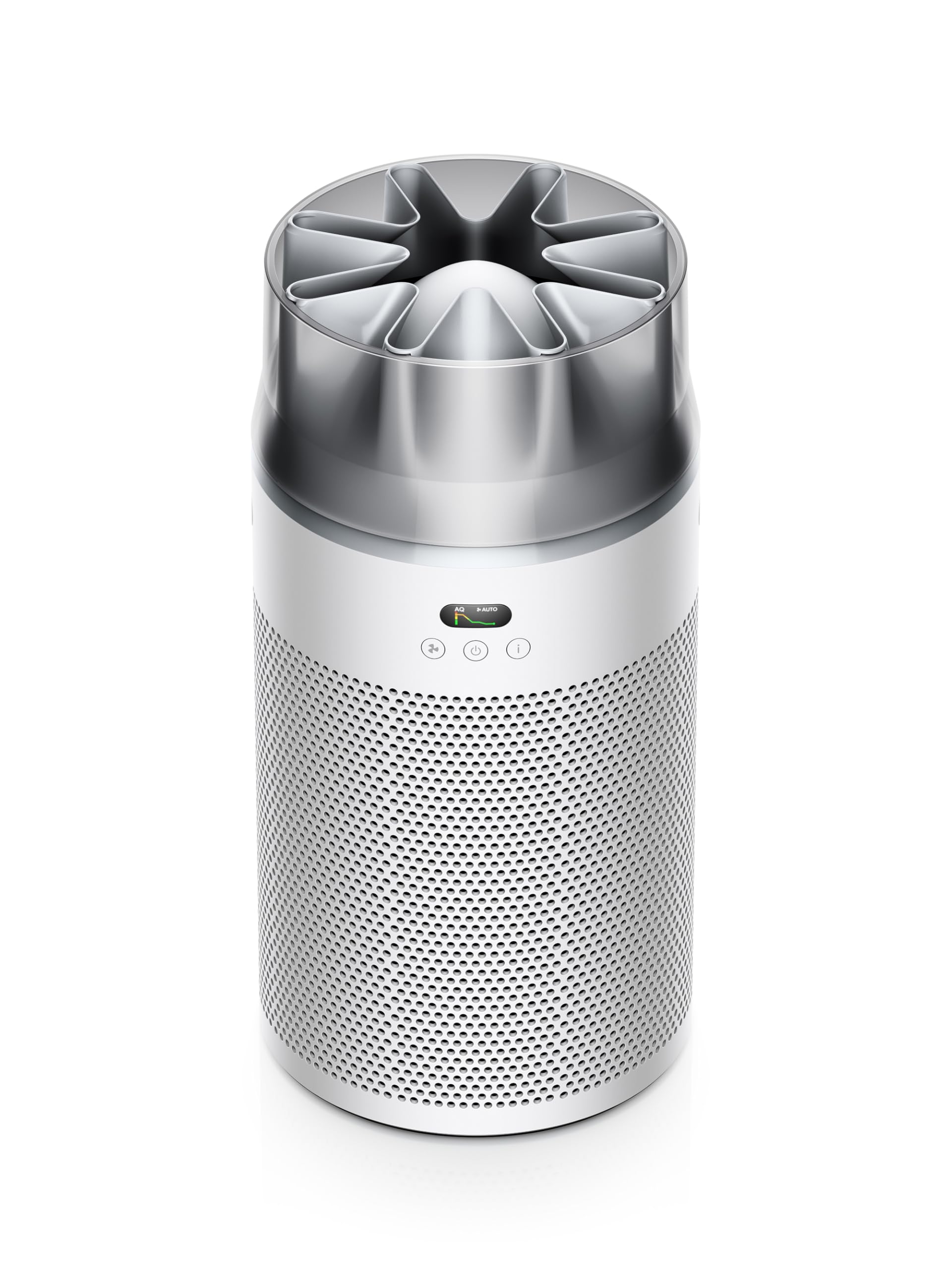
Image: The Dyson Hushjet Compact Purifier HJ10, a sleek, compact air purification unit.
중요한 안전 정보
화재, 감전 또는 부상의 위험을 줄이려면 전기 제품을 사용할 때 항상 기본적인 안전 예방 조치를 따르세요.
- 기기를 사용하기 전에 모든 지침을 읽으세요.
- Unplug the purifier from the power outlet before cleaning, performing any maintenance, or when not in use.
- Do not operate any appliance with a damaged cord or plug. If the cord or plug is damaged, contact Dyson customer support.
- Do not use the purifier near water or in wet environments.
- Keep the air inlets and outlets clear of obstructions. Do not insert objects into any openings.
- 이 제품은 실내에서만 사용하세요.
- Do not allow children to play with the purifier.
패키지 내용
패키지에 모든 품목이 들어 있는지 확인하세요.
- Dyson Hushjet Compact Purifier HJ10 Main Unit
- Electrostatic Filter (pre-installed or separate)
- 원격 제어
- 전원 케이블
- 사용 설명서 (본 문서)
설정
1. Unpacking and Filter Installation
Carefully remove all components from the packaging. If the electrostatic filter is not pre-installed, follow the instructions below to install it.
- Place the purifier on a stable, level surface.
- Twist the base of the purifier counter-clockwise to unlock and remove the filter cover.
- Insert the electrostatic filter into the base, ensuring it is seated correctly.
- 필터 덮개를 다시 끼우고 시계 방향으로 돌려 제자리에 고정하십시오.
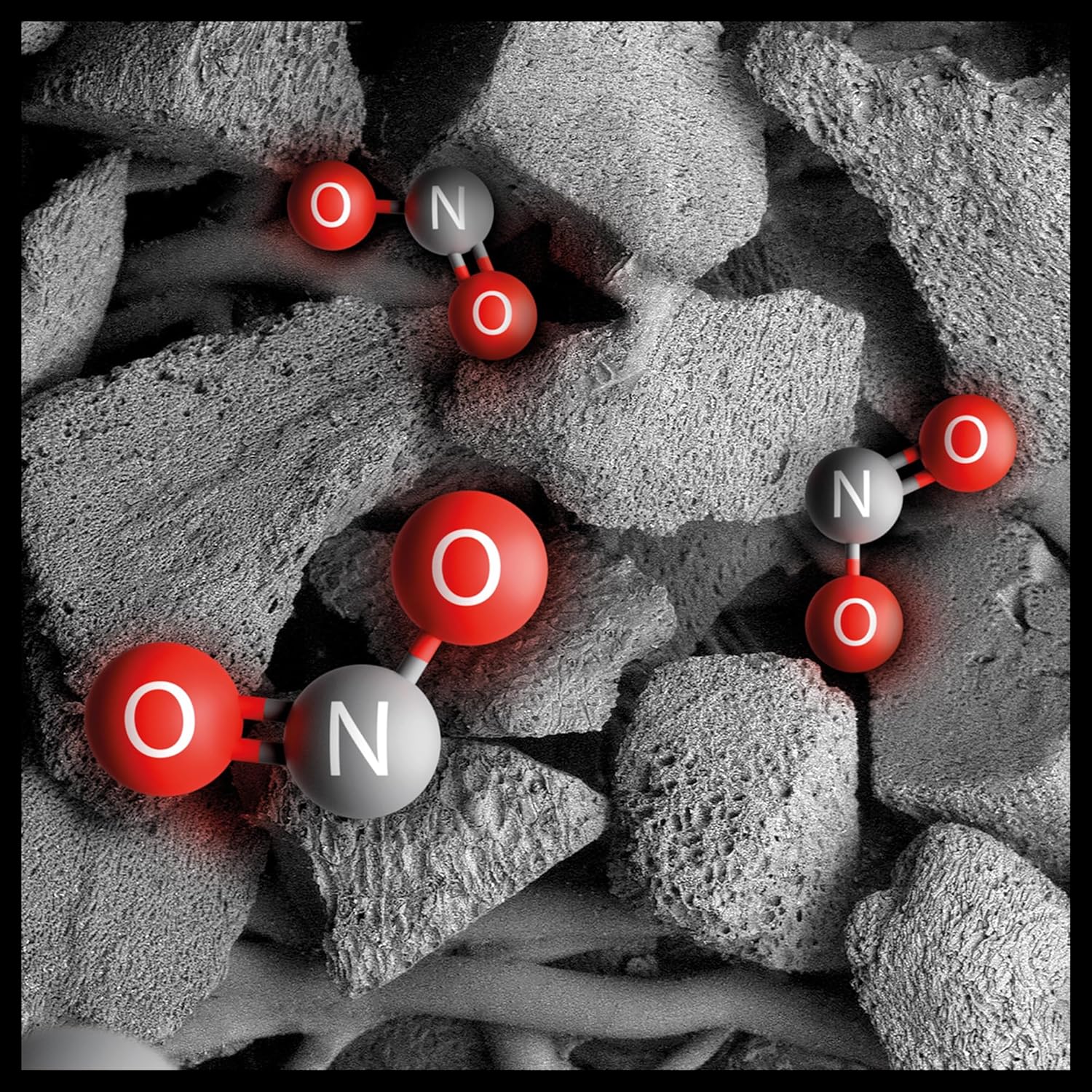
Image: Illustration of the electrostatic filter being installed into the purifier base.
2. 배치
Position the purifier in a central location within the room to ensure optimal air circulation. The Dyson Hushjet Compact Purifier HJ10 is designed to effectively purify rooms up to 100 square meters. Ensure there is adequate space around the unit for air intake and output.
3. 전원 연결
Connect the power cable to the purifier and then plug it into a suitable electrical outlet.
4. 앱 연결 (선택 사항)
For enhanced control and monitoring, download the Dyson Link app from your device's app store. Follow the in-app instructions to connect your purifier to your mobile device.

Image: A smartphone displaying the Dyson Link app interface, showing controls for the air purifier.
작동 지침
1. 전원 켜기 / 끄기
전원 버튼 (⏻) on the unit or the remote control to turn the purifier on or off.

Image: Close-up of the purifier's control panel, featuring the power button and display.
2. 작동 모드
- 자동 모드 : Press the 'Auto' button on the remote or select it via the app. The purifier will automatically adjust its fan speed based on detected air quality.
- 수동 모드: Adjust the fan speed manually using the fan speed buttons on the remote or through the app.
- 야간 모드: Activate Night Mode for quieter operation and dimmed display lights, ideal for use during sleep.

Image: A digital display showing an air quality graph over time, indicating good air quality and an auto target setting.
3. Air Projection Technology
The Dyson Hushjet features special Dyson Hushjet air projection, designed to circulate purified air efficiently throughout the room.
유지
1. 필터 교체
The electrostatic filter in your Dyson Hushjet Purifier is designed for long-term use, with an estimated lifespan of 5 years under normal operating conditions. The device or app will notify you when a filter replacement is due.
- Unplug the purifier from the power outlet.
- Twist the base counter-clockwise to remove the filter cover.
- 오래된 필터를 조심스럽게 제거하고 현지 규정에 따라 폐기하세요.
- Insert a new Dyson electrostatic filter, ensuring proper alignment.
- 필터 덮개를 교체하고 시계 방향으로 돌려 잠급니다.
- Reset the filter life indicator via the app or by following instructions on the device display.

Image: An artistic representation of electrostatic filtration, showing charged particles being attracted to and captured by filter fibers.
2. 장치 청소
공기청정기 외부를 부드럽고 마른 천으로 닦으십시오. 액체 세척제나 연마성 재질은 사용하지 마십시오. 청소하기 전에 반드시 전원 플러그를 뽑으십시오.
문제 해결
| 문제 | 가능한 원인 | 해결책 |
|---|---|---|
| 공기청정기가 켜지지 않습니다. | 전원 공급이 없습니다. | Check if the power cable is securely plugged into the unit and the wall outlet. Test the outlet with another device. |
| 공기 정화 성능이 떨어집니다. | Clogged or incorrectly installed filter. | Check filter installation. Replace the filter if it has reached its end of life. Ensure air inlets/outlets are not blocked. |
| 리모컨이 작동하지 않습니다. | 배터리 방전 또는 장애물. | Replace remote control batteries. Ensure no objects are blocking the signal path to the purifier. |
| 앱 연결 문제. | Wi-Fi network problem or app error. | Ensure your Wi-Fi network is active. Restart the purifier and your mobile device. Re-attempt the app connection process. |
명세서
| 특징 | 세부 사항 |
|---|---|
| 상표 | 다이슨 |
| 모델 번호 | HJ10 / SP01 |
| 치수(D x W x H) | 36P x 27.5W x 52.5H cm (14.17 x 10.83 x 20.67 inches) |
| 품목 무게 | 3.15킬로그램(6.94파운드) |
| 전원 | 코드식 전기 |
| 제어 방법 | 원격, 앱 |
| 필터 유형 | 정전기 필터 |
| 유효 면적 | 최대 100제곱미터 |
| 특별 기능 | Dyson Hushjet Air Projection, Contaminant Filtration Capability |
| 필터 수명 | 5 years (estimated) |
보증 및 지원
Your Dyson Hushjet Compact Purifier HJ10 comes with a manufacturer's warranty. For detailed warranty information, product registration, or technical support, please visit the official Dyson web웹사이트를 방문하거나 다이슨 고객 서비스에 문의하세요. 보증 청구를 위해 구매 증빙 자료를 보관하세요.
다이슨 공식 Web대지: www.dyson.com