
소개
This manual provides detailed instructions for the assembly, operation, maintenance, and troubleshooting of your EUREKA ERGONOMIC 55 Inch L-Shaped Electric Standing Desk. This desk features a spacious 55-inch wide surface with a 20-inch extension, designed to accommodate multiple monitors and accessories, optimizing space in your home office or gaming setup.
Please read this manual thoroughly before assembly and use to ensure proper function and safety.
안전 정보
중요한 안전 예방 조치:
- Always ensure the desk area is clear of users, pets, and objects before adjusting the height.
- Do not place hands or other body parts near moving parts during height adjustment.
- Ensure all cables are properly managed to prevent snagging or damage during movement.
- Do not overload the desk beyond its specified weight capacity (refer to specifications section).
- 작동 중에는 어린이와 애완동물이 책상에 접근하지 못하도록 하세요.
- 제공된 전원 어댑터와 구성품만 사용하십시오.
- If any unusual noise or movement occurs, immediately stop operation and consult the troubleshooting guide or contact customer support.
제품 끝view
The EUREKA ERGONOMIC L-Shaped Electric Standing Desk is designed for versatility and comfort, allowing seamless transitions between sitting and standing positions. Key features include an electric lifting system, memory presets, and a spacious L-shaped desktop.
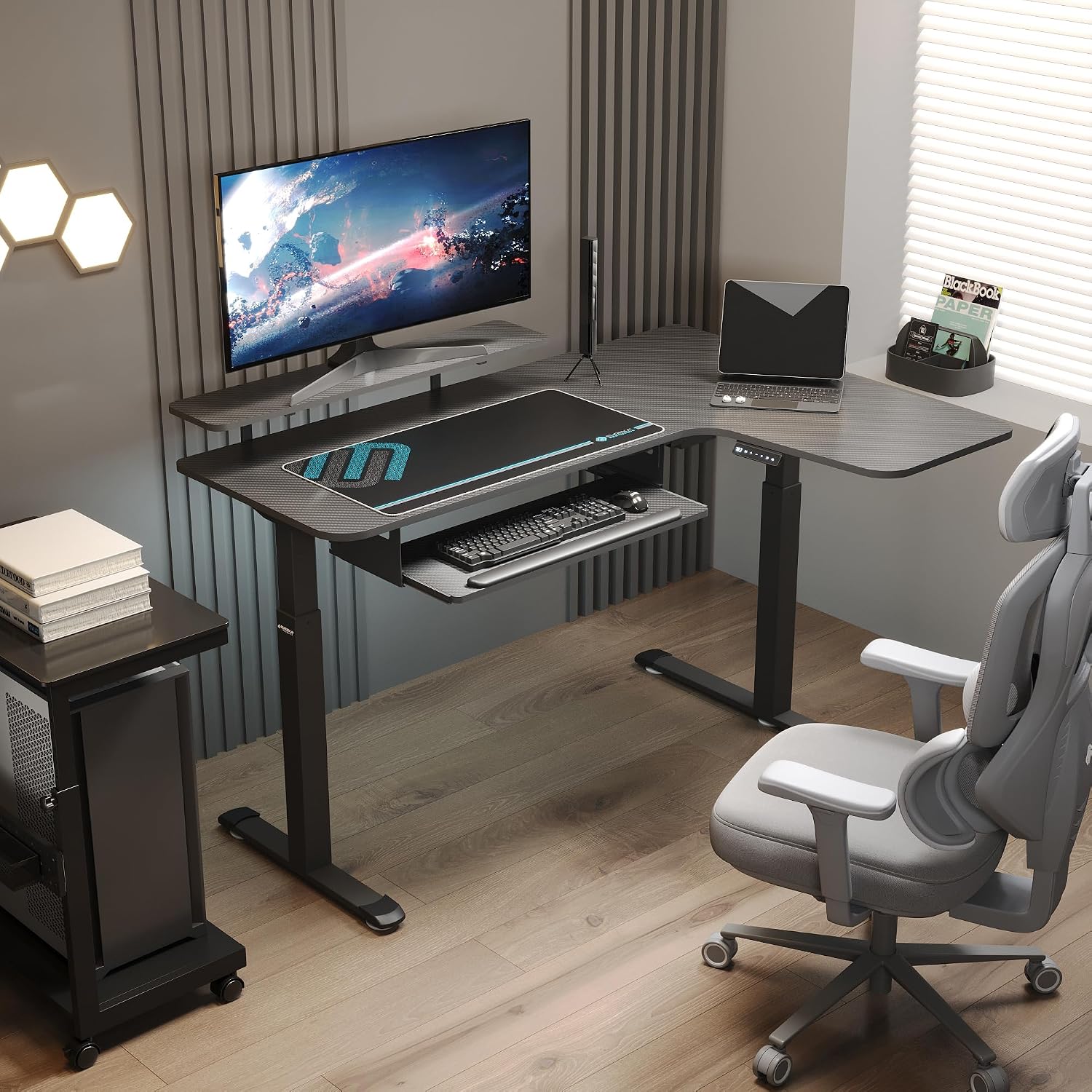
그림 1: 제품 치수 This image illustrates the overall dimensions of the L-shaped desk, including the main 55-inch surface, 20-inch extension, and height adjustment range from 29.5 inches to 48 inches. It also shows the dimensions of the keyboard tray and mouse pad.

Figure 2: Alternating Sitting and Standing. The desk allows for one-click electric height adjustment between 29.5 inches (minimum) and 48 inches (maximum) to support spinal health and reduce discomfort.

Figure 3: Professional Workstation Desk. This image demonstrates the flexibility of the L-shaped design, allowing users to choose between left or right configurations to suit their workspace needs.
설정 및 조립
Assembly is required for this product. Please ensure you have all components listed in the packing list before beginning. It is recommended to assemble the desk with at least two people.
구성 요소 체크리스트:
- Desktop sections (main and extension)
- Leg frames and feet
- 전기 모터 및 제어 박스
- 제어판
- Keyboard tray and rails
- Hardware kit (screws, bolts, Allen wrenches)
- 전원 어댑터
조립 단계:
- 부품 풀기 및 식별: Carefully unpack all components and verify against the packing list. Lay them out on a clean, soft surface to prevent scratches.
- 다리 프레임 조립: Attach the feet to the bottom of the leg frames using the provided hardware. Ensure they are securely tightened.
- 책상에 다리 프레임을 부착하세요: Position the desktop sections upside down. Attach the leg frames to the designated mounting points on the desktop using the appropriate screws.
- Install Electric Motor and Control Box: Mount the electric motor and control box to the underside of the desktop as indicated in the detailed assembly diagram (refer to the separate assembly guide if provided). Connect the motor cables to the control box.
- 제어판 설치: Secure the control panel to the front edge of the desk, typically on the right side for this model. Connect its cable to the control box.
- 키보드 트레이 조립: Attach the keyboard tray rails to the underside of the desk, then slide the keyboard tray into place.
- 케이블 관리 : Route all power and control cables neatly using any included cable ties or management clips to prevent interference with desk movement.
- 최종 배치: Carefully flip the desk upright and place it in its desired location. Ensure it is stable and level.
For detailed visual instructions, please refer to the assembly diagrams included with your product packaging.
작동 지침
Your EUREKA ERGONOMIC electric standing desk features an intuitive control panel for easy height adjustment and memory presets.

Figure 4: Smart Control Panel. This image highlights the control panel with its LED display, buttons for adjusting height up and down, and three memory preset buttons (1, 2, 3).
Basic Height Adjustment:
- 올리는: Press and hold the "Up" arrow button (▲) until the desk reaches your desired standing height.
- 낮추려면: Press and hold the "Down" arrow button (▼) until the desk reaches your desired sitting height.
- LED 디스플레이에는 현재 키가 인치 단위로 표시됩니다.
메모리 사전 설정:
이 책상은 원하는 높이 설정을 최대 3개까지 저장하여 빠르게 조절할 수 있습니다.
- 위/아래 버튼을 사용하여 책상 높이를 원하는 대로 조절하세요.
- Press the "M" button. The LED display will show "S-".
- Within 3 seconds, press one of the number buttons (1, 2, or 3) to save the current height to that preset. The display will show "S-1", "S-2", or "S-3" to confirm.
메모리 사전 설정 사용:
Once presets are saved, simply press the corresponding number button (1, 2, or 3) to automatically move the desk to the saved height. Pressing any button during automatic movement will stop the desk.
Keyboard Tray Operation:

Figure 5: Keyboard Tray and Mouse Pad. The integrated keyboard tray slides smoothly under the desk to maximize desktop space. A large mouse pad is also included for enhanced tracking.
The keyboard tray is designed to slide in and out smoothly. Gently pull the tray towards you to extend it for use, and push it back under the desk when not needed to free up desktop space.
제품 비디오 :
Video 1: EUREKA ERGONOMIC Electric Standing Desk Overview. This video demonstrates the electric height adjustment feature and general use of the EUREKA ERGONOMIC L-Shaped Electric Standing Desk, showcasing its smooth operation and ergonomic benefits.
유지
정기적인 유지관리를 통해 스탠딩 데스크의 수명과 최적의 성능을 보장할 수 있습니다.
- 청소: 책상 표면을 부드러운 천으로 닦으세요.amp 천으로 닦으세요. 마감재를 손상시킬 수 있는 강한 화학 물질이나 연마성 세제는 사용하지 마세요.
- 프레임 세척: Clean the metal frame with a mild detergent and a soft cloth. Dry thoroughly.
- 케이블 관리 : Periodically check all cables for wear or damage. Ensure they are securely routed and not pinched.
- 패스너: 모든 나사와 볼트가 단단히 조여져 있는지 주기적으로 확인하고, 필요하면 다시 조이십시오.
- 모터 케어: 이 전기 모터는 유지보수가 필요 없습니다. 모터를 열거나 윤활유를 바르려고 하지 마십시오.
문제 해결
책상 사용 중 문제가 발생하면 다음의 일반적인 문제 및 해결 방법을 참조하십시오.
| 문제 | 가능한 원인 | 해결책 |
|---|---|---|
| 버튼을 눌러도 책상이 움직이지 않습니다. |
|
|
| 책상이 고르지 않게 움직이거나 이상한 소리가 납니다. |
|
|
| 메모리 설정이 작동하지 않거나 저장되지 않습니다. |
|
|
If these solutions do not resolve the issue, please contact EUREKA ERGONOMIC customer support for further assistance.
명세서
Detailed technical specifications for your EUREKA ERGONOMIC L-Shaped Electric Standing Desk:
| 특징 | 세부 사항 |
|---|---|
| 상표 | 유레카 인체공학 |
| 모델 번호 | ERK-SM-L55R-CF-FBM |
| 모양 | L 자형 |
| 데스크탑 크기 | 55 inch (main) + 20 inch (extension) |
| 높이 조절 범위 | 29.5인치 - 48인치 |
| 중량 용량 | 300파운드 |
| 제어판 | LED 디스플레이, 상/하 버튼, 3개의 메모리 프리셋 |
| 프레임 소재 | Cold Rolled Steel, Metal |
| 데스크탑 소재 | Carbon Fiber (finish), Maple Wood (core/base) |
| 포함된 구성 요소 | Cup Holder, Headphone Hook, Keyboard Tray, Mouse Pad |
| 조립이 필요합니다 | 예 |
| 품목 무게 | 129 파운드 |

Figure 6: 300 Lbs Capacity. The desk is built with a reinforced frame to support a weight capacity of up to 300 pounds.

Figure 7: Frame Construction. This image details the cold rolled steel reinforced frame, stable T-shaped foot design, and anti-slip footrests for enhanced stability and durability.
보증 및 지원
EUREKA ERGONOMIC is committed to providing high-quality products and customer satisfaction.
보증 정보:
For specific warranty details, including coverage period and terms, please refer to the warranty card included with your product or visit the official EUREKA ERGONOMIC web사이트. 보증 청구를 위해 구매 증빙 자료를 보관하세요.
고객 지원:
If you have any questions, require assistance with assembly, or need troubleshooting beyond what is covered in this manual, please contact EUREKA ERGONOMIC customer support:
- Web대지: 방문하세요 아마존에서 EUREKA ERGONOMIC 스토어를 방문하세요. 또는 공식 브랜드 web연락처 정보와 FAQ는 해당 사이트에서 확인하세요.
- 이메일/전화: Refer to your product packaging or the brand's official web최신 연락처 정보는 사이트에서 확인하세요.
When contacting support, please have your model number (ERK-SM-L55R-CF-FBM) and purchase date available.