
1. 서론
The WOLFANG WS03 is an advanced indoor 2K 3MP WiFi security camera designed to provide comprehensive monitoring for your home or office. It features 360° pan and 110° tilt capabilities, automatic motion tracking, two-way audio communication, and enhanced infrared night vision. This manual will guide you through the setup, operation, and maintenance of your camera to ensure optimal performance and security.
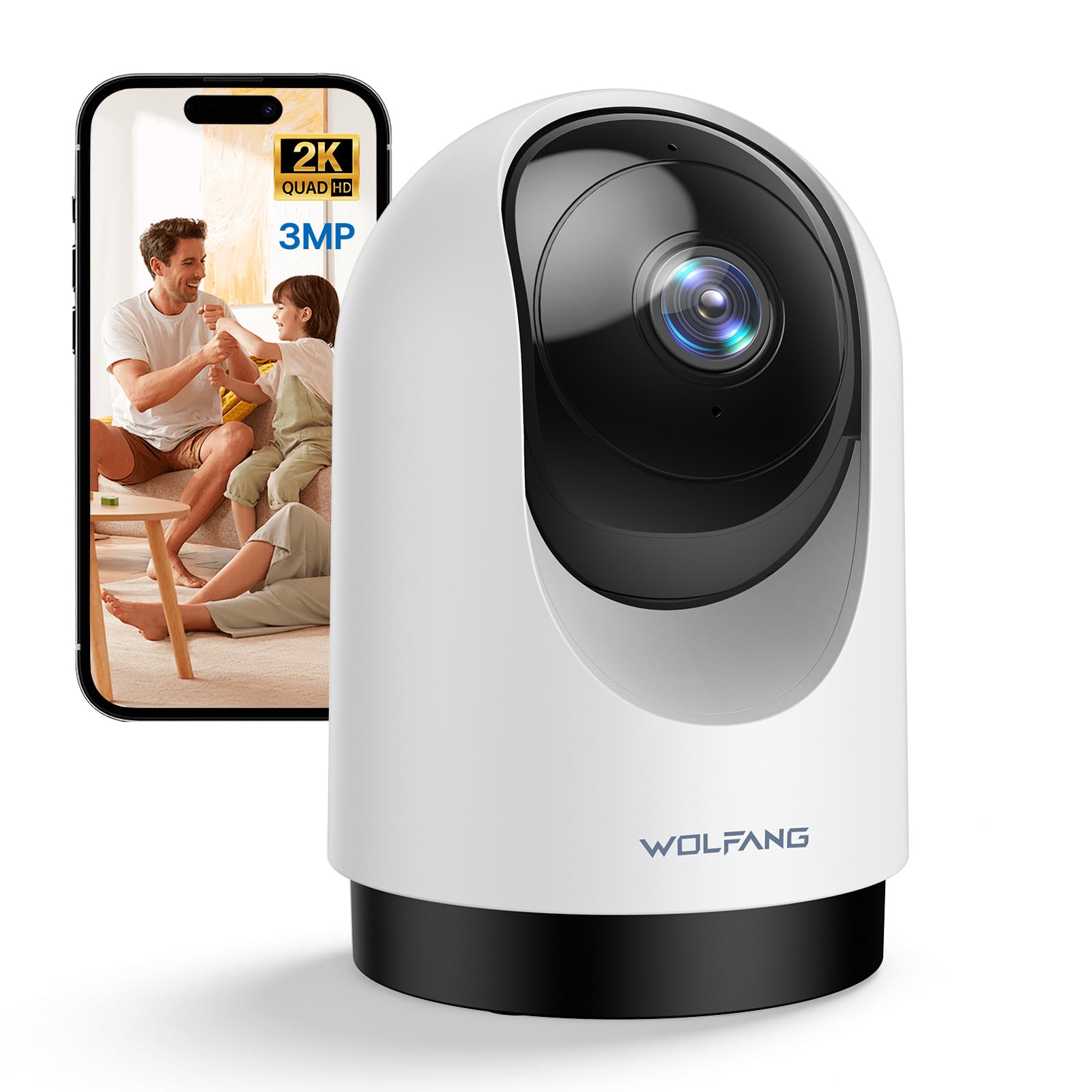
Image 1.1: WOLFANG WS03 Camera Overview
2. 패키지 내용
제품 개봉 후 구성품을 확인해 주십시오. 누락된 품목이나 손상된 품목이 있을 경우 고객 지원 센터로 문의해 주십시오.
- WOLFANG WS03 2K Indoor Security Camera
- 전원 어댑터
- USB 전원 케이블
- 설치 부속품 (나사, 벽 플러그, 설치 브래킷)
- 사용 설명서 (본 문서)
3. 제품 오버view 및 기능
Familiarize yourself with the key features and components of your WOLFANG WS03 camera.
- 2K 3MP 울트라 HD 해상도: Captures crisp and detailed video footage at 2304 x 1296p.
- 360° 회전 및 110° 기울기: Provides extensive coverage of your indoor environment, minimizing blind spots.
- 자동 동작 추적: The camera intelligently detects and follows moving subjects in real-time.
- 적외선 나이트 비전: Equipped with IR LEDs for clear monitoring in complete darkness.
- 양방향 오디오 : Features a built-in microphone and speaker for seamless remote communication.
- 스마트 동작 감지 및 즉시 알림: Advanced motion detection sends real-time notifications to your mobile device.
- 유연한 스토리지 옵션: Supports local storage via a microSD card (up to 128GB, not included) and offers optional cloud storage (14-day free trial).
- 음성 제어 호환성: Integrates with Amazon Alexa and Google Home for convenient hands-free control.
- 다중 사용자 공유: Allows secure sharing of camera access with up to four authorized users.

Image 3.1: WOLFANG WS03 Key Features Diagram
4. 설정 가이드
Follow these steps to set up your WOLFANG WS03 camera.
- 1. 전원 켜기: Connect the camera to a power outlet using the provided USB power cable and adapter. The camera will power on and indicate its status (e.g., flashing LED).
- 2. 앱 다운로드: 다운로드 Osaio app from the Apple App Store or Google Play Store on your smartphone.
- 3. Create an Account: Open the Osaio app and follow the on-screen instructions to register for a new account or log in if you already have one.
-
4. 장치 추가: In the Osaio app, tap the '+' icon to add a new device. Select your camera model (WS03) and follow the prompts to connect it to your Wi-Fi network.
- 스마트폰이 다음에 연결되어 있는지 확인하세요. 2.4GHz Wi-Fi 네트워크이 카메라는 5GHz Wi-Fi를 지원하지 않습니다.
- You may need to scan a QR code displayed on your phone with the camera lens to establish the connection.
- 5. Placement and Mounting: 카메라를 안정적이고 평평한 표면에 놓으십시오. view of the area you wish to monitor. Alternatively, use the included mounting accessories to securely install the camera on a wall or ceiling. Ensure the camera is within range of your 2.4GHz Wi-Fi signal.
5. 사용 설명서
Learn how to use the various functions of your WOLFANG WS03 camera through the Osaio app.
5.1 라이브 View 및 팬/틸트 제어
Once connected, open the Osaio app and select your camera to view the live feed. Use the on-screen controls to pan (rotate horizontally 360°) and tilt (rotate vertically 110°) the camera lens to adjust your view잉 각도.

Image 5.1: Pan and Tilt Functionality with Motion Tracking
5.2 자동 동작 추적
Enable the automatic motion tracking feature in the app settings. The camera will then automatically detect and follow any moving objects or people within its field of view, ensuring important events are captured.
5.3 양방향 오디오
The built-in microphone and speaker allow for real-time two-way communication. Tap the microphone icon in the app to speak, and the sound will be projected through the camera's speaker. You can also hear audio from the camera's environment.

그림 5.2: 양방향 오디오 통신
5.4 야간 투시경
The camera automatically activates its infrared night vision mode in low-light conditions, providing clear black-and-white video footage even in complete darkness. This ensures continuous monitoring around the clock.

Image 5.3: Advanced Night Vision in action
5.5 기록 및 저장
The WOLFANG WS03 offers flexible recording and storage options:
- MicroSD 카드 저장: Insert a microSD card (up to 128GB, not included) into the designated slot on the camera for continuous 24/7 recording or event-triggered recordings.
- 클라우드 스토리지: An optional cloud storage service is available, offering a 14-day free trial. This provides secure off-site storage for your video recordings.
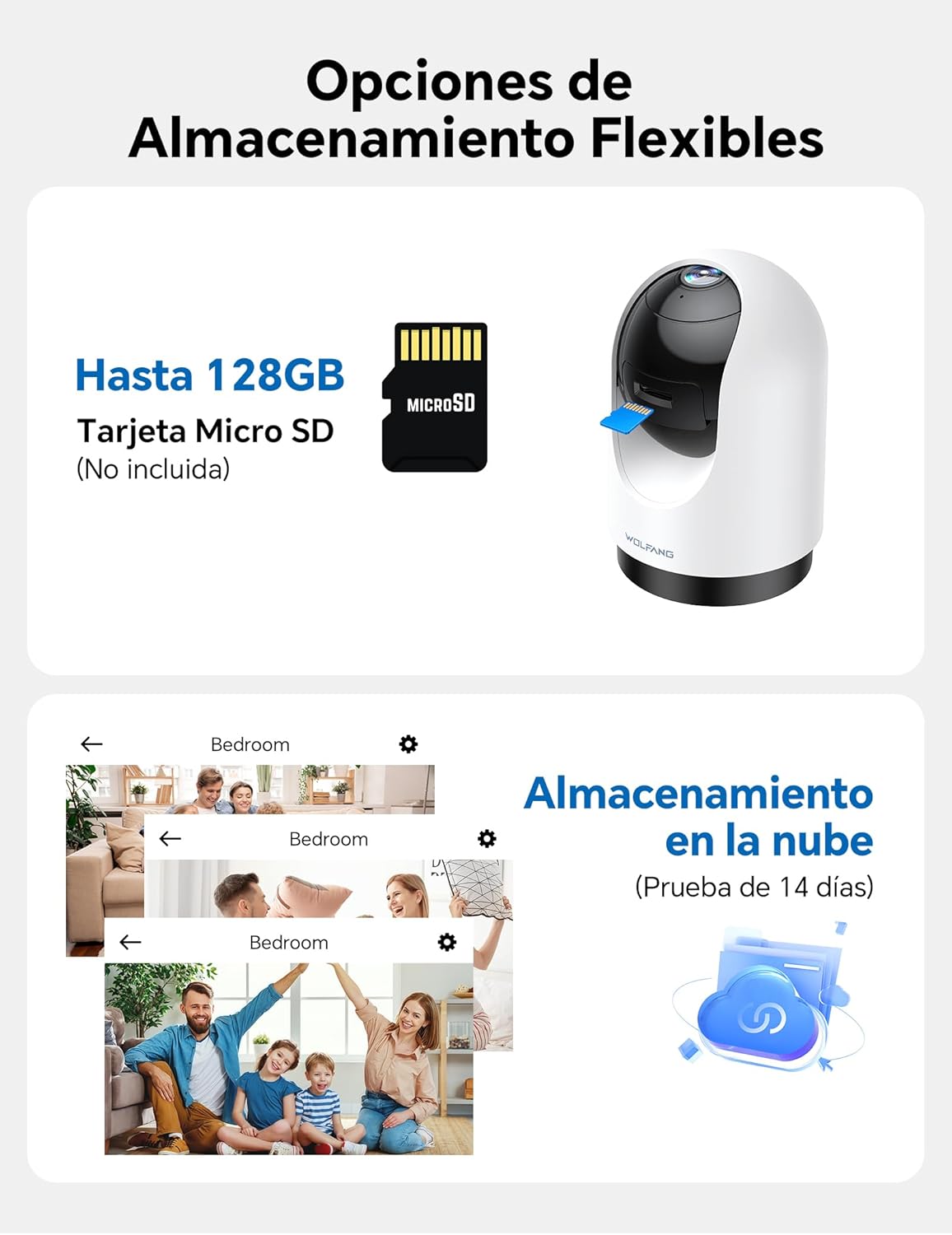
Image 5.4: Flexible Storage Options
5.6 다중 사용자 공유
You can share access to your camera's live feed and recordings with up to four other users. Use the sharing function within the Osaio app to invite family members or trusted individuals.

Image 5.5: Multi-User Sharing Interface
5.7 음성 제어 통합
The WOLFANG WS03 camera is compatible with Amazon Alexa and Google Home. Link your camera to your smart home assistant through their respective apps to control it using voice commands, such as "Alexa, show me the living room."

그림 5.6: 스마트 어시스턴트를 이용한 음성 제어
6. 유지관리
적절한 유지관리는 카메라의 수명과 최적의 성능을 보장합니다.
- 청소: Gently wipe the camera lens and exterior with a soft, dry, lint-free cloth. Avoid using liquid cleaners or abrasive materials, which can damage the lens or finish.
- 펌웨어 업데이트: Regularly check the Osaio app for available firmware updates. Installing updates ensures your camera has the latest features, security patches, and performance improvements.
- 전원 주기: If the camera becomes unresponsive or experiences connectivity issues, try power cycling it. Unplug the power adapter from the camera for 10-15 seconds, then plug it back in.
- 환경 조건: 카메라를 지정된 작동 온도 및 습도 범위 내에서 사용하십시오. 극한의 온도, 직사광선 또는 습도가 높은 환경에 장시간 노출하지 마십시오.
7. 문제 해결
일반적으로 발생할 수 있는 문제에 대한 해결책은 이 섹션을 참조하세요.
| 문제 | 가능한 해결책 |
|---|---|
| 카메라가 Wi-Fi에 연결되지 않음 |
|
| Poor video quality or blurry image |
|
| Motion detection not working or false alerts |
|
| Two-way audio issues (cannot hear or speak) |
|
| USB power cable issue |
|
8. 사양
| 특징 | 세부 사항 |
|---|---|
| 상표 | 볼팡 |
| 모델명 | WS03 |
| 비디오 해상도 | 2K (2304 x 1296p) |
| 센서 해상도 | 3메가픽셀 |
| 팬 각도 | 360 ° 수평 |
| 기울기 각도 | 110 ° 수직 |
| 연결성 | Wi-Fi(2.4GHz만 해당) |
| 나이트 비전 | 적외선 (IR) |
| 오디오 | 양방향 오디오(내장 마이크 및 스피커) |
| 저장 옵션 | MicroSD 카드(최대 128GB, 별도 구매), 클라우드 저장소(선택 사항) |
| 음성 제어 | Compatible with Amazon Alexa, Google Home |
| 제품 치수 | 7.5 x 11 x 7.5cm (약 2.95 x 4.33 x 2.95인치) |
| 비디오 캡처 형식 | MP4 |
| 전원 | Wired Electric (No batteries required) |
| 한국어: | 850067892427 |
9. 보증 및 지원
WOLFANG is committed to providing high-quality products and customer satisfaction. For any questions, technical assistance, or warranty inquiries, please contact our dedicated customer support team.
고객 지원 이메일: support.vc@wolfang.co
Please include your product model (WS03) and a detailed description of your issue when contacting support for faster assistance.