
소개
This manual provides detailed instructions for the safe and proper installation, operation, and maintenance of your Perlegear Ultra Slim Full Motion TV Wall Mount, Model PGTVM65B-LF-US. Please read all instructions carefully before beginning installation and keep this manual for future reference.
안전 정보
경고: Failure to read and follow all instructions can result in personal injury, property damage, or voiding your warranty. Do not install on drywall alone. Ensure the mounting surface can safely support the combined weight of the mount and your TV.
- Verify your TV's VESA pattern and weight are within the mount's specifications.
- Use a stud finder to locate wood studs accurately.
- For concrete or brick walls, use the provided anchors.
- Always use appropriate safety gear, including eye protection.
- 설치에는 두 사람이 권장됩니다.
패키지 내용
Please check that all components are present and undamaged before installation. If any parts are missing or defective, contact Perlegear customer support.

그림 1: 포함된 구성 요소
- 벽판 조립체
- TV 브래킷 (2)
- 하드웨어 키트(다양한 나사, 와셔, 스페이서, 앵커)
- 버블 레벨
- 케이블 타이
- 설치 설명서
명세서
| 특징 | 사양 |
|---|---|
| 모델 번호 | PGTVM65B-LF-US |
| 화면 크기 호환성 | 42~90인치 |
| 최대 하중 용량 | 132파운드(60kg) |
| VESA 호환성 | 200x200mm ~ 600x400mm |
| 장착 유형 | 벽걸이형 |
| 이동 유형 | 완전 동작 (회전, 기울기, 확장) |
| 기울기 각도 | +5° / -15° |
| 회전 각도 | ±45° |
| 레벨 조정 | ±3° |
| 벽에서 연장된 부분 | 최대 15인치 |
| 찬성file (Retracted) | 1.1인치 |
| 재료 | 합금강 |
중요한: Always confirm your TV's VESA pattern and weight before installation.

Figure 2: Universal Compatibility and VESA Patterns

Figure 3: VESA Mounting Reference Position
설정 및 설치
설치 전 확인 사항
- 벽체 유형을 확인하세요: This mount is suitable for wood studs (16" to 24" spacing), solid concrete, and brick walls. 건식벽체에만 설치하지 마십시오.
- Check TV Weight and VESA: Ensure your TV weighs no more than 132 lbs and has a VESA pattern between 200x200mm and 600x400mm.
- Check Cable Access: Verify that the mount will not block any ports or cable connections on the back of your TV.

Figure 4: Compatible Wall Types and Stud Spacing
설치 단계
Follow these steps carefully for a secure installation. Refer to the included drilling template for precise hole placement.
- TV 브라켓 부착: Secure the TV brackets to the back of your TV using the appropriate screws, washers, and spacers from the hardware kit. Ensure the brackets are centered and level.
- 드릴링 위치 표시: Position the wall plate assembly on the wall at your desired height. Use the integrated bubble level to ensure it is perfectly horizontal. Mark the drilling points through the holes on the wall plate.
- 드릴 파일럿 홀:
- 을 위한 목재 스터드: Drill pilot holes using a 7/32" (5.5mm) drill bit.
- 을 위한 견고한 콘크리트/벽돌 벽: Drill pilot holes using a 3/8" (10mm) masonry drill bit. Insert wall anchors into these holes.
- 벽면 플레이트 장착: Attach the wall plate assembly to the wall using the lag bolts and washers. Tighten all bolts securely.
- TV를 걸어두세요: Carefully lift your TV with the attached brackets and hook it onto the wall plate. Ensure the TV is securely seated on the mount.
- TV를 안전하게 설치하세요: Use the safety screws or locking mechanisms on the TV brackets to prevent the TV from accidentally lifting off the wall plate.
설치 비디오 가이드
Video 1: General Installation Guide for Perlegear TV Mounts. This video demonstrates the steps for mounting the TV bracket to the TV and securing the wall plate to various wall types, followed by hanging the TV.
작동 지침 (조정)
This full-motion TV mount allows for various adjustments to achieve optimal view각도를 나타냅니다.
- 확대: Gently pull the TV away from the wall to extend the arms up to 15 inches.
- 받침: Pivot the TV left or right up to ±45° to adjust the horizontal view잉 각도.
- 경사: Loosen the tilt knobs on the TV brackets, adjust the screen to your desired vertical angle (+5° up / -15° down), and then re-tighten the knobs to secure the position. This helps reduce glare.
- 레벨 조정 : After installation, you can fine-tune the TV's level by rotating it up to ±3°.

그림 5: 조정 가능 View잉 앵글
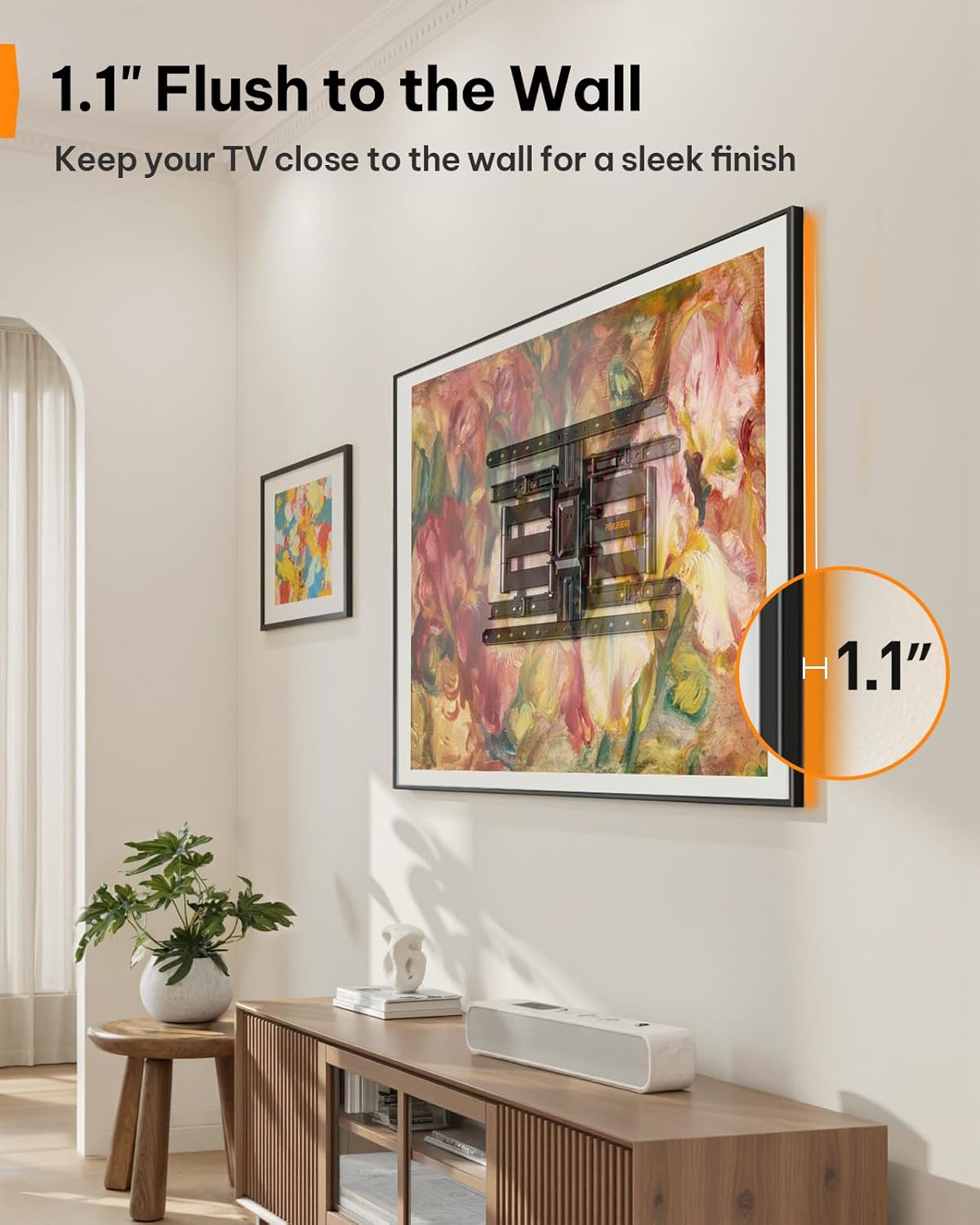
Figure 6: Ultra-Slim Profile
제품 특징 영상
Video 2: Perlegear Ultra Slim TV Mount Features. This video showcases the mount's slim profile, cable management, swivel, and tilt capabilities in a modern living room setting.
유지
정기적인 유지 관리는 TV 거치대의 수명 연장과 안전한 작동을 보장합니다.
- 연결 확인: 정기적으로 모든 나사와 볼트가 단단히 조여져 있는지 점검하십시오. 필요한 경우 다시 조이십시오.
- 깨끗한: 먼지를 제거하려면 부드럽고 마른 천으로 거치대를 닦으십시오. 연마성 세척제나 용제를 사용하지 마십시오.
- 매끄럽게 하기: The articulating arms are designed for smooth movement. If movement becomes stiff over time, a small amount of silicone-based lubricant can be applied to the pivot points.
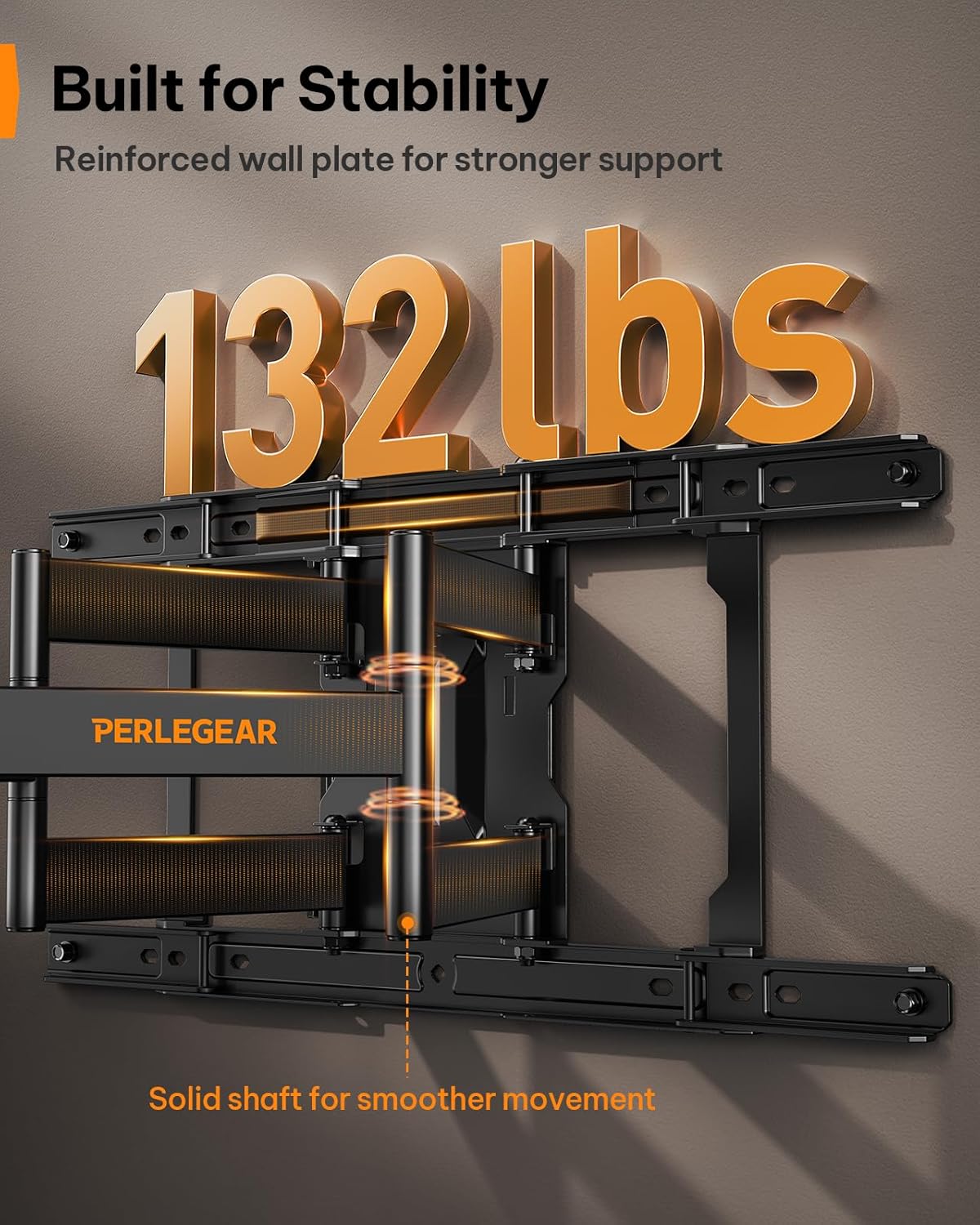
Figure 7: Built for Stability
문제 해결
| 문제 | 가능한 원인 | 해결책 |
|---|---|---|
| 설치 후 TV가 수평이 아닙니다. | 설치 과정에서 약간의 정렬 불량이 발생했습니다. | Use the ±3° level adjustment feature to fine-tune the TV's position. |
| 벽에 고정하는 부분이 헐렁한 느낌입니다. | Lag bolts not fully tightened or incorrect wall anchors used. | Ensure all lag bolts are securely tightened. Verify correct anchors were used for your wall type. If on wood studs, ensure bolts are in the center of the stud. |
| TV가 거치대에 맞지 않습니다. | VESA 패턴이 잘못되었거나 TV 크기/무게가 맞지 않습니다. | Double-check your TV's VESA pattern and weight against the mount's specifications (200x200mm to 600x400mm, max 132 lbs). |
| Mount arms are stiff to move. | Lack of lubrication or dust accumulation. | Apply a small amount of silicone-based lubricant to the pivot points of the articulating arms. Clean any dust or debris. |
보증 및 지원
This Perlegear TV wall mount comes with a 5-year warranty. For warranty claims, technical assistance, or any questions regarding installation or operation, please contact Perlegear customer support.
You can find contact information on the official Perlegear web사이트나 구매 플랫폼을 통해서도 구매하실 수 있습니다.